




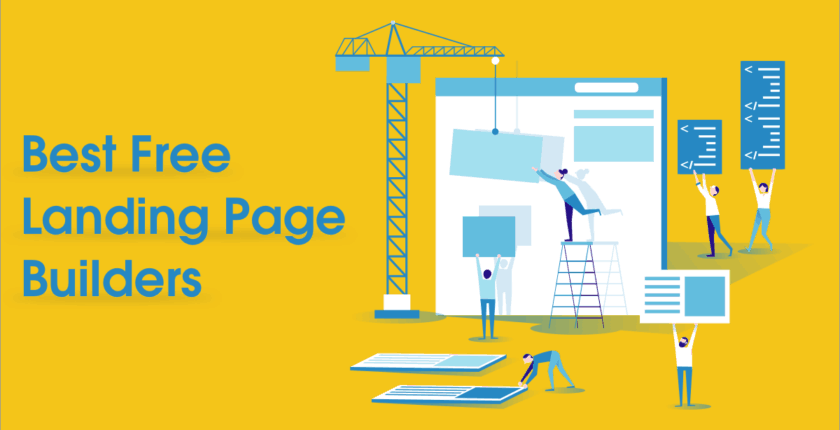

If you want more leads, sign-ups, or sales in 2026, you don’t need “more traffic.” You need better conversion—and that starts with a high-performing landing page. The right landing page builder helps you launch faster, test ideas, connect your tools, and improve results without relying on developers for every change.
- Key Takeaways
- Table of Contents
- What Is a Landing Page Builder?
- Who Needs One in 2026?
- How to Choose the Right Landing Page Builder
- 1) Decide your primary goal
- 2) Ask: “Will we run experiments?”
- 3) Check must-have integrations
- 4) Publish requirements
- 5) Speed & SEO (yes, landing pages can rank)
- Free vs Paid: What You Actually Get
- Quick Comparison Table
- 12 Best Landing Page Builders in 2026 (Reviewed)
- 1) Unbounce
- 2) Instapage
- 3) Leadpages
- 4) Landingi
- 5) Webflow
- 6) Framer
- 7) Wix
- 8) HubSpot Landing Pages
- 9) Mailchimp Landing Pages
- 10) Kit (formerly ConvertKit) Landing Pages
- 11) Carrd
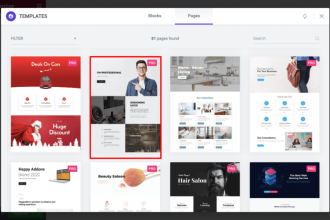
- 12) Elementor (WordPress)
- Best Landing Page Builder by Use Case
- Best for A/B testing and CRO
- Best for ad teams and personalization at scale
- Best for design-first landing pages
- Best for email list growth
- Best budget/free for quick launches
- Best for WordPress sites
- Launch Checklist (Copy/Paste)
- FAQs
- What is the best free landing page builder in 2026?
- Which landing page builder is best for paid ads?
- Do I need A/B testing on landing pages?
- Can I build landing pages on my own domain for free?
- Are landing page builders good for SEO?
- What’s the easiest landing page builder for beginners?
- What’s the best landing page builder for email list building?
- Can I accept payments on a landing page?
- How many landing pages should I create?
- What’s the biggest landing page mistake?
- References
In this guide, you’ll find the 12 best landing page builders in 2026 (including free and budget-friendly options), plus a practical checklist to pick the right platform for your goals, budget, and team.
Key Takeaways
- Best for serious conversion testing: Unbounce, Instapage, Leadpages, Landingi
- Best for design-first pages: Webflow, Framer
- Best “all-in-one marketing” pages: HubSpot, Mailchimp, Kit
- Best simple one-page sites: Carrd
- Best for WordPress users: Elementor
- Best quick-start builder with AI support: Wix
Table of Contents
What Is a Landing Page Builder?
A landing page builder is a tool that lets you create focused pages designed to convert visitors into leads or customers—usually with drag-and-drop sections, templates, forms, and integrations. Unlike a normal website page, a landing page is typically built around one goal (e.g., “Book a call,” “Start a trial,” “Download the guide,” “Buy now”).
Common landing page builder features
- Templates for lead gen, webinar registration, product launches, and sales pages
- Drag-and-drop editor for fast updates
- Forms and lead capture
- Mobile responsiveness and performance controls
- Integrations (CRM, email marketing, analytics, ad platforms)
- A/B testing and analytics for conversion optimization
Who Needs One in 2026?
Landing page builders are useful for almost every modern business, but especially if you’re doing any of these:
- Running ads (Google, Meta, TikTok, LinkedIn) and need relevant pages per campaign
- Building an email list with lead magnets, newsletters, or waitlists
- Launching a product (pre-order pages, beta signup pages, early access)
- Booking calls for services (consulting, agencies, clinics, local businesses)
- Testing offers fast (pricing experiments, positioning, new niches)
2026 trends pushing landing pages forward: AI copy assistance, personalization, first-party data capture, and faster iteration (ship, measure, improve).
How to Choose the Right Landing Page Builder
1) Decide your primary goal
- Lead generation: prioritize forms, CRM/email integrations, and follow-up automations
- Sales: prioritize checkout/payment embeds, trust elements, and speed
- Appointments: prioritize calendar integrations and strong mobile UX
- Ads at scale: prioritize collaboration, reusable blocks, and personalization
2) Ask: “Will we run experiments?”
If you’ll A/B test headlines, layouts, or CTAs regularly, choose a builder with built-in A/B testing and clear analytics. Otherwise you’ll end up using extra tools and lose speed.
3) Check must-have integrations
Before you commit, list your stack:
- Email marketing (e.g., Mailchimp / Kit)
- CRM (e.g., HubSpot)
- Analytics (GA4, pixel tools)
- Automation (Zapier)
4) Publish requirements
- Do you need a custom domain?
- Do you need multiple subdomains for campaigns (e.g., offers.yoursite.com)?
- Do you need multiple workspaces or clients?
5) Speed & SEO (yes, landing pages can rank)
Some landing pages are purely for ads. Others bring long-term traffic via SEO. If SEO matters, prioritize:
- Fast performance (Core Web Vitals)
- Clean HTML structure
- Easy metadata + schema options
Helpful tools: Google PageSpeed Insights and Google Analytics 4.
Free vs Paid: What You Actually Get
Free plans are great for validating an idea, building a basic signup page, or learning the tool. But most free tiers come with limits like:
- Publishing only on the platform’s subdomain (no custom domain)
- Branding on the page
- Lower monthly traffic/visitors
- Limited A/B testing or advanced analytics
Paid plans typically unlock:
- Custom domains and better publishing controls
- More pages, traffic, and workspaces
- A/B testing, personalization, advanced integrations
- Collaboration workflows and permissions
Quick Comparison Table
Tip: Pricing changes often. Use the “Pricing” links in each section to confirm the latest plan details.
| Tool | Best for | Free option? | Standout strength |
|---|---|---|---|
| Unbounce | CRO + testing for paid traffic | Free trial | A/B testing + optimization |
| Instapage | Teams running high-budget ads | Demo / trial | Personalization + collaboration |
| Leadpages | SMBs wanting lead gen fast | Free trial | Easy publishing + templates |
| Landingi | Marketers optimizing pages | Free trial (and free tools) | Testing + landing-page-first workflow |
| Webflow | Design control + performance | Starter plan | Pixel-level design + hosting |
| Framer | Modern, design-led landing pages | Free plan | Fast publishing + slick UI |
| Wix | Beginner-friendly pages | Free plan | Easy editor + AI assist |
| HubSpot | CRM-driven lead capture | Free to start | Native CRM + marketing tools |
| Mailchimp | Email list growth pages | Free plan | Landing pages + email in one |
| Kit | Creators & newsletter pages | Free plan | Subscriber-first landing pages |
| Carrd | Simple one-page landing sites | Free plan | Ultra-lightweight + affordable |
| Elementor | WordPress landing pages | Free plugin | Deep WP control + templates |
12 Best Landing Page Builders in 2026 (Reviewed)
1) Unbounce
Best for: conversion-focused marketers who want to build, test, and optimize landing pages for paid campaigns.
- What you’ll love: A/B testing workflow, strong CRO orientation, and marketing-first features.
- Watch-outs: More expensive than basic website builders; best value if you actually test and optimize.
2) Instapage
Best for: teams and agencies running serious ad spend and needing collaboration + page relevance at scale.
- What you’ll love: campaign alignment features, design flexibility, and team workflows.
- Watch-outs: typically positioned for higher budgets; confirm plan fit before committing.
3) Leadpages
Best for: small businesses that want fast landing pages, lead capture, and reliable publishing without complexity.
- What you’ll love: easy setup, practical templates, and lead-gen features built-in.
- Watch-outs: editor may feel less “design-first” than Webflow/Framer if you want pixel-perfect control.
4) Landingi
Best for: marketers who want a landing-page-first platform designed for building, testing, and iterating.
- What you’ll love: strong landing page workflow, optimization mindset, and templates for many industries.
- Watch-outs: always verify integration needs (CRM, analytics, automations) for your exact stack.
5) Webflow
Best for: founders and teams who want high-end design control, strong performance, and professional hosting.
- What you’ll love: designer-level control, clean publishing, and serious scalability for brand sites.
- Watch-outs: steeper learning curve than Wix/Carrd; custom domains require the right plan.
6) Framer
Best for: modern, design-led landing pages that look premium and publish fast.
- What you’ll love: sleek editing experience and quick publishing; great for startups and portfolios.
- Watch-outs: check limits on the free plan and whether your needs require upgrading for domains/features.
7) Wix
Best for: beginners who want a simple, fast way to publish landing pages with minimal setup.
- What you’ll love: easy editor, templates, and beginner-friendly tools.
- Watch-outs: free sites usually include platform branding; confirm plan needs for a custom domain.
Explore: Wix Landing Page Builder • Wix Plans
8) HubSpot Landing Pages
Best for: businesses that want landing pages tightly connected to CRM, email, and lead tracking.
- What you’ll love: CRM-native lead capture and marketing workflows when you scale.
- Watch-outs: platform depth can be more than you need if you only want simple pages.
Explore: HubSpot Landing Pages • HubSpot Pricing
9) Mailchimp Landing Pages
Best for: email list building + simple product/offer pages that live inside your email marketing stack.
- What you’ll love: landing pages + email campaigns together; quick to launch list-building pages.
- Watch-outs: if you need advanced A/B testing/personalization, dedicated landing page tools may fit better.
Explore: Mailchimp Landing Pages • Mailchimp Pricing
10) Kit (formerly ConvertKit) Landing Pages
Best for: creators, newsletter operators, and digital product sellers who want subscriber-first landing pages.
- What you’ll love: fast signup pages, creator-friendly templates, and list growth focus.
- Watch-outs: design flexibility may be less “website-builder-like” than Webflow/Wix depending on your needs.
Explore: Kit Landing Pages • Kit Pricing
11) Carrd
Best for: lightweight one-page landing sites, waitlists, and quick “validation” pages.
- What you’ll love: extremely fast setup, minimal bloat, and very affordable upgrades.
- Watch-outs: not built for complex multi-step funnels or enterprise collaboration.
Explore: Carrd • Carrd Pro Plans
12) Elementor (WordPress)
Best for: WordPress users who want full control over landing pages on their own hosting.
- What you’ll love: deep WordPress integration, tons of templates/widgets, and flexibility.
- Watch-outs: you’re responsible for hosting + plugin updates; keep WordPress and add-ons secure and updated.
Explore: Elementor on WordPress.org • Free Download • Elementor Pro Pricing
Best Landing Page Builder by Use Case
Best for A/B testing and CRO
- Unbounce (strong testing + optimization mindset)
- Landingi (landing-page-first testing workflows)
- Leadpages (SMB-friendly testing + publishing)
Best for ad teams and personalization at scale
- Instapage
Best for design-first landing pages
- Webflow (maximum control)
- Framer (modern, fast publishing)
Best for email list growth
- Mailchimp (landing pages + email marketing)
- Kit (creator-focused subscriber growth)
Best budget/free for quick launches
- Carrd (simple and ultra-affordable)
- Wix (beginner-friendly with templates)
Best for WordPress sites
- Elementor (control + ecosystem)
Launch Checklist (Copy/Paste)
- One goal: pick ONE primary CTA (sign up, buy, book, download)
- Message match: headline matches the ad/email that sent the traffic
- Above-the-fold: clear value + CTA visible on mobile
- Trust: testimonials, logos, guarantees, security/returns (where relevant)
- Friction removal: reduce form fields; remove unnecessary links
- Speed: compress images and test on mobile (use PageSpeed Insights)
- Tracking: install GA4 and ad pixels properly
- One test: A/B test ONE variable first (headline or CTA)
- Heatmaps (optional): use a tool like Hotjar for behavior insight
- Automation: connect leads to email/CRM (or via Zapier)
FAQs
What is the best free landing page builder in 2026?
If you want something truly lightweight and fast, Carrd is one of the best free starting points. If you want landing pages connected to email marketing, Mailchimp or Kit can be strong options depending on your workflow.
Which landing page builder is best for paid ads?
For conversion-driven paid traffic, look at Unbounce, Instapage, and Landingi. These tools focus on testing, relevance, and iteration.
Do I need A/B testing on landing pages?
If you plan to spend money on traffic (ads, influencers, sponsorships), A/B testing can quickly pay for itself by improving conversion rates. If you’re just starting, launch first, then test once you have consistent traffic.
Can I build landing pages on my own domain for free?
Many builders let you start for free, but publishing to a custom domain often requires a paid plan. Always check the current plan details on the tool’s pricing page.
Are landing page builders good for SEO?
Some are, especially Webflow and WordPress (Elementor). If SEO matters, prioritize speed, clean structure, and good metadata control.
What’s the easiest landing page builder for beginners?
Wix is one of the easiest for beginners. For the simplest “one-page” approach, Carrd is also very beginner-friendly.
What’s the best landing page builder for email list building?
Mailchimp and Kit are strong choices because landing pages live inside your email marketing workflow, making follow-ups easy.
Can I accept payments on a landing page?
Yes—many builders support payment integrations or embeds. If payments are central to your funnel, confirm your preferred payment method and checkout options before choosing a tool.
How many landing pages should I create?
Start with 1–3 pages: one primary offer page, one alternative angle, and one “lead magnet” page. Scale by campaign or audience once you know what converts.
What’s the biggest landing page mistake?
Trying to do too much. A landing page should have one job. Extra navigation, multiple CTAs, and cluttered copy usually reduce conversions.
References
- Unbounce Pricing
- Instapage Official Site
- Leadpages Pricing
- Landingi Pricing
- Webflow Pricing
- Framer Pricing
- Wix Landing Page Builder
- HubSpot Landing Pages
- Mailchimp Landing Pages
- Kit Landing Pages
- Carrd
- Elementor Plugin (WordPress.org)
Honorable mentions (worth checking): ClickFunnels, GetResponse, Systeme.io, Swipe Pages, Dorik. Choose these if they better match your funnel style, email stack, or budget.






phontechm