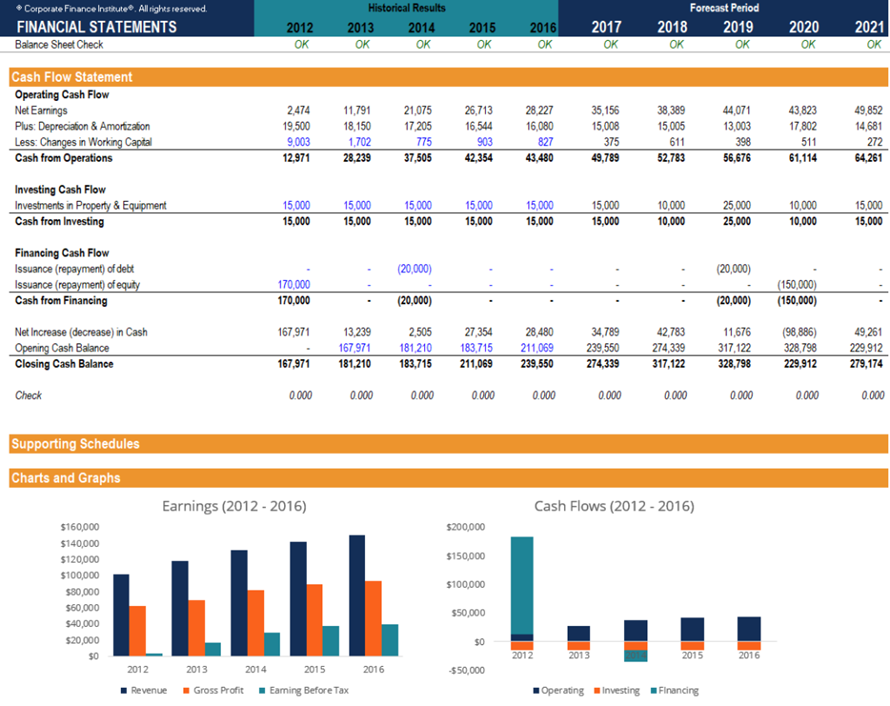
There are several steps required to build a three statement model, including:
- Input the historical financial information into Excel
- Determine the assumptions that will drive the forecast
- Forecast the income statement
- Forecast capital assets
- Forecast financing activity
- Forecast the balance sheet
- Complete the cash flow statement
In this guide, we will walk you through each of the above steps. For a more detailed, video-based tutorial on how to build a model from scratch, please watch our online financial modeling courses.
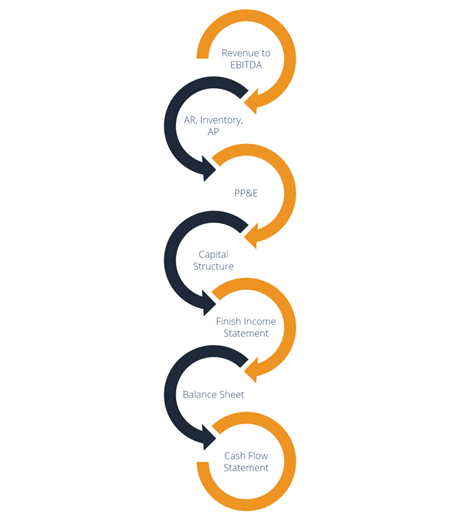
Steps in linking the statements
Input the historical information into Excel
In this step, we take the historical financial information of the company and either download, type or paste it into Excel. Once the information is in Excel (see this free course on Excel best practices), you’ll need to do some basic formatting to make the information easy to read and follow the structure you want your model to take. As you can see in the screenshot below, the historical information is entered in a blue font color under the historical time periods.