A GUI of an application contains one or more of the listed GUI elements:
● Application Window – Most application windows uses the constructs supplied by operating systems but many use their own customer created windows to contain the contents of application.
● Dialogue Box – It is a child window that contains message for the user and request for some action to be taken. For Example: Application generate a dialogue to get confirmation from user to delete a file.
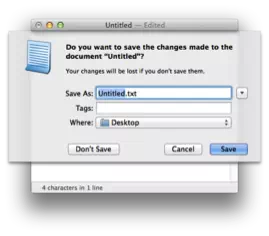
● Text-Box – Provides an area for user to type and enter text-based data.
● Buttons – They imitate real life buttons and are used to submit inputs to the software.
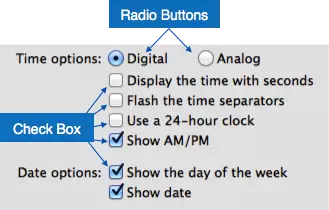
● Radio-button – Displays available options for selection. Only one can be selected among all offered.
● Check-box – Functions similar to list-box. When an option is selected, the box is marked as checked. Multiple options represented by check boxes can be selected.
● List-box – Provides list of available items for selection. More than one item can be selected.
Other impressive GUI components are:
● Sliders
● Combo-box
● Data-grid
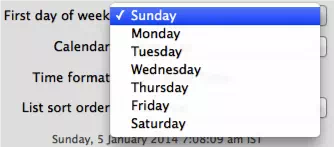
● Drop-down list