How to Turn Free Content into Paid Products
SenseCentral Creator Monetization Guide: A practical, SEO-friendly guide for creators who want to turn expertise, content, and audience trust into courses, downloads, coaching, memberships, and sustainable income.
Post Keywords: Creator Business, Sell Knowledge Online, Teachable, Creator Economy, Online Courses, Digital Products, Creator Monetization, Knowledge Commerce, Content Creators, Personal Brand, Course Creation, Online Business
Affiliate Disclosure: This post contains affiliate links. If you use my link, I may earn a commission at no extra cost to you. I only recommend tools and resources that can help creators build stronger digital businesses.
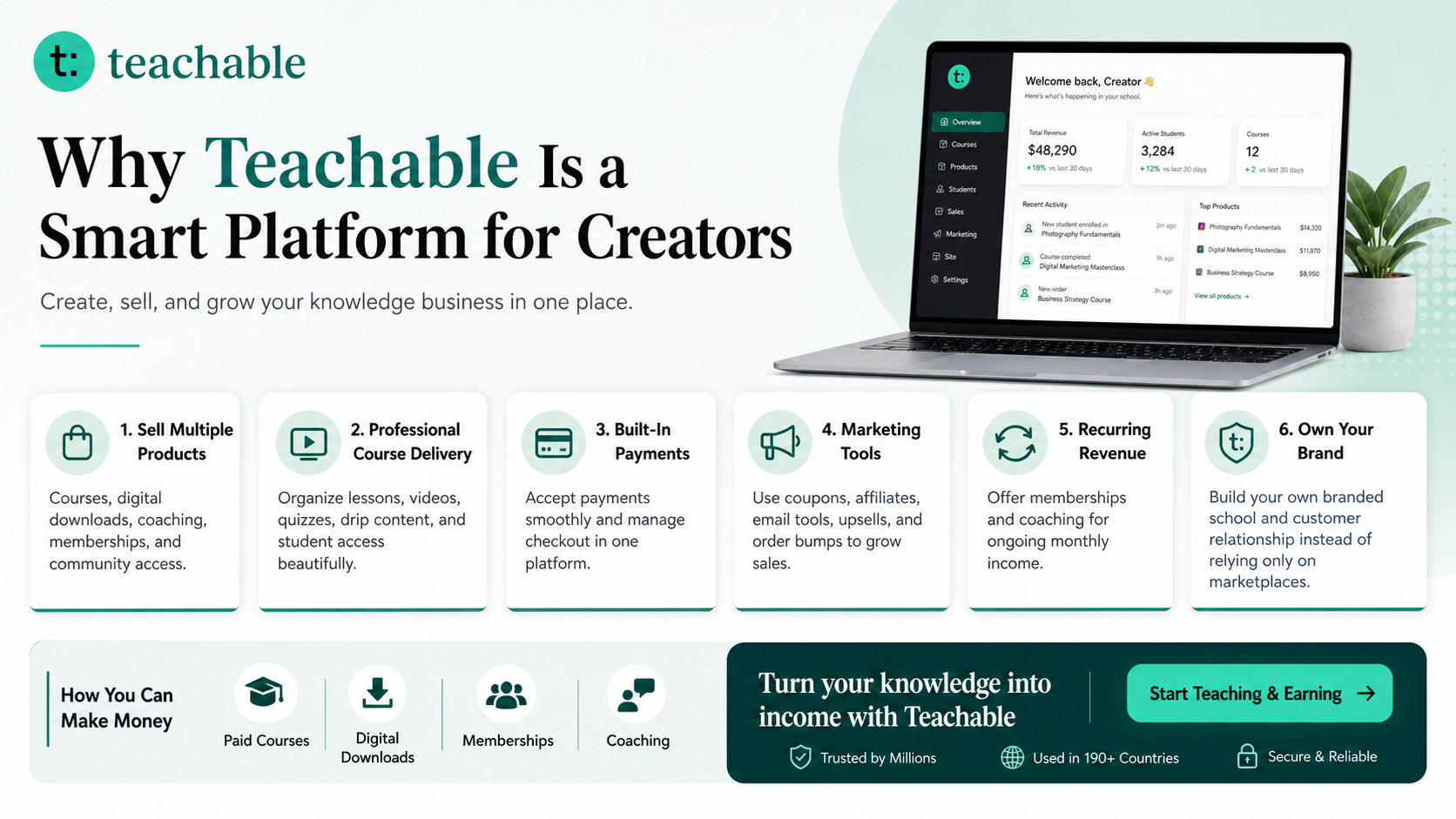
Teachable is an online platform that lets creators build, market, and sell courses, digital downloads, coaching, and memberships. It helps educators and entrepreneurs turn their knowledge into a branded digital business without needing complex coding.
Try Teachable
Read the Complete Teachable Guide
Learn more: How to Make Money with Teachable: A Complete Creator’s Guide

Quick Answer
If you run a blog, YouTube channel, newsletter, podcast, Instagram page, TikTok account, or personal brand, you already own something valuable: attention from people who are interested in your ideas. The challenge is turning that attention into stable income without depending only on ads, sponsorships, or unpredictable platform algorithms. This guide on How to Turn Free Content into Paid Products shows how to convert your experience, content, and audience trust into a practical education business using courses, downloads, coaching, memberships, and workshops.
The creator economy rewards consistency, but consistency alone does not guarantee ownership. A video can go viral and disappear. An algorithm update can reduce reach. A brand sponsorship can be cancelled. A course or digital product business is different because it gives your audience a structured way to buy a result from you. Teachable is useful here because it gives creators a place to build, market, and sell learning products without building a custom platform from scratch. For creators, educators, freelancers, coaches, and niche experts, that means you can move from simply publishing content to building a branded learning experience that lives under your control.
This article is written for creators who want a practical, beginner-friendly, and scalable path. You will learn how to choose the right first product, how to package your knowledge, how to create a simple funnel, how to promote your offer ethically, and how to build a product ladder that can grow over time. The goal is not to create a complicated business overnight. The goal is to identify one useful problem your audience already cares about and turn it into a paid product that feels natural, valuable, and aligned with your brand.
How to Turn Free Content into Paid Products is about building a direct bridge between your free content and a paid learning outcome. Your free content attracts the right audience. Your paid product gives that audience structure, depth, accountability, and resources. For creators, educators, freelancers, coaches, and niche experts, the strongest first offer is usually a focused course, digital download, coaching offer, or membership built around one clear outcome. It should solve one painful problem, promise one measurable result, and be easy for your audience to understand in a few seconds.
The strongest creator businesses transform free attention into owned products, recurring relationships, and practical results. The best creator businesses do not begin by creating dozens of random products. They begin by identifying the recurring questions their audience already asks. Those questions become lessons, checklists, templates, coaching prompts, modules, and sales page copy. When your product is built from real audience demand, selling feels less like pushing and more like organizing the next logical step.
Why This Creator Business Model Matters
Ads and sponsorships are useful, but they are not always dependable. Ad revenue can change because of CPM shifts, traffic fluctuations, seasonality, and platform policy changes. Sponsorships can be profitable, but they usually require brand negotiations, deliverables, revisions, deadlines, and audience-fit concerns. A knowledge product business gives you another path: instead of selling only audience attention to advertisers, you sell transformation directly to the people who already value your knowledge.
This is especially important for creators with deep niche expertise. A small audience can produce meaningful income when the offer is specific and valuable. For example, a creator with 5,000 highly engaged followers in a narrow niche may be able to sell a $49 template bundle, a $199 course, or a $799 coaching program more profitably than a broader creator with casual followers. The secret is relevance. People do not pay because a creator is famous; they pay because the creator helps them move from confusion to clarity.
The shift from content creator to education business owner
When you publish free content, you are often reacting to the platform. You study trends, post consistently, and hope the algorithm sends the right people. When you build a digital product business, you become more strategic. You build a list, create a customer journey, price offers intentionally, and own more of the relationship. You still create content, but content now has a business role: attract, educate, qualify, and invite.
The model also protects your time. Instead of answering the same questions repeatedly in comments, emails, or DMs, you can create an organized product once and improve it over time. Your audience gets a better experience, and you get leverage. That is why courses, downloads, memberships, and coaching fit creators so well: they package repeated value into a form that can be delivered again and again.
Where Teachable Fits
Teachable is built for creators who want to sell learning products without becoming full-time software developers. You can use it to organize lessons, upload content, sell digital downloads, create coaching offers, build memberships, and manage payments and student access. For a creator, the important benefit is not just “hosting a course.” The bigger benefit is having a branded place where your audience can buy and consume your educational content in a structured way.
A custom platform can be powerful, but it usually requires design, development, checkout setup, security, hosting, updates, student accounts, and ongoing maintenance. Most creators should not start there. They should start by validating demand. Teachable helps you launch faster because you can focus on your offer, lessons, sales page, and student results instead of spending months building technical infrastructure.
What creators can sell through a Teachable-style setup
- Online courses: step-by-step lessons that teach a complete outcome.
- Digital downloads: templates, guides, workbooks, spreadsheets, scripts, swipe files, or resource packs.
- Coaching: one-to-one or group guidance, audits, feedback, or implementation help.
- Memberships: recurring access to resources, updates, community, workshops, or ongoing education.
- Bundles: combinations of courses, downloads, coaching, and bonuses that increase perceived value.
The key is to choose a product format that matches the promise. A checklist is perfect for a quick task. A course is better for a step-by-step skill. Coaching is better when the buyer needs feedback. A membership is better when the topic requires ongoing updates or accountability.
Best Product Ideas for This Topic
Your best product is usually hidden inside your most repeated content. Look at the questions people ask in comments, search queries, DMs, emails, community discussions, and support requests. Then ask: “What would help this person get the result faster?” That answer can become a paid download, course, coaching package, or membership.
| Product Type | Best Use Case | Creation Effort | Why It Works |
|---|---|---|---|
| mini-course | Best for teaching a step-by-step transformation | Medium | High perceived value, strong trust-building, easy to upsell into coaching |
| template pack | Best for fast implementation and practical outcomes | Low to medium | Easy first product, useful for creators who already share examples |
| coaching session | Best for personalized guidance | Low | Higher price point, useful for learning audience pain points |
| paid workshop | Best for live teaching and product validation | Medium | Great pre-sell format before building a full course |
| resource library | Best for ongoing support, updates, and community | High | Recurring revenue and deeper audience relationship |
Specific product angles you can create
- mini-course: package a specific result, shortcut, framework, or implementation asset your audience can use immediately.
- template pack: package a specific result, shortcut, framework, or implementation asset your audience can use immediately.
- coaching session: package a specific result, shortcut, framework, or implementation asset your audience can use immediately.
- paid workshop: package a specific result, shortcut, framework, or implementation asset your audience can use immediately.
- resource library: package a specific result, shortcut, framework, or implementation asset your audience can use immediately.
- membership: package a specific result, shortcut, framework, or implementation asset your audience can use immediately.
When choosing your first product, avoid making it too broad. “How to become successful” is vague. “How to create your first paid workshop in 14 days” is clear. “Instagram growth course” is broad. “30-day carousel content system for beginner coaches” is easier to sell because buyers understand the outcome. Specific products are easier to write, easier to price, easier to promote, and easier for customers to complete.
Step-by-Step Launch Plan
Step 1: Identify one urgent audience problem
Begin with demand, not with your preferred product format. Study your top-performing content and list the questions people ask repeatedly. For creators, educators, freelancers, coaches, and niche experts, this may come from tutorials, guides, videos, checklists, opinions, stories, templates, and repeated audience questions. Choose one problem that is painful, common, and connected to a result people already want. A good product idea usually completes this sentence: “I help [specific audience] achieve [specific result] without [specific frustration].”
Step 2: Turn your free content into a clear curriculum
Free content often teaches scattered pieces. A paid product should create sequence. Group your best ideas into stages: beginner clarity, setup, execution, improvement, and maintenance. This gives your audience a path. You do not need twenty modules. A focused product with five strong lessons can be more useful than a huge course full of filler. The goal is completion, not bulk.
Step 3: Build a minimum lovable product
Your first version should be polished enough to deliver value but simple enough to launch. A minimum lovable product may include video lessons, a workbook, a checklist, a resource list, and one bonus Q&A. It does not need cinematic production. Clear audio, organized lessons, practical examples, and a clean sales page matter more than expensive equipment.
Step 4: Create a sales page that explains the outcome
A strong sales page answers five questions quickly: Who is this for? What problem does it solve? What will I learn or receive? Why should I trust you? What happens after I buy? Use bullets, screenshots, curriculum previews, testimonials if available, and a risk-reducing guarantee when appropriate. Avoid vague hype. The best sales copy feels like a helpful explanation.
Step 5: Launch to your warmest audience first
Start with people who already know you: email subscribers, followers, repeat readers, podcast listeners, YouTube viewers, or community members. Use personal website, email list, landing page, social CTA, webinar, and simple launch sequence. A simple launch can include a teaser post, a value-packed email, a behind-the-scenes explanation, a launch announcement, a deadline reminder, and a final call. The tone should be confident but helpful.
Product Ladder and Offer Strategy
A product ladder helps you avoid relying on one price point. Some people are ready to buy a low-cost template today. Others want a full course. A smaller group may want coaching or a premium program. By offering multiple levels over time, you create a natural path for different buyers. The key is not to launch everything at once. Start with one core offer, then expand based on customer feedback.
| Level | Example Offer | Typical Price Range | Business Purpose |
|---|---|---|---|
| Free | Blog post, video, podcast, carousel, checklist teaser | $0 | Build trust and collect emails |
| Entry | Template, mini-guide, swipe file, starter workshop | $9–$49 | Convert followers into first-time buyers |
| Core | Flagship course, structured program, implementation bundle | $99–$499+ | Deliver the main transformation |
| Premium | Coaching, cohort, audits, group support, private community | $500–$2,000+ | Offer access, accountability, and tailored help |
| Recurring | Membership, resource vault, monthly workshops, community | Monthly or annual | Build predictable income and retention |
For example, a creator may start with a $19 checklist, then offer a $149 course, then add a $499 workshop bundle, and finally create a $29/month membership for updates and accountability. This structure allows beginners to enter at a comfortable level while giving serious buyers a way to go deeper. Teachable can support this approach because the same audience can be directed to different types of learning products under one creator brand.
How to price without guessing blindly
Pricing should consider the value of the result, the depth of the product, your audience’s buying power, and the level of support included. Downloads are usually lower priced because they are quick to consume. Courses can command more because they organize a transformation. Coaching and cohorts can be premium because they include access and feedback. Memberships should deliver ongoing value, not just ongoing billing.
How to Build a Creator Funnel
A creator funnel is a simple system that moves someone from discovery to trust to purchase. It does not need to be complicated. In fact, simple funnels often work better because they are easier to maintain. A practical funnel for How to Turn Free Content into Paid Products may look like this: publish helpful free content, offer a free lead magnet, send a short email sequence, invite the subscriber to a paid product, and continue nurturing them with useful updates.
Example funnel structure
- Awareness: publish useful free content around the problem your product solves.
- Lead magnet: offer a checklist, worksheet, template, or mini-guide related to the paid product.
- Email sequence: send 3–5 helpful emails that teach, build trust, and introduce the offer.
- Sales page: explain the product outcome, curriculum, bonuses, and who it is for.
- Follow-up: share testimonials, answer objections, and remind readers before launch bonuses expire.
The most important part is alignment. If your free content teaches one topic and your product solves a completely different problem, conversion will be weak. Your funnel should feel like one continuous journey. The free content opens the door; the lead magnet gives a quick win; the paid product completes the transformation.
Useful Resource: Explore Digital Product Bundles
Explore Our Powerful Digital Products: Browse these high-value bundles for website creators, developers, designers, startups, content creators, and digital product sellers. These resources can help you build faster, package better offers, design better sales assets, and support your creator business with ready-made digital materials.
Explore Our Powerful Digital Products
Use digital product bundles carefully. Do not buy resources just to collect them. Buy them when they help you save production time, improve presentation quality, create bonuses, support your course lessons, or inspire a more useful offer for your own audience.
Common Mistakes to Avoid
Mistake 1: Creating before validating
Many creators disappear for months to build a huge course nobody asked for. Validate first. Ask your audience what they struggle with, pre-sell a workshop, offer a small download, or test a waitlist. Validation reduces risk and improves your final product.
Mistake 2: Selling information instead of transformation
Information is everywhere. People pay for organization, examples, confidence, shortcuts, templates, feedback, and accountability. Your product should not be “everything I know.” It should be “the exact path to a result.”
Mistake 3: Depending only on social platforms
Social media is useful for discovery, but email and your own website are better for long-term control. Use social platforms to attract attention, then move interested people into an owned audience through a newsletter, lead magnet, or direct checkout path.
Mistake 4: Overloading the first offer
A beginner-friendly product should feel achievable. Avoid adding too many modules, bonuses, and unrelated lessons. Clear beats huge. Customers who complete a small product are more likely to trust you for the next one.
Mistake 5: Ignoring the student experience
People remember how your product made them feel. Organize lessons clearly, provide action steps, reduce friction, and support students with examples. A good student experience creates testimonials, referrals, and repeat buyers.
30-Day Action Plan
Use this simple plan to turn the idea behind How to Turn Free Content into Paid Products into a real launch.
- Days 1–3: Review your top content, comments, emails, and audience questions. Choose one problem worth solving.
- Days 4–6: Define your product promise, target buyer, format, and success outcome.
- Days 7–10: Outline the curriculum or download structure. Keep it focused and practical.
- Days 11–15: Create the first version of your product. Record lessons, write worksheets, design templates, or prepare the workshop.
- Days 16–18: Build the sales page, checkout, email capture, and thank-you experience.
- Days 19–22: Publish free content that naturally leads to the product topic.
- Days 23–26: Send launch emails, post social proof, answer objections, and invite warm followers.
- Days 27–30: Deliver the product, collect feedback, improve the offer, and plan the next promotion.
This plan is intentionally simple. The first launch is not about perfection; it is about learning what your audience values enough to pay for. Once you have real buyers, you can improve the lessons, add bonuses, create an advanced version, or turn the product into a larger ecosystem.
FAQs
Do I need a big audience to make money with Teachable?
No. A smaller audience can work if it is focused, engaged, and connected to a clear problem. A niche creator with strong trust can often sell better than a broad creator with passive followers.
What should I sell first as a creator?
Start with the simplest paid product that solves a real audience problem. For many creators, that is a checklist, template pack, mini-course, live workshop, or coaching session. Build larger products after you confirm demand.
Can I sell digital downloads instead of courses?
Yes. Downloads can be excellent first products because they are faster to create and easier for buyers to use immediately. Templates, spreadsheets, prompts, guides, and swipe files can all become valuable products.
How do I promote a course without annoying my audience?
Teach generously, explain who the product is for, share the problem it solves, and give people a clear choice. Good promotion is not constant pressure; it is timely education plus a relevant invitation.
Should I use a custom website or a platform like Teachable?
A custom website gives maximum control, but it can slow down beginners. A platform can help you validate faster. Many creators use their own website for content and brand authority, then use Teachable for product delivery and checkout.
How often should I launch or promote?
Promote lightly all year through evergreen links and more strongly during planned launches. A simple rhythm is one major launch per quarter, supported by weekly content and ongoing email nurturing.
Key Takeaways
- Your audience is not only a traffic source; it can become a customer base when you offer a clear paid result.
- Start with one focused product before building a large product catalog.
- Use free content to attract and educate, then use paid products to deliver structure and implementation.
- Teachable can help creators sell courses, digital downloads, coaching, and memberships without building a complex custom system.
- Build a product ladder over time so beginners, serious learners, and premium buyers all have a suitable option.
- Promote ethically with disclosure, useful education, and a strong match between the content and the offer.
Further Reading and References
Internal links from SenseCentral
- How to Make Money with Teachable: A Complete Creator’s Guide
- SenseCentral — Product Reviews, Comparisons, and How-To Guides
- SenseCentral Reviews
- SenseCentral Business Guides
- SenseCentral How-To Guides
Useful external links
- Try Teachable
- Teachable Official Website
- Teachable Online Courses
- Teachable Guide to Selling Digital Products
- Teachable Affiliate Partner Program
- InfiniteMarket Digital Product Store
References
- Teachable official product pages and creator platform information.
- Teachable educational resources on courses, downloads, memberships, and selling digital products.
- SenseCentral internal guide: “How to Make Money with Teachable: A Complete Creator’s Guide.”