How to Use Teachable for Community-Led Learning
How to Use Teachable for Community-Led Learning is a practical guide for course creators, educators, trainers, and student-focused knowledge businesses. You will learn how to package knowledge, support, accountability, and community into a paid digital product that feels valuable from the first day.
Affiliate disclosure: This article may include affiliate links. If you click a recommended resource and make a purchase, Sensecentral may earn a commission at no extra cost to you. We only include tools and resources that are relevant to creators, course sellers, and online business owners.
Overview: what this post helps you build
The online education market has shifted from simple content delivery to relationship-driven learning. A course can teach information, a downloadable template can save time, and a coaching call can create clarity. But a community can connect all of these pieces into an ongoing experience where members feel guided, seen, and motivated. That is why creators are increasingly packaging courses, digital downloads, coaching, memberships, and peer support together instead of selling isolated products.
The goal of this guide is to help you use Teachable as a practical base for courses, coaching, memberships, digital downloads, and community-led education. A strong course-plus-community offer does not need thousands of members. It needs a specific audience, a clear promise, an easy onboarding path, useful content, and a repeatable engagement rhythm. When those pieces work together, your community becomes more than a chat room. It becomes a learning environment, a support system, and a revenue engine.
For Sensecentral readers who review tools, build websites, sell templates, publish digital products, or create learning resources, this model can be especially powerful. You can use your existing expertise as the foundation and then add a paid member space where people receive ongoing guidance. Instead of creating one product and hoping it sells forever, you build a living product that improves as members ask questions and share results.
Key Takeaways
- A paid community works best when it promises a result, not just access to a group.
- The strongest offers combine education, accountability, templates, events, and peer support.
- Teachable can support a creator business built around courses, coaching, digital downloads, memberships, and community-led learning.
- A small founding group is often better than waiting for a massive audience.
- Retention improves when members have a clear weekly reason to return.
Why How to Use Teachable for Community-Led Learning matters for creators and online businesses
Many creators start by publishing free content on social media, YouTube, newsletters, or blogs. This is useful for visibility, but it is not always enough to create predictable income. Algorithms change, attention shifts, and audiences can become passive. A paid community gives you a more direct relationship with your best audience members. These are the people who want structured help, not just quick tips.
Community-based products also solve a major problem in online learning: people buy courses, but many do not complete them. They get busy, lose motivation, feel confused, or stop when they face a challenge. A community gives them a place to ask questions, see others making progress, and receive reminders to continue. This turns your product from a one-time purchase into an ongoing support system.
For business owners, the community model can also increase lifetime customer value. A customer who buys one digital download may spend once. A member who joins a community can stay for months, buy advanced offers, attend workshops, and recommend the experience to others. This is why community-led education is attractive for creators who want sustainable revenue instead of constantly chasing new customers.
Best use cases and offer formats
Before choosing tools or pricing, decide what kind of transformation your audience wants. A paid group should not exist only because community sounds trendy. It should make the member journey easier, faster, or more enjoyable. The table below shows practical formats you can adapt for course-plus-community offer.
| Community format | What members get | When it works best |
|---|---|---|
| Beginner learning community | A simple paid space for lessons, weekly prompts, and peer discussion. | Best when you already teach a topic and want deeper engagement. |
| Course plus support | A course supported by live calls, discussion threads, resource drops, and accountability. | Best for improving completion and perceived value. |
| Membership or subscription | Monthly access to training, community, templates, updates, and expert guidance. | Best for recurring revenue and long-term audience relationships. |
| Mastermind or cohort | Smaller group experience with direct feedback, implementation calls, and high-touch support. | Best for premium positioning and transformation-based pricing. |
The best format depends on your audience’s urgency and willingness to pay. Beginners may prefer low-cost access and simple guidance. Professionals may pay more for direct feedback, accountability, and expert-led sessions. Students may need completion support, while entrepreneurs may want strategy, templates, and networking. Your job is to match the promise, the delivery style, and the price.
Step-by-step blueprint to build the community
1. Define the member transformation
Start with one sentence: “This community helps [specific audience] achieve [specific result] with [method or support].” A vague promise such as “join our business community” is weak. A stronger promise is “join a weekly implementation community for creators who want to launch their first paid digital product in 30 days.” The more specific the transformation, the easier it becomes to write sales pages, create onboarding, and design events.
2. Choose the core community pillars
Most successful communities are built around three to five pillars. For example, you might include training, accountability, feedback, networking, and templates. These pillars should repeat every month so members know what to expect. A predictable rhythm builds trust. Members should never wonder why they are paying or what they should do after joining.
3. Design the onboarding experience
Onboarding is where many communities fail. A new member should receive a welcome message, a quick-start guide, a recommended first post, links to important resources, and instructions for joining the next event. Give them a simple first action, such as introducing themselves, downloading a checklist, or completing lesson one. The faster a member participates, the more likely they are to stay.
4. Create useful content without overwhelming members
Do not overload the community with endless lessons. Too much content can reduce action. Instead, create a focused library of resources that directly supports the promised transformation. This can include short video lessons, worksheets, swipe files, checklists, live call replays, and templates. The content should answer real questions and remove practical obstacles.
5. Build engagement rituals
Engagement does not happen automatically. Build rituals such as Monday goal-setting threads, weekly wins, monthly hot seats, resource drops, office hours, progress check-ins, and member spotlights. These repeatable rituals make the community feel active without requiring you to invent something new every day. They also train members to return at specific times.
6. Connect the community to your products
Your community should support your wider business model. If you sell courses, the community can help students complete lessons. If you sell templates, it can show buyers how to use them. If you offer coaching, the group can provide scalable support between calls. If you publish reviews and comparisons, the community can help readers discuss tools and implementation strategies.
7. Measure retention and improve monthly
Track more than member count. Watch active members, comments, event attendance, course completion, cancellations, renewal rate, and common support questions. These signals show whether the community is truly useful. Every month, ask: What helped members most? What confused them? What should be removed? What should become a recurring event or resource?
Pricing and value table
Pricing should reflect the value of the outcome, the level of access, and the amount of support. A low-priced community can work when it is scalable and resource-driven. A high-priced community needs stronger transformation, direct access, accountability, and clear positioning. Avoid underpricing if the community requires live support and frequent moderation.
| Offer level | Typical pricing idea | What to include | Best fit |
|---|---|---|---|
| Starter community | $9–$29 / month | Simple discussion space, monthly Q&A, resource archive | Beginners testing demand |
| Course + community bundle | $49–$299 one-time or payment plan | Course modules, student support, assignments, completion help | Course creators selling outcomes |
| Premium cohort | $300–$2,000+ | Limited seats, live workshops, accountability, review sessions | High-touch coaching and expert transformation |
| Professional membership | $19–$99 / month | Templates, events, member directory, office hours, niche updates | Creators with an audience that needs ongoing help |
A good pricing test is simple: would a serious member feel that the first month helped them save time, avoid mistakes, gain clarity, or make progress? If the answer is yes, the price is easier to justify. If the answer is no, add more structure before increasing the price.
Useful resource: try Teachable for courses, coaching, digital downloads, memberships, and communities
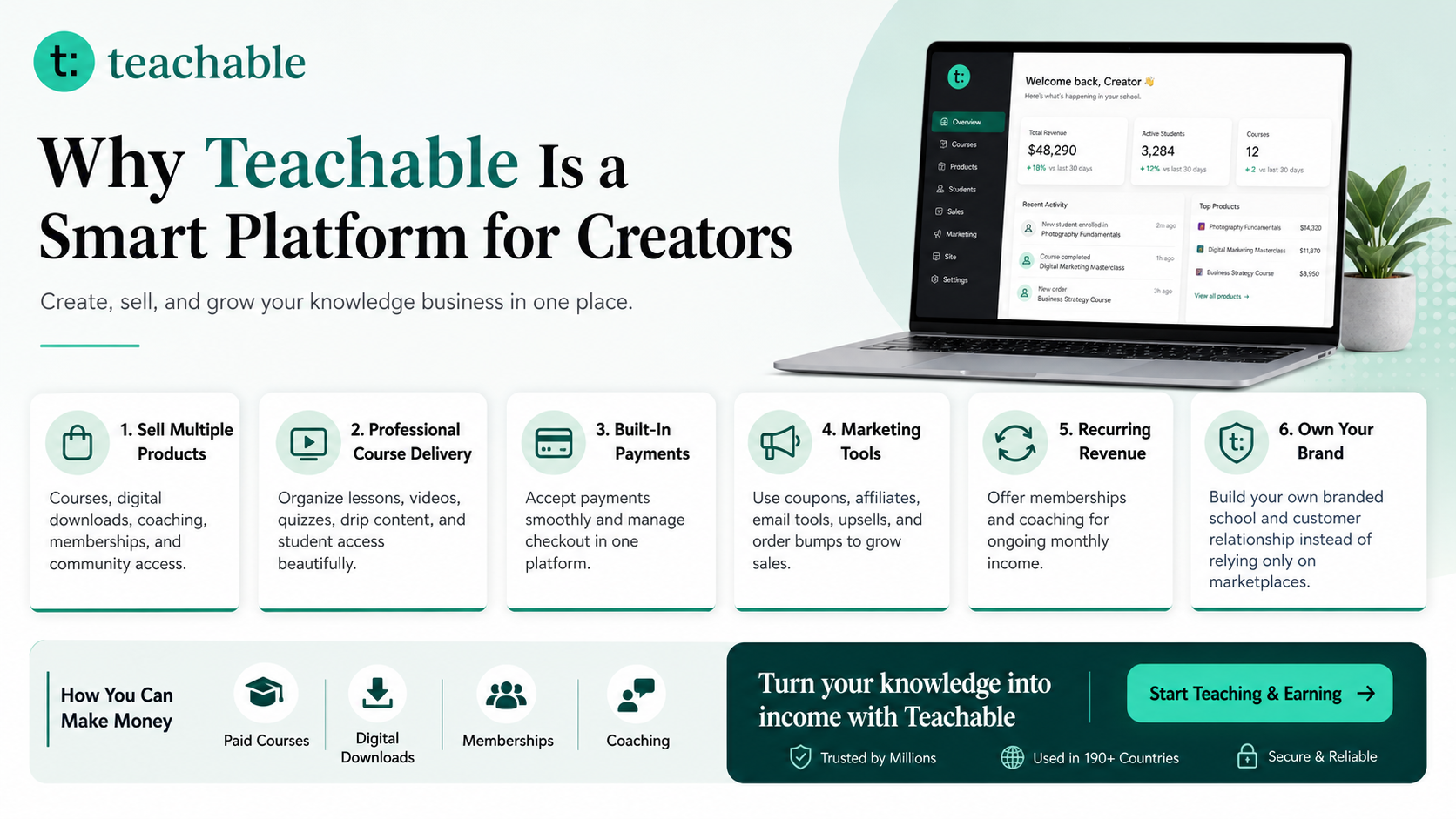
Teachable is an online platform that lets creators build, market, and sell courses, digital downloads, coaching, and memberships. It helps educators and entrepreneurs turn their knowledge into a branded digital business without needing complex coding.
Try Teachable Read: How to Make Money with Teachable

Explore Our Powerful Digital Products
Browse these high-value bundles for website creators, developers, designers, startups, content creators, and digital product sellers. If you are building a community, these resources can help you create bonuses, templates, lead magnets, worksheets, and product bundles faster.
Common mistakes to avoid
Mistake 1: selling access instead of a result
People do not pay only to access another group. They pay because the group helps them become more capable, confident, connected, or productive. Your sales page should explain the outcome, the member journey, and the support system.
Mistake 2: depending only on discussion
Discussion is valuable, but it is not enough. Add structure through challenges, resource drops, office hours, feedback threads, and milestone checklists. A community with structure feels more premium and easier to use.
Mistake 3: launching with too many channels
Too many spaces can make a new community feel empty. Start with a few focused areas: introductions, questions, wins, resources, and events. Expand only when members create enough activity to justify more sections.
Mistake 4: ignoring moderation
Clear rules protect the value of the community. Set guidelines for self-promotion, respectful communication, support requests, confidentiality, and spam. Good moderation keeps the environment safe and useful.
Mistake 5: not creating a renewal reason
If members receive all value in the first week, they may cancel quickly. Add monthly themes, live sessions, new templates, expert interviews, member challenges, or continuing education so the offer stays fresh.
Launch checklist
- Define the exact transformation members will get, not only the topic they will discuss.
- Choose a community rhythm: weekly prompts, monthly workshops, office hours, implementation sprints, or expert interviews.
- Create a member onboarding path so new people know what to do in the first 10 minutes.
- Add clear rules for respectful discussion, promotion, support requests, refunds, and member privacy.
- Use your course lessons, templates, digital downloads, and live sessions to keep the community useful.
- Measure engagement, completion, churn, member questions, and recurring revenue every month.
FAQs about How to Use Teachable for Community-Led Learning
Is How to Use Teachable for Community-Led Learning a good business idea for beginners?
Yes, it can be a strong beginner-friendly model if you start with a narrow promise, a simple format, and a small founding group. The mistake is trying to build a huge social network from day one. Start with a clear outcome, a repeatable weekly rhythm, and a small paid group that receives enough attention to feel supported.
Do I need a large audience before launching a paid community?
A large audience helps, but it is not required. A smaller audience can work when the pain point is urgent, the niche is clear, and the offer gives practical value. Ten to thirty founding members can be enough to validate the idea before building a larger membership system.
What should I include inside the community?
Include onboarding, discussion prompts, member introductions, resource libraries, live Q&A sessions, implementation challenges, feedback opportunities, and links to your courses or digital downloads. The best communities combine learning, accountability, and connection.
How can Teachable fit into this model?
Teachable can be used to package online courses, coaching, digital downloads, memberships, and community-related learning experiences under one branded education business. This makes it useful when you want to sell knowledge products without building a custom platform from scratch.
How do I keep members active after they join?
Give members a reason to return every week. Use scheduled prompts, challenges, recognition posts, expert sessions, office hours, progress tracking, and clear member milestones. Engagement improves when people understand what to do next and why it matters.
Further reading from Sensecentral
- How to Make Money with Teachable: A Complete Creator’s Guide
- Sensecentral homepage for product reviews and comparisons
- Digital product ideas and resources on Sensecentral
- Online business guides on Sensecentral
Useful external links
- Teachable official website
- Teachable pricing and plan features
- Teachable digital downloads
- Teachable guide to memberships around courses
References
- Teachable official pages describe the platform’s products for online courses, coaching, digital downloads, memberships, and related creator business tools.
- Teachable pricing pages list platform features such as community, memberships, course design templates, drip content, quizzes, sales tools, and marketing features.
- Teachable educational resources discuss using memberships and digital products to expand creator income and improve student experiences.
Keyword tags
Suggested featured image idea: a modern gradient illustration of online learners, creator tools, community chat bubbles, digital products, and a premium education dashboard for “How to Use Teachable for Community-Led Learning”.