SenseCentral Digital Product Guide
How Digital Products Save Time for Buyers
Buying digital products can be an efficient way to obtain templates, graphics, knowledge, software, and ready-made systems, but a fast download is not automatically a good purchase. This guide explains how digital products save time for buyers with a practical, buyer-first method. You will learn how to define the required outcome, compare formats, review licensing, calculate value, avoid low-quality offers, and keep resources organized.
Key Takeaways
- Start with the outcome you need, not the size of the bundle or the discount shown.
- Check formats, software requirements, licence terms, update policy, and support before purchase.
- A valuable download should save time, reduce mistakes, or improve the quality of a finished result.
- Organize files immediately so purchased assets remain searchable and reusable.
- Use commercial-use resources only within the permissions stated by the licence.
Define the Result You Need: How Digital Products Save Time for Buyers
Begin by translating the purchase into a concrete outcome. A buyer does not truly need more files; the buyer needs a finished presentation, a faster content calendar, a more professional brand, a usable planner, or another measurable result. This distinction prevents impulse purchases driven by oversized file counts or dramatic discounts. Write down the project, required software, deadline, preferred style, and level of editing you can realistically handle before opening a marketplace.
Apply the principle by creating a three-column decision note: desired outcome, evidence that confirms the need, and obstacles that could prevent success. This turns a broad topic into an operational plan. It can reveal whether you need a simpler product, clearer instructions, a different format, or more validation before moving forward.
Understand Common Product Formats
Quality is easier to judge when the seller explains exactly what is included. Look for dimensions, page counts, editable elements, font information, software versions, colour modes, download size, and instructions. A strong listing shows several readable previews instead of hiding the product behind decorative mockups. It should distinguish between editable source files and flattened exports. When an essential detail is missing, ask before paying rather than assuming the file will work.
Imagine the first ten minutes after access. The user should know what to open, where to begin, which software is required, and what a successful result looks like. Reduce friction with a README file, descriptive folders, visible version numbers, sample outputs, and concise steps. These details influence perceived quality, support volume, reviews, and actual usage.
Questions and Checks to Complete
- What exact project will this resource support?
- Can your software open and edit every important file?
- Does the licence permit the intended use?
- Can you identify the included files without guessing?
- Will you realistically use enough of the product to justify the price?
Build Faster With Ready-to-Use Resources
Explore Our Powerful Digital Products Bundle
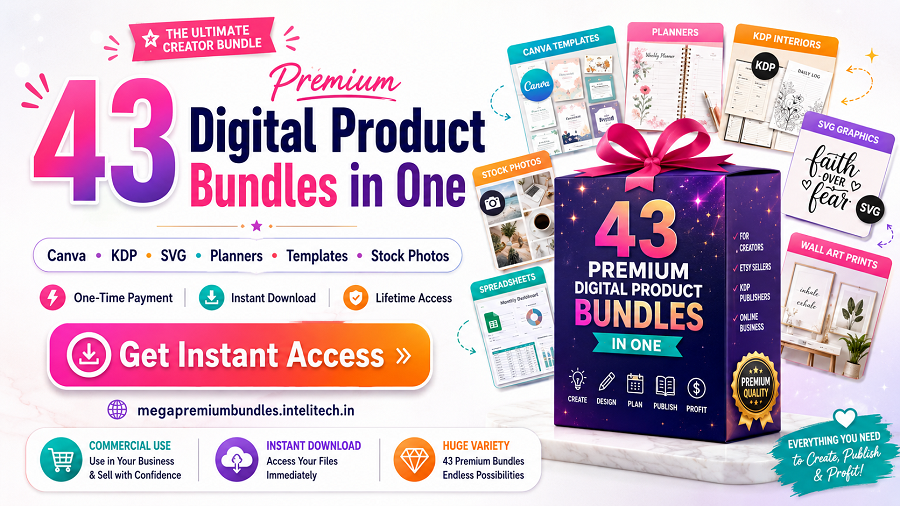
Browse these high-value bundles for website creators, developers, designers, startups, content creators, and digital product sellers. Use the collection as a practical resource when you need editable assets, production shortcuts, or inspiration for multiple projects.
View the complete bundle collection | Buy individual bundles

Resource note: Review included files, software requirements, and licence terms before purchasing or using any bundle.
Compare Quality, Compatibility, and Value
The licence is part of the product. Personal-use permission may not cover client work, advertising, print-on-demand, resale, redistribution, or editable templates sold to others. Commercial-use permission also varies widely. Save a copy of the licence with the receipt and original download. If a planned use is not clearly permitted, obtain written clarification from the rights holder before publishing, selling, or sharing the result.
Use a real project as the test environment. Generic opinions are less useful than observing whether the resource completes a task under a deadline. Record the steps that worked, the edits required, the missing information, and the final result. A real-use test produces evidence that can guide a purchase, improve a product, or simplify a workflow.
| Evaluation area | What to check | Why it matters |
|---|---|---|
| Primary outcome | The exact job the product should help complete | Prevents attractive but irrelevant purchases |
| File compatibility | PDF, PNG, JPG, SVG, DOCX, XLSX, PSD, AI, Canva, ZIP, or another format | Confirms the files work with your devices and software |
| Licence | Personal, commercial, extended, or restricted use | Protects against accidental misuse |
| Preview quality | Readable samples, dimensions, and an included-file list | Reduces uncertainty |
| Support and updates | Instructions, contact method, update access, and refund policy | Improves the post-purchase experience |
| Total value | Time saved, reuse potential, and project fit | Provides a better measure than file count alone |
Read the Licence Before You Buy
Value should be judged against the time, skill, and risk the product removes. A focused template used every week may be worth more than a huge archive opened once. Estimate how long you would need to create an equivalent resource, the cost of outsourcing, the number of projects it can support, and the editing work still required. This simple calculation replaces bargain excitement with a more dependable decision.
Keep the system easy to maintain. Document the source, licence, date, version, software requirements, and support contact. Store an untouched original, a working copy, and a backup. Clear records are especially important when resources are used for clients, team projects, advertising, or products that may generate revenue.
Use a Practical Evaluation Framework
Begin by translating the purchase into a concrete outcome. A buyer does not truly need more files; the buyer needs a finished presentation, a faster content calendar, a more professional brand, a usable planner, or another measurable result. This distinction prevents impulse purchases driven by oversized file counts or dramatic discounts. Write down the project, required software, deadline, preferred style, and level of editing you can realistically handle before opening a marketplace.
Apply the principle by creating a three-column decision note: desired outcome, evidence that confirms the need, and obstacles that could prevent success. This turns a broad topic into an operational plan. It can reveal whether you need a simpler product, clearer instructions, a different format, or more validation before moving forward.
Check Previews, Instructions, and Seller Support
Quality is easier to judge when the seller explains exactly what is included. Look for dimensions, page counts, editable elements, font information, software versions, colour modes, download size, and instructions. A strong listing shows several readable previews instead of hiding the product behind decorative mockups. It should distinguish between editable source files and flattened exports. When an essential detail is missing, ask before paying rather than assuming the file will work.
Imagine the first ten minutes after access. The user should know what to open, where to begin, which software is required, and what a successful result looks like. Reduce friction with a README file, descriptive folders, visible version numbers, sample outputs, and concise steps. These details influence perceived quality, support volume, reviews, and actual usage.
Practical Quality-Control Checklist
- What exact project will this resource support?
- Can your software open and edit every important file?
- Does the licence permit the intended use?
- Can you identify the included files without guessing?
- Will you realistically use enough of the product to justify the price?
Explore a High-Value Digital Product Collection
Explore Our Powerful Digital Products Bundle
Browse these high-value bundles for website creators, developers, designers, startups, content creators, and digital product sellers. Use the collection as a practical resource when you need editable assets, production shortcuts, or inspiration for multiple projects.
View the complete bundle collection | Buy individual bundles
Resource note: Review included files, software requirements, and licence terms before purchasing or using any bundle.
Calculate Time Saved and Total Cost
The licence is part of the product. Personal-use permission may not cover client work, advertising, print-on-demand, resale, redistribution, or editable templates sold to others. Commercial-use permission also varies widely. Save a copy of the licence with the receipt and original download. If a planned use is not clearly permitted, obtain written clarification from the rights holder before publishing, selling, or sharing the result.
Use a real project as the test environment. Generic opinions are less useful than observing whether the resource completes a task under a deadline. Record the steps that worked, the edits required, the missing information, and the final result. A real-use test produces evidence that can guide a purchase, improve a product, or simplify a workflow.
Organize and Back Up Your Purchase
Value should be judged against the time, skill, and risk the product removes. A focused template used every week may be worth more than a huge archive opened once. Estimate how long you would need to create an equivalent resource, the cost of outsourcing, the number of projects it can support, and the editing work still required. This simple calculation replaces bargain excitement with a more dependable decision.
Keep the system easy to maintain. Document the source, licence, date, version, software requirements, and support contact. Store an untouched original, a working copy, and a backup. Clear records are especially important when resources are used for clients, team projects, advertising, or products that may generate revenue.
Free Productivity Resource: Zee Sharp
Zee Sharp is a growing suite of free online tools for productivity, development, and creativity. No sign-up. No watermarks. Just tools. It can complement a digital product workflow when you need fast utilities without installing additional software.
Avoid Common Buying Mistakes
Begin by translating the purchase into a concrete outcome. A buyer does not truly need more files; the buyer needs a finished presentation, a faster content calendar, a more professional brand, a usable planner, or another measurable result. This distinction prevents impulse purchases driven by oversized file counts or dramatic discounts. Write down the project, required software, deadline, preferred style, and level of editing you can realistically handle before opening a marketplace.
Apply the principle by creating a three-column decision note: desired outcome, evidence that confirms the need, and obstacles that could prevent success. This turns a broad topic into an operational plan. It can reveal whether you need a simpler product, clearer instructions, a different format, or more validation before moving forward.
A Simple Review Routine
- What exact project will this resource support?
- Can your software open and edit every important file?
- Does the licence permit the intended use?
- Can you identify the included files without guessing?
- Will you realistically use enough of the product to justify the price?
Expand Your Creative Resource Library
Explore Our Powerful Digital Products Bundle
Browse these high-value bundles for website creators, developers, designers, startups, content creators, and digital product sellers. Use the collection as a practical resource when you need editable assets, production shortcuts, or inspiration for multiple projects.
View the complete bundle collection | Buy individual bundles
Resource note: Review included files, software requirements, and licence terms before purchasing or using any bundle.
Create a Repeatable Buying Checklist
Quality is easier to judge when the seller explains exactly what is included. Look for dimensions, page counts, editable elements, font information, software versions, colour modes, download size, and instructions. A strong listing shows several readable previews instead of hiding the product behind decorative mockups. It should distinguish between editable source files and flattened exports. When an essential detail is missing, ask before paying rather than assuming the file will work.
Imagine the first ten minutes after access. The user should know what to open, where to begin, which software is required, and what a successful result looks like. Reduce friction with a README file, descriptive folders, visible version numbers, sample outputs, and concise steps. These details influence perceived quality, support volume, reviews, and actual usage.
Build Long-Term Value From Every Download
The licence is part of the product. Personal-use permission may not cover client work, advertising, print-on-demand, resale, redistribution, or editable templates sold to others. Commercial-use permission also varies widely. Save a copy of the licence with the receipt and original download. If a planned use is not clearly permitted, obtain written clarification from the rights holder before publishing, selling, or sharing the result.
Use a real project as the test environment. Generic opinions are less useful than observing whether the resource completes a task under a deadline. Record the steps that worked, the edits required, the missing information, and the final result. A real-use test produces evidence that can guide a purchase, improve a product, or simplify a workflow.
Frequently Asked Questions
How can I tell whether a digital product is good quality?
Check readable previews, exact file lists, dimensions, editable features, software requirements, licence terms, instructions, seller history, and support details. Quality should be demonstrated rather than implied by a high file count.
Should I buy a large bundle or one focused product?
Choose the smallest option that confidently solves current and near-future needs. A bundle is valuable when several included resources match planned projects; otherwise, a focused product may be easier to use.
What does commercial use normally mean?
It generally permits certain business applications, but every licence is different. Confirm whether end products, client work, print-on-demand, advertising, modification, and redistribution are allowed.
Can I resell the original files after buying them?
Usually not. Most licences prohibit sharing, redistributing, sublicensing, or reselling source files unless resale rights are stated explicitly.
What should I do immediately after downloading?
Scan the files, keep the original ZIP, save the receipt and licence, create a backup, rename the folder clearly, and test compatibility while support is available.
Further Reading on SenseCentral
- Common Digital Product Mistakes Beginners Should Avoid
- Best Digital Downloads for Content Creators
- Best Digital Products for Busy Freelancers
- How to Price Digital Products for Profit
Explore more practical guides, comparisons, and digital resource recommendations at SenseCentral.
References and Useful External Resources
- Shopify: What Are Digital Products?
- Etsy Seller Handbook: How to Sell Digital Downloads
- Canva Licensing Explained
- Creative Commons Licence Overview
Editorial note: Platform features, fees, policies, tax handling, and licence terms can change. Verify current details on the official website before making a business or purchasing decision.
Practical Implementation Notes
Turn this guide into action by documenting one decision at a time. Record the audience, intended result, required file formats, software, licence, budget, and deadline. Then identify the smallest next step that produces evidence: compare three products, interview three potential users, build one sample, or complete one real project. Evidence reduces uncertainty more effectively than collecting more ideas.
Review the result after use. Note what saved time, what caused confusion, which instructions were missing, and which parts were never used. Buyers can use this review to improve future purchasing decisions. Sellers can use it to refine the product, previews, onboarding, and support. Over time, this habit creates a more useful resource library and a stronger understanding of genuine value.
Keep expectations realistic. Digital products can be scalable, efficient, and profitable, but outcomes vary. Avoid guarantees and focus on controllable factors: usefulness, accuracy, organization, customer fit, honest communication, responsible licensing, consistent promotion, and ongoing improvement.
- Key Takeaways
- Table of Contents
- Define the Result You Need: How Digital Products Save Time for Buyers
- Understand Common Product Formats
- Build Faster With Ready-to-Use Resources
- Compare Quality, Compatibility, and Value
- Read the Licence Before You Buy
- Use a Practical Evaluation Framework
- Check Previews, Instructions, and Seller Support
- Explore a High-Value Digital Product Collection
- Calculate Time Saved and Total Cost
- Organize and Back Up Your Purchase
- Free Productivity Resource: Zee Sharp
- Avoid Common Buying Mistakes
- Expand Your Creative Resource Library
- Create a Repeatable Buying Checklist
- Build Long-Term Value From Every Download
- Frequently Asked Questions
- How can I tell whether a digital product is good quality?
- Should I buy a large bundle or one focused product?
- What does commercial use normally mean?
- Can I resell the original files after buying them?
- What should I do immediately after downloading?
- Further Reading on SenseCentral
- References and Useful External Resources
- Practical Implementation Notes