Skip to content
Mon, Oct 12, 2026 / Ideas for a clearer worldINDEPENDENT INSIGHTS · PRACTICAL TOOLS · EXPLAINERS
Sign in
Basics / August 28, 2021

Print a document in Word

Preview your document 1.      Click File > Print.ContentsPreview your document  2.      To preview each page, click the forward and backward arrows at the bottom of the page. If the text is too small to read, use the zoom slider at the bottom of the page to enlarge it. 3.      Choose the number of copies, and any other options you want, and […]

Preview your document

1.      Click File > Print.

2.      To preview each page, click the forward and backward arrows at the bottom of the page.

If the text is too small to read, use the zoom slider at the bottom of the page to enlarge it.

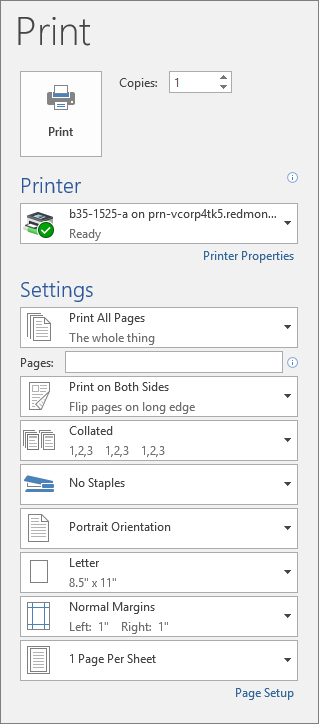
3.      Choose the number of copies, and any other options you want, and click the Print button.