If you have a Word document that contains color text or graphics but you want to print it in black and white or grayscale, you can do so by changing your printer properties. The options you have available depend on the type of printer you have.
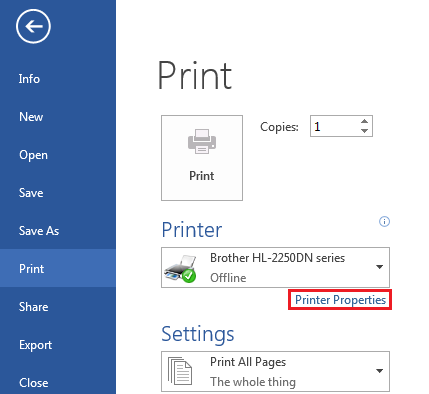
1. Click the File tab, and then click Print.
2. Click Printer Properties.
The dialog box that opens and the options available are specific to the printer. In the dialog box, find and select the properties for printing in color, grayscale or black and white.
For more detailed information, see your printer manufacturer’s instructions.
aa