- Key Takeaways
- 1) Why tasks change before jobs
- 2) What AI is actually good at (in 2026)
- 3) The first jobs to change (2026–2027)
- A) Administrative & clerical roles (the “coordination layer”)
- B) Customer support & contact centers
- C) Marketing, content, and “business writing” roles
- D) Sales development, account support, and revenue ops
- E) Finance operations (not “CFO work”—the process layer)
- F) Legal support work (documentation-heavy tasks)
- G) Entry-level data/analytics (the “reporting layer”)
- H) Software development changes early—but differently than people expect
- 4) Jobs that change later (and why)
- 5) Industry forecast table (quick scan)
- 6) Signals your role is about to change
- 7) How to stay ahead (skills + strategies)
- Skill 1: AI literacy (the minimum standard)
- Skill 2: Quality control (the new superpower)
- Skill 3: Domain depth (AI needs context)
- Skill 4: Workflow design (be the person who improves the process)
- 8) If you’re a manager: how to redesign work safely
- FAQs
- 1) Will AI replace my job in 2026?
- 2) Which jobs are most exposed to generative AI?
- 3) Which jobs are safest?
- 4) Is this mostly automation or augmentation?
- 5) Will salaries go down because AI makes work cheaper?
- 6) What should I learn first if I’m not technical?
- 7) What should students focus on in 2026?
- 8) Will regulations slow AI adoption?
- 9) What’s the biggest workplace risk with AI tools?
- 10) What’s the simplest way to stay relevant?
- Best Artificial Intelligence Apps on Play Store 🚀
- References & further reading
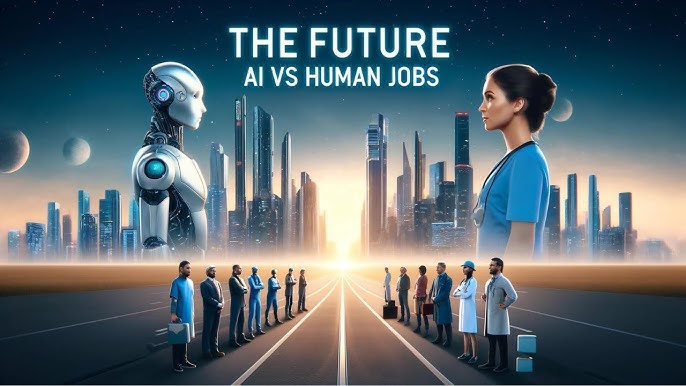
As of 2026, the “AI vs humans” debate is finally becoming the right question: not “which jobs disappear,” but “which job tasks change first—and how quickly.” The fastest disruptions aren’t happening where work is the hardest. They’re happening where work is most text-based, repeatable, and measurable, and where AI can plug into existing digital workflows with minimal friction.
This forecast is designed to help you do three things:
- See which roles change first (and what “change” actually looks like day-to-day).
- Identify the “early warning signals” that your job is entering a redesign phase.
- Future-proof your career with practical skills and habits—without panic.
Key Takeaways
- Jobs won’t change evenly—tasks will. Roles with heavy writing, summarizing, classifying, scheduling, and templated decision-making will shift first.
- Clerical + coordination work is the first wave. Admin, ops support, customer support, and entry-level analyst work will be redesigned earliest.
- AI boosts the “middle layer.” Many mid-skill knowledge jobs get faster and more productive before they shrink—meaning performance expectations rise.
- Work becomes more “managerial.” Even individual contributors increasingly manage AI outputs: verifying, refining, and aligning to goals.
- Your advantage becomes judgment + context. The most resilient workers combine domain expertise, communication, and quality control.
Table of Contents
- Why tasks change before jobs
- What AI is actually good at (in 2026)
- The first jobs to change (2026–2027)
- Jobs that change later (and why)
- Industry forecast table (quick scan)
- Signals your role is about to change
- How to stay ahead (skills + strategies)
- If you’re a manager: how to redesign work safely
- FAQs
- References & further reading
1) Why tasks change before jobs
Most jobs are bundles of tasks. AI doesn’t “replace a job” in one dramatic moment—it chips away at specific repeatable tasks first. Companies adopt AI where the return is easiest to prove:
- High volume: thousands of tickets, emails, calls, invoices, briefs, and reports.
- Clear benchmarks: response time, resolution rate, cost per ticket, conversion rate.
- Digital inputs/outputs: text, spreadsheets, CRM entries, documents.
This is why you’ll see “job redesign” long before you see mass job elimination. In many organizations, the early effect is:
- the same headcount doing more work, faster,
- new expectations around quality and speed,
- and a shift in what “good performance” means.
Translation: the first wave is a productivity wave. The second wave—after processes are rebuilt around AI—is where staffing levels may change.
2) What AI is actually good at (in 2026)
To forecast job change, focus on what modern AI systems excel at reliably enough to deploy at scale:
AI excels at:
- Drafting text (emails, proposals, job posts, customer replies)
- Summarizing (calls, meetings, long documents, threads)
- Transforming formats (bullet → paragraph, paragraph → slides, notes → SOP)
- Classification + routing (tagging tickets, prioritizing requests, triage)
- Pattern-based analysis (basic insights from structured data with guidance)
- Code assistance (boilerplate, tests, refactoring suggestions, documentation)
AI still struggles with:
- Ground truth verification without trusted data sources
- High-stakes decisions requiring accountability and legal defensibility
- Messy real-world context (politics, org nuance, human conflict)
- Physical work and complex dexterity in uncontrolled environments
This mismatch explains the first wave: AI lands hardest in roles where the work is mostly language + process, and lands later where the work is embodied, regulated, or relationship-driven.
3) The first jobs to change (2026–2027)
Below are the job families most likely to experience the earliest and most visible redesign—because they combine (1) high volumes of digital text work, (2) standard processes, and (3) clear metrics.
A) Administrative & clerical roles (the “coordination layer”)
Examples: administrative assistants, executive assistants, office coordinators, operations support, scheduling staff.
What changes first:
- Calendar + email triage becomes AI-assisted (draft replies, propose time slots, summarize threads).
- Meeting notes and follow-ups become semi-automatic.
- Document templates (policies, memos, SOPs) are drafted by AI and edited by humans.
New human advantage: prioritization, stakeholder judgment, confidentiality handling, and “knowing what matters.”
External reading:
ILO (2025) refined index of GenAI occupational exposure,
ILO global analysis on GenAI and jobs.
B) Customer support & contact centers
Examples: support agents, helpdesk, customer success support functions, technical support (Tier 1).
What changes first:
- AI drafts responses and suggests next steps while agents supervise.
- Ticket categorization and routing becomes automated.
- Knowledge base articles are generated from resolved tickets.
Why this changes early: the work is high-volume, measurable, and often scripted. Research has shown productivity gains when generative AI assistants support agents—especially less experienced workers.
External reading:
NBER: “Generative AI at Work”,
Quarterly Journal of Economics publication.
C) Marketing, content, and “business writing” roles
Examples: content writers, social media managers, SEO specialists, marketing coordinators, PR assistants.
What changes first:
- Drafting becomes near-instant; editing + differentiation becomes the real skill.
- Content calendars are generated automatically from goals and audience profiles.
- A/B testing and variant generation scales dramatically.
The new bottleneck: originality, brand voice, compliance, and performance strategy—not “writing speed.”
External reading:
Stanford AI Index Report 2025,
AI Index 2025 (PDF).
D) Sales development, account support, and revenue ops
Examples: SDR/BDR, inside sales support, proposal coordinators, RevOps analysts.
What changes first:
- Prospect research summaries become AI-generated.
- Email sequences get drafted and personalized at scale (with human review).
- CRM updates and call summaries become automated.
Human advantage: relationship building, negotiation, qualifying signals, and ethical persuasion.
External reading:
Microsoft Work Trend Index (AI at work),
Microsoft 2024 Work Trend Index hub.
E) Finance operations (not “CFO work”—the process layer)
Examples: accounts payable/receivable, billing support, reconciliation assistants, payroll support.
What changes first:
- Invoice reading, categorization, and exception detection become more automated.
- Routine reporting drafts become AI-assisted.
- Policy explanations and internal helpdesk (“how do I expense this?”) become AI-driven.
Human advantage: controls, audit trail, fraud suspicion, and accountability.
External reading:
IMF Staff Discussion Note on GenAI & jobs,
IMF blog: AI and jobs exposure.
F) Legal support work (documentation-heavy tasks)
Examples: paralegals, contract analysts, legal ops assistants.
What changes first:
- Contract clause comparison and first-pass redlining becomes AI-assisted.
- Discovery summaries and research drafts become faster.
- Policy documents become template-driven with AI drafting.
Human advantage: legal judgment, risk interpretation, client context, and sign-off accountability.
External reading:
OpenAI: “GPTs are GPTs” task exposure study,
arXiv: task exposure paper.
G) Entry-level data/analytics (the “reporting layer”)
Examples: junior analysts, BI support, reporting specialists, research assistants.
What changes first:
- Drafting dashboards narratives, meeting summaries, and KPI commentary becomes AI-assisted.
- SQL/code assistance increases speed—but requires stronger verification.
- Data cleaning suggestions accelerate—yet still need human oversight.
Human advantage: asking the right questions, checking assumptions, and connecting numbers to decisions.
External reading:
OECD: AI and work,
OECD: Generative AI and the SME workforce.
H) Software development changes early—but differently than people expect
Examples: junior developers, QA testers, documentation engineers, support engineers.
What changes first:
- Boilerplate code and tests become faster to generate.
- Documentation and code explanations become easier.
- Code review becomes more “design and risk review” than syntax policing.
Important nuance: this often raises expectations. Teams may ship faster, which increases pressure on architecture, security, and reliability.
External reading:
GitHub research on Copilot,
Controlled experiment: Copilot productivity paper.
4) Jobs that change later (and why)
Some work changes more slowly—not because it’s “safe forever,” but because it’s harder to deploy AI responsibly at scale.
Roles that change later tend to involve:
- Physical presence: skilled trades, repair, logistics in messy environments.
- High trust + accountability: clinical care decisions, regulated safety roles.
- Deep human interaction: caregiving, early education, therapy, conflict resolution.
- Complex real-time environments: emergency response, many field operations.
Even these roles will still adopt AI—just more as support (planning, scheduling, documentation, triage) than as direct replacement.
External reading:
BLS: Fastest growing occupations (2024–34),
BLS employment projections PDF.
5) Industry forecast table (quick scan)
| Job family | Tasks AI changes first | Type of change | 2026–2027 outlook |
|---|---|---|---|
| Admin & coordination | Email triage, scheduling, meeting notes, SOP drafts | Augmentation → headcount pressure later | Fast |
| Customer support | Draft replies, ticket routing, knowledge base creation | Augmentation + automation of simple cases | Fast |
| Marketing & content | Drafts, variants, SEO outlines, social captions | Augmentation + commoditization of basic content | Fast |
| Sales support / RevOps | Prospect research, sequences, CRM updates, call summaries | Augmentation | Fast |
| Finance ops | Invoice categorization, exception detection, reporting drafts | Augmentation + compliance constraints | Medium-fast |
| Legal support | Clause compare, summarization, first-pass drafts | Augmentation (high oversight) | Medium-fast |
| Software dev | Boilerplate, tests, refactoring suggestions | Augmentation (higher expectations) | Medium-fast |
| Healthcare & care work | Documentation, scheduling, triage assistance | Support tools (regulation-heavy) | Medium |
| Trades & field work | Planning, diagnostics support, inventory | Support tools | Slower |
6) Signals your role is about to change
If you want an “early warning system,” look for these signs:
- Your work is already measured: time-to-complete, tickets/day, turnaround time.
- Your work is template-driven: same structure, different details.
- Your work starts from text: emails, docs, messages, forms, transcripts.
- Your team repeats explanations: “How do I…?” questions all day long.
- Leadership talks about standardizing processes: SOPs, playbooks, “single source of truth.”
- AI policies appear: approved tools, data rules, security reminders, AI literacy training.
Bonus signal: when your organization introduces an “AI copilot/assistant” and asks you to use it for drafts and summaries, your job is already being redesigned.
7) How to stay ahead (skills + strategies)
The best career move in 2026 is not to “compete with AI,” but to become the person who can direct AI safely and ship outcomes.
Skill 1: AI literacy (the minimum standard)
- Learn prompting fundamentals: context, constraints, examples, and verification steps.
- Know failure modes: hallucinations, overconfidence, missing context, bias.
- Understand data boundaries: what you must never paste into public tools.
External reading:
EU AI Act timeline (full applicability in 2026),
European Commission: AI Act enters into force.
Skill 2: Quality control (the new superpower)
As AI makes drafting cheap, verification becomes valuable. Train yourself to:
- check sources, numbers, and claims,
- spot missing assumptions,
- compare outputs against reality and policy.
Skill 3: Domain depth (AI needs context)
AI can write “a contract summary,” but it can’t own the consequences. The more you build domain expertise, the more you become the person who can:
- interpret edge cases,
- apply judgment to ambiguous situations,
- and take responsibility for decisions.
Skill 4: Workflow design (be the person who improves the process)
In many teams, the biggest wins come from redesigning workflows:
- turning repeated requests into templates,
- building internal knowledge bases,
- creating checklists and QA gates for AI outputs.
External reading:
McKinsey: economic potential of gen AI,
McKinsey: deploy AI + raise skills.
8) If you’re a manager: how to redesign work safely
In 2026, the biggest risk isn’t “AI adoption.” It’s bad adoption: security leaks, compliance failures, and quietly lowering quality while chasing speed.
Leader checklist:
- Define “allowed tools” + data rules (what can/can’t be used and where).
- Build QA gates: sampling, audits, and human sign-off for high-risk outputs.
- Redesign roles transparently: explain which tasks shift and how performance will be evaluated.
- Invest in training: not just tools—skills, workflows, and decision-making.
- Track metrics that matter: customer satisfaction, error rates, rework, escalations—not only speed.
External reading:
Anthropic Economic Index (task-level usage patterns),
Anthropic Economic Index report (Sept 2025).
FAQs
1) Will AI replace my job in 2026?
Most likely, AI replaces parts of your job first. The near-term shift is usually: faster drafts, automated routing, and higher expectations—then workflow redesign.
2) Which jobs are most exposed to generative AI?
Roles with heavy writing, summarizing, templated decisions, and digital paperwork (admin, support, marketing, sales ops, junior analysis) tend to be more exposed than physical or deeply human-centered jobs.
3) Which jobs are safest?
No job is “forever safe,” but jobs that rely on physical dexterity, complex human interaction, and regulated accountability tend to change slower and more cautiously.
4) Is this mostly automation or augmentation?
In the first wave, it’s mostly augmentation: humans + AI together. Automation grows when companies standardize processes and build guardrails.
5) Will salaries go down because AI makes work cheaper?
For commoditized tasks, pay pressure can rise. For people who can manage AI outputs, reduce errors, and own outcomes, pay can increase. Expect more performance differentiation.
6) What should I learn first if I’m not technical?
Start with AI literacy, quality control, and domain-specific workflows. You don’t need to code to become valuable—you need to deliver better outcomes with AI safely.
7) What should students focus on in 2026?
Build fundamentals (communication, reasoning, numeracy, domain basics), then learn how to use AI as a co-worker: drafting, summarizing, verifying, and presenting.
8) Will regulations slow AI adoption?
Regulation tends to slow “reckless use,” not useful adoption. In practice, it often pushes companies toward safer tools, clearer policies, and workforce training.
9) What’s the biggest workplace risk with AI tools?
Confidential data leaks, incorrect outputs treated as truth, and “quiet quality collapse” where speed improves but errors and reputational risk increase.
10) What’s the simplest way to stay relevant?
Become the person who can (1) define the goal clearly, (2) get high-quality drafts fast, and (3) verify and ship the final result confidently.
Best Artificial Intelligence Apps on Play Store 🚀
Learn AI from fundamentals to modern Generative AI tools — pick the Free version to start fast, or unlock the full Pro experience (one-time purchase, lifetime access).

AI Basics → Advanced
Artificial Intelligence (Free)
A refreshing, motivating tour of Artificial Intelligence — learn core concepts, explore modern AI ideas, and use built-in AI features like image generation and chat.
More details
► The app provides a refreshing and motivating synthesis of AI — taking you on a complete tour of this intriguing world.
► Learn how to build/program computers to do what minds can do.
► Generate images using AI models inside the app.
► Clear doubts and enhance learning with the built-in AI Chat feature.
► Access newly introduced Generative AI tools to boost productivity.
Topics covered (full list)
- Artificial Intelligence- Introduction
- Philosophy of AI
- Goals of AI
- What Contributes to AI?
- Programming Without and With AI
- What is AI Technique?
- Applications of AI
- History of AI
- What is Intelligence?
- Types of Intelligence
- What is Intelligence Composed of?
- Difference between Human and Machine Intelligence
- Artificial Intelligence – Research Areas
- Working of Speech and Voice Recognition Systems
- Real Life Applications of AI Research Areas
- Task Classification of AI
- What are Agent and Environment?
- Agent Terminology
- Rationality
- What is Ideal Rational Agent?
- The Structure of Intelligent Agents
- Nature of Environments
- Properties of Environment
- AI – Popular Search Algorithms
- Search Terminology
- Brute-Force Search Strategies
- Comparison of Various Algorithms Complexities
- Informed (Heuristic) Search Strategies
- Local Search Algorithms
- Simulated Annealing
- Travelling Salesman Problem
- Fuzzy Logic Systems
- Fuzzy Logic Systems Architecture
- Example of a Fuzzy Logic System
- Application Areas of Fuzzy Logic
- Advantages of FLSs
- Disadvantages of FLSs
- Natural Language Processing
- Components of NLP
- Difficulties in NLU
- NLP Terminology
- Steps in NLP
- Implementation Aspects of Syntactic Analysis
- Top-Down Parser
- Expert Systems
- Knowledge Base
- Inference Engine
- User Interface
- Expert Systems Limitations
- Applications of Expert System
- Expert System Technology
- Development of Expert Systems: General Steps
- Benefits of Expert Systems
- Robotics
- Difference in Robot System and Other AI Program
- Robot Locomotion
- Components of a Robot
- Computer Vision
- Application Domains of Computer Vision
- Applications of Robotics
- Neural Networks
- Types of Artificial Neural Networks
- Working of ANNs
- Machine Learning in ANNs
- Bayesian Networks (BN)
- Building a Bayesian Network
- Applications of Neural Networks
- AI – Issues
- A I- Terminology
- Intelligent System for Controlling a Three-Phase Active Filter
- Comparison Study of AI-based Methods in Wind Energy
- Fuzzy Logic Control of Switched Reluctance Motor Drives
- Advantages of Fuzzy Control While Dealing with Complex/Unknown Model Dynamics: A Quadcopter Example
- Retrieval of Optical Constant and Particle Size Distribution of Particulate Media Using the PSO-Based Neural Network Algorithm
- A Novel Artificial Organic Controller with Hermite Optical Flow Feedback for Mobile Robot Navigation
Tip: Start with Free to build a base, then upgrade to Pro when you want projects, tools, and an ad-free experience.

One-time • Lifetime Access
Artificial Intelligence Pro
Your all-in-one AI learning powerhouse — comprehensive content, 30 hands-on projects, 33 productivity AI tools, 100 image generations/day, and a clean ad-free experience.
More details
Unlock your full potential in Artificial Intelligence! Artificial Intelligence Pro is packed with comprehensive content,
powerful features, and a clean ad-free experience — available with a one-time purchase and lifetime access.
What you’ll learn
- Machine Learning (ML), Deep Learning (DL), ANN
- Natural Language Processing (NLP), Expert Systems
- Fuzzy Logic Systems, Object Detection, Robotics
- TensorFlow framework and more
Pro features
- 500+ curated Q&A entries
- 33 AI tools for productivity
- 30 hands-on AI projects
- 100 AI image generations per day
- Ad-free learning environment
- Take notes within the app
- Save articles as PDF
- AI library insights + AI field news via linked blog
- Light/Dark mode + priority support
- Lifetime access (one-time purchase)
Compared to Free
- 5× more Q&As
- 3× more project modules
- 10× more image generations
- PDF + note-taking features
- No ads, ever • Free updates forever
Buy once. Learn forever. Perfect for students, developers, and tech enthusiasts who want to learn, build, and stay updated in AI.
References & further reading
- World Economic Forum: Future of Jobs Report 2025 (PDF)
- WEF: Future of Jobs Report 2025 (page)
- ILO Working Paper (2025): refined exposure index (PDF)
- IMF Staff Discussion Note (2024): GenAI & work exposure (PDF)
- OECD: AI and work
- Stanford HAI: AI Index Report 2025
- NBER: Generative AI at Work
- McKinsey: economic potential of generative AI
- OpenAI: task exposure study
- EU: AI Act timeline and applicability
- U.S. BLS: fastest-growing occupations (2024–34)
- Microsoft Work Trend Index: AI at work
- Anthropic Economic Index
Disclosure: This article is informational and reflects a best-effort synthesis of current research and observed adoption trends. Outcomes vary by industry, country, regulation, and company strategy.