Disclosure: This post may contain affiliate links. If you buy through them, I may earn a commission at no extra cost to you. I only recommend tools I believe are useful for real email marketing workflows.
- Table of Contents
- Quick verdict
- What is Mailmodo?
- What an email marketing service should do (2026 checklist)
- 1) List & consent management
- 2) Campaign creation that matches modern expectations
- 3) Automation that doesn’t require a developer
- 4) Deliverability foundations
- 5) Clear analytics that ties to revenue or outcomes
- Mailmodo core features (what you actually use day-to-day)
- AMP interactive emails: how it works + real use cases
- What AMP for Email is
- Important reality: AMP support is limited
- Use cases that actually boost conversion
- Automation & journeys
- Deliverability: what matters most in 2026
- Authentication: SPF, DKIM, DMARC
- Unsubscribe UX: one-click matters
- Complaint rates and reputation monitoring
- Compliance basics (CAN-SPAM, GDPR)
- Integrations & API
- Analytics & optimization
- Pricing (how to evaluate it safely)
- Step 1: Use the official pricing page as your source of truth
- Step 2: Price against outcomes, not features
- Pros and cons
- Who Mailmodo is best for (and who should skip)
- Mailmodo alternatives (quick comparisons)
- How to get started (simple launch plan)
- Day 1–2: Setup & foundations
- Day 3–5: Build your “money flows”
- Week 2: Add interactive conversion points
- Week 3+: Optimize with discipline
- FAQs
- Is Mailmodo good for beginners?
- Do AMP emails work for everyone?
- Does Mailmodo support integrations like HubSpot, Salesforce, Shopify, and Zapier?
- Can Mailmodo be used for transactional emails?
- What should I set up first for deliverability?
- Is Mailmodo secure and GDPR-friendly?
- References & further reading
Email marketing is still one of the highest-ROI channels—but only when you can reliably reach inboxes, personalize at scale, and make it easy for subscribers to take action. That’s where an email marketing service (also called an ESP: Email Service Provider) matters: it’s the platform that powers list management, campaigns, automations, deliverability, analytics, and (in some cases) interactive emails.
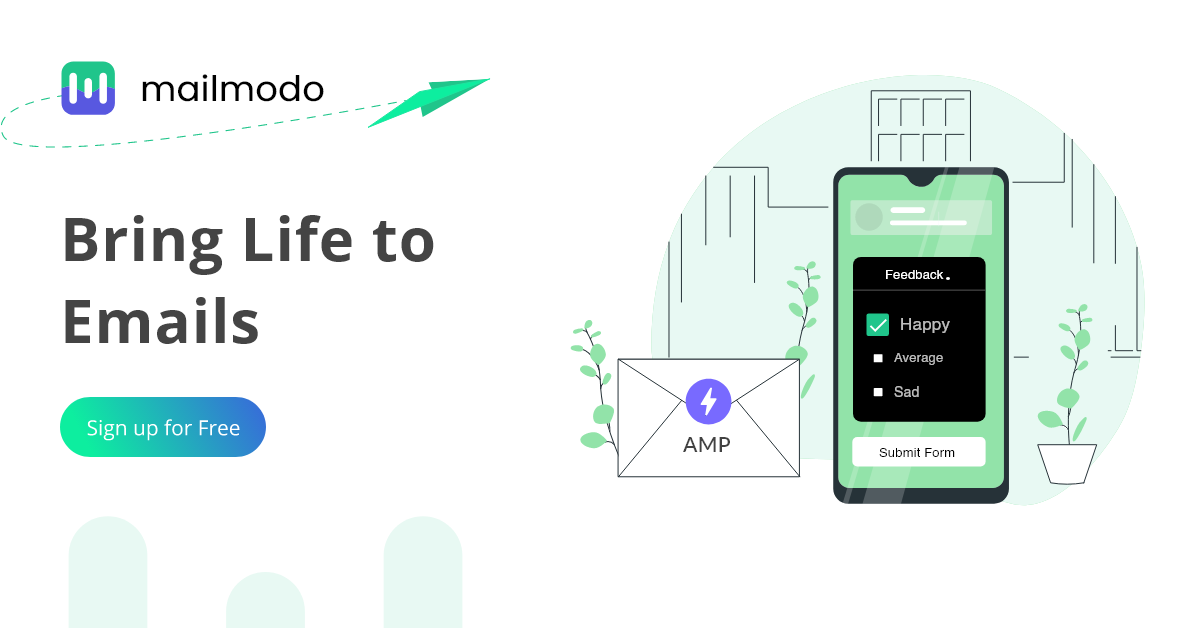
Mailmodo positions itself as an email marketing platform built to boost conversions—most notably through no-code AMP interactive emails (think forms, polls, calendars, product carousels) that can work inside the email itself, with fallback HTML for clients that don’t support AMP.
In this 2026 review, you’ll learn what Mailmodo does well, where it can be limiting, and how to decide if it fits your use case—whether you’re a creator, SaaS marketer, or ecommerce brand looking for better engagement.
Quick verdict
Mailmodo is strongest when you want conversion-focused campaigns—especially interactive experiences inside email. If your strategy includes collecting feedback, booking demos, capturing preferences, running surveys, or reducing clicks-to-convert, Mailmodo’s AMP-first approach can be a real advantage.
- Best for: SaaS, B2B, DTC/ecommerce, and product-led teams that benefit from in-email actions (forms, polls, booking widgets, surveys).
- Less ideal for: teams that want “set-and-forget” newsletters only, or those who need very deep native ecommerce features that are tightly coupled to a specific platform.
Key Takeaways
- Mailmodo’s standout differentiator is no-code interactive AMP emails with fallback HTML for compatibility.
- It includes the usual ESP foundations: templates, segmentation, campaigns, automation, analytics, integrations, and deliverability tooling.
- AMP isn’t supported everywhere—so you should treat it as a conversion booster for supported clients, not your only experience.
- Inbox placement is increasingly tied to authentication + unsubscribe UX + complaint rates—Mailmodo supports standard authentication workflows, but your strategy still matters.
- Pricing is contact-based; evaluate it by your list size, send volume, and feature needs—and always verify the latest tiers on the official pricing page.
What is Mailmodo?
Mailmodo is an email marketing platform built around the idea that email shouldn’t just be a “message”—it should be an experience. Along with normal email workflows (broadcast campaigns, automation, segmentation, analytics), Mailmodo focuses heavily on interactive emails powered by AMP.
In plain terms: instead of sending a user to a landing page to fill a form, give feedback, or book a meeting, Mailmodo aims to let them do it inside the email (where supported), which can reduce friction and lift conversions.
Mailmodo also positions itself as a modern platform with features across creation, automation, deliverability, segmentation, analytics, and integrations—including an AI email assistant for ideation, segmentation help, template generation, and subject lines (depending on the feature set available at the time you’re using it).
Official links:
Mailmodo homepage •
Features overview •
Pricing
What an email marketing service should do (2026 checklist)
Before judging any tool, it helps to define what “good” looks like in 2026. Email platforms aren’t just about sending—they’re about consent, deliverability, personalization, measurement, and automation.
1) List & consent management
- Importing contacts safely (with consent tracking)
- Segmentation (behavioral + profile-based)
- Preference centers (so subscribers control what they receive)
2) Campaign creation that matches modern expectations
- Fast template creation + drag-and-drop editing
- Mobile-first rendering and QA previews
- A/B tests (subject lines, content, timing)
3) Automation that doesn’t require a developer
- Welcome flows, onboarding, cart recovery, reactivation
- Event-triggered sends (signup, demo request, purchase, churn risk)
- Branching logic, delays, and segmentation inside flows
4) Deliverability foundations
- SPF/DKIM/DMARC alignment support
- Unsubscribe best practices (including one-click for bulk marketing)
- Bounce/complaint management and reputation monitoring
5) Clear analytics that ties to revenue or outcomes
- Opens/clicks (when available), conversions, and attribution
- Engagement trends and list health
- Testing insights (what changed, what improved)
Mailmodo checks most of these boxes, and then adds its interactive layer on top.
Mailmodo core features (what you actually use day-to-day)
Mailmodo groups features across typical ESP categories: email creation, interactive emails, automation, campaigns, deliverability, segmentation, analytics, AI assistance, education/support, and integrations/API.
Email creation
You’ll spend a lot of time here—because email marketing is a volume game. A strong editor should help you produce on-brand emails quickly.
- Templates: start from proven layouts rather than blank screens.
- Drag-and-drop builder: speed matters when you ship weekly campaigns or iterate on flows.
- Reusable blocks: headers, product sections, footers, social icons.
Helpful resource: Use deliverability-friendly rendering tests with tools like
Litmus or
Email on Acid.
Campaign sending (broadcasts)
Broadcasts are your newsletters, announcements, promotions, product updates, and launches.
- Scheduling and time-based delivery
- Targeting by segments
- Basic experimentation and optimization
Segmentation
Segmentation is the difference between “spammy blasts” and “useful emails.” Most teams start simple:
- New subscribers (0–7 days)
- Engaged subscribers (opened/clicked recently)
- Inactive subscribers (no engagement 60–90 days)
- Customers vs. leads
Mailmodo’s positioning suggests AI-assisted segmentation may help speed this up, but your data quality still decides the outcome.
AMP interactive emails: how it works + real use cases
This is the feature most people come to Mailmodo for, so let’s be clear about what it is and what it isn’t.
What AMP for Email is
AMP for Email is a format that allows certain interactive components inside emails—like forms, carousels, accordions, and dynamic content—so users can take action without leaving the inbox (when the email client supports AMP). It’s still delivered alongside normal HTML/plaintext parts for compatibility.
Official docs and fundamentals:
AMP for Email overview •
AMP email fundamentals
Important reality: AMP support is limited
Not every inbox supports AMP rendering. Mailmodo itself emphasizes using fallback templates so that users on non-supporting clients still get a clean HTML version.
Mailmodo’s AMP support guide (with client support breakdown):
AMP email support guide
Use cases that actually boost conversion
1) In-email surveys and NPS
If you’ve ever lost responses because someone didn’t want to click out to a survey page, you’ll understand the appeal. A one-question in-email survey can dramatically reduce friction.
2) Lead capture / demo requests
For B2B/SaaS, the conversion path often looks like: email → landing page → form → confirmation. If AMP lets the form happen inside the email (supported inboxes), you can remove steps.
3) Booking meetings
Mailmodo highlights booking widgets (like Calendly) in real-world workflows. Example external tool:
Calendly
4) Preference collection
Instead of asking users to manage preferences on a website, use interactive options to collect topics, frequency, and interests.
5) Ecommerce experiences (lightweight)
AMP can support interactive product sections and browsing-like experiences, but you should still evaluate whether you need deeper ecommerce-native features for your platform.
Pro tip: Use AMP as a conversion layer—not a replacement for your normal email flow. Always design the HTML fallback as a complete, useful experience.
Automation & journeys
Most revenue comes from automation, not newsletters. A good automation system lets you build:
- Welcome series: set expectations, deliver the lead magnet, ask for preferences.
- Onboarding: guide users to their first “aha moment.”
- Reactivation: win back inactive subscribers with value, not discounts.
- Post-purchase: how-to content, upsells, reviews, referrals.
The platform should make it easy to branch by actions (opened, clicked, submitted a form, purchased) and by attributes (plan type, region, product interest). Mailmodo’s feature set includes email automation as a core pillar and tends to pair it with interactive components to reduce friction inside the journey.
Workflow idea: Welcome email → preference selection in-email → branch subscribers into content streams (e.g., “Beginner,” “Intermediate,” “Advanced”) → send personalized onboarding.
Deliverability: what matters most in 2026
Deliverability isn’t a “feature”—it’s the result of authentication, list hygiene, sending behavior, and user feedback (spam complaints, deletions, low engagement). But your ESP should make the basics easy.
Authentication: SPF, DKIM, DMARC
Major mailbox providers increasingly require authentication—especially for bulk sending. Google’s sender guidelines explicitly call out SPF/DKIM for all senders and SPF+DKIM+DMARC for bulk senders.
- Google sender guidelines: Email sender guidelines
- DMARC standard background: RFC 7489 (DMARC)
Unsubscribe UX: one-click matters
Modern bulk-sender requirements push toward easy unsubscribe experiences. The technical underpinning is often the List-Unsubscribe header plus the RFC that signals one-click functionality.
- One-click unsubscribe signaling: RFC 8058
Complaint rates and reputation monitoring
If you’re serious about inbox placement, you should monitor sender reputation and spam rate trends. Gmail’s Postmaster Tools is a practical starting point:
Compliance basics (CAN-SPAM, GDPR)
If you market to the U.S., CAN-SPAM requires a functioning opt-out and honoring opt-outs promptly (among other rules). If you serve EU/UK audiences, consent and lawful basis matter, plus the right to object to direct marketing.
- CAN-SPAM guide (FTC): Compliance guide
- GDPR + email marketing discussion: GDPR email marketing overview
Bottom line: Mailmodo supports authentication workflows and promotes deliverability as a pillar, but your list quality and sending strategy are still the biggest drivers.
Integrations & API
Integrations decide how well your email platform fits your business. Mailmodo lists a wide range of integrations across CRM, ecommerce, automation connectors, and engagement tools.
Mailmodo integrations page:
Integrations overview
Examples commonly cited by Mailmodo include tools like HubSpot, Salesforce, Zapier, Shopify, Zoho CRM, MoEngage, WebEngage, Calendly, Zoom and more (availability can evolve, so verify the current list on the integrations page).
Transactional email capabilities
If you need password resets, OTPs, invoices, shipping alerts, or app notifications, you’re in “transactional email” territory. Mailmodo also publishes a transactional email API feature page describing API-triggered sends and analytics.
Mailmodo Transactional Email API
Analytics & optimization
Analytics should answer two questions:
- Is email helping the business? (leads, revenue, retention)
- What should we change next? (content, timing, offer, segment)
For interactive emails, you’ll want to track more than clicks—things like form submissions, preference selections, and engagement inside the email experience (when supported). Mailmodo’s messaging highlights analytics and submissions tracking as part of the interactive approach.
Practical optimization loop:
- Start with 1–2 primary metrics (e.g., demo requests, replies, purchases).
- Improve one lever at a time (subject, first screen, CTA, segment, send time).
- Watch deliverability and complaints while scaling volume.
Pricing (how to evaluate it safely)
Email tool pricing changes often, so here’s the best way to evaluate Mailmodo’s cost without getting surprised:
Step 1: Use the official pricing page as your source of truth
Mailmodo presents pricing in tiers (typically based on contact count and plan type). The pricing page also shows an annual-plan comparison table by contact tier. Instead of memorizing numbers, do this:
- Estimate your next 6–12 months list growth.
- Decide what you actually need: automations, advanced segmentation, integrations, support.
- Compare the plan cost to the lift you expect from higher conversions or reduced funnel friction.
Step 2: Price against outcomes, not features
If interactive emails help you get:
- More demo requests
- More survey responses
- More completed onboarding steps
- More recovered carts
…then the tool can pay for itself quickly. But if you only need a simple newsletter, a lighter and cheaper ESP may be enough.
Pros and cons
Pros
- Interactive AMP emails (no-code): a real differentiator for conversion-focused use cases.
- Strong positioning around conversions: the product is built around reducing friction.
- Integrations: wide ecosystem coverage via native integrations and connectors.
- Transactional + marketing options: useful if you want fewer tools in your stack.
- Security posture messaging: Mailmodo publicly states SOC 2 Type 2 + GDPR alignment (verify for your compliance needs).
Cons
- AMP support isn’t universal: you must design HTML fallback well and not assume everyone sees interactivity.
- Learning curve for “interactive-first” thinking: teams used to plain newsletters may need new templates and testing habits.
- Best value depends on your use case: if interactivity doesn’t improve your KPIs, you may not see a big advantage over simpler tools.
Who Mailmodo is best for (and who should skip)
Mailmodo is a strong fit if you:
- Run SaaS or B2B campaigns where you want demo requests, bookings, lead qualification inside email.
- Need better survey/NPS response rates with fewer clicks.
- Care about automation and segmentation but want a platform that emphasizes conversion outcomes.
- Want to experiment with interactive components while still shipping normal HTML emails.
You may want a different tool if you:
- Only send a simple newsletter and don’t need automation or interactivity.
- Need a platform that is deeply specialized for one ecosystem (for example, extremely deep ecommerce-specific features in a single vendor).
- Have strict enterprise constraints that require specific procurement/security workflows beyond what a mid-market tool provides.
Mailmodo alternatives (quick comparisons)
The “best” alternative depends on your business model:
- Klaviyo: popular for ecommerce-first workflows and segmentation depth. Great if your world revolves around store events.
- Mailchimp: broad general-purpose email marketing with a huge user base and lots of integrations.
- Brevo (Sendinblue): often chosen for multi-channel needs (email + SMS) and pricing flexibility.
- ActiveCampaign: known for automation power and CRM-adjacent workflows.
- MailerLite: simpler, often strong value for creators and smaller lists.
How to choose: If “interactive inside email” is central to your strategy, Mailmodo is more likely to stand out. If you need a more traditional setup, you might prioritize cost, simplicity, or ecosystem fit.
How to get started (simple launch plan)
Day 1–2: Setup & foundations
- Connect your sending domain and set up SPF/DKIM/DMARC.
- Create a basic preference structure (topics, frequency, product interests).
- Import contacts (only permission-based lists).
Day 3–5: Build your “money flows”
- Welcome series (3–5 emails)
- Onboarding/education series (5–7 emails)
- Reactivation flow (2–3 emails)
Week 2: Add interactive conversion points
- 1-click preference email
- In-email NPS or feedback email
- Demo booking email (if B2B)
Week 3+: Optimize with discipline
- Run 1 A/B test per week.
- Review deliverability + complaints.
- Improve the first screen of your emails (headline + CTA).
FAQs
Is Mailmodo good for beginners?
Yes—especially if you want templates and a guided way to build conversion-focused emails. If you’re brand-new to email marketing, start with a simple newsletter + welcome series before you go heavy on interactivity.
Do AMP emails work for everyone?
No. AMP is supported only in certain email clients. That’s why you should always design a strong HTML fallback version. Treat AMP as an “upgrade” experience for supported inboxes, not the only experience.
Does Mailmodo support integrations like HubSpot, Salesforce, Shopify, and Zapier?
Mailmodo lists many integrations across CRMs, ecommerce, and automation connectors. Check the official integrations page for the latest list and setup notes.
Can Mailmodo be used for transactional emails?
Mailmodo publishes a transactional email API feature page describing API-triggered sends and analytics. If transactional email is core to your product, validate deliverability needs, sending limits, and integration effort before consolidating tools.
What should I set up first for deliverability?
Start with SPF, DKIM, and DMARC, then make unsubscribe easy, keep complaint rates low, and monitor reputation signals (like Gmail Postmaster Tools). Deliverability is a system, not a checkbox.
Is Mailmodo secure and GDPR-friendly?
Mailmodo publicly states SOC 2 Type 2 and GDPR alignment on its security page. If you have strict compliance requirements, review their current documentation and consider a formal vendor security review.
References & further reading
- Mailmodo – Features overview
- Mailmodo – Integrations
- Mailmodo – Transactional Email API
- Mailmodo – Pricing
- Mailmodo – AMP email support guide
- Mailmodo Help – Registering for AMP
- AMP.dev – AMP for Email overview
- AMP.dev – Email fundamentals
- Google – Email sender guidelines
- Gmail – Postmaster Tools
- FTC – CAN-SPAM compliance guide
- IETF – RFC 8058 (one-click unsubscribe signaling)
- IETF – RFC 7489 (DMARC)
- Litmus – Email testing
- Email on Acid – Email previews
Final thoughts: If your email strategy depends on getting users to do something—give feedback, book time, choose preferences, request demos—Mailmodo’s interactive approach can be a meaningful advantage. If you mainly send basic newsletters, you may not fully benefit from its differentiators. Either way, use the trial to validate deliverability, workflow fit, and whether AMP interactivity truly improves your KPIs.