- Table of Contents
- What developers should demand from hosting
- 1) Reproducible deployments
- 2) Safe testing with fast rollback
- 3) Performance you can measure (not guess)
- 4) Real support that speaks “developer”
- Git workflows that don’t fight your process
- Staging environments that are actually usable
- SSH + WP-CLI: your fastest path to reliable ops
- Performance: speed as a product feature
- Observability and debugging: reduce guesswork
- Backups, rollbacks, and safe releases
- Team workflows: agencies, client sites, and permissions
- Comparison table: Kinsta vs Shared vs DIY VPS
- Developer hosting checklist
- Who should choose Kinsta?
- FAQs
- Is Kinsta only for WordPress developers?
- Can I use Git-based deployment with Kinsta?
- Do I still need caching plugins?
- How do I avoid overwriting uploads when deploying?
- What’s the best staging practice for client sites?
- References
- Key Takeaways
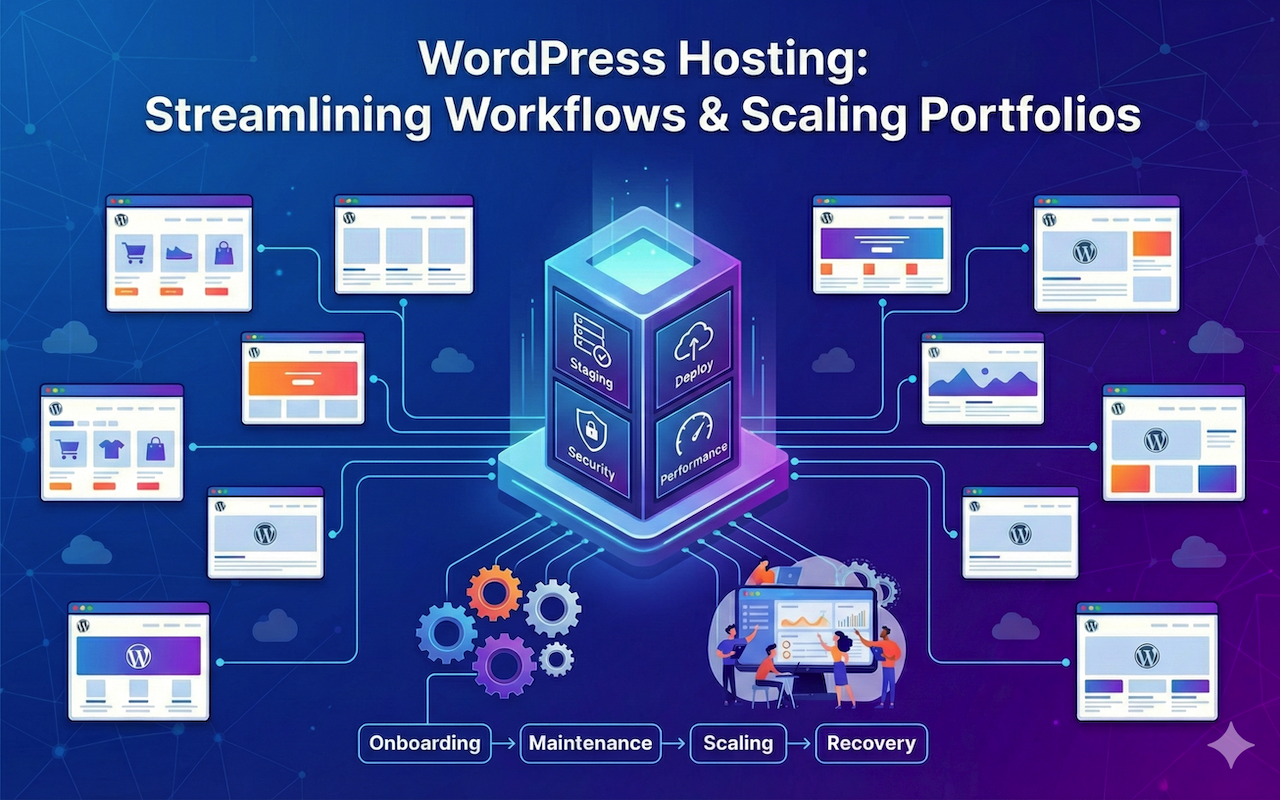
When you build for a living, your hosting should behave like an extension of your dev workflow—repeatable deployments, safe testing, clear performance signals, and fast rollback. This guide breaks down what “developer-friendly hosting” actually means, which features matter most, and why many dev teams choose Kinsta for WordPress and modern web delivery.
Table of Contents
- What developers should demand from hosting
- Git workflows that don’t fight your process
- Staging environments that are actually usable
- SSH + WP-CLI: your fastest path to reliable ops
- Performance: speed as a product feature
- Observability and debugging: reduce guesswork
- Backups, rollbacks, and safe releases
- Team workflows: agencies, client sites, and permissions
- Comparison table: Kinsta vs Shared vs DIY VPS
- Developer hosting checklist
- Who should choose Kinsta?
- FAQs
- References
- Key Takeaways
What developers should demand from hosting
“Developer-friendly hosting” is not a marketing slogan. It’s the difference between shipping confidently in hours versus babysitting infrastructure for days. At minimum, hosting should support a modern workflow:
1) Reproducible deployments
Whether you deploy via CI/CD, pull from Git, or use a build pipeline—your releases should be predictable. A dev-friendly host minimizes “works on my machine” surprises by providing consistent environments, tooling parity, and safe promotion paths (staging → production).
2) Safe testing with fast rollback
Every team eventually pushes a breaking change. Your host should make recovery boring: reliable backups, one-click restores, and staging that mirrors production. If rollback is slow, you’ll over-test and under-ship—or you’ll ship and pray.
3) Performance you can measure (not guess)
Developers don’t need vague “fast hosting.” You need speed you can validate: response times, cache behavior, CDN delivery, and visibility into bottlenecks. That means analytics, APM tooling, and enough control to tune PHP versions or caching strategy without opening a support ticket every time.
4) Real support that speaks “developer”
When production is down, the cost is not just money—it’s credibility. Developers need support that understands logs, plugin conflicts, caching layers, redirects, SSL issues, and performance regressions.
Git workflows that don’t fight your process
Most developers already have a Git-centric workflow: feature branches, pull requests, reviews, and a release branch. The hosting question is: how smoothly can you map that workflow to production?
What “good” looks like
- SSH access so you can operate like an engineer, not a click-ops user.
- Git availability on the server for pulling repositories and managing code cleanly.
- CI/CD compatibility (GitHub Actions / GitLab CI) so deployments can be automated.
- Separation of concerns: code deployments should not blindly overwrite uploads, configs, or environment-specific secrets.
Kinsta angle (practical reality)
With Kinsta, many teams use a “Git pull over SSH” model (or CI/CD that connects over SSH). This approach works well when you keep WordPress as a deployable app, not an editable snowflake: themes/plugins in Git, configuration managed, and uploads handled properly (or offloaded).
Staging environments that are actually usable
Developers love staging until it becomes “staging in name only.” A real staging environment must:
- Match production PHP/runtime settings as closely as possible
- Support your dev tooling (SSH, WP-CLI, Git workflows)
- Offer safe ways to push/pull changes between environments
- Allow password protection and restricted access (so staging isn’t indexed)
Why staging breaks in real projects
Staging often fails when it’s missing one of these: the same caching stack, the same PHP version, the same server rules, or the same database state. That’s when “it worked in staging” becomes meaningless.
How to use staging like a pro (recommended workflow)
- Create staging as a near-mirror of production.
- Deploy code to staging (branch-based or release-candidate build).
- Run automated checks: smoke tests, key user flows, performance spot-checks.
- Promote to production during a controlled window.
- Validate and monitor after release (APM + error logs).
For developers, the biggest value is not “a place to click around.” It’s a controlled step in a repeatable release pipeline.
SSH + WP-CLI: your fastest path to reliable ops
If you manage more than one site—or you ship frequently—SSH and WP-CLI are non-negotiable. They reduce manual work, speed debugging, and help you standardize operations across projects.
Common developer tasks made faster with SSH/WP-CLI
- Search/replace during migrations
- Run database maintenance and exports
- Flush caches, rebuild rewrites, clear transients
- Disable a broken plugin when wp-admin is down
- Bulk user operations and role audits
- Automate routine tasks with scripts and cron
A simple “rescue playbook” when a site breaks
- SSH in and check disk / basic health.
- Check logs (PHP errors, server errors).
- Disable culprit plugin via WP-CLI if admin is inaccessible.
- Rollback to a known-good backup if needed.
- Re-test and only then re-enable components.
Developer-friendly hosting should make these steps fast and routine—not a support-ticket marathon.
Performance: speed as a product feature
Performance is not “nice to have.” It affects SEO, conversion rates, ad revenue, and user retention. Developers should evaluate hosting with a performance lens:
Performance layers that matter
- Server response time (baseline latency and compute)
- Caching strategy (page cache, object cache where appropriate)
- CDN delivery for static assets and global latency reduction
- Database responsiveness and query optimization support
- Isolation and stability (neighbors on shared hosting can tank your site)
Why managed hosting often wins for dev teams
DIY can be powerful, but it has a hidden tax: you become the on-call engineer for infrastructure. Managed hosting shifts that burden so your team can focus on shipping product features, not maintaining servers.
Observability and debugging: reduce guesswork
Speed and stability improvements come from feedback loops. Developers should look for hosting that supports:
- Actionable analytics (not vanity charts)
- Application performance monitoring (APM) to identify slow transactions, plugins, or external calls
- Easy log access for fast debugging
- Environment-level tooling so staging can be profiled before production
When you can measure, you can improve. Without observability, you end up making changes blindly—often “fixing” the wrong thing.
Backups, rollbacks, and safe releases
Developers care about backups because backups protect release velocity. If rollback is easy, you ship faster and with less fear.
What to validate in any hosting plan
- Automatic backups (at least daily)
- Optional higher-frequency backups for high-change sites
- Clear restore options (restore to staging vs production)
- Transparency: what’s included in a backup (files + database)
Release discipline that keeps you out of trouble
- Backup before major changes (plugin updates, theme releases, core updates).
- Test in staging with production-like data.
- Deploy during a low-risk window (or use feature flags when possible).
- Monitor for errors and performance regressions immediately after release.
Team workflows: agencies, client sites, and permissions
Developer hosting isn’t just about tools—it’s about collaboration. If you work in a team or agency environment, prioritize:
- Role-based access (least privilege, client-safe permissions)
- Multiple environments (dev/staging/production patterns)
- Clear ownership boundaries across client sites
- Operational efficiency: migrations, cloning, and environment creation should be quick
Agency reality check: total cost of ownership
Even if DIY hosting is cheaper on paper, it often costs more in developer time: patching servers, handling uptime incidents, dealing with security hardening, and debugging performance issues without vendor-grade tooling. For agencies, time is margin.
Comparison table: Kinsta vs Shared vs DIY VPS
Here’s a developer-first comparison (not a marketing comparison). The goal is to highlight operational friction and risk.
| Developer Requirement | Kinsta (Managed) | Typical Shared Hosting | DIY VPS (Self-managed) |
|---|---|---|---|
| Staging environment parity | Strong (built-in workflows) | Often limited / inconsistent | Possible, but you build it |
| SSH + developer tooling | Yes (developer-centric) | Sometimes restricted | Yes, but you maintain security |
| Git workflow support | Works well via SSH/CI patterns | Often DIY and brittle | Flexible, but you own the pipeline |
| Performance stack (cache/CDN) | Optimized, lower guesswork | Variable, neighbor impact | Can be excellent, but time-intensive |
| Backups + fast rollback | Built-in + operationally easy | May be limited or paid add-ons | You configure and verify |
| Support quality for developers | Typically strong for WordPress ops | General support, often scripted | No vendor; you are support |
| Total developer time cost | Low | Medium (time leaks) | High (ongoing ops) |
Developer hosting checklist
Use this checklist before you buy (or renew). It’s designed to prevent expensive surprises later.
Workflow and environment
- Do you get true staging with tooling parity?
- Can you run SSH + WP-CLI tasks quickly?
- Can your workflow integrate with GitHub Actions / GitLab CI?
- Is it easy to promote staging → production safely?
Performance and reliability
- Is performance stable under traffic spikes?
- Do you have CDN support and easy cache controls?
- Do you have APM/analytics to locate bottlenecks?
Safety and recovery
- Are daily backups included?
- Are higher-frequency backups available for high-change sites?
- Is restore fast and practical (not a 24-hour ticket)?
Team collaboration
- Are there roles/permissions suitable for agencies and clients?
- Can multiple users collaborate without sharing credentials?
- Can you separate environments and responsibilities cleanly?
Who should choose Kinsta?
Kinsta tends to be a strong fit if you:
- Ship frequently and need staging + rollback confidence
- Run client sites (agency) and want consistent environments
- Care about performance, uptime, and support quality more than “cheapest price”
- Prefer building product features instead of maintaining servers
It may be overkill if you’re running a hobby site with minimal traffic and rarely update anything. But for serious development workflows, the time savings often pays for the plan difference.
Ready for developer-friendly hosting?
If you want staging, SSH tooling, and performance without becoming your own infrastructure team, Kinsta is worth a serious look.
FAQs
Is Kinsta only for WordPress developers?
Kinsta is best known for managed WordPress hosting, but it also offers application hosting patterns for teams that want Git-based deployments beyond WordPress. If your core work is WordPress, it’s especially aligned with developer needs.
Can I use Git-based deployment with Kinsta?
Many developers use Git via SSH workflows (pull/cloning repositories) and CI/CD patterns that connect over SSH. The most reliable approach is to define what’s in Git (themes/plugins/custom code), keep environment-specific settings out of repo, and promote changes through staging.
Do I still need caching plugins?
In many cases, managed hosting reduces the need for heavy caching plugins. However, complex sites may still benefit from object caching or carefully chosen performance plugins. Treat plugins as optimization tools, not band-aids for slow hosting.
How do I avoid overwriting uploads when deploying?
Keep uploads separate from deployable code. Many teams rely on WordPress’s media library as runtime state, not part of the repo. In advanced setups, you can offload uploads to object storage/CDN patterns.
What’s the best staging practice for client sites?
Use staging as a gating step: deploy, validate, then promote. Avoid making manual changes on production. Document a standard release checklist so every site follows the same discipline.
References
- Kinsta WordPress Staging Environments
- Kinsta Docs: Git (WordPress Hosting)
- Kinsta Docs: Connect via SSH
- Kinsta Docs: Backups
- Kinsta Managed WordPress Pricing
Key Takeaways
- Developer-friendly hosting is about workflow: staging parity, repeatable releases, and fast rollback.
- SSH + WP-CLI drastically reduces operational friction and speeds up recovery when things break.
- Git workflows work best when you treat WordPress as a deployable app with clear separation from runtime state (uploads/secrets).
- Performance should be measurable (analytics/APM/logs), not a vague promise.
- Kinsta is compelling when you value shipping speed, stability, and support over the cheapest monthly bill.
Want a hosting setup that feels like a developer tool?