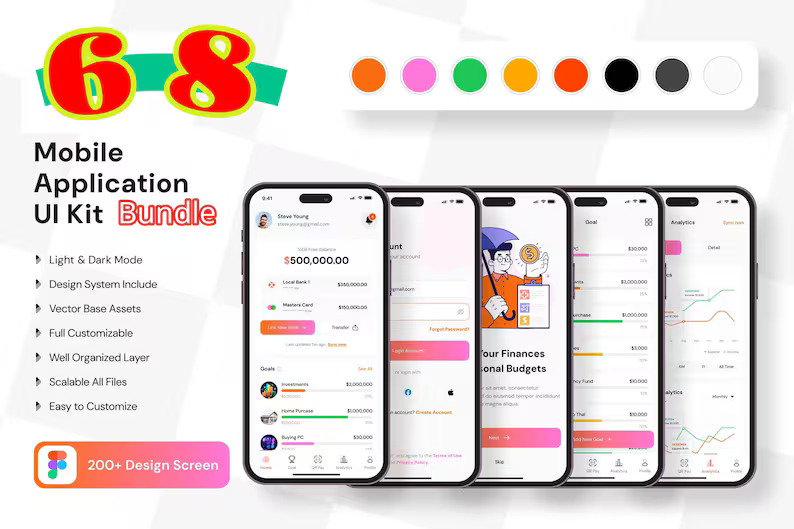
If you’re deciding whether a UI kit bundle is worth buying, the fastest way to choose is simple: Does it include the categories and flows you actually build? This post gives a practical “what’s inside” view so you can map it to your projects.
Core categories covered
Based on the listing positioning, the bundle focuses on mainstream “repeat client brief” niches such as:
- Fintech & payments: wallets, transfers, finance tracking, dashboards
- Crypto & trading: exchange, wallet, trading-style UIs
- Travel & booking: hotel, flight, taxi/car booking patterns
- Food delivery: restaurant lists, menus, ordering, delivery flows
- Health & fitness: appointments, reminders, trackers, stats, yoga
- Ecommerce & shopping: product cards, store layouts, grocery delivery
- Productivity: tasks, calendars, meetings, projects
Common flows you can assemble from these kits
- Onboarding → Auth → Home dashboard
- Search → List → Detail → Action (booking/order/purchase)
- Cart/Checkout → Payment → Confirmation (for shopping/food)
- Schedule → Appointment → Reminder (for health/medical)
- Progress tracking → Stats → Goals (for fitness/wellness)
Buy Now (Etsy link)
If these categories match what you build (or what your clients request), you can get the bundle here:
Buy Now on Etsy — 68 UI Kit Bundle (Multi-Niche)
How to pick the right kit for your project
- Pick by flow, not by looks. Choose the kit with the closest user journey.
- Prioritize core screens first. Home, list, detail, action/checkout, profile, settings.
- Customize branding early. Colors + typography changes reduce “template feel.”
- Validate with a prototype. Test before committing to development.
FAQ
Is this good for multiple industries?
Yes—multi-niche bundles are useful when you build for different categories, or when you’re exploring multiple startup ideas.
How do I ensure consistency if I mix screens?
Standardize a single type scale, spacing system, and component set. Borrow patterns, then normalize them into your baseline system.
Do I need to worry about licensing?
Yes. Most UI kit listings allow personal/client use but prohibit reselling or redistributing the source files. Always follow the license note on the listing.
Decision rule: if you routinely design fintech, booking, food, wellness, ecommerce, or productivity apps, a 68-kit multi-niche bundle can replace many separate purchases and save substantial time.