- Table of Contents
- 1) What Is Elementor (and why it’s everywhere in WordPress)
- 2) Elementor Free vs Pro: What You Actually Get
- 3) What Makes Elementor Pro Worth It (Key Features)
- Top Pro Features (why people upgrade)
- Where Pro Saves the Most Time
- Theme Builder: “Own your site layout”
- Form Builder: lead capture without ugly embed styling
- Popup Builder: conversion tools built into your design workflow
- WooCommerce Builder: the “store polish” factor
- 4) Elementor Cloud Hosting: Who It’s For
- 5) Pricing & Plans (2026) + How to Pick the Right Tier
- 6) Performance & SEO: Can Elementor Be Fast?
- 7) Best Use Cases (Who Should Use Elementor)
- 8) Best Alternatives to Elementor (When to Switch)
- 9) FAQs
- Is Elementor Pro worth it for a beginner?
- Does Elementor slow down WordPress?
- Do I need Elementor Pro for WooCommerce?
- Should I choose Elementor Cloud Hosting or buy separate hosting?
- Can I switch away from Elementor later?
- 10) Key Takeaways
- 11) References
Affiliate Disclosure: This post contains affiliate links. If you purchase through my links, I may earn a commission at no extra cost to you. This helps support SenseCentral and allows me to keep publishing comparison-style reviews.
If you want a fast, modern way to build WordPress pages (and even full site layouts) without wrestling with code, Elementor is often the first tool people try. But the real question in 2026 is simple: Is Elementor Pro actually worth paying for—or can you stay on the free version and still build a great site?
Quick Verdict (2026):
- Buy Elementor Pro if you need Theme Builder (headers/footers/templates), Popups, Forms, or WooCommerce design control.
- Stay on Elementor Free if you only need simple landing pages and basic layouts—and you’re okay using separate plugins for forms/popups and relying on your theme for headers/footers.
- Consider Elementor Cloud Hosting if you want an “all-in-one” setup (WordPress + managed hosting + builder) and prefer one vendor for support and performance tuning.
Try Elementor (Affiliate Links):
Try Elementor Website Builder for WordPress
Try Elementor Cloud Hosting for WordPress
Tip: If you’re comparing multiple site builders, decide based on what you must control (theme parts, marketing, eCommerce) and how much maintenance you want (self-managed vs managed hosting).
Table of Contents
- What Is Elementor (and why it’s everywhere in WordPress)
- Elementor Free vs Pro: What You Actually Get
- What Makes Elementor Pro Worth It (Key Features)
- Elementor Cloud Hosting: Who It’s For
- Pricing & Plans (2026) + How to Pick the Right Tier
- Performance & SEO: Can Elementor Be Fast?
- Best Use Cases (Who Should Use Elementor)
- Best Alternatives to Elementor (When to Switch)
- FAQs
- Key Takeaways
- References
1) What Is Elementor (and why it’s everywhere in WordPress)
Elementor is a visual, drag-and-drop WordPress website builder that lets you design pages in a live editor. Instead of editing theme files or wrestling with shortcodes, you build layouts by stacking sections, columns/containers, and widgets (headings, buttons, forms, sliders, etc.).
In 2026, Elementor’s popularity comes from three practical advantages:
- Speed of building: You can ship landing pages, product pages, and marketing pages quickly.
- Design control: Spacing, typography, responsive tweaks, and reusable styles are manageable even for non-developers.
- Ecosystem: Themes, add-ons, templates, and WooCommerce tooling make it flexible for most WordPress business sites.
Related (internal reads on SenseCentral):
- More WordPress guides & reviews on SenseCentral
- Hosting Cost Calculator: Shared vs VPS vs Managed WordPress (with examples)
- Best Hosting for Developers (Git workflows, staging, SSH, performance)
Ready to test Elementor?
Try Elementor Website Builder for WordPress
If your current site is slow or hard to update, a page builder can be a productivity upgrade—just choose the plan that matches your needs.
2) Elementor Free vs Pro: What You Actually Get
Elementor Free is enough to build attractive pages—especially if your theme already gives you a solid header, footer, and blog layout. But once you need control beyond “just pages,” Pro becomes more compelling.
Free vs Pro (real-world comparison)
| Need | Elementor Free | Elementor Pro |
|---|---|---|
| Landing pages & basic layouts | ✅ Works well | ✅ Works better (more widgets/templates) |
| Headers/Footers/Single Posts/Archives | ❌ Mostly theme-controlled | ✅ Theme Builder lets you design theme parts |
| Lead capture forms | ⚠️ Usually via separate form plugin | ✅ Native Form Builder + integrations |
| Popups (exit intent, scroll, triggers) | ⚠️ Usually via separate popup plugin | ✅ Built-in Popup Builder |
| WooCommerce design control | ⚠️ Limited (theme-dependent) | ✅ WooCommerce Builder (product/archive templates) |
| Dynamic content & templates | Limited | ✅ Strong (dynamic tags/conditions) |
Bottom line: Free is fine for “pages.” Pro is for “systems”: templates, marketing flows, conversions, and store design.
3) What Makes Elementor Pro Worth It (Key Features)
Elementor Pro is most valuable when you’re building a business site that needs consistent design, conversion-focused components, and repeatable templates.
Top Pro Features (why people upgrade)
- Theme Builder: Design headers, footers, single posts, archives, search/404, and apply display conditions.
- Form Builder: Create lead-gen forms, connect to marketing tools, and keep design consistent with the page.
- Popup Builder: Create popups with triggers (exit intent, time delay, scroll) and target by pages/visitors.
- WooCommerce Builder: Customize product pages and shop archives visually, without code-heavy overrides.
- Dynamic Content: Use dynamic tags to pull in content from WordPress (great for blogs, directories, listings).
Where Pro Saves the Most Time
- Brand consistency: Global styles + reusable templates reduce redesign chaos.
- Fewer plugins: If Pro replaces your popup + forms plugin, you simplify updates and conflicts.
- Marketing speed: Launch new landing pages, lead magnets, and campaign popups faster.
- Template-driven scaling: Build once, reuse everywhere (especially with dynamic content).
Theme Builder: “Own your site layout”
If you’ve ever hated a theme’s header or blog layout, Theme Builder is the upgrade trigger. You can create templates for key areas (header/footer, single post, archives) and apply them based on conditions (sitewide, specific categories, post types, etc.).
Form Builder: lead capture without ugly embed styling
With Pro, your forms don’t feel like a bolted-on plugin. They match your site’s typography, spacing, and mobile layout. For content sites, it’s ideal for newsletter signup, lead magnets, and contact flows—without styling headaches.
Popup Builder: conversion tools built into your design workflow
Popups are effective when they’re targeted and tasteful: exit-intent offers, first-visit discounts, “related guide” lead magnets, cookie-safe announcements, and simple CTA overlays. Elementor’s Popup Builder is valuable because the design workflow is identical to page building.
WooCommerce Builder: the “store polish” factor
If you’re running WooCommerce, Pro can improve your conversion rate by letting you:
- Customize product pages (layout, trust blocks, reviews, guarantees)
- Design shop/category archives more intentionally
- Create consistent upsell/cross-sell sections visually
If you’re building a serious WordPress site in 2026, Pro is usually the productivity purchase.
Try Elementor Website Builder for WordPress
Start small, then scale: if you outgrow your theme, Pro’s Theme Builder typically becomes the “yes” moment.
4) Elementor Cloud Hosting: Who It’s For
Elementor Cloud Hosting is designed for people who want a simpler “one vendor” solution: managed hosting + WordPress + Elementor. Instead of buying hosting elsewhere and then installing everything manually, you get a more guided setup and centralized support.
Elementor Cloud vs “Elementor + any host”
| Option | Best for | Main trade-off |
|---|---|---|
| Elementor + Your Host | Flexibility, advanced hosting stacks, agency workflows, custom server tuning | You manage plugin/theme conflicts, performance tuning, and “who supports what” |
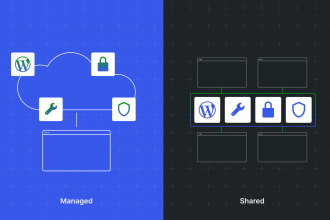
| Elementor Cloud Hosting | Beginners, solo creators, small business owners who want a guided all-in-one | Less “mix-and-match” freedom; you’re buying into Elementor’s hosting approach |
My practical advice: If you want the fewest moving parts and prefer one accountable vendor, Elementor Cloud Hosting is worth considering. If you’re building complex sites, multi-site networks, or you rely on developer-centric workflows (staging, Git, advanced caching), you may prefer a specialized managed WordPress host.
Want the all-in-one setup?
Try Elementor Cloud Hosting for WordPress
This can be the fastest path to a polished WordPress site if you don’t want to juggle hosting dashboards and performance settings.
5) Pricing & Plans (2026) + How to Pick the Right Tier
Elementor’s pricing changes over time, so treat this section as a “how to choose” framework rather than a fixed price list. The most important factors are:
- Number of sites: Are you building one site, a few, or many?
- Needed features: Forms, popups, theme templates, WooCommerce templates, integrations.
- Support expectations: Solo creators can live with basic support; agencies may want priority support.
A simple decision rule
- 1 site: Choose a plan that covers Pro features for a single site (best for bloggers, local business sites).
- 3–25 sites: Choose a multi-site tier if you manage client sites or multiple projects.
- Agency scale: Choose the tier designed for higher site counts + priority support.
Important: Before paying for a higher tier, list your actual projects for the next 12 months. Most users overbuy licenses “just in case,” then never use them.
6) Performance & SEO: Can Elementor Be Fast?
Yes—Elementor sites can be fast, but speed depends on your full stack: hosting, caching, theme choices, image optimization, and plugin hygiene.
Speed checklist (quick wins)
- Choose a lightweight theme (many Elementor users start with Hello Theme or another minimal theme).
- Keep plugins lean: Replace multiple “one-off” plugins if Pro covers the feature natively.
- Optimize images: Convert to modern formats (WebP/AVIF), compress, and use proper dimensions.
- Use quality hosting: Your best page design won’t save a slow server.
- Avoid heavy animation everywhere: Motion is great—overuse is slow.
If you’re deciding between hosting options, the real question is often: Do you want to manage performance yourself, or do you want a managed approach where the host/stack is tuned for you?
7) Best Use Cases (Who Should Use Elementor)
Elementor is a strong fit for:
- Affiliate sites & content sites (fast landing pages, comparison tables, CTAs, lead magnets)
- Local business websites (service pages, contact forms, calls to action)
- Portfolio & creator sites (design control without custom code)
- WooCommerce stores that need improved product page design
- Agencies/freelancers building multiple WordPress sites with reusable templates
Elementor may be overkill if:
- Your site is a simple blog and your theme already does everything you need.
- You prefer a near-zero-plugin approach and you’re comfortable building in Gutenberg blocks only.
- You need extremely custom, developer-first workflows and you’d rather build a custom theme.
8) Best Alternatives to Elementor (When to Switch)
Elementor is popular, but it’s not the only option. Consider alternatives when your priorities differ:
- Gutenberg (Block Editor): Great if you want the most “native” WordPress approach and fewer dependencies.
- Bricks / other builder ecosystems: Often favored by performance-focused builders (varies by workflow preference).
- Divi / Beaver Builder: Mature ecosystems with their own strengths and template libraries.
Decision tip: Don’t switch builders to “save $20.” Switch when you have a clear win: faster workflow, better performance, fewer conflicts, or a better client handoff process.
9) FAQs
Is Elementor Pro worth it for a beginner?
If you’re serious about your website (business, portfolio, affiliate site, or store), Pro usually pays off by reducing friction: you build faster, style forms/popups consistently, and control theme parts without hiring a developer.
Does Elementor slow down WordPress?
Elementor itself isn’t automatically “slow,” but any builder can become heavy if your hosting is weak, images are unoptimized, and you pile on too many plugins. Use a lightweight theme, good hosting, and image optimization to keep performance strong.
Do I need Elementor Pro for WooCommerce?
You can run WooCommerce without Pro. But if you want strong control over product pages, shop archives, and conversion-focused layouts (trust sections, upsell blocks), Pro is where the builder becomes much more valuable.
Should I choose Elementor Cloud Hosting or buy separate hosting?
Choose Elementor Cloud Hosting if you want an all-in-one setup and centralized support. Choose separate hosting if you want maximum flexibility, specialized hosting features, or advanced dev workflows.
Can I switch away from Elementor later?
Yes, but like most builders, switching later may require redesign work because layouts are builder-specific. If you think you’ll change builders soon, consider starting with Gutenberg or a more theme-driven approach.
10) Key Takeaways
- Elementor Free is enough for basic pages, but Pro is where the “full-site + marketing” power lives.
- Elementor Pro is most worth it for Theme Builder, Forms, Popups, and WooCommerce design control.
- Elementor Cloud Hosting is best when you want fewer moving parts and a guided all-in-one experience.
- Performance is a stack decision: hosting + images + plugin hygiene matter as much as the builder.
- Pick plans by site count + features, not by “what looks popular.”
My recommendation: If you’re building a serious WordPress site in 2026, start with Pro—especially if you value speed of publishing and conversion tools.
Try Elementor Website Builder for WordPress
Try Elementor Cloud Hosting for WordPress
If you want: fewer plugins, faster page creation, and control over theme parts—Pro is typically the best value move.
11) References
- Elementor on WordPress.org (plugin listing)
- Elementor Pricing (official)
- Elementor Pro overview (official)
- Theme Builder (official feature page)
- Form Builder (official feature page)
- Popup Builder (official feature page)
- WooCommerce Builder (official feature page)
- Dynamic Content (official feature page)
- Elementor Hosting (official)