- What makes a popup plugin “the best”?
- 1) Targeting and display conditions
- 2) Triggers that match user intent (not annoyance)
- 3) Design speed + brand consistency
- 4) Testing, reporting, and iteration
- 5) Performance + SEO safety
- Elementor Popup Builder overview (features + strengths)
- What Elementor Popup Builder does well
- Best-fit scenarios for Elementor popups
- Get Elementor + Popups (Affiliate Links)
- Elementor vs alternatives (comparison table)
- Deep comparison: when each alternative wins
- When Elementor Popup Builder wins
- When OptinMonster wins
- When Thrive Leads wins
- When Popup Maker wins
- When Bloom wins
- How to build high-converting popups in Elementor (step-by-step)
- Step 1: Define your single goal
- Step 2: Choose a popup type that matches the message
- Step 3: Build the popup design
- Step 4: Set triggers based on intent
- Step 5: Set display conditions (where it should appear)
- Step 6: Add frequency controls (avoid showing too often)
- Step 7: Measure results and iterate
- Want the easiest Elementor setup?
- Popup best practices (SEO, UX, compliance, performance)
- 1) Avoid intrusive mobile interstitials
- 2) Use explicit consent for email capture
- 3) Keep performance in mind
- Recommendations by goal (what SenseCentral would choose)
- Goal: Newsletter growth on an Elementor-built blog
- Goal: E-commerce promotions + abandonment recovery
- Goal: Heavy A/B testing and optimization cycles
- Goal: Budget-friendly popups to start today
- FAQs
- Is Elementor Popup Builder free?
- Does Elementor Popup Builder support exit intent?
- Does Elementor have A/B testing for popups?
- Which popup type is best for SEO and UX?
- What’s the best popup plugin for WooCommerce?
- How do I stop popups from being annoying?
- Do I need a separate email marketing tool?
- Is Elementor Cloud worth it?
- References
Popups are either a conversion engine or a UX disaster—there’s rarely a middle ground. In this guide, we’ll compare
Elementor Popup Builder with leading alternatives, so you can pick the best tool for lead capture,
announcements, promotions, and WooCommerce conversion—without hurting SEO or user trust.
we may earn a commission at no extra cost to you. We only recommend tools we believe are genuinely useful.
Recommended stack (easy + integrated)
Try Elementor for popups, lead capture, and WordPress design
If you already use Elementor—or want a visual builder + popup system that feels native inside WordPress—
this is the simplest path to launch professional popups quickly.
Try elementor website builder for wordpress
Try elementor cloud hosting for wordpress
View Elementor Popup Builder features
Tip: If you want fewer moving parts (hosting + builder + updates in one place), Elementor Cloud can be a strong fit—especially for
small teams and solo site owners.
- Best “all-in-one WordPress workflow”: Elementor Popup Builder (especially if your site is already built in Elementor).
- Best advanced targeting + SaaS-style conversion toolkit: OptinMonster (great when you need heavy segmentation and testing).
- Best conversion-focused A/B testing ecosystem: Thrive Leads (strong testing mindset, often bundled with a suite).
- Best free starting point with lots of flexibility: Popup Maker (solid feature depth; upgrades available).
- Best for Elegant Themes / Divi users: Bloom (simple opt-ins if you’re already in that ecosystem).
- What makes a popup plugin “the best”?
- Elementor Popup Builder overview (features + strengths)
- Elementor vs alternatives (comparison table)
- Deep comparison: when each alternative wins
- How to build high-converting popups in Elementor (step-by-step)
- Popup best practices (SEO, UX, compliance, performance)
- Recommendations by goal (lead gen, sales, announcements)
- FAQs
- References
What makes a popup plugin “the best”?
“Best” depends on your goal. A WooCommerce store recovering cart abandonments needs different capabilities than a content site
collecting newsletter signups. Before choosing a popup plugin, check these criteria:
1) Targeting and display conditions
Great popups are contextual. You want fine control over where a popup appears: specific pages, categories, posts,
product pages, or only for certain visitor types (new vs returning). This prevents “popup fatigue” and keeps conversion intent high.
2) Triggers that match user intent (not annoyance)
Time-delay popups can work, but behavior-based triggers tend to feel more natural:
scroll depth, scroll-to-element, click triggers, inactivity triggers, and exit intent. The goal is to trigger at the moment of
highest relevance—not at the moment of maximum interruption.
3) Design speed + brand consistency
If you need popups that match your typography, spacing, and theme layout—using the same editor you already use on your site—
you save hours. Brand consistency directly impacts trust (and trust impacts conversions).
4) Testing, reporting, and iteration
Without measurement, popups turn into guesswork. Ideally, you want built-in analytics, or at least easy integration with
analytics tools. A/B testing is valuable when you have enough traffic to collect meaningful data.
5) Performance + SEO safety
A popup plugin should not bloat your front-end. Heavy scripts can impact Core Web Vitals and user experience.
You also want to avoid intrusive interstitial patterns on mobile that can hurt user satisfaction and search visibility.
Elementor Popup Builder overview (features + strengths)
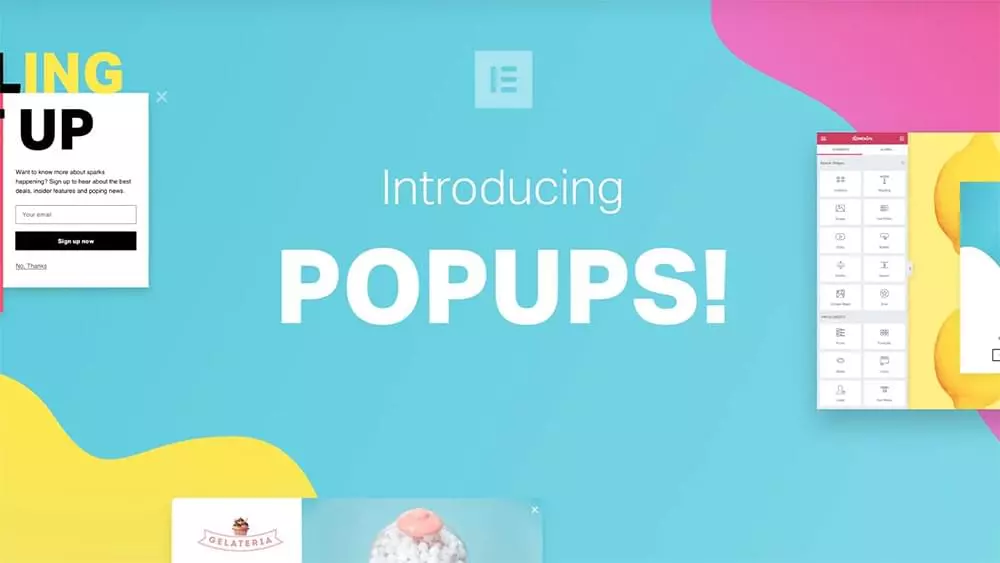
Elementor Popup Builder is not a separate “popup plugin” in the traditional sense—it’s a popup system built into
the Elementor workflow (part of Elementor Pro). That matters because it changes the user experience:
your popups are built with the same visual editor you use for pages, headers, and templates.
What Elementor Popup Builder does well
- Fast design workflow: Build popups visually, reuse blocks/sections, and keep brand consistency.
- Multiple popup types: Classic modal, slide-in, fly-in, hello bar, bottom bar, and full-screen layouts.
- Rich triggering options: Page load, scroll, scroll-to-element, click, inactivity, and exit intent triggers.
- Display conditions: Show on specific pages/posts/categories and exclude where needed.
- Advanced rules: Control frequency and conditions like sessions, page views, and visitor behavior patterns.
- Template library: Start from prebuilt designs, then customize.
If you need A/B testing, you’ll rely on an external testing solution or a different popup platform.
Best-fit scenarios for Elementor popups
- You already use Elementor and want popups that look and feel like your site.
- You want marketing popups without adding another heavy SaaS stack.
- You need popups for lead magnets, announcements, inline promotions, and simple segmentation.
- You prefer a single builder UI for pages + templates + popups, instead of managing multiple tools.
If you want to keep the workflow simple, here are the two Elementor options you can start with today:
Get Elementor + Popups (Affiliate Links)
Try elementor website builder for wordpress Affiliate
Try elementor cloud hosting for wordpress Affiliate
If you’d like an integrated stack (builder + hosting in one plan), Elementor Cloud is worth evaluating—especially if you want fewer plugins
and simpler maintenance.
Elementor vs alternatives (comparison table)
Below is a practical comparison for most WordPress site owners. It’s intentionally focused on real buying criteria:
targeting, triggers, testing, ease of use, and “stack complexity.”
| Tool | Best For | Targeting / Conditions | Key Strength | Watch-outs |
|---|---|---|---|---|
| Elementor Popup Builder | Elementor users who want native-looking popups | Strong page/post/category targeting + advanced rules | Unified design workflow inside Elementor | No native A/B testing; may need external testing if you optimize heavily |
| OptinMonster | Advanced segmentation + high-scale lead gen | Very strong (SaaS-style rules & personalization) | Conversion toolkit depth + targeting sophistication | Costs scale with usage; separate platform to manage |
| Thrive Leads | Conversion-focused testing culture | Strong targeting within the Thrive ecosystem | Testing + optimization mindset (suite-based) | Often bundled; may be more than you need |
| Popup Maker | Budget-friendly, flexible popups | Good conditions + triggers (free plan available) | Powerful baseline + extend via add-ons | Advanced features may require paid extensions |
| Bloom (Elegant Themes) | Divi/Elegant Themes users | Basic-to-good targeting for opt-ins | Simple opt-in approach if you’re already a member | Less flexible than dedicated conversion platforms |
Deep comparison: when each alternative wins
When Elementor Popup Builder wins
Elementor wins when you want speed + consistency. If your site is already built with Elementor,
creating popups with the same editor means you ship faster, keep brand uniformity, and avoid another platform.
For many WordPress sites, that alone produces better results than an “advanced” tool that takes weeks to master.
- Design control: Pixel-level layout and responsive tuning inside the editor.
- Contextual placement: Show popups only where relevant with display conditions.
- Behavior triggers: Exit intent, scroll, click, inactivity, etc.
When OptinMonster wins
OptinMonster typically wins for serious conversion teams—especially when you want a “marketing platform”
that goes beyond popups into segmentation, personalization, and multi-campaign lifecycle logic.
If you run high traffic or rely heavily on list growth, it can be worth the added cost and complexity.
When Thrive Leads wins
Thrive Leads is often selected by site owners who run a testing program and want
optimization baked into their workflow. If your business lives and dies by conversion rate improvement,
the testing ecosystem can justify itself.
When Popup Maker wins
Popup Maker is a strong choice if you want a capable free plan with the ability to add paid extensions later.
It’s also popular with users who prefer WordPress-native plugins and flexible configurations.
When Bloom wins
Bloom is a straightforward opt-in plugin that makes sense if you’re already invested in the Elegant Themes ecosystem.
If you do not use that ecosystem, you may find more flexibility elsewhere.
How to build high-converting popups in Elementor (step-by-step)
This is a practical workflow you can use to launch popups quickly—without “annoying popup” behavior.
Step 1: Define your single goal
- Email signup for a lead magnet
- Limited-time discount for a product category
- Announcement (maintenance, update, webinar)
- Exit-intent recovery for cart abandonment
Step 2: Choose a popup type that matches the message
- Hello bar / bottom bar: announcements and low-friction promotions
- Slide-in / fly-in: content upgrades, “read next” prompts
- Classic modal: lead magnets and offers
- Full-screen: use sparingly; best for major announcements or onboarding
Step 3: Build the popup design
- Write a specific headline (“Get the checklist to speed up your WordPress site” beats “Subscribe”).
- Use one primary CTA button (avoid multiple competing buttons).
- Add trust elements: “No spam,” unsubscribe anytime, and a privacy link.
Step 4: Set triggers based on intent
- Scroll depth (e.g., 50–70%) is great for blog posts
- Exit intent can be effective for offers and cart recovery
- Click triggers are excellent for “2-step opt-ins” (user opts in by clicking first)
Step 5: Set display conditions (where it should appear)
Target the most relevant pages. Example:
show a “newsletter popup” only on blog posts, but show an “offer popup” only on product pages.
Step 6: Add frequency controls (avoid showing too often)
The fastest way to destroy trust is to show the same popup repeatedly. Use frequency rules so a user who closes it
doesn’t see it again for a reasonable period.
Step 7: Measure results and iterate
Even without native A/B testing, you can iterate in structured cycles:
run one popup for a week, change one variable (headline, offer, trigger), then compare conversions.
Want the easiest Elementor setup?
Start with the builder (and add Cloud if you prefer an all-in-one stack).
Popup best practices (SEO, UX, compliance, performance)
1) Avoid intrusive mobile interstitials
Keep popups non-blocking on mobile whenever possible. Prefer bars, slide-ins, and timed/intent-based triggers.
If you must use a modal, ensure it’s easy to dismiss and doesn’t block the primary content immediately on page load.
2) Use explicit consent for email capture
For newsletter popups, be clear about what the visitor is signing up for. Include a short consent statement and link to your privacy policy.
Avoid pre-checked consent boxes. If you use a checkbox, keep it explicit and optional as needed.
3) Keep performance in mind
- Don’t load heavy animations on every page if the popup only appears on a few pages
- Use fewer fonts and limit large background videos inside popups
- Compress images and keep layout simple
- Test Core Web Vitals after adding new popup campaigns
creates “overlay chaos.” Prioritize one conversion goal per page type.
Recommendations by goal (what SenseCentral would choose)
Goal: Newsletter growth on an Elementor-built blog
Choose Elementor Popup Builder. You’ll move fast, your design stays consistent, and your targeting is strong enough
for most content sites.
Goal: E-commerce promotions + abandonment recovery
If you want a simpler WordPress-native workflow and your store is already Elementor-based, start with Elementor popups.
If you need advanced on-site retargeting and deeper segmentation, consider OptinMonster.
Goal: Heavy A/B testing and optimization cycles
If testing is core to your growth strategy, Thrive Leads (or a dedicated testing setup) can be a better fit than a builder-native popup system.
Goal: Budget-friendly popups to start today
Popup Maker is often the “start free, upgrade later” choice. It’s practical for smaller sites that don’t want a big monthly commitment.
FAQs
Is Elementor Popup Builder free?
Elementor Popup Builder is generally available as part of Elementor Pro (not the free plugin). If you only use Elementor Free,
you may need to upgrade for popup builder functionality.
Does Elementor Popup Builder support exit intent?
Yes—Elementor provides exit-intent triggering for popups (primarily relevant for desktop exit behavior).
Does Elementor have A/B testing for popups?
Elementor notes that it does not currently support native A/B testing for popups, so you would use an external testing solution if needed.
Which popup type is best for SEO and UX?
Hello bars, bottom bars, and slide-ins are typically safer from a UX perspective. Avoid full-screen popups on mobile, especially immediately on page load.
What’s the best popup plugin for WooCommerce?
If you already use Elementor for WooCommerce design, Elementor popups integrate naturally. For deeper targeting and retargeting campaigns,
OptinMonster is often chosen by conversion teams.
How do I stop popups from being annoying?
Use frequency limits, target specific pages only, and choose intent-based triggers (scroll, click, exit intent). Also: don’t stack multiple campaigns on one page.
Do I need a separate email marketing tool?
Usually yes. Most popup tools collect leads and send them to your email provider (Mailchimp, ConvertKit, etc.). Pick a provider that fits your workflow and integrates cleanly.
Is Elementor Cloud worth it?
Elementor Cloud can make sense if you want fewer moving parts—hosting + builder in one ecosystem—especially for solo site owners and small teams.
References
Helpful official resources and independent comparisons:
- Elementor Popup Builder (features)
- Elementor Help Center: Popups
- Elementor Popup FAQs
- Elementor Pricing
- Elementor Hosting / Cloud
- Google Search: Avoid intrusive interstitials
- OptinMonster Pricing
- Thrive Suite Pricing
- Popup Maker (WordPress.org)
- Bloom (Elegant Themes)
Internal link suggestions (edit these to match your actual SenseCentral URLs):
• SenseCentral homepage
• WordPress guides on SenseCentral
• Hosting comparisons on SenseCentral
Final recommendation
If your site is built with Elementor, Elementor Popup Builder is the most frictionless way to ship high-quality popups fast.
If you need deeper SaaS-level segmentation and aggressive conversion tooling, OptinMonster can be worth the complexity.