- Table of Contents
- Key Takeaways
- What Elementor AI is (and what it isn’t)
- What you get inside WordPress with Elementor AI
- 1) AI-assisted layout building (without leaving your editor)
- 2) AI copy generation that you can align to your brand voice
- 3) AI images + iteration (useful for placeholders and fast creative direction)
- 4) AI code generation for “last 10%” improvements
- Comparison table: Elementor AI vs Other AI Website Builders
- Who each option is best for
- Choose Elementor AI if you want WordPress flexibility + speed
- Choose hosted AI builders if you want the fastest “first draft” site
- A practical workflow: build faster without losing control
- Step 1: Use AI to create structure, not final copy
- Step 2: Generate conversion-oriented blocks
- Step 3: Add internal links that strengthen topical authority
- Step 4: Replace placeholders with real evidence
- Where Elementor Cloud fits (hosting + builder)
- SEO + performance realities: what AI can’t do for you
- FAQs
- References
Affiliate disclosure: This post contains affiliate links. If you purchase through them, SenseCentral may earn a commission at no extra cost to you. We only recommend tools we believe add real value.
AI website builders are everywhere right now—some generate a full website in minutes, others help you write copy, design sections, or even create images.
But there’s a major split in the market:
- Hosted AI builders (like Wix, Squarespace, Framer): fast to launch, but often “closed” ecosystems.
- WordPress-native AI workflows (like Elementor AI inside WordPress): you keep WordPress flexibility while accelerating the work.
This matters because “AI builder” is not one thing. The real question is:
Do you want AI to generate a site for you—or do you want AI inside WordPress to help you build, iterate, and scale a site you fully control?
Table of Contents
Key Takeaways
- Elementor AI is “AI inside WordPress”—it helps you generate layouts, copy, images, and code while you build in the WordPress ecosystem.
- Hosted AI builders optimize for speed-to-launch, but can limit portability, plugins, and deep customization.
- Elementor AI is best when you want long-term control: content ownership, SEO flexibility, integrations, and the ability to scale beyond a template.
- Elementor Cloud can simplify hosting + setup if you want a more “all-in-one” WordPress experience without managing separate hosting.
- AI doesn’t replace strategy: you still need clear positioning, real offers, and performance/SEO hygiene—but AI can cut build time dramatically.
Want to explore Elementor quickly?
What Elementor AI is (and what it isn’t)
Elementor AI is a builder accelerator
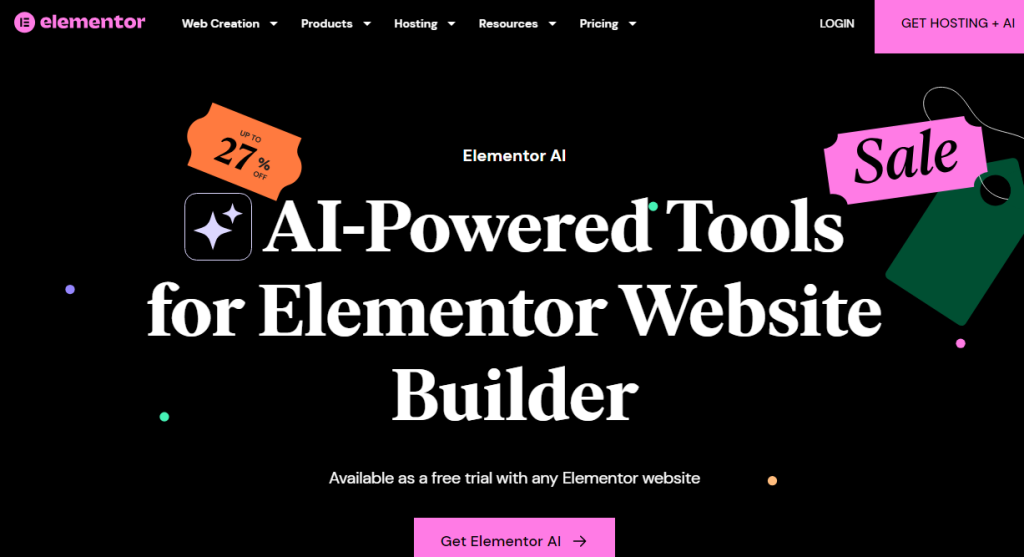
Elementor AI is designed to work inside the Elementor editor, so you can generate and refine:
- Layouts/sections (e.g., pricing blocks, feature sections, hero variants)
- Website copy (headlines, benefits, FAQs, product descriptions)
- Images (generate and iterate visual styles as you design)
- Custom code (CSS/HTML snippets to enhance UX, animations, micro-interactions)
It’s not the same as “prompt → full website”
Some AI builders generate an entire site from a single conversation. That can be useful for ultra-fast MVPs, but it may also produce
generic structure, bland messaging, and “same-y” pages unless you heavily edit.
Elementor AI takes the opposite approach: it helps you produce high-quality building blocks while you stay in control of the WordPress site.
If your goal is long-term growth—content marketing, SEO, custom landing pages, lead capture, integrations—this “inside WordPress” approach can be a strategic advantage.
What you get inside WordPress with Elementor AI
1) AI-assisted layout building (without leaving your editor)
Inside Elementor, you can move faster than traditional section-by-section design by generating structured blocks, then adjusting them visually.
Instead of starting from a blank canvas, you can prompt for a layout like:
- “Create a SaaS hero with a value proposition, 3 benefits, and a primary CTA.”
- “Add a comparison table section for Elementor vs Wix vs Squarespace.”
- “Build a testimonial grid with trust badges and short quotes.”
This is different from many hosted builders, where AI generates a full theme direction first, and your customization options can become constrained by the platform’s design system.
In WordPress + Elementor, you can evolve the site over time—page by page, funnel by funnel.
2) AI copy generation that you can align to your brand voice
For most sites, the biggest bottleneck isn’t “design”—it’s writing.
Elementor AI can help generate:
- Benefit-driven headings and subheadlines
- Feature explanations that are scannable
- Problem/solution sections
- FAQs and objection handling
- Microcopy (button text, form hints, small CTAs)
The win is not “publish the first draft.” The win is: get 80% done fast, then refine to match your audience and offer.
For affiliate sites like SenseCentral, this matters because comparison pages need clarity and structure—not generic marketing fluff.
You can also link relevant SenseCentral content as supporting reading:
WordPress posts on SenseCentral and
website builder comparisons.
3) AI images + iteration (useful for placeholders and fast creative direction)
Many builders can generate images. The difference is workflow:
Elementor AI can help you generate images while building pages so you can:
- prototype a page quickly with on-theme visuals,
- iterate variations,
- replace placeholders later with brand photography or custom creative.
For affiliate content, this is especially useful for:
hero banners, section backgrounds, icon-like visuals, and non-branded illustrations.
(For product screenshots and official brand assets, always use original sources and follow brand guidelines.)
4) AI code generation for “last 10%” improvements
The last 10% of a good website often needs tiny custom tweaks:
hover states, sticky elements, subtle animations, better spacing behavior on mobile, or a custom comparison layout.
Elementor AI can generate CSS/HTML so you can implement enhancements without hunting snippets across forums.
This is a major advantage versus many hosted builders where code access is limited or only available at higher tiers.
In WordPress, you can keep optimizing as your site matures.
Comparison table: Elementor AI vs Other AI Website Builders
Here’s the simplest way to understand the trade-offs: control and portability vs speed-to-launch.
| Category | Elementor AI (inside WordPress) | Hosted AI Builders (Wix / Squarespace / Framer) |
|---|---|---|
| Where you build | Inside WordPress + Elementor editor | Inside their hosted platform |
| Ownership / portability | High: WordPress content + database + plugins can move hosts | Medium/low: export options vary; platform lock-in is common |
| Customization ceiling | High: themes, plugins, code access, WooCommerce, custom post types | Medium: flexible within platform rules; deeper customization may be limited |
| AI strengths | Layouts/containers, copy, images, code enhancements while you design | Prompt-to-site generation, fast onboarding, “done-for-you” starting point |
| SEO depth | High: full SEO plugin ecosystem + structured content strategy | Medium: solid basics, but fewer advanced options and plugins |
| Best for | Affiliate sites, content hubs, SEO growth, scalable marketing sites | Portfolios, quick local business sites, “launch now” projects |
In plain terms: hosted builders can be incredibly fast for a first version.
But if your site is a long-term asset (like SenseCentral), WordPress + Elementor AI can offer a stronger foundation for growth.
Who each option is best for
Choose Elementor AI if you want WordPress flexibility + speed
- You publish content regularly (reviews, comparisons, tutorials)
- You care about long-term SEO and internal linking structure
- You want advanced plugins (caching, SEO suites, schema, performance tools)
- You want to build landing pages for different affiliate offers and campaigns
- You want the option to move hosts or change stacks later
If that sounds like you:
Choose hosted AI builders if you want the fastest “first draft” site
- You need a site online today (event, temporary offer, quick portfolio)
- You don’t want to manage hosting, plugins, or WordPress maintenance
- You’re okay working inside a single vendor ecosystem
- You prefer a guided setup and limited choices
This is not “bad”—it’s just a different philosophy. Hosted builders optimize for simplicity and speed.
WordPress optimizes for flexibility and ecosystem power.
A practical workflow: build faster without losing control
Here’s a workflow that works extremely well for affiliate and comparison sites:
Step 1: Use AI to create structure, not final copy
- Generate a page outline: sections, comparison criteria, FAQs, pros/cons
- Turn the outline into Elementor containers/sections
- Ensure the page supports quick scanning (short paragraphs, bullets, clear headings)
Step 2: Generate conversion-oriented blocks
- Above-the-fold: value proposition + primary CTA
- Trust: “why listen to us” section + editorial policy
- Comparison: table + “best for” breakdown
- FAQs: objections and decision questions
Step 3: Add internal links that strengthen topical authority
Internal links are one of the easiest wins for SEO and user experience. Examples:
Step 4: Replace placeholders with real evidence
AI can draft the structure fast, but credibility comes from:
real screenshots, real performance tests, real pros/cons, and clear disclosure.
If you review products, pair AI speed with human verification.
Where Elementor Cloud fits (hosting + builder)
If you like WordPress but dislike stitching together hosting + SSL + CDN + backups, Elementor Cloud aims to simplify the stack.
In practice, this matters for creators who want WordPress flexibility with a more “managed” experience.
Why Elementor Cloud is relevant to an AI-driven workflow
- Fewer moving parts: hosting and builder are designed to work together.
- Faster launch: you can go from idea → WordPress site → designed pages with fewer setup steps.
- Good fit for campaigns: create landing pages and microsites without heavy DevOps overhead.
SEO + performance realities: what AI can’t do for you
AI can speed up creation, but it does not automatically guarantee rankings or conversions.
If you want SenseCentral pages to win in search and convert, focus on:
1) Search intent matching
- Is the page answering the buyer’s real question?
- Does it include decision criteria, not just feature lists?
- Does it reduce uncertainty (screenshots, step-by-step, FAQs)?
2) E-E-A-T signals
- Show who wrote the review and why they’re credible
- Explain testing methodology (even lightweight)
- Maintain clear affiliate and editorial disclosures
3) Technical basics
- Image compression and modern formats
- Clean structure (H2/H3 hierarchy, short paragraphs)
- Fast hosting, caching, CDN where appropriate
This is where WordPress ecosystems shine: you can keep improving your stack as your site grows.
FAQs
Is Elementor AI a full “prompt → website” generator?
Elementor AI is primarily built to help you generate and refine layouts, copy, images, and code while you build inside WordPress.
You can move extremely fast, but the workflow is designed around control and customization—rather than a single prompt generating an entire final site.
Is Elementor AI good for affiliate sites like SenseCentral?
Yes—because affiliate sites benefit from structured comparisons, fast landing page iteration, internal linking, and long-term SEO scaling.
Elementor AI helps you produce those building blocks faster while keeping WordPress flexibility.
Should I use Elementor Cloud or separate WordPress hosting?
If you want simplicity and fewer technical steps, Elementor Cloud can be attractive.
If you prefer maximum control or already have a high-performance hosting setup, traditional hosting may be better.
Will AI content hurt SEO?
AI content can perform well if it is accurate, helpful, and aligned to search intent.
The risk is publishing generic copy without unique insights, testing evidence, or editorial quality control.
Use AI to draft and structure—then add human verification and real-world detail.
What’s the fastest way to test Elementor?
Start with a single comparison landing page (like “Elementor AI vs Wix AI”) and publish it.
Measure: time-to-build, time-on-page, click-through, and conversions.