If you’re building (or leveling up) a Digital Product Business, choosing the right marketplace to buy digital products can save you months of trial-and-error. In this guide, you’ll learn how the top marketplaces compare, what each one is best for (templates, PLR/MRR assets, ebooks, courses, design packs, code, plugins, audio, stock content), and how to avoid licensing mistakes that can cost you money and trust. Whether you’re a total beginner or already selling online, you’ll leave with a clear, step-by-step roadmap, checklists, and a decision table to confidently pick the best platforms for your goals.
- Why this matters for a Digital Product Business
- Key concepts and definitions (simple, practical)
- Step-by-step roadmap for a Digital Product Business (buying the right assets)
- Step 1: Define your “buying goal” (and your product type)
- Step 2: Choose your licensing “risk level” (strict vs flexible)
- Step 3: Shortlist marketplaces by category (not popularity)
- Step 4: Evaluate each marketplace with a decision score (quality + rights + ROI)
- Step 5: Confirm file formats and workflow compatibility
- Step 6: Buy small, validate quality, then scale purchases
- Step 7: Turn purchased assets into market-ready products (legally and creatively)
- Step 8: Optimize your marketplace listings for conversions
- Step 9: Add a simple tracking loop (learn what to buy next)
- Examples, templates, and checklists
- 1) Copy-paste template: Marketplace Evaluation Scorecard
- 2) Checklist: “Safe Buying” checklist (license + quality)
- 3) Comparison table: Top marketplaces to buy digital products (quick decision)
- Common mistakes and how to fix them (8–12 quick wins)
- Tools and resources (free vs paid, beginner vs advanced)
- Free (great for beginners)
- Paid (best ROI once you validate demand)
- Beginner-friendly marketplaces to start buying from
- Advanced sourcing platforms (specialized assets)
- Advanced tips and best practices (optimize, differentiate, scale)
- 1) Use the “Marketplace + Moat” framework
- 2) Build a product ladder (so every purchase increases lifetime value)
- 3) Make your products “outcome-first” (UX that sells)
- 4) Use bundling strategically (increase perceived value without confusion)
- 5) Scale sourcing with standards (so quality stays consistent)
- 6) Protect your brand (trust is your biggest asset)
- FAQ
- 1) What is the best marketplace to buy digital products for beginners?
- 2) Can I resell digital products I buy from marketplaces?
- 3) What’s the difference between PLR and MRR?
- 4) Is it better to buy from a marketplace or build my own store?
- 5) How do I verify a digital product is “safe” to use commercially?
- 6) Which marketplaces are best for templates (Canva/Notion/Figma)?
- 7) Do I need to worry about taxes or invoices when buying digital products?
- 8) How do I avoid refunds when selling digital products?
- 9) What are the best platforms to sell downloads if I already have an audience?
- 10) How many marketplaces should I use at once?
- Key takeaways
- Conclusion
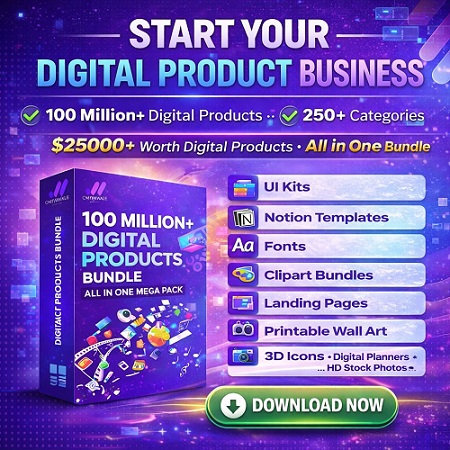
Bundle Offer: START YOUR DIGITAL PRODUCT BUSINESS — 100 million+ digital products, 250+ categories, $25,000+ value, just $199.
Download / Get the Bundle ($199)
Tip: Review the license terms before reselling, bundling, or using assets commercially.

Quick Answer (Featured Snippet)
A digital product marketplace is a platform where you can buy (and sometimes sell) downloadable products like templates, graphics, plugins, courses, ebooks, music, stock media, or business assets. For a Digital Product Business, the best marketplace depends on your product type, license needs (commercial/extended/PLR/MRR), and how you plan to monetize.
- Best for design templates & graphics: Creative Market, Envato Market
- Best for handmade-style and printable downloads: Etsy
- Best for creator-friendly downloads: Gumroad
- Best for building your own store: Shopify + Digital Downloads, WooCommerce
- Best for courses: Udemy, Teachable, Podia
- Best for stock media: Adobe Stock, Shutterstock (for licensed usage)
Why this matters for a Digital Product Business
Buying digital products is no longer just “getting files.” It’s sourcing licensed, sellable, and brand-safe assets that help you move faster and earn more.
What problems the right marketplace solves
- Speed: Launch products faster using ready-to-use templates, frameworks, and design systems.
- Quality control: Established marketplaces often have standards, reviews, previews, and refund policies.
- License clarity: Legit platforms document how you can use assets (commercial use, extended use, resell rights).
- Lower risk: Avoid copyright disputes, takedowns, or payment account issues caused by unlicensed content.
- Better ROI: Buy once, reuse across multiple products or campaigns where permitted.
Who needs this guide
- Beginners: You want a safe starting point to buy templates, planners, icons, fonts, or course materials.
- Creators & sellers: You sell on marketplaces (Etsy/Gumroad) or run your own store (Shopify/WooCommerce).
- Agencies & freelancers: You need reliable assets for client work and want compliance-friendly licenses.
- Builders: You want code themes/plugins, UI kits, or digital toolkits to ship faster.
At Sense Central, we see the same pattern: creators who use the right sourcing strategy build a stronger “product engine” (more releases, better reviews, fewer refunds). If you also publish on WordPress, don’t miss our WordPress-friendly guides on WordPress and online business.
Key concepts and definitions (simple, practical)
Core definitions
- Digital product: A downloadable or streamable asset (template, ebook, course, design pack, code, plugin, audio, stock media).
- Marketplace: A platform where multiple sellers list products and buyers purchase under set rules.
- License: The legal permission that defines how you can use the product (personal, commercial, extended, resale rights).
- Commercial use: You can use the asset in a business context (client work, marketing, products), usually with limits.
- Extended license: Broader rights (higher print runs, redistribution limits raised, or usage in products for resale).
- PLR (Private Label Rights): You can edit and rebrand content (varies by seller; always read terms).
- MRR (Master Resell Rights): You can resell the product and often pass resell rights to customers (terms vary widely).
- Digital download marketplace: A marketplace focused on downloadable goods (vs physical goods).
Mini glossary (fast lookup)
- “Best platforms to sell downloads”: Etsy, Gumroad, Shopify, WooCommerce (depending on audience and control needs).
- “Sell digital products online”: Creating listings, pricing, delivery automation, and marketing funnels.
- “Creator economy platforms”: Tools like Gumroad/Podia/Teachable designed for creators.
- “Digital goods ecommerce”: Running your own storefront with payments, taxes, and delivery automation.
- “Passive income digital products”: Products that can sell without 1:1 delivery (still requires updates and marketing).
- “Resell rights products”: Assets you can resell only under explicit license terms (PLR/MRR).
Important: Licenses are not “one-size-fits-all.” Two items that look identical (e.g., “planner template”) can have totally different rights depending on the seller/platform. When in doubt, choose marketplaces with clear documentation and strong seller reputations. For related reads, explore digital marketing and AI tools on Sense Central.
Step-by-step roadmap for a Digital Product Business (buying the right assets)
Step 1: Define your “buying goal” (and your product type)
What to do: Write down exactly what you’re buying and why (resellable PLR/MRR pack, commercial design asset, course content, plugin/theme, stock media).
Why it matters: The right marketplace depends on your category. A UI kit buyer should not use the same sourcing strategy as a printable planner seller.
How to do it:
- Pick 1–2 product types to focus on (e.g., Canva templates + printables).
- Choose your channel: marketplace-only (Etsy/Gumroad) or own store (Shopify/WooCommerce).
- Decide if you need resell rights (PLR/MRR) or only commercial-use rights.
Example: “I want to sell a wedding planner printable bundle. I need original/licensed designs, editable files, and a license that allows commercial use.”
Pro tip: Beginners win faster with a narrow lane. One niche + one product type + one marketplace for 30 days beats scattered experiments.
Step 2: Choose your licensing “risk level” (strict vs flexible)
What to do: Decide what you can tolerate: strict commercial use only, or flexible rights like extended/PLR/MRR.
Why it matters: Licensing mistakes cause takedowns, refunds, reputation damage, and sometimes account bans.
How to do it:
- If you sell finished goods (printables, templates), prefer commercial/extended licenses from reputable sources.
- If you plan to resell the asset itself, you must have explicit resell rights (PLR/MRR) with clear terms.
- Save the license file or screenshot of terms on purchase day.
Example: You buy an icon set from a marketplace with “commercial use allowed” and use it in your Etsy listing images and PDF downloads.
Pro tip: Keep a “License Vault” folder (by product SKU) so you can prove compliance quickly if a platform asks.
Step 3: Shortlist marketplaces by category (not popularity)
What to do: Create a shortlist of 5–8 marketplaces that match your product type and license needs.
Why it matters: “Popular” doesn’t always mean “best for your niche.” Some platforms are great for discovery; others are best for control.
How to do it:
- Design assets: Creative Market, Envato Market
- Printables & consumer downloads: Etsy
- Creator storefront + downloads: Gumroad, Sellfy
- Own store: Shopify, WooCommerce
- Courses: Udemy, Teachable, Podia
- Stock media: Adobe Stock, Shutterstock
Example: A beginner building a “Notion template store” might shortlist Gumroad + Etsy + Shopify (later), and use Creative Market/Envato for licensed design elements.
Pro tip: Start with one “discovery platform” (Etsy/Udemy) + one “owned channel” (Gumroad/Shopify) when possible.
Step 4: Evaluate each marketplace with a decision score (quality + rights + ROI)
What to do: Score each marketplace using the same criteria to avoid emotional decisions.
Why it matters: A marketplace that looks cheap can be expensive if the license is restrictive or the assets require heavy rework.
How to do it:
- Check: license clarity, preview quality, seller reputation, refund policy, delivery format, support, and search/discovery strength.
- Estimate ROI: “How many product launches or client projects can this asset support?”
Example: A $39 template that saves 8 hours is “cheaper” than a $9 template that breaks or needs redesign.
Pro tip: If reviews are thin, buy one small item first to test quality and support.
Step 5: Confirm file formats and workflow compatibility
What to do: Verify that the downloaded product fits your tools (Canva, Figma, Photoshop, Word, Notion, Google Sheets, WordPress, etc.).
Why it matters: Format mismatches create delays and quality issues.
How to do it:
- Check included formats: PNG/SVG/PDF, A4/US Letter sizing, editable source files, fonts licensing, and version requirements.
- Read “what’s included” carefully and confirm if mockups are included or only previews.
Example: A Canva template should include an editable Canva link plus export-ready PDF/PNG outputs.
Pro tip: Prefer products with clear documentation + update history (especially plugins/themes/code).
Step 6: Buy small, validate quality, then scale purchases
What to do: Make a “test purchase” before you invest big in a marketplace or seller.
Why it matters: Quality and support vary. A small test reduces risk.
How to do it:
- Choose one asset and run a “quality audit” (files open, links work, fonts included, no missing layers).
- Check for originality signals: consistent design system, clear naming, helpful instructions.
Example: Buy one UI kit screen pack first. If layer naming is chaotic, don’t buy the large bundle.
Pro tip: Keep notes: “Seller A = fast support, clean files, clear license.” That becomes your sourcing database.
Step 7: Turn purchased assets into market-ready products (legally and creatively)
What to do: Transform your purchases into a unique product offering (where your license allows it).
Why it matters: “Copy-paste selling” gets you poor reviews and intense competition.
How to do it:
- Add real value: improve layout, add instructions, include multiple variants, add bonus pages, create an onboarding PDF.
- Build a product ladder: free sample → core product → premium bundle → membership or upsell.
- Use a consistent brand style (colors, typography, voice).
Example: You buy a licensed planner template, then create a niche version for “busy parents” with pre-filled routines and checklists.
Pro tip: Even with PLR/MRR, customization is your advantage. Your differentiation should be obvious at a glance.
Step 8: Optimize your marketplace listings for conversions
What to do: Optimize title, images, description, and FAQs to reduce friction and increase trust.
Why it matters: Most marketplaces are crowded. Good SEO + clear UX wins.
How to do it:
- Use problem-first titles: “Editable Budget Planner (Google Sheets) – Track Spending in 10 Minutes.”
- Show “what’s inside” with annotated previews and simple bullets.
- Add buyer reassurance: file formats, compatibility, refund policy, license summary.
Example: On Etsy, use lifestyle mockups + “included pages” grid + a 3-bullet value summary above the fold.
Pro tip: Build a “Help” section for instant answers. Fewer questions = fewer refunds.
Step 9: Add a simple tracking loop (learn what to buy next)
What to do: Track what sells, what refunds, and what customers ask for—then source assets that support proven demand.
Why it matters: Smart sourcing is data-driven. You want repeatable winners, not random buys.
How to do it:
- Track: conversion rate, top keywords, add-to-cart, refunds, and support tickets.
- Buy assets that increase your winning product’s variations (color themes, niche versions, add-ons).
Example: Your “meal planner” sells well. Next, buy licensed icon sets and create “gluten-free” and “bodybuilding” variants.
Pro tip: Make one improvement per week: better cover image, clearer description, more previews, better onboarding PDF.
Examples, templates, and checklists
1) Copy-paste template: Marketplace Evaluation Scorecard
Copy and paste this into a doc or spreadsheet. Score each marketplace from 1 (poor) to 5 (excellent):
MARKETPLACE SCORECARD (1–5)

Marketplace Name:
Product Category I'm Buying:
My Use Case: (commercial use / extended / PLR / MRR / personal)

1) License clarity (terms easy to understand): __
2) Product quality (previews, file organization, documentation): __
3) Seller reputation (reviews, history, support): __
4) Value for money (time saved / ROI): __
5) Refund / dispute policy: __
6) Discovery (search, categories, trending): __
7) Payment safety (trusted checkout, invoices): __
8) Format fit (Canva/Figma/PS/WordPress etc.): __
9) Uniqueness potential (can I customize and stand out?): __
10) Long-term viability (updates, ecosystem, community): __

TOTAL SCORE: __ / 50
Decision: (Buy now / Test buy / Skip)
Notes:
2) Checklist: “Safe Buying” checklist (license + quality)
- License: Is commercial use allowed? Any limits on redistribution or resale?
- Proof: Save invoice + license terms (PDF/screenshot) on purchase day.
- Originality: Does the seller show authentic previews and consistent quality across listings?
- Formats: Are editable files included (and do they open in your tools)?
- Dependencies: Are fonts, plugins, or assets included or properly licensed?
- Support: Is there a support channel or documentation?
- Refund policy: Is there a clear refund/dispute process?
- Updates: For code/themes/plugins, is the product maintained?
- Compliance: Avoid copyrighted characters, logos, trademarks, or “too-good-to-be-true” bundles.
- Fit: Does this purchase directly support your next product launch or client project?
3) Comparison table: Top marketplaces to buy digital products (quick decision)
Use this table as a decision matrix. “Best for” + “Avoid if” helps you pick fast.
| Marketplace | Best for | Typical strengths | License notes | Avoid if |
|---|---|---|---|---|
| Etsy | Printables, planners, templates, consumer-friendly downloads | High buyer intent, strong discovery, niche demand | License varies by seller; verify commercial/resell rights | You need strict brand control or lower platform fees |
| Gumroad | Creator downloads, bundles, ebooks, templates | Simple storefront, fast setup, direct audience selling | Check each product’s license; platform is creator-friendly | You need marketplace-style search traffic at scale |
| Creative Market | Fonts, graphics, templates, mockups | High-quality design assets, clear categories | Standard/extended licenses; read usage limits carefully | You need PLR/MRR-style resale rights |
| Envato Market | Themes, plugins, video templates, design packs | Huge selection, strong for web/video assets | License depends on item type; check project use rules | You need ultra-niche boutique assets only |
| Shopify (own store) | Selling your own digital products with full control | Brand control, upsells, email capture, analytics | Your store policies + product licenses must be clear | You rely mainly on marketplace traffic |
| WooCommerce (own store) | WordPress-based digital goods ecommerce | Control, extensibility, plugin ecosystem | You manage compliance, payments, taxes, security | You want “set-and-forget” simplicity |
| Udemy | Courses with built-in demand | Massive audience, strong discovery | Course rules apply; content must be original | You want premium pricing control |
| Teachable / Podia | Courses + downloads + memberships | Creator tooling, bundles, upsells | You define licenses; use clean, original assets | You need heavy organic marketplace traffic |
Helpful next step: If you’re building a WordPress-based store, browse Sense Central’s practical guides on WordPress and online business to align your platform choice with your website setup.
Want a faster start? Get the “Start Your Digital Product Business” bundle: 100M+ assets, 250+ categories, $25,000+ value for $199.
Common mistakes and how to fix them (8–12 quick wins)
- Mistake: Buying without reading the license.
Fix: Use the “Safe Buying” checklist and save proof of license/invoice. - Mistake: Reselling assets without explicit resell rights.
Fix: Only resell when PLR/MRR terms clearly allow it (and follow restrictions). - Mistake: Choosing platforms based on hype, not your product type.
Fix: Match marketplace strengths to your category (printables vs code vs courses). - Mistake: Buying “mega bundles” from untrusted sources.
Fix: Prefer reputable platforms and sellers with transparent previews and documentation. - Mistake: Publishing near-identical products as competitors.
Fix: Add differentiation: niche positioning, bonus pages, better UX, and clearer onboarding. - Mistake: Ignoring format compatibility.
Fix: Confirm editable formats (Canva/Figma/PSD) and test open before building your product. - Mistake: Weak listing UX (too much text, unclear deliverables).
Fix: Use bullets, preview grids, and a simple “what’s included” section at the top. - Mistake: Pricing without research.
Fix: Review competitor ranges and position your price based on outcomes and bundle value. - Mistake: Relying only on marketplace traffic.
Fix: Build an email list and a simple landing page (owned audience compounds). - Mistake: No update plan (especially for code/templates).
Fix: Add version notes, compatibility info, and a lightweight update cycle.
Tools and resources (free vs paid, beginner vs advanced)
Free (great for beginners)
- Canva (free tier): Quick design + template editing: https://www.canva.com/
- Google Docs/Sheets: Simple template delivery + collaboration: https://workspace.google.com/
- WordPress.org: Content + SEO foundations: https://wordpress.org/
- Creative Commons licenses (reference): https://creativecommons.org/licenses/
- FTC disclosures (affiliate/endorsement guidance): https://www.ftc.gov/business-guidance/resources/disclosures-101-social-media-influencers
Paid (best ROI once you validate demand)
- Adobe Stock (licensed assets): https://stock.adobe.com/
- Shutterstock (licensed stock media): https://www.shutterstock.com/
- Figma (UI kits and systems): https://www.figma.com/
- Shopify (own store): https://www.shopify.com/
- WooCommerce (WordPress store): https://woocommerce.com/
Beginner-friendly marketplaces to start buying from
- Etsy (printables, planners, templates)
- Gumroad (creator downloads and bundles)
- Creative Market (graphics, fonts, templates)
Advanced sourcing platforms (specialized assets)
- Envato (themes, plugins, video templates)
- Udemy (courses, often strong topic selection)
- Teachable / Podia (build your own learning + download hub)
To connect this to your publishing workflow, explore Sense Central’s practical guides in Online Business, Digital Marketing, and WordPress.
Advanced tips and best practices (optimize, differentiate, scale)
1) Use the “Marketplace + Moat” framework
- Marketplace: Use Etsy/Udemy for discovery and customer acquisition.
- Moat: Build an owned channel (Gumroad/Shopify/WooCommerce) for repeat sales and higher margins.
Best for: Creators who want both traffic and long-term stability.
Avoid if: You can’t commit to consistent content or email marketing.
2) Build a product ladder (so every purchase increases lifetime value)
- Free: Sample pack or mini template
- Entry: Single template/product
- Core: Niche bundle
- Premium: “All-in-one” mega bundle
- Continuity: Membership, updates, monthly drops
3) Make your products “outcome-first” (UX that sells)
People don’t buy “files.” They buy results.
- Rename products around outcomes: “30-Day Habit Tracker for Busy Students.”
- Use previews that show transformation (before/after, completed example pages).
- Write the first 5 lines like a landing page: value, who it’s for, what’s included, compatibility, instant download.
4) Use bundling strategically (increase perceived value without confusion)
- Bundle by use case (wedding planning), not by random categories.
- Offer 3 tiers: Basic / Plus / Ultimate.
- Include a “Start here” PDF so buyers know exactly what to do first.
5) Scale sourcing with standards (so quality stays consistent)
- Create a naming convention for files and folders.
- Set minimum quality requirements: editable source file, documented license, preview pack, version notes.
- Keep a vetted-seller list (your private “supplier network”).
6) Protect your brand (trust is your biggest asset)
- Avoid trademarked content and “fan art” that violates platform policies.
- Use clean licensing and maintain proof.
- Be transparent: include license summaries and usage guidance for buyers.
FAQ
1) What is the best marketplace to buy digital products for beginners?
For most beginners, Etsy and Gumroad are easy starting points because you can quickly find templates, printables, and creator bundles. If you want design assets like fonts and mockups, Creative Market is a strong choice. Always verify license terms before using assets commercially.
2) Can I resell digital products I buy from marketplaces?
Only if the product’s license explicitly allows resale rights (such as PLR or MRR) and you follow the restrictions. “Commercial use” usually means you can use the asset in your business, not resell the original files as-is. When in doubt, do not resell.
3) What’s the difference between PLR and MRR?
PLR (Private Label Rights) typically allows you to edit and rebrand content (terms vary). MRR (Master Resell Rights) generally allows you to resell the product, sometimes with the ability for your buyers to resell too. Both require careful reading of seller terms.
4) Is it better to buy from a marketplace or build my own store?
Marketplaces offer discovery and built-in trust, which helps early sales. Your own store (Shopify/WooCommerce) gives more control, higher margins, and better customer ownership. Many successful creators use both: marketplace for traffic, store for repeat sales.
5) How do I verify a digital product is “safe” to use commercially?
Check the license, confirm the seller’s reputation, and save proof of purchase and terms. Avoid products that include trademarks, copyrighted characters, or unclear “too good to be true” claims. If the platform provides a license document, store it with your files.
6) Which marketplaces are best for templates (Canva/Notion/Figma)?
Etsy and Gumroad are popular for consumer-friendly templates, while Creative Market and Envato can be strong for design packs and UI assets. For Figma-based kits, also look for platforms where creators provide clean, editable source files and clear usage rights.
7) Do I need to worry about taxes or invoices when buying digital products?
Often yes, especially if you’re buying for business use. Reputable platforms usually provide receipts or invoices. If you plan to claim expenses, keep those records organized in a folder or accounting tool.
8) How do I avoid refunds when selling digital products?
Set clear expectations: list formats, compatibility, what’s included, and a quick-start guide. Provide strong previews and answer common questions in your description. Many refunds come from confusion, not dissatisfaction.
9) What are the best platforms to sell downloads if I already have an audience?
Gumroad, Shopify, and WooCommerce are strong if you already have traffic from social media, email, or content. They let you control branding and customer relationships. You can still use Etsy as an additional channel if your products fit its buyer base.
10) How many marketplaces should I use at once?
Start with one primary platform for 30 days and master it. Add a second channel only after you have a repeatable listing and marketing process. Scaling too early often creates inconsistent quality and burnout.
Key takeaways
- Choose marketplaces by product category + license needs, not by hype.
- For a Digital Product Business, licensing clarity is a non-negotiable foundation.
- Use a test purchase to validate quality and seller support before buying big.
- Differentiate by adding value: better UX, niche positioning, bonuses, and clear onboarding.
- Combine a discovery channel (Etsy/Udemy) with an owned channel (Gumroad/Shopify/WooCommerce) when possible.
- Build a “License Vault” and keep proof of purchase and terms for every asset.
- Track buyer questions and sales data to guide what you buy and build next.
- Use checklists and scorecards to make consistent, low-risk buying decisions.
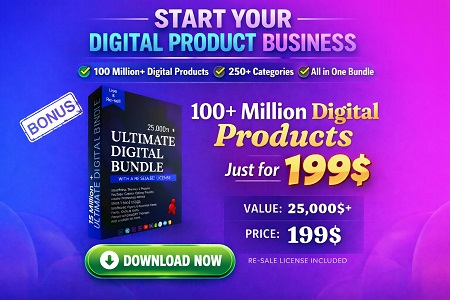
Ready to move faster? START YOUR DIGITAL PRODUCT BUSINESS — 100 million+ assets, 250+ categories, $25,000+ value for $199.
Conclusion
The “best” marketplace depends on what you’re buying, how you plan to use it, and how much control you need. Start with a narrow niche, buy only what supports your next launch, and treat licensing like a core business system—not an afterthought. When you combine smart sourcing with clear listing UX and consistent improvement, your digital products become easier to launch, easier to sell, and easier to scale.
Next steps:
- Pick 3 marketplaces from the table and score them using the Marketplace Scorecard.
- Make one test purchase and run the “Safe Buying” checklist.
- Build one differentiated product and optimize the listing using the roadmap steps.
Keep learning with Sense Central: