- Table of Contents
- Why AI safety matters (for students + business)
- The 5 risk buckets you should always check
- The Core AI Safety Checklist (copy/paste)
- 1) Choose the right tool and settings
- 2) Protect data and privacy (the “don’t paste that” rule)
- 3) Prompt safely (reduce prompt injection + confusion)
- 4) Verify outputs (anti-hallucination routine)
- 5) Bias & fairness checks (especially for people-related content)
- 6) Security for AI-integrated apps and workflows
- 7) Legal, IP, and compliance basics
- Student-specific checklist (academic integrity + learning)
- Academic integrity: stay safe and stay honest
- Study-smart prompts (that improve learning, not shortcuts)
- Student privacy reminders
- Business-owner checklist (customers, brand, legal)
- Customer data & confidentiality
- Brand + marketing safety
- Operations + decision support
- Governance you can start this week (even as a solo founder)
- A 10-minute daily AI workflow template
- Minute 0–2: Set boundaries
- Minute 2–6: Generate with guardrails
- Minute 6–9: Verify the “high-risk claims”
- Minute 9–10: Record and improve
- Key Takeaways
- FAQs
- 1) Is it safe to paste my notes or customer messages into ChatGPT (or any AI tool)?
- 2) What’s the fastest way to avoid AI hallucinations?
- 3) What is prompt injection in simple terms?
- 4) Should students disclose AI use in assignments?
- 5) Can small businesses use AI without an expensive compliance program?
- 6) Which frameworks are most helpful to copy into a lightweight process?
- 7) How do I keep AI-generated marketing claims safe?
- 8) What’s one rule that prevents most AI mistakes?
- Best Artificial Intelligence Apps on Play Store 🚀
- References & trusted resources
Generative AI can save hours—but it can also leak sensitive data, confidently invent facts, amplify bias, or be manipulated through prompt injection. Whether you’re a student using AI for learning or a business owner using it for content, customer support, operations, or planning, you need a simple, repeatable checklist that keeps you safe without slowing you down.
This guide gives you a copy/paste AI safety checklist, a 10-minute daily workflow template, and practical guardrails for privacy, accuracy, security, and compliance. (Not legal advice—use this as a starting point and follow your institution/company policies.)
Why AI safety matters (for students + business)
AI errors are different from normal mistakes. A calculator shows an error or a wrong number. AI can produce a fluent paragraph that looks correct—even when it’s wrong. That creates “confidence risk”: you may trust output you shouldn’t.
AI also changes your risk surface:
- Privacy risk: What you paste into an AI tool may be stored, reviewed, or used to improve systems depending on settings and vendor policies. Always assume prompts can be sensitive.
- Security risk: Attackers can manipulate AI systems via prompt injection or indirect instructions, especially if AI is connected to tools, files, or internal data.
- Compliance risk: Schools have integrity rules; businesses have customer data rules, confidentiality duties, advertising laws, and sector regulations.
- Reputation risk: One hallucinated statistic in an assignment or one wrong claim in a marketing page can cause real harm.
Good news: most AI failures are preventable with consistent habits. You don’t need to be a security engineer—you just need a checklist and a workflow.
The 5 risk buckets you should always check
Before you trust any AI output, quickly scan these five buckets:
- Data & privacy: Did I share sensitive or identifying info? Could this violate policy or confidentiality?
- Accuracy & evidence: Are there claims that require sources? Did the model provide verifiable references?
- Bias & fairness: Could this content stereotype, discriminate, or exclude important contexts?
- Security: Am I using AI in a way that could be exploited (files, links, plugins, tool actions)?
- Policy & legality: Am I allowed to use AI here? Do I need disclosure, consent, or citations?
Keep those five buckets in your head. Now let’s turn them into a practical checklist you can reuse daily.
The Core AI Safety Checklist (copy/paste)
Use this as a pre-flight checklist whenever you use AI for assignments, business content, analysis, or customer-facing work.
1) Choose the right tool and settings
- ☐ I’m using an AI tool that fits the task (study help vs. coding vs. customer emails).
- ☐ I reviewed the vendor’s usage/privacy terms and adjusted settings if available (history, data retention, training/feedback controls).
- ☐ If this is high-stakes (legal/medical/financial), I’m using AI only as a drafting assistant, not a decision-maker.
Helpful resources:
OpenAI Usage Policies,
OpenAI Security & Privacy,
Google AI Principles,
Microsoft Responsible AI Principles.
2) Protect data and privacy (the “don’t paste that” rule)
- ☐ I did not paste passwords, secret keys, private contracts, exam questions, proprietary code, customer lists, or internal documents.
- ☐ I removed/masked personal data (names, phone numbers, emails, IDs, addresses) unless I have explicit consent and a policy-approved tool.
- ☐ I summarized sensitive context instead of uploading raw files (“Here’s the structure…” not “Here’s the whole document”).
- ☐ For business: I checked whether the content is covered by confidentiality obligations or NDAs.
Privacy frameworks & guidance:
NIST Privacy Framework,
UK ICO: AI & Data Protection,
GDPR legal text (EU).
3) Prompt safely (reduce prompt injection + confusion)
- ☐ I clearly separated task, context, and constraints (“Do X, using Y, do not do Z”).
- ☐ I explicitly asked the model to cite sources or label uncertainty when facts matter.
- ☐ If I used links/files, I assumed they could contain malicious instructions and asked the model to treat them as untrusted content.
- ☐ I did not give the model authority to take irreversible actions without review (payments, deleting files, sending emails, posting publicly).
Security references:
OWASP GenAI / LLM Top 10,
OWASP Top 10 for LLM Applications (project).
4) Verify outputs (anti-hallucination routine)
- ☐ I identified “high-risk claims” (numbers, legal references, medical advice, historical facts, quotes, citations).
- ☐ I cross-checked those claims using primary sources (official docs, textbooks, standards bodies, reputable institutions).
- ☐ I verified links are real and relevant (AI sometimes invents citations).
- ☐ I asked: “What would change your answer?” and checked if the output depends on shaky assumptions.
Standards and risk guidance:
NIST AI Risk Management Framework,
NIST AI RMF 1.0 (PDF),
NIST GenAI Profile (PDF).
5) Bias & fairness checks (especially for people-related content)
- ☐ I checked for stereotypes, overgeneralizations, and “one-size-fits-all” advice.
- ☐ If the content affects people (hiring, lending, moderation, grading), I added human review and a clear explanation path.
- ☐ I tested with at least 2–3 diverse scenarios (different backgrounds/constraints) to see if the output changes unfairly.
Ethics principles:
OECD AI Principles,
UNESCO Recommendation on AI Ethics.
6) Security for AI-integrated apps and workflows
If you’re building or deploying AI inside an app, website, or internal tool, do these minimum steps:
- ☐ I used least privilege: AI only accesses the data/tools it truly needs.
- ☐ I added input/output filtering for prompt injection and data leakage risks.
- ☐ I log critical actions, monitor anomalies, and can roll back changes.
- ☐ I treat AI output as untrusted until validated—especially before executing code or commands.
- ☐ I reviewed common LLM attack patterns (prompt injection, data exfiltration, model extraction).
Security frameworks:
Guidelines for Secure AI System Development (NCSC et al., PDF),
MITRE ATLAS (Adversarial Threat Landscape for AI),
NIST Cybersecurity Framework 2.0 (PDF).
7) Legal, IP, and compliance basics
- ☐ I’m not presenting AI output as professional advice without proper review (legal/medical/financial).
- ☐ If the content is public-facing marketing, I’m avoiding exaggerated claims and I can substantiate key statements.
- ☐ I’m respecting copyright and licensing rules (no copying protected text; cite sources; use permitted materials).
- ☐ If required, I disclose AI assistance (school policy, client policy, or platform rules).
Regulation and standards references:
EU AI Act (EUR-Lex),
ISO/IEC 42001 (AI management systems),
ISO/IEC 27001 (information security),
FTC: deceptive AI claims crackdown (press release).
Student-specific checklist (academic integrity + learning)
Students often use AI for summaries, explanations, practice questions, coding help, and writing feedback. That can be positive—if you keep learning and follow your school’s rules.
Academic integrity: stay safe and stay honest
- ☐ I checked my institution’s policy on AI use for assignments/exams.
- ☐ I’m using AI to learn (explanations, feedback, study plans), not to submit someone else’s work as mine.
- ☐ I’m documenting how AI helped (e.g., “used AI to brainstorm an outline; sources verified manually”).
- ☐ I’m adding citations to real sources (textbook, lecture notes, papers) rather than citing AI itself as a factual source.
Study-smart prompts (that improve learning, not shortcuts)
- Explain + quiz me: “Teach this concept at 3 difficulty levels and then quiz me with answers hidden.”
- Find gaps: “Here’s my explanation—what’s missing or incorrect? Ask me 5 questions to test understanding.”
- Safer coding help: “Explain the bug and suggest fixes; don’t paste full solutions unless I ask.”
Student privacy reminders
- ☐ I didn’t upload exam questions, graded papers, or private student/teacher information.
- ☐ I summarized my notes instead of uploading full course packs if policy forbids sharing materials.
Business-owner checklist (customers, brand, legal)
Business owners use AI for marketing content, customer support, proposals, hiring screens, analytics, and internal documentation. Your checklist must cover customer trust, confidentiality, and accountability.
Customer data & confidentiality
- ☐ Customer PII is masked or removed before prompting (unless using approved systems with proper agreements).
- ☐ Sensitive business info (pricing strategy, vendor contracts, roadmaps) is not pasted into consumer tools.
- ☐ I have clear internal rules: who can use AI, for what, and what data is prohibited.
Brand + marketing safety
- ☐ I verified every claim that could be considered a promise (results, performance, pricing, guarantees).
- ☐ I avoided medical/financial/legal claims unless reviewed by a qualified professional.
- ☐ I added a review step before publishing (human editor, fact-check list, source links).
Operations + decision support
- ☐ AI recommendations are treated as suggestions, not commands.
- ☐ I keep a short audit trail: prompt, version/date, final decision, and sources used.
- ☐ For high-impact uses (hiring, credit, safety), I require human oversight and a clear explanation process.
Governance you can start this week (even as a solo founder)
- ☐ I maintain a “Do Not Paste” list and a “Approved Use Cases” list.
- ☐ I define owners: who reviews outputs, who approves changes, who handles incidents.
- ☐ I use established frameworks as a guide for maturity over time.
Governance references:
NIST AI RMF,
ISO/IEC 42001,
OECD AI Principles.
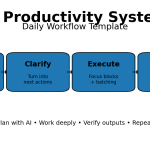
A 10-minute daily AI workflow template
Use this daily routine to get speed and safety. It works for both students and business owners.
Minute 0–2: Set boundaries
- ☐ What’s the goal? (one sentence)
- ☐ What’s off-limits? (PII, secrets, exam material, private docs)
- ☐ What output format do I need? (bullets, outline, table, checklist)
Minute 2–6: Generate with guardrails
- ☐ Prompt includes constraints: “If unsure, say so. Provide sources. Mark assumptions.”
- ☐ Ask for: “Top 5 risks + how to verify,” not just a final answer.
- ☐ If it’s factual: request at least 3 credible sources to cross-check.
Minute 6–9: Verify the “high-risk claims”
- ☐ Pick 3–7 claims that matter and verify them with trusted sources.
- ☐ Remove/replace anything you can’t verify.
Minute 9–10: Record and improve
- ☐ Save the final prompt + output + sources (simple notes file).
- ☐ Write one improvement for next time (better constraints, better source request).
Key Takeaways
- Assume AI can be wrong and make verification a habit—especially for numbers, quotes, and legal/medical claims.
- Never paste sensitive data into AI tools unless your policy and tool settings explicitly allow it.
- Prompt injection is real—treat files, web pages, and user inputs as untrusted when AI reads them.
- Students: use AI to learn, not to replace learning; follow academic integrity rules and cite real sources.
- Businesses: add minimal governance: approved use cases, “do not paste” list, human review, and logging.
FAQs
1) Is it safe to paste my notes or customer messages into ChatGPT (or any AI tool)?
Only if you have permission and you understand the tool’s data handling settings. When in doubt, redact personal details and summarize instead. Follow your institution/company rules and vendor privacy terms.
2) What’s the fastest way to avoid AI hallucinations?
Force evidence: ask for sources, label uncertainty, and then verify 3–7 “high-risk claims” with primary or reputable references. Don’t publish or submit unverified facts.
3) What is prompt injection in simple terms?
It’s when hidden or malicious instructions (inside text, a webpage, a document, or user input) trick an AI system into ignoring your rules—like leaking data or taking unintended actions.
4) Should students disclose AI use in assignments?
Follow your school’s policy. If disclosure is required, be transparent about how you used AI (brainstorming, outlining, editing) and what you verified yourself.
5) Can small businesses use AI without an expensive compliance program?
Yes. Start with basics: a “Do Not Paste” list, approved use cases, human review for public-facing content, and a simple audit trail for major decisions.
6) Which frameworks are most helpful to copy into a lightweight process?
NIST AI RMF for risk thinking, OWASP GenAI Top 10 for security threats, and ISO/IEC 42001 as a governance standard if you want a structured management system.
7) How do I keep AI-generated marketing claims safe?
Require substantiation: every strong claim should link to proof (tests, policy docs, official pages) and be reviewed before publishing. Avoid unrealistic guarantees.
8) What’s one rule that prevents most AI mistakes?
Never trust AI output more than your ability to verify it. If you can’t verify, rewrite as opinion, remove it, or find better sources.
Best Artificial Intelligence Apps on Play Store 🚀
Learn AI from fundamentals to modern Generative AI tools — pick the Free version to start fast, or unlock the full Pro experience (one-time purchase, lifetime access).

AI Basics → Advanced
Artificial Intelligence (Free)
A refreshing, motivating tour of Artificial Intelligence — learn core concepts, explore modern AI ideas, and use built-in AI features like image generation and chat.
More details
► The app provides a refreshing and motivating synthesis of AI — taking you on a complete tour of this intriguing world.
► Learn how to build/program computers to do what minds can do.
► Generate images using AI models inside the app.
► Clear doubts and enhance learning with the built-in AI Chat feature.
► Access newly introduced Generative AI tools to boost productivity.
- Artificial Intelligence- Introduction
- Philosophy of AI
- Goals of AI
- What Contributes to AI?
- Programming Without and With AI
- What is AI Technique?
- Applications of AI
- History of AI
- What is Intelligence?
- Types of Intelligence
- What is Intelligence Composed of?
- Difference between Human and Machine Intelligence
- Artificial Intelligence – Research Areas
- Working of Speech and Voice Recognition Systems
- Real Life Applications of AI Research Areas
- Task Classification of AI
- What are Agent and Environment?
- Agent Terminology
- Rationality
- What is Ideal Rational Agent?
- The Structure of Intelligent Agents
- Nature of Environments
- Properties of Environment
- AI – Popular Search Algorithms
- Search Terminology
- Brute-Force Search Strategies
- Comparison of Various Algorithms Complexities
- Informed (Heuristic) Search Strategies
- Local Search Algorithms
- Simulated Annealing
- Travelling Salesman Problem
- Fuzzy Logic Systems
- Fuzzy Logic Systems Architecture
- Example of a Fuzzy Logic System
- Application Areas of Fuzzy Logic
- Advantages of FLSs
- Disadvantages of FLSs
- Natural Language Processing
- Components of NLP
- Difficulties in NLU
- NLP Terminology
- Steps in NLP
- Implementation Aspects of Syntactic Analysis
- Top-Down Parser
- Expert Systems
- Knowledge Base
- Inference Engine
- User Interface
- Expert Systems Limitations
- Applications of Expert System
- Expert System Technology
- Development of Expert Systems: General Steps
- Benefits of Expert Systems
- Robotics
- Difference in Robot System and Other AI Program
- Robot Locomotion
- Components of a Robot
- Computer Vision
- Application Domains of Computer Vision
- Applications of Robotics
- Neural Networks
- Types of Artificial Neural Networks
- Working of ANNs
- Machine Learning in ANNs
- Bayesian Networks (BN)
- Building a Bayesian Network
- Applications of Neural Networks
- AI – Issues
- A I- Terminology
- Intelligent System for Controlling a Three-Phase Active Filter
- Comparison Study of AI-based Methods in Wind Energy
- Fuzzy Logic Control of Switched Reluctance Motor Drives
- Advantages of Fuzzy Control While Dealing with Complex/Unknown Model Dynamics: A Quadcopter Example
- Retrieval of Optical Constant and Particle Size Distribution of Particulate Media Using the PSO-Based Neural Network Algorithm
- A Novel Artificial Organic Controller with Hermite Optical Flow Feedback for Mobile Robot Navigation
Tip: Start with Free to build a base, then upgrade to Pro when you want projects, tools, and an ad-free experience.

One-time • Lifetime Access
Artificial Intelligence Pro
Your all-in-one AI learning powerhouse — comprehensive content, 30 hands-on projects, 33 productivity AI tools, 100 image generations/day, and a clean ad-free experience.
More details
Unlock your full potential in Artificial Intelligence! Artificial Intelligence Pro is packed with comprehensive content,
powerful features, and a clean ad-free experience — available with a one-time purchase and lifetime access.
- Machine Learning (ML), Deep Learning (DL), ANN
- Natural Language Processing (NLP), Expert Systems
- Fuzzy Logic Systems, Object Detection, Robotics
- TensorFlow framework and more
Pro features
- 500+ curated Q&A entries
- 33 AI tools for productivity
- 30 hands-on AI projects
- 100 AI image generations per day
- Ad-free learning environment
- Take notes within the app
- Save articles as PDF
- AI library insights + AI field news via linked blog
- Light/Dark mode + priority support
- Lifetime access (one-time purchase)
Compared to Free
- 5× more Q&As
- 3× more project modules
- 10× more image generations
- PDF + note-taking features
- No ads, ever • Free updates forever
Buy once. Learn forever. Perfect for students, developers, and tech enthusiasts who want to learn, build, and stay updated in AI.
References & trusted resources
- NIST AI Risk Management Framework (overview)
- NIST AI RMF 1.0 (PDF)
- NIST AI RMF: Generative AI Profile (PDF)
- OWASP GenAI / LLM Top 10 (latest)
- Guidelines for Secure AI System Development (PDF)
- MITRE ATLAS (adversarial AI threats)
- OECD AI Principles
- UNESCO Recommendation on the Ethics of AI
- EU AI Act (EUR-Lex)
- ISO/IEC 42001 (AI management systems)
- ISO/IEC 27001 (information security)
- NIST Privacy Framework
- NIST Cybersecurity Framework 2.0 (PDF)
- UK ICO: Guidance on AI and data protection
- OpenAI Usage Policies
- OpenAI Security & Privacy