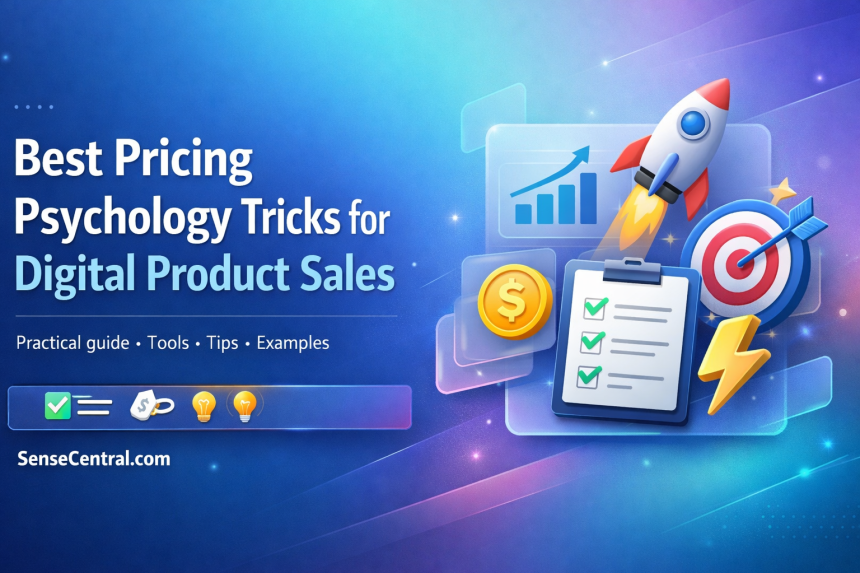
A practical Digital Product Business pricing guide (beginner → advanced)
Pricing is not just math—it’s perception, confidence, and clarity. In a Digital Product Business, the “right” price is the one that makes buyers instantly understand value, trust the offer, and feel good clicking purchase. This guide breaks down the highest-impact pricing psychology principles (with ethical UX), plus templates, checklists, and a step-by-step roadmap you can apply to digital downloads, courses, memberships, bundles, toolkits, and licenses.
- Table of Contents
- Why this matters for a Digital Product Business
- Key concepts and definitions (Digital Product Business pricing)
- Step-by-step roadmap for Digital Product Business pricing
- Step 1) Define the outcome (not the asset)
- Step 2) Pick the right pricing model (one-time, tiered, subscription, license)
- Step 3) Build a 3-tier structure that guides choice
- Step 4) Set an anchor you can ethically defend
- Step 5) Choose price endings based on your positioning (premium vs value)
- Step 6) Build an offer stack that makes the decision easy
- Step 7) Design the pricing page for clarity (UX beats cleverness)
- Step 8) Measure, iterate, and scale (pricing is a system)
- Examples, templates, and checklists
- Example 1: A beginner-friendly digital download (template/planner)
- Example 2: A bundle strategy that avoids racing to the bottom
- Copy-paste template: High-converting pricing section (WordPress-ready)
- Checklist: Pricing page + offer launch (quick but thorough)
- Decision matrix table: Which pricing lever to use (and when)
- Common mistakes and how to fix them
- 1) Pricing based on file count (instead of outcomes)
- 2) Too many plans (choice overload)
- 3) Weak “most popular” logic
- 4) Fake urgency (trust killer)
- 5) Hidden costs (taxes, processing, upsells)
- 6) No preview, no sample, no “what you get” clarity
- 7) Discounting too early
- 8) Ignoring support load
- 9) Pricing page copy that’s too clever
- 10) Not measuring the right metric
- 11) Overusing psychological tricks without UX safeguards
- Tools and resources
- Free (or freemium) tools — beginner-friendly
- Paid tools — best for scaling
- Sense Central internal resources (recommended)
- Advanced tips and best practices
- 1) Use “price-to-value ladders” instead of random upsells
- 2) Segment pricing by use case (not by “cheap vs expensive”)
- 3) Run ethical pricing tests (simple step-by-step)
- 4) Use the decoy effect carefully (it’s powerful)
- 5) Protect trust with transparent choice architecture
- FAQ
- 1) What is pricing psychology in digital product sales?
- 2) What’s the best pricing model for beginners in a Digital Product Business?
- 3) Should I use .99 prices or rounded prices?
- 4) Does the decoy effect work for digital products?
- 5) How do I anchor prices without being misleading?
- 6) What if competitors sell cheaper?
- 7) How can I increase average order value (AOV) without discounts?
- 8) What’s the biggest reason digital products get refunded?
- 9) Are limited-time offers safe to use?
- 10) How do I know if my price is too high?
- 11) Should I offer pay-what-you-want pricing?
- 12) What’s the fastest pricing improvement I can make today?
- Key takeaways
- Conclusion
You’ll learn how to structure tiers, create anchors, use bundles without discounting your brand, and optimize your pricing page for conversions—without manipulative dark patterns.
Quick Answer (featured snippet): Pricing psychology is the use of behavioral economics and decision science to present prices in a way that improves understanding, reduces friction, and increases perceived value—while staying transparent and fair.
- Anchor first: show a higher reference price to make your core offer feel more valuable.
- Use smart tiers: 3 options (Good / Better / Best) often out-convert a single price.
- Bundle outcomes: sell a result (and reduce comparison shopping) instead of selling “files.”
- Reduce risk: clear refunds, previews, and “what you get” lists beat aggressive discounting.
- Price with intent: use rounded pricing for premium, “9” endings for value—test, don’t guess.
- Stay ethical: avoid hidden fees, fake urgency, and subscription traps—trust compounds.
Recommended Bundle: START YOUR DIGITAL PRODUCT BUSINESS (100M+ digital products, 250+ categories, $25,000+ value) — just $199
Use it for offer stacking, bundling strategy, and building high-perceived-value packages fast.

Table of Contents
Why this matters for a Digital Product Business
Digital products live in a high-choice market. Buyers can compare alternatives in seconds, and your offer has to communicate value faster than their doubt grows.
- Pricing shapes trust: unclear or inconsistent pricing triggers suspicion and “I’ll think about it later.”
- Pricing shapes perceived quality: people often assume higher price = higher quality when information is incomplete.
- Pricing shapes the decision path: the way you present options can reduce confusion and increase confidence.
What problems pricing psychology solves
- “I don’t get what I’m buying.” Fix with outcome-led packaging and benefit-first descriptions.
- “It’s too expensive.” Fix with anchors, tiering, and a stronger value narrative (not instant discounting).
- “I’m not sure it’ll work for me.” Fix with risk reversal, previews, and clear support/refund policies.
- “I’ll come back later.” Fix with ethical urgency (real deadlines) and clearer next steps.
Who needs this most
- Creators selling digital downloads (templates, planners, UI kits, stock assets, printables).
- Educators selling courses, cohorts, workshops, or certifications.
- Builders selling toolkits, prompts, scripts, spreadsheets, plugins, or micro-SaaS.
- Brands selling licenses (personal vs commercial vs extended).
UX note: Persuasion is fine; deception is not. If you need a clear line between ethical persuasion and dark patterns, read Nielsen Norman Group’s overview on deceptive patterns: https://www.nngroup.com/articles/deceptive-patterns/.
Related Sense Central reads (useful next steps):
- How to improve conversions without redesigning your website (widgets-only)
- How to make comparison pages convert better (practical UX)
Key concepts and definitions (Digital Product Business pricing)
Here are the core ideas you’ll use repeatedly. Treat this as your mini glossary.
- Price anchoring: presenting a reference price first (e.g., a higher tier, “was” price, or competitor benchmark) to shape perceived value. (More: https://www.nngroup.com/articles/anchoring-principle/)
- Decoy effect: adding a third option that makes your target option look like the best deal. (Classic example: https://hbr.org/2009/08/design-your-customers-decision)
- Charm pricing (odd-even): prices ending in .99 or 9 can feel more affordable due to left-digit processing. (Overview: https://www.intuit.com/enterprise/blog/pricing/psychological-pricing/)
- Value-based pricing: pricing based on the value/outcome delivered, not your time or file count.
- Tiered pricing: multiple packages (e.g., Basic / Pro / Ultimate) designed to guide buyers to a best-fit choice.
- Offer stack: the main product + bonuses + support + guarantee + delivery method (the complete perceived value bundle).
- Risk reversal: reducing buyer anxiety with refunds, trials, previews, and clear policies.
- Price integrity: maintaining trust through transparency (no hidden fees, fake scarcity, or confusing renewals). See UK guidance on online choice architecture: https://www.gov.uk/government/collections/online-choice-architecture
Secondary keyword variations you should know (and we’ll use throughout)
- pricing psychology for digital products
- digital product pricing strategy
- how to price digital downloads
- value-based pricing for creators
- tiered pricing and bundles
- pricing page conversion optimization
- Gumroad pricing tips
- anchoring and decoy pricing
- bundle pricing strategy
- premium vs budget pricing positioning
Step-by-step roadmap for Digital Product Business pricing
This roadmap is designed to work whether you’re selling a $9 template or a $499 course. Follow it in order—each step builds decision clarity and perceived value.
Step 1) Define the outcome (not the asset)
- What to do: write a one-sentence promise that describes the result your buyer gets.
- Why it matters: people pay for outcomes; files are just delivery.
- How to do it: use this formula: “Help [buyer] achieve [result] without [pain].”
- Example: “Help Etsy sellers launch a premium UI kit listing in 1 day without design overwhelm.”
- Pro tip: add a measurable indicator (time saved, errors avoided, conversions improved) when possible.
Step 2) Pick the right pricing model (one-time, tiered, subscription, license)
- What to do: choose a model that matches the buyer’s ongoing value and your support load.
- Why it matters: the wrong model creates churn, refunds, or pricing resistance.
- How to do it: use simple rules:
- One-time: best for templates, downloads, asset bundles.
- Tiered one-time: best for bundles with clear “more value” upgrades.
- Subscription/membership: best when value refreshes monthly (new assets, updates, community, coaching).
- Licensing: best when commercial usage changes the buyer’s value and risk.
- Example: Notion template: one-time + optional “Pro” tier with video walkthrough + updates.
- Pro tip: if you do subscriptions, avoid “subscription traps.” Review FTC guidance for negative option marketing: https://www.ftc.gov/legal-library/browse/rules/negative-option-rule.
Step 3) Build a 3-tier structure that guides choice
- What to do: create Good / Better / Best tiers with a clear “most popular” option.
- Why it matters: a well-designed middle tier often becomes the conversion driver.
- How to do it:
- Good: core product (minimal support).
- Better (target): core + fastest path to results (templates + guides + examples).
- Best: everything + bonuses + commercial license or premium support.
- Example: UI kit bundle:
- Basic: 20 kits
- Pro: 145 kits + icons + updates (Most Popular)
- Studio: Pro + commercial license + priority support
- Pro tip: your “Best” tier is often your anchor—even if it’s not the most sold.
Step 4) Set an anchor you can ethically defend
- What to do: choose a reference price buyers recognize as believable.
- Why it matters: anchoring shapes what “expensive” means in the buyer’s mind.
- How to do it:
- Use a higher tier as the anchor.
- Use “total value if bought separately” (only if the math is real).
- Use a benchmark (e.g., agency cost vs DIY kit).
- Example: “Hiring a designer for this workflow costs $300–$1,500. This kit is $39.”
- Pro tip: don’t fake crossed-out prices. If you use a “was $X,” it should reflect a real historical price.
Step 5) Choose price endings based on your positioning (premium vs value)
- What to do: decide whether you want to signal value or premium confidence.
- Why it matters: price formatting affects perception before buyers even read features.
- How to do it:
- Charm pricing (.99 / 9 endings): often reads as “deal/value.”
- Rounded pricing ($50 / $100): can read as “premium/clean/confident.”
- Example: $19.99 for a beginner template, $200 for a premium bundle, $499 for a cohort.
- Pro tip: test both. Start with the positioning you want, then validate with conversion + refund rate.
Step 6) Build an offer stack that makes the decision easy
- What to do: add the minimum extras that materially improve success.
- Why it matters: buyers don’t want “more stuff,” they want fewer reasons to fail.
- How to do it: stack things that remove friction:
- Quick-start guide
- Examples / swipe files
- Video walkthrough
- Update policy
- Support window (even email-only)
- Example: A planner download becomes a “system” when you add: setup guide + weekly review checklist + printable variants.
- Pro tip: show the stack as a bulleted “What you get” list above the price (not buried below).
Step 7) Design the pricing page for clarity (UX beats cleverness)
- What to do: present your tiers with fast scanning: who it’s for, what they get, and the outcome.
- Why it matters: confusion kills conversions. Clarity sells.
- How to do it:
- Use short bullets (5–8 per tier).
- Highlight the “most popular” tier with a subtle badge.
- Repeat the CTA after comparisons and after FAQs.
- Place trust signals near the CTA (refund policy, secure checkout, testimonials).
- Example: “Best for: beginners” + “Avoid if: you need a custom solution.”
- Pro tip: if you rely on urgency, make it real. For ethical countdown timer implementation, see: Sense Central’s countdown timer guide.
Step 8) Measure, iterate, and scale (pricing is a system)
- What to do: track the metrics that tell you if pricing is working.
- Why it matters: pricing can raise revenue while reducing support and refunds—if you watch the right signals.
- How to do it: track:
- Conversion rate: visitors → buyers
- AOV: average order value (often rises with tiers)
- Refund rate: pricing mismatch or expectation gap
- Support tickets: signals confusion or missing onboarding
- Upgrade rate: whether “Better/Best” messaging works
- Example: If refunds rise after a price increase, tighten “who it’s for” and add a preview before discounting.
- Pro tip: change one variable at a time (price, tier features, page copy, or bonuses) so you know what caused the shift.
Shortcut for offer stacking: START YOUR DIGITAL PRODUCT BUSINESS bundle (100M+ assets, 250+ categories, $25,000+ value) — $199
Perfect for building bundles, bonuses, and tier upgrades that boost perceived value.

Examples, templates, and checklists
This section is designed to be copy-paste friendly. Use it to build your pricing page, your tier descriptions, and your launch workflow.
Example 1: A beginner-friendly digital download (template/planner)
- Product: Notion habit planner template
- Pricing structure: $9 (Basic), $19 (Pro: + setup video + weekly review checklist), $49 (Creator: + commercial license)
- Psychology used: tiering + anchoring + risk reduction (clear previews)
- Best for: simple products with clear use cases
- Avoid if: your buyers need heavy customization (consider services or cohorts instead)
Example 2: A bundle strategy that avoids racing to the bottom
- Product: “50 social media templates” bundle
- Anchor: “Bought separately: $2 each × 50 = $100” (only if true)
- Core price: $39 (Pro), with $79 (Studio: + commercial usage + updates)
- Psychology used: separate-value math + tier upgrade + licensing clarity
- Best for: assets where “more” truly reduces work
- Avoid if: the bundle is uncurated—buyers don’t want 500 messy files
Copy-paste template: High-converting pricing section (WordPress-ready)
Headline: Choose the fastest path to your result
Subheadline: Pick a plan based on how quickly you want to implement—and whether you need commercial usage.
Option A (Basic) — $X
Best for: trying it once or learning the workflow.
- Includes: core files/templates
- Quick-start guide
- Personal use license
Option B (Pro) — $Y Most Popular
Best for: getting results fast with minimal guesswork.
- Everything in Basic
- Video walkthrough (or guided setup)
- Examples / swipe files
- Updates for 12 months
Option C (Studio) — $Z
Best for: client work, teams, or commercial usage.
- Everything in Pro
- Commercial / extended license
- Priority support window
- Bonus pack (optional)
Risk reversal line: “Not sure? Preview the product first. If it’s not a fit, contact us within X days for a refund (see policy).”
Checklist: Pricing page + offer launch (quick but thorough)
- Value clarity: Outcome statement is visible above the price.
- Tier clarity: 3 tiers max (Good/Better/Best) with “Best for” lines.
- What you get: Bulleted deliverables list, not paragraphs.
- Preview: Screenshots, sample pages, demo video, or file list.
- Risk reversal: Refund policy, support expectations, and download access explained.
- Trust: Testimonials, usage examples, or “as seen in” (only if true).
- Friction removal: FAQ near CTA (compatibility, license, access, updates).
- Price integrity: No hidden fees; taxes/currency explained where relevant.
- Checkout UX: Minimal steps; clear confirmation and download instructions.
- Measurement: Track conversions, AOV, refunds, and support tickets weekly.
Decision matrix table: Which pricing lever to use (and when)
| Pricing lever | Best for | Avoid if | How to implement | Metric to watch |
|---|---|---|---|---|
| Anchoring | Tiered pricing, bundles, premium offers | Your anchor is unbelievable or unprovable | Show Best tier first or show “separate value” math | Tier selection rate |
| Decoy option | Guiding users to a “most popular” plan | It feels manipulative or confusing | Add a plan that’s clearly less efficient than target | Conversion rate + plan mix |
| Charm pricing | Value positioning, impulse-friendly products | Premium brand signaling | Use 9-ending prices selectively | Conversion rate |
| Rounded pricing | Premium positioning, coaching, cohorts | Highly price-sensitive audiences | Use clean numbers to signal confidence | Refund rate + trust signals |
| Bundle pricing | Reducing comparison shopping | Bundle is uncurated / low relevance | Curate tightly; show what’s included | AOV + support tickets |
| Risk reversal | Higher-priced offers, new audiences | You can’t support refunds operationally | Clear policy + preview + onboarding | Refund + dispute rate |
| Limited-time bonuses | Launches, seasonal promos (real deadlines) | Fake urgency (trust damage) | Real deadline + clear terms | Conversion lift vs baseline |
| Pay-what-you-want | Audience building, leads, low-risk entry | When you need consistent revenue | Set a strong suggested price (Gumroad guide) | Avg price paid |
Helpful docs if you sell on Gumroad: “Pay what you want” pricing https://gumroad.com/help/article/133-pay-what-you-want-pricing and discount codes https://gumroad.com/help/article/128-discount-codes.
Common mistakes and how to fix them
These are the pricing errors that quietly bleed revenue in digital product sales. Fixing them usually improves conversions without increasing traffic.
1) Pricing based on file count (instead of outcomes)
- Fix: lead with the result and the “fast path” components (guides, examples, setup).
2) Too many plans (choice overload)
- Fix: cap at 3 tiers. If you need more, use licensing add-ons instead.
3) Weak “most popular” logic
- Fix: make the middle tier the fastest route to success (not just “slightly more files”).
4) Fake urgency (trust killer)
- Fix: only use deadlines you can defend. For ethical urgency UX, review consumer guidance: https://www.gov.uk/government/collections/online-choice-architecture.
5) Hidden costs (taxes, processing, upsells)
- Fix: disclose totals early. If you sell globally, learn about tax compliance tools like Stripe Tax: https://docs.stripe.com/tax.
6) No preview, no sample, no “what you get” clarity
- Fix: add screenshots, sample pages, file lists, and compatibility notes above the CTA.
7) Discounting too early
- Fix: improve positioning, add a tier, or add a bonus before discounting the core price.
8) Ignoring support load
- Fix: define support expectations per tier (e.g., Basic = no support; Pro = email support 7 days).
9) Pricing page copy that’s too clever
- Fix: replace hype with specifics: who it’s for, what’s included, and what success looks like.
10) Not measuring the right metric
- Fix: track conversion + refund rate + tier mix. Revenue alone can hide churn and dissatisfaction.
11) Overusing psychological tricks without UX safeguards
- Fix: add transparency: clear policies, simple cancellation, honest urgency, and readable terms. NNG’s anchoring overview is a solid baseline: https://www.nngroup.com/articles/anchoring-principle/.
Tools and resources
Use tools to reduce guesswork, not to replace thinking. Start simple, then add sophistication as your traffic and revenue grow.
Free (or freemium) tools — beginner-friendly
- Analytics: Google Analytics (GA4) and Google Search Console (track traffic + intent).
- Heatmaps/session recordings: Microsoft Clarity (often free) to spot pricing-page confusion.
- Copy workflows: Build faster with AI—but verify claims before publishing. See Sense Central’s guide: Best AI tools for writing (and how to verify output).
- SEO foundation: SEO strategy for beginners (Sense Central).
Paid tools — best for scaling
- Checkout + payments: Stripe (advanced flows, links, subscriptions) — https://stripe.com/
- Tax automation (global): Stripe Tax — https://stripe.com/tax
- Creator commerce: Gumroad (fast setup, PWYW, discount codes) — https://gumroad.com/
- A/B testing: VWO / Optimizely (advanced teams); smaller sites can test with simpler landing-page variants.
- Email automation: ConvertKit / Mailchimp for launch sequences and follow-ups.
Sense Central internal resources (recommended)
- Money Making Tutorial hub
- Freelance pricing strategies (value-based thinking that applies to digital products)
- Countdown timers for limited-time offers (ethical implementation)
Advanced tips and best practices
Once your basics are solid, these methods help you increase revenue per visitor while protecting trust and reducing refunds.
1) Use “price-to-value ladders” instead of random upsells
Build a ladder where each step clearly increases outcomes, not just content quantity.
- Level 1: starter download (low-risk entry)
- Level 2: bundle (curated, faster results)
- Level 3: premium tier (commercial license / support)
- Level 4: coaching/cohort (implementation help)
Best for: creators with multiple related products.
Avoid if: your products are unrelated (ladder must feel logical).
2) Segment pricing by use case (not by “cheap vs expensive”)
Instead of “Basic vs Premium,” use segments like: personal use, teams, agencies, commercial usage, educators, or students.
- Why it works: it matches how buyers self-identify.
- UX upgrade: add a “Which plan is right?” mini selector (2–3 questions) if your audience is mixed.
3) Run ethical pricing tests (simple step-by-step)
- Pick one hypothesis: “Rounded pricing will increase trust and reduce refunds.”
- Choose one KPI: conversion rate, AOV, or refunds (not all at once).
- Create two versions: only change the price format or tier labels.
- Run long enough: aim for a meaningful number of visits per variant.
- Decide upfront: keep winner, revert loser—don’t keep tinkering mid-test.
For deeper thinking on anchoring and first impressions, Harvard’s negotiation-focused explainer is helpful: https://www.pon.harvard.edu/daily/negotiation-skills-daily/price-anchoring-101/.
4) Use the decoy effect carefully (it’s powerful)
The decoy effect can boost conversions, but it can also backfire if it feels like a trick. Study the classic pattern first: https://hbr.org/2009/08/design-your-customers-decision.
- Best for: steering buyers toward a mid-tier plan that genuinely offers the best value.
- Avoid if: the decoy is obviously “bad” and damages trust.
5) Protect trust with transparent choice architecture
High-converting pricing pages often “feel simpler” because they reduce friction and remove surprises. This is not just conversion strategy—it’s consumer trust strategy.
- Show full pricing clearly (including renewal terms if subscriptions).
- Make cancellation/refunds easy to understand.
- Avoid hidden charges and confusing defaults.
Reference material: The Decision Lab’s decoy overview (easy explanation) https://thedecisionlab.com/biases/decoy-effect and Interaction Design Foundation’s anchoring explanation https://www.interaction-design.org/literature/topics/anchoring.
Build a premium bundle offer faster: START YOUR DIGITAL PRODUCT BUSINESS (100M+ digital products, 250+ categories, $25,000+ value) — $199
Use this bundle to create irresistible tiers, bonuses, and offer stacks for your Digital Product Business.

FAQ
1) What is pricing psychology in digital product sales?
Pricing psychology is the study and application of how people perceive prices and make purchase decisions. In digital products, it’s especially powerful because buyers can’t physically inspect what they’re buying, so clarity, trust, and perceived value matter more.
2) What’s the best pricing model for beginners in a Digital Product Business?
Most beginners do best with a one-time price (or a simple 3-tier structure). It’s easier to support, avoids subscription complexity, and helps you learn your market before adding memberships or licensing expansions.
3) Should I use .99 prices or rounded prices?
Use .99 pricing when you want to signal value and reduce price resistance. Use rounded pricing when you want a premium, confident signal. The “right” answer depends on your positioning—test both and track conversion plus refunds.
4) Does the decoy effect work for digital products?
Yes—when used ethically. A third option can make your target option look like the best value, but it must still be a legitimate option. If it feels like a trick, you may gain short-term conversions and lose long-term trust.
5) How do I anchor prices without being misleading?
Use anchors you can defend: higher tiers, real “bought separately” math, or realistic benchmarks (like hiring costs). Avoid fake crossed-out prices and fake scarcity. Ethical persuasion keeps refund rates lower and repeat buyers higher.
6) What if competitors sell cheaper?
Competing on price is often a trap. Instead, compete on clarity and outcomes: better onboarding, better templates, better support, better licensing clarity, better updates. A stronger offer stack usually beats a cheaper offer with confusion.
7) How can I increase average order value (AOV) without discounts?
Use tiered pricing and bundles, add commercial licenses, and offer implementation upgrades (walkthroughs, examples, swipe files). Make the upgrade feel like a faster path to success, not “more files.”
8) What’s the biggest reason digital products get refunded?
Mismatched expectations. Buyers thought they were getting something else, or they didn’t know the skill level required. Fix with previews, “best for / avoid if” notes, and clearer product scope.
9) Are limited-time offers safe to use?
They’re safe when the deadline is real and terms are clear. Avoid fake urgency or endless “ending tonight” timers. If you want to implement urgency ethically, use a real promo calendar and honest messaging.
10) How do I know if my price is too high?
Look at conversion rate alongside refund rate and support load. If conversion is low but refunds are also low, your offer might be unclear (not necessarily overpriced). If refunds spike, your promise or targeting may be off.
11) Should I offer pay-what-you-want pricing?
It can work for audience growth, lead generation, or entry-level products—especially if you set a strong suggested price. Gumroad has a clear explanation and constraints for PWYW pricing: https://gumroad.com/help/article/133-pay-what-you-want-pricing.
12) What’s the fastest pricing improvement I can make today?
Add a clear “Most Popular” tier that meaningfully speeds up results (guide + examples + updates), and rewrite your pricing bullets to be outcome-led. Most pricing pages fail due to confusion, not due to the number itself.
Key takeaways
- In a Digital Product Business, clarity sells more than cleverness.
- Use 3-tier pricing to reduce choice overload and guide decisions.
- Create an ethical anchor (higher tier, real benchmarks, or real bundle math).
- Choose price endings intentionally: .99 for value, rounded for premium—then test.
- Improve perceived value with an offer stack (guides, examples, updates, license clarity).
- Use urgency only when it’s real; trust compounds and lowers refunds.
- Measure conversion + AOV + refunds + tier mix; pricing is a system, not a one-time decision.
- Fix mistakes by improving targeting, previews, and policies before discounting.
- Use reputable behavioral principles (anchoring, decoy effect) without crossing into deception.
Conclusion
Pricing psychology isn’t about tricking people—it’s about presenting value in a way that helps buyers make confident decisions. The best pricing pages feel calm, clear, and fair. They show outcomes, reduce risk, and make the “best fit” option obvious.
Next steps: pick one product, build a simple 3-tier structure, add an ethical anchor, rewrite your “what you get” bullets for outcomes, and run a small test for 7–14 days. Once you see what buyers choose (and why), scaling becomes much easier.
Continue learning on Sense Central:
- Money Making Tutorial hub (more Digital Product Business guides)
- SEO strategy for beginners (bring qualified traffic that converts)
- Conversion improvement guide (no redesign)