- Table of Contents
- 1) What “conversion widgets” are (and why they work)
- 2) Quick wins: the 6 highest-impact widget types in 2026
- 2.1 Popups (done right) — still the king of lead capture
- 2.2 Reviews & social proof widgets — the “trust shortcut”
- 2.3 Chat widgets — remove buying hesitation in real time
- 2.4 Forms — the underrated conversion machine
- 2.5 Announcement bars — promote without disrupting
- 2.6 Countdown timers — urgency (without being spammy)
- 3) Pick widgets by goal: lead gen, sales, trust, support
- Goal A: Get more email subscribers
- Goal B: Increase affiliate clicks (without being pushy)
- Goal C: Increase sales / bookings
- Goal D: Reduce support workload
- 4) Why we like Elfsight for conversion widgets
- 4.1 “All-in-one” widget library (and fast setup)
- 4.2 View-based pricing: pay based on usage
- 4.3 Helpful for non-coders and busy site owners
- 4.4 Elfsight vs typical alternatives (simple comparison)
- 5) How to add widgets to WordPress (step-by-step)
- 6) Best widget “stacks” by website type
- 6.1 Affiliate/blog (reviews & comparisons) — like Sensecentral
- 6.2 eCommerce
- 6.3 Local service business (salon, clinic, workshop)
- 6.4 SaaS / productized services
- 7) Common mistakes that kill conversions (and how to avoid them)
- Mistake #1: Too many widgets at once
- Mistake #2: Showing the same popup to everyone
- Mistake #3: Asking for too much information
- Mistake #4: Not measuring anything
- Mistake #5: Ignoring mobile UX
- FAQs
- Are popups still effective in 2026?
- Which widget should I add first?
- Will widgets slow down my site?
- Do I need coding to add widgets to WordPress?
- What’s a good “stack” for product comparison posts?
- References
- Key Takeaways
TL;DR: The fastest way to increase conversions in 2026 isn’t redesigning your whole site — it’s adding the right conversion widgets to the right pages: a smart popup for lead capture, trust-building reviews, instant chat, and frictionless forms. In this guide, you’ll get a practical widget playbook (with examples, KPIs, and a simple decision framework) plus an easy way to add them without coding.
Affiliate disclosure: This post contains affiliate links. If you purchase through these links, Sensecentral may earn a commission at no extra cost to you. We only recommend tools we believe are genuinely useful for growing websites.
✅ Try Elfsight (No-Code Widgets)
Table of Contents
- What “conversion widgets” are (and why they work)
- Quick wins: the 6 highest-impact widget types in 2026
- Pick widgets by goal: lead gen, sales, trust, support
- Why we like Elfsight for conversion widgets
- How to add widgets to WordPress (step-by-step)
- Best widget “stacks” by website type (eCommerce, local, SaaS, blog)
- Common mistakes that kill conversions (and how to avoid them)
- FAQs
- References
- Key Takeaways
1) What “conversion widgets” are (and why they work)
A website widget is a small interactive block you add to your site to trigger an action — like subscribing, requesting a quote, starting a chat, leaving a review, or buying. You can think of widgets as micro-upgrades that improve your conversion rate without rebuilding the entire site.
Why they work so well:
- They reduce friction: visitors take action right where they are (no extra pages, no hunting for info).
- They add trust fast: reviews, ratings, and proof elements calm “Is this legit?” doubts.
- They create urgency and clarity: popups, countdowns, and announcements highlight the next step.
- They personalize timing: modern widgets can appear based on behavior (scroll depth, time, clicks) instead of instantly annoying everyone.
On Sensecentral, we review tools that make these upgrades easy — especially for creators, small businesses, and affiliate sites that want more email subscribers and clicks without heavy development work. If you publish product reviews and comparisons (like we do at Sensecentral), widgets can also increase:
- email signups (for repeat traffic)
- affiliate link clicks (by improving trust and CTA visibility)
- time on page (by adding interactive sections and “next step” prompts)
2) Quick wins: the 6 highest-impact widget types in 2026
Here are the conversion widget categories that consistently drive results across most websites:
| Widget Type | Best For | Best Pages | Primary KPI |
|---|---|---|---|
| Popups (exit intent, scroll, timed) | Lead capture, coupons, announcements | Blog posts, landing pages, product pages | Signup rate / offer redemption |
| Reviews & Ratings | Trust, social proof, conversions | Homepage, pricing, checkout, service pages | Conversion rate / bounce rate |
| Chat (live or automated) | Pre-sale questions, support, bookings | Pricing, product pages, FAQ | Conversations → leads / sales |
| Forms (lead forms, quotes) | Lead generation, onboarding | Contact, services, landing pages | Form completion rate |
| Announcements / Bars | Promos, shipping updates, newsletters | Site-wide, blog, category pages | Click-through rate |
| Countdown / Urgency | Limited offers, launches | Sales pages, promo pages | Sales conversion rate |
2.1 Popups (done right) — still the king of lead capture
Popups are powerful because they interrupt at the right moment. The trick is behavior-based triggers and a single clear offer (not a wall of text).
Best popup offers for 2026:
- “Get the checklist” (PDF or mini guide)
- “Best deals” newsletter (weekly/bi-weekly)
- “Price drop alerts” for product review sites
- “New comparison posts” notification list
- First-time visitor coupon (eCommerce)
Recommended triggers: on scroll (30–60%), after a time delay (15–45s), on click, or exit intent on desktop.
Tool pick: If you want a no-code popup builder with modern triggers, check Elfsight’s Popup widget:
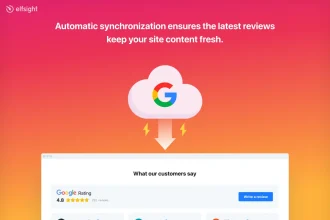
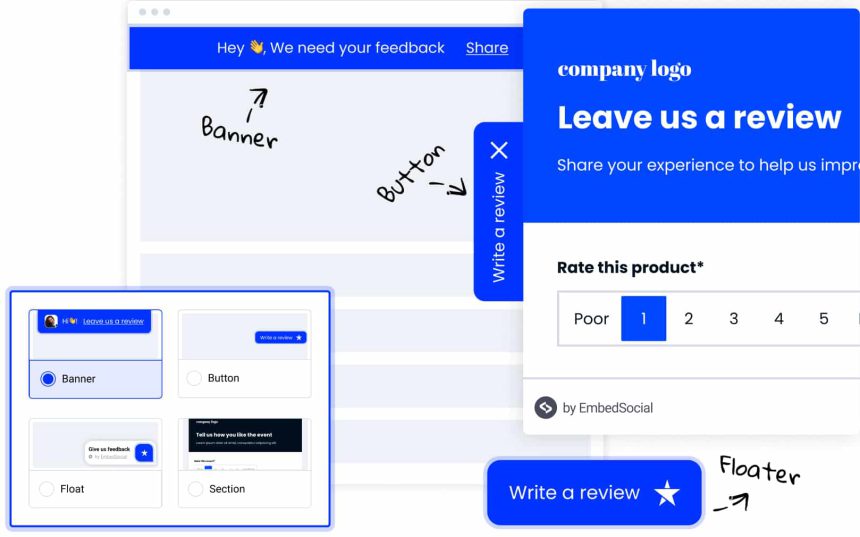
2.2 Reviews & social proof widgets — the “trust shortcut”
If your visitor is thinking “Will this work for me?”, reviews answer it instantly. The highest-impact placements are:
- Homepage (near the fold)
- Pricing / plans section
- Checkout (eCommerce)
- Service pages (“book now”, “get quote”)
For local businesses or brands with public profiles, embedding Google reviews or multi-source reviews can be a conversion lift because it’s external proof, not self-praise.
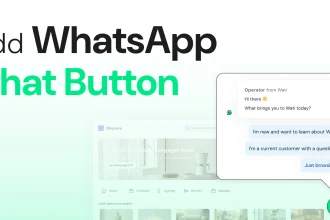
2.3 Chat widgets — remove buying hesitation in real time
Chat is less about “support” and more about removing decision friction. A chat widget works best when it:
- answers the top 5 pre-sale questions (shipping, warranty, compatibility, setup, refund)
- routes visitors to the right page (“Which plan is right?” → pricing section)
- captures email when offline
If you’re a creator or service business, chat can also drive bookings (“Want a quote?”) — especially when paired with a short form.
2.4 Forms — the underrated conversion machine
Forms convert best when they’re short, specific, and placed where intent is highest. For example:
- A 2-field newsletter form at the end of a high-performing comparison post.
- A “Request a quote” form on the service page with 3–5 fields max.
- A “Get the exact recommendation” form that asks 2 qualifying questions (budget + use case).
2.5 Announcement bars — promote without disrupting
Want visibility without a popup? Use a top bar for:
- limited-time deals
- newsletter signups
- new guide launches
- shipping / delivery timelines
2.6 Countdown timers — urgency (without being spammy)
Countdown timers work when urgency is real: product launches, webinar deadlines, seasonal promos, limited coupon windows. Keep it honest — fake urgency hurts trust long-term.
3) Pick widgets by goal: lead gen, sales, trust, support
If you’re not sure what to add first, use this simple framework:
Goal A: Get more email subscribers
- Popup (scroll / timed): Offer a checklist, deal alerts, or your “top picks” list.
- Inline form: Embed at the end of your best posts.
- Floating bar: Gentle site-wide reminder.
Goal B: Increase affiliate clicks (without being pushy)
- Sticky CTA button (or a visible CTA block) after your key comparison table
- Trust widget: reviews/ratings, “as seen on”, or testimonial slider
- FAQ widget near the CTA to remove final doubts
Goal C: Increase sales / bookings
- Chat widget + offline capture
- Quote / booking form (short)
- Social proof widget near price/CTA
Goal D: Reduce support workload
- FAQ accordion with your top questions
- Contact form with smart routing (topic dropdown)
- Chat widget with predefined answers
Sensecentral tip: If you publish product comparisons, add a short “Help me choose” form at the end of posts. Ask: budget, primary use, must-have feature. That single section can turn passive readers into leads.
Explore more site growth tips on Sensecentral:
conversion search ·
WordPress search ·
affiliate search
4) Why we like Elfsight for conversion widgets
There are many WordPress plugins and SaaS tools for popups, reviews, chat, and forms — but managing multiple vendors can get messy. Elfsight is popular because it acts like a single widget platform for many conversion needs (reviews, popups, forms, social feeds, chat-style widgets, and more) and works on most site builders (including WordPress).
4.1 “All-in-one” widget library (and fast setup)
Instead of installing 6 different plugins, you can often cover the basics with a single widget toolkit. Elfsight is known for a large widget catalog and a simple embed flow: customize → copy code → paste into your site.
4.2 View-based pricing: pay based on usage
Elfsight uses a “views” model, where a view is generally counted when the widget loads (so a high-traffic site needs a higher plan). This can be fair because you’re not forced into a huge flat fee on day one — you can scale as your site grows.
Quick note: If your site is growing quickly, pick a plan with comfortable headroom so your widgets don’t pause during traffic spikes (especially during promotions).
4.3 Helpful for non-coders and busy site owners
For creators and small teams, the real benefit is speed: you can launch a popup, a reviews block, and a form in an afternoon — without a developer.
🚀 Try Elfsight Widgets (Affiliate Link)
4.4 Elfsight vs typical alternatives (simple comparison)
| Option | Pros | Cons | Best For |
|---|---|---|---|
| Elfsight (widget platform) | Many widgets, no-code setup, works across platforms | Needs plan headroom for traffic (views model) | Creators, SMBs, agencies, multi-site owners |
| Single-purpose WP plugins | Often cheap/free, native WP dashboard | Plugin overload, conflicts, mixed UI/quality | One specific need, simple site |
| Custom development | Maximum control, fastest performance possible | Time + cost, requires dev maintenance | Large brands, custom funnels |
5) How to add widgets to WordPress (step-by-step)
Most widget platforms (including Elfsight) follow the same workflow:
- Create the widget: Choose a widget type (Popup, Reviews, Form, etc.) and customize it.
- Copy the embed code: The platform gives you a script/embed snippet.
- Paste into WordPress:
- Option A: Add a “Custom HTML” block in Gutenberg and paste the code.
- Option B: Paste into a page builder HTML element (Elementor / WPBakery / etc.).
- Option C: Insert site-wide in header/footer (for bars or chat) using a safe script insertion method.
- Test on mobile: Check page speed, spacing, and tap targets.
- Measure results: Track conversions before/after (signup rate, clicks, leads, sales).
Want the easiest route? Start here:
Start with Elfsight (Free to Try)
6) Best widget “stacks” by website type
6.1 Affiliate/blog (reviews & comparisons) — like Sensecentral
- Scroll popup: “Get weekly deal alerts + top picks”
- Sticky CTA block: after your comparison table (button + short benefit line)
- FAQ accordion: near the bottom to answer objections (“Is it worth it?” “Who is it for?”)
- Social proof: testimonials, site stats, or trust badges (keep it real)
Where to place them: your highest-traffic comparison pages first. Use Sensecentral search to find your winners:
search “best” and
search “vs”.
6.2 eCommerce
- Announcement bar: shipping thresholds / returns policy
- Reviews: product + store reviews
- Exit intent popup: coupon or free shipping offer (use sparingly)
- Chat: size/fit questions, delivery, warranty
6.3 Local service business (salon, clinic, workshop)
- Google reviews: above the booking CTA
- Click-to-call / contact widget
- Quote form: short and specific
- Map / hours widget
6.4 SaaS / productized services
- Social proof: testimonials + logos (only if true)
- Chat or “Request demo” form
- Popup: “Get the onboarding checklist” or “Book a demo”
- FAQ widget: near pricing
7) Common mistakes that kill conversions (and how to avoid them)
Mistake #1: Too many widgets at once
Adding five popups and three bars won’t increase conversions — it increases annoyance. Start with one primary action per page.
Mistake #2: Showing the same popup to everyone
Use intent-based logic: new visitors get education, returning visitors get an offer, checkout visitors get reassurance.
Mistake #3: Asking for too much information
Short forms convert better. If you need more detail, collect it after the first step.
Mistake #4: Not measuring anything
Track at least one KPI per widget: popup signup rate, chat-to-lead rate, form completion, CTA clicks. If it doesn’t lift results in 2–4 weeks, adjust or remove it.
Mistake #5: Ignoring mobile UX
Most traffic is mobile. Ensure popups can be dismissed easily, buttons are thumb-friendly, and widgets don’t cover essential content.
FAQs
Are popups still effective in 2026?
Yes — when they’re targeted and respectful. Behavior-based triggers (scroll, time delay, exit intent on desktop) and a single clear offer are key.
Which widget should I add first?
If you’re a content or affiliate site: start with an inline email form + one scroll popup. If you’re selling services: start with reviews + a short quote form + chat.
Will widgets slow down my site?
They can if you overload your pages. Use a minimal set, test performance, and remove anything that doesn’t improve results.
Do I need coding to add widgets to WordPress?
Often no. Many widget platforms provide embed codes you paste into a Custom HTML block or page builder element.
What’s a good “stack” for product comparison posts?
Comparison table → trust block → CTA button → short FAQ → email capture at the end. Keep it clean and focused.
References
- Elfsight official website
- Elfsight pricing (views model)
- Elfsight Popup widget
- Elfsight Google Reviews widget
- Elfsight All-in-One Reviews widget
- WordPress editor documentation
- Google Search Central documentation
Key Takeaways
- Start small: 1–2 widgets per key page beats a cluttered site-wide overload.
- Popups still work when triggered by behavior and paired with a clear offer.
- Reviews = instant trust: place social proof near pricing and CTAs.
- Chat reduces hesitation and can turn questions into leads fast.
- Forms convert best when they’re short and placed at high-intent moments.
- Measure every widget with one KPI and keep what lifts results.
Next step: If you want a simple way to add conversion-focused widgets without coding, start with Elfsight: