





To compile and run a C language program, you need a C compiler. To setup a C language compiler in your Computer/laptop, there are two ways:
- Download a full fledged IDE like Turbo C or Microsoft Visual C++, which comes along with a C language compiler.
- Or, you use any text editor to edit the program files and download the C compiler separately.
Here we have a simple video, explaining how to setup Tubrbo C/C++ for writing, compiling and running C programs.
Using an IDE – Turbo C
We will recommend you to use Turbo C IDE, oldest IDE for c programming. It is freely available over internet and is good for a beginner.
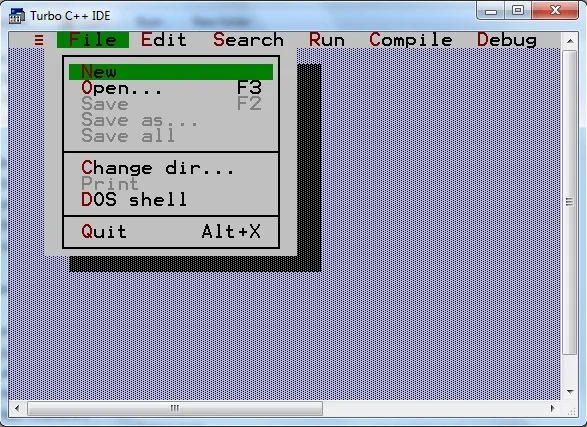
Step 1 : Open turbo C IDE(Integrated Development Environment), click on File and then click on New
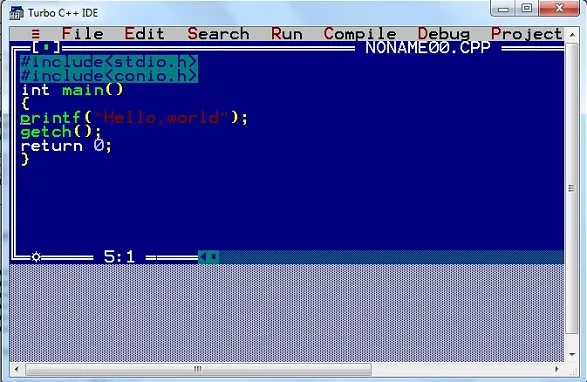
Step 2 : Write the above example as it is
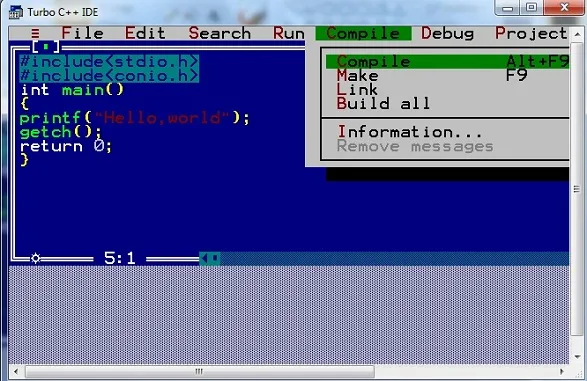
Step 3 : Click on compile or press Alt+f9 to compile the code
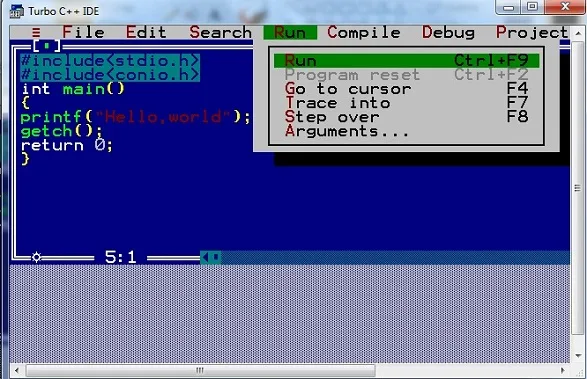
Step 4 : Click on Run or press Ctrl+f9 to run the code
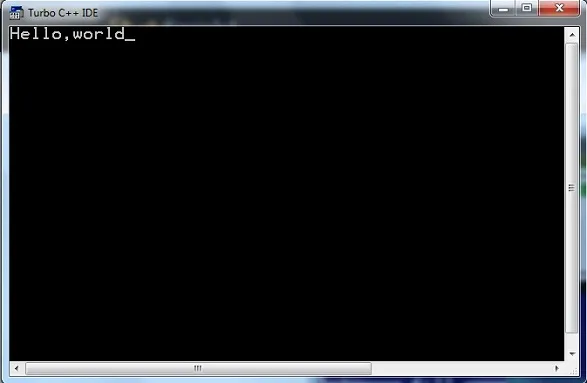
Step 5 : Output
Without an IDE
Open Command prompt or Terminal(if you use Ubunut or Mac OS), and go to the directory where you have saved the hello.c program file.
Type the command gcc hello.c to compile the code. This will compile the code, and if there are no errors then it will produce an output file with name a.out(default name)
Now, to run the program, type in ./a.out and you will see Hello, World displayed on your screen.
$ gcc hello.c
$ ./a.out
Hello,World
Difference between Compile and Run
You must be thinking why it is a 2 step process, first we compile the code and then we run the code. So, compilation is the process where the compiler checks whether the program is correct syntax wise, and there are no errors in the syntax.
When we run a compiled program, then it actually executes the statements inside the main() function


