- Key Takeaways
- Table of Contents
- 1) What Core Web Vitals Are (WordPress Context)
- 2) Pass/Fail Thresholds (LCP, INP, CLS)
- 3) How to Measure Correctly (No Confusion)
- A) PageSpeed Insights (PSI) for quick diagnosis
- B) Google Search Console CWV report for “what matters” at scale
- C) Chrome DevTools (Lighthouse + Performance tab) for root cause
- 4) The 60–90 Minute “Fix Plan” (Triage First)
- 5) Fix LCP on WordPress (Largest Contentful Paint)
- Step 1: Reduce TTFB (server response time)
- Step 2: Optimize your LCP element (usually the hero image)
- Step 3: Remove render-blocking CSS/JS
- Step 4: Be careful with page builders
- 6) Fix INP on WordPress (Interaction to Next Paint)
- Step 1: Audit and reduce plugin “script bloat”
- Step 2: Delay non-critical JavaScript
- Step 3: Reduce DOM complexity
- Step 4: Fix long tasks (advanced but powerful)
- 7) Fix CLS on WordPress (Cumulative Layout Shift)
- Step 1: Always reserve space for images and embeds
- Step 2: Fix font loading
- Step 3: Stabilize dynamic elements
- 8) Why Hosting Can Make or Break CWV (Kinsta Angle)
- 9) Recommended Plugin Stack (Minimal + Effective)
- 10) CWV Checklist Table (Copy/Paste Workflow)
- FAQs
- 1) How long does it take for Core Web Vitals to update?
- 2) Why does my PageSpeed Insights “lab score” improve but CWV still fails?
- 3) What’s the fastest way to improve LCP on WordPress?
- 4) What’s the fastest way to improve INP?
- 5) What’s the fastest way to fix CLS?
- 6) Do I need a caching plugin if I use managed WordPress hosting?
- 7) Can switching themes improve Core Web Vitals?
- 8) Does Core Web Vitals affect SEO?
- Conclusion: Passing CWV Without Guesswork
- References
Quick note (affiliate disclosure): This post contains affiliate links. If you purchase through them, SenseCentral may earn a commission at no extra cost to you. We only recommend tools and services that are genuinely useful for WordPress performance.
Try Kinsta (Recommended for Speed)
If your WordPress site “feels” fast but still fails Core Web Vitals, you’re not alone. The reason is simple: Core Web Vitals aren’t a vibe-check—they’re specific, measurable user-experience metrics that Google reports using real-world data. The good news is you don’t need guesswork or endless plugin stacking. You need a structured approach: measure correctly, identify the bottleneck (LCP, INP, or CLS), then apply fixes that map directly to that bottleneck.
This guide is built for WordPress site owners, bloggers, affiliate marketers, and small businesses who want a practical path to “Good” status—without breaking their design, switching themes every week, or hiring an expensive performance agency.
Key Takeaways
- Core Web Vitals = LCP + INP + CLS. Passing means “Good” thresholds on the majority of real users.
- LCP is usually server + hero element (image/section). Fix caching, TTFB, and optimize the biggest above-the-fold element.
- INP is usually JavaScript + heavy plugins. Reduce JS work, delay non-critical scripts, and avoid bloated page builders where possible.
- CLS is usually missing dimensions + fonts + late-loading elements. Reserve space and prevent layout shifts.
- Hosting matters. Faster backend + built-in caching/CDN often removes a big chunk of LCP pain.
Table of Contents
1) What Core Web Vitals Are (WordPress Context)
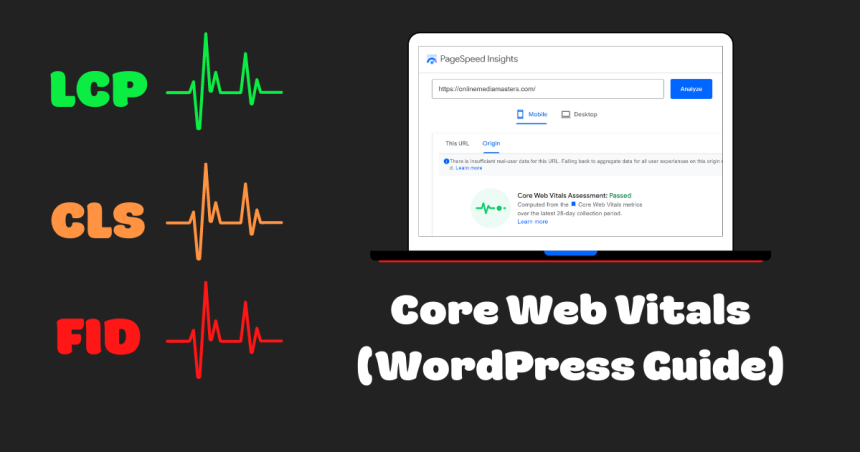
Core Web Vitals (CWV) are Google’s key user-experience metrics that focus on:
- LCP (Largest Contentful Paint): how fast the main content becomes visible.
- INP (Interaction to Next Paint): how responsive the page feels when users interact (click, tap, type).
- CLS (Cumulative Layout Shift): how visually stable the layout remains while loading.
In WordPress, CWV issues often come from predictable sources: heavy themes, multiple plugins injecting scripts, unoptimized images, render-blocking assets, and slow hosting. The goal is not “perfect scores.” The goal is to consistently meet “Good” thresholds for real users across your important templates: homepage, category pages, posts, and landing pages.
Internal link tip: If you publish related content on SenseCentral, interlink it here:
Search SenseCentral: WordPress speed |
Search SenseCentral: hosting |
Search SenseCentral: Kinsta
2) Pass/Fail Thresholds (LCP, INP, CLS)
Use the thresholds below as your operating targets. If you’re “close,” a few focused changes can push you into “Good.”
| Metric | Good | Needs Improvement | Poor |
|---|---|---|---|
| LCP | ≤ 2.5s | 2.5–4.0s | > 4.0s |
| INP | ≤ 200ms | 200–500ms | > 500ms |
| CLS | ≤ 0.1 | 0.1–0.25 | > 0.25 |
Important update: INP replaced FID as a Core Web Vital, so responsiveness improvements now focus on INP rather than “first input only.”
3) How to Measure Correctly (No Confusion)
Most people fail CWV because they measure the wrong way and fix the wrong thing. Use this measurement stack:
A) PageSpeed Insights (PSI) for quick diagnosis
PageSpeed Insights shows two different worlds:
- Field data: real-user performance (what CWV cares about).
- Lab data: Lighthouse simulation (great for debugging, not a perfect mirror of reality).
If field data is missing, it means there isn’t enough CrUX data for that URL (common on low-traffic sites). In that case, use lab data + your own testing (Chrome DevTools, Lighthouse, WebPageTest).
B) Google Search Console CWV report for “what matters” at scale
Search Console groups URL issues by patterns (templates) so you can fix a class of pages at once. Start here if you have enough traffic:
Core Web Vitals report in Search Console
C) Chrome DevTools (Lighthouse + Performance tab) for root cause
Use DevTools to find the actual culprit: an unoptimized hero image, a giant render-blocking CSS file, or a third-party script that blocks interaction.
4) The 60–90 Minute “Fix Plan” (Triage First)
If you only have one afternoon to improve CWV, do this in order:
- Pick 1–2 important URLs (homepage + a top post/landing page).
- Run PSI and write down which metric fails (LCP vs INP vs CLS).
- Apply the fixes for that metric only (don’t randomly install 7 plugins).
- Re-test in Lighthouse + PSI lab.
- Roll the fix across templates (posts, pages, category pages).
Now let’s fix each metric with WordPress-specific actions.
5) Fix LCP on WordPress (Largest Contentful Paint)
LCP is usually the hero image, featured image, or above-the-fold section. LCP suffers when your server is slow, caching is weak, images are heavy, or render-blocking CSS delays painting.
Step 1: Reduce TTFB (server response time)
- Enable full-page caching (server-level is best; plugin caching is second best).
- Use a CDN for static assets (images, CSS, JS).
- Choose fast hosting with modern PHP and optimized WordPress stack.
Hosting shortcut: Managed WordPress hosting can remove a lot of LCP pain because caching, CDN integration, and server tuning are handled for you. Kinsta, for example, emphasizes performance features like edge caching and integrated CDN options on their platform pages.
Try Kinsta to Improve LCP Faster
Step 2: Optimize your LCP element (usually the hero image)
- Serve images in WebP/AVIF where possible.
- Resize images to the actual display size (don’t upload 4000px wide images for a 1200px container).
- Compress aggressively without visible quality loss.
- Preload the hero image if it’s the LCP element (advanced but high impact).
Step 3: Remove render-blocking CSS/JS
- Minify CSS and JS.
- Defer non-critical JS.
- Generate critical CSS (or use a tool that does it automatically).
Step 4: Be careful with page builders
Elementor, WPBakery, and similar builders can be excellent—but heavy. If LCP is failing, reduce above-the-fold widgets, avoid sliders, and simplify the hero section.
6) Fix INP on WordPress (Interaction to Next Paint)
INP measures responsiveness across user interactions. On WordPress, INP problems commonly come from:
- Too much JavaScript (theme + plugins + analytics + ads)
- Long main-thread tasks (big script bundles, heavy DOM)
- Third-party scripts (chat widgets, heatmaps, tag managers)
Step 1: Audit and reduce plugin “script bloat”
Do a plugin audit and ask: “Does this plugin add front-end JS on every page?” If yes, either replace it, configure it to load selectively, or remove it.
Step 2: Delay non-critical JavaScript
- Delay chat widgets and popups until user interaction or after a short timeout.
- Load analytics in a lightweight way (and avoid multiple overlapping trackers).
- Use “delay JS execution” features carefully—test forms, carts, and menus.
Step 3: Reduce DOM complexity
- Fewer nested sections and columns above the fold.
- Avoid heavy sliders and animated counters on every page.
- Simplify mega-menus if they’re script-heavy.
Step 4: Fix long tasks (advanced but powerful)
In Chrome DevTools → Performance, look for long tasks. Common fixes include removing heavy libraries, reducing third-party tags, and using lighter alternatives. Even small reductions can materially improve INP.
7) Fix CLS on WordPress (Cumulative Layout Shift)
CLS is the easiest metric to fix once you know the causes. In WordPress, CLS is typically triggered by:
- Images/iframes without width and height
- Ads inserting late (no reserved space)
- Fonts swapping late (FOIT/FOUT)
- Sticky headers/banners appearing without layout reservation
Step 1: Always reserve space for images and embeds
- Use themes that output
widthandheightattributes. - For embeds (YouTube, etc.), use responsive wrappers that maintain aspect ratio.
Step 2: Fix font loading
- Host fonts locally when possible.
- Use
font-display: swap;to reduce invisible text. - Preload key fonts (advanced).
Step 3: Stabilize dynamic elements
- Cookie banners: reserve space or use non-layout-shifting overlays.
- Announcement bars: avoid pushing content down after page load.
- Ads: reserve fixed-height containers to prevent jumps.
8) Why Hosting Can Make or Break CWV (Kinsta Angle)
You can optimize images and minify assets all day—but if your backend is slow, your LCP often stays stuck. Hosting affects:
- TTFB: the first moment your server responds.
- Cache hit rate: whether pages are served instantly or rebuilt on each request.
- Global delivery: how quickly assets reach users worldwide.
Managed WordPress hosting is a performance multiplier because it reduces configuration errors and gives you infrastructure-level speed features that are hard to replicate on basic shared hosting.
Example: Kinsta promotes edge caching as a way to deliver cached pages faster (particularly helpful for global audiences), alongside managed WordPress features designed to streamline performance work.
Try Kinsta (Speed-Focused WordPress Hosting)
Internal link idea: Publish a dedicated review and link it here:
SenseCentral: Kinsta review search
9) Recommended Plugin Stack (Minimal + Effective)
There’s no single “best” stack, but there is a best principle: use fewer plugins, each with a clear purpose. If your host already provides caching/CDN, don’t add another heavy caching plugin unless you need specific features.
| Goal | Typical Tool Type | Notes |
|---|---|---|
| Caching | Host-level caching or caching plugin | Avoid double-caching conflicts. |
| Image optimization | Compression + WebP/AVIF | Huge impact on LCP. |
| Asset optimization | Minify/defer/delay scripts | Primary lever for INP improvements. |
| Database cleanup | Revisions/transients cleanup | Helps backend efficiency over time. |
If you want a “less work, fewer plugins” route, consider a performance-focused host first, then add only what’s truly necessary for your site.
10) CWV Checklist Table (Copy/Paste Workflow)
| Step | Metric Impact | Effort | What to Do |
|---|---|---|---|
| Measure PSI + GSC | All | Low | Record failing metric per template. |
| Enable page caching | LCP | Low–Med | Prefer host-level caching. |
| CDN for static assets | LCP | Med | Serve images/CSS/JS closer to users. |
| Optimize hero/LCP image | LCP | Low | Resize + compress + WebP/AVIF. |
| Defer/delay non-critical JS | INP | Med | Reduce main-thread work; test key pages. |
| Reduce third-party scripts | INP | Med | Remove duplicates; load conditionally. |
| Add dimensions to images/iframes | CLS | Low | Ensure width/height or aspect ratio boxes. |
| Fix fonts | CLS | Med | Local hosting + font-display: swap. |
FAQs
1) How long does it take for Core Web Vitals to update?
Field data updates typically lag behind changes because it depends on real-user measurements over time. Lab improvements are immediate, but field improvements may take days to weeks depending on traffic and reporting windows.
2) Why does my PageSpeed Insights “lab score” improve but CWV still fails?
Because CWV pass/fail is based on field data for real users. Lab data is a controlled simulation. Use lab data to diagnose, then wait for field data to reflect improvements.
3) What’s the fastest way to improve LCP on WordPress?
Start with caching + CDN + optimizing the hero/LCP element (usually an image or top section). Hosting improvements can also reduce TTFB dramatically.
4) What’s the fastest way to improve INP?
Reduce JavaScript work: remove unnecessary plugins, delay non-critical scripts, and cut third-party tags. INP is often “plugin bloat” in disguise.
5) What’s the fastest way to fix CLS?
Reserve space: add proper image dimensions, stabilize banners/ads, and fix fonts with predictable loading behavior.
6) Do I need a caching plugin if I use managed WordPress hosting?
Not always. Many managed hosts provide server-level caching. Adding another caching layer can cause conflicts unless you know exactly why you need it.
7) Can switching themes improve Core Web Vitals?
Yes—if your theme is heavy. But don’t rush to switch. First remove avoidable bloat (plugins, scripts, large images). If INP remains bad, a lighter theme often helps.
8) Does Core Web Vitals affect SEO?
Core Web Vitals are part of Google’s page experience signals, and strong UX generally supports better engagement (lower bounce, higher time on site). It’s not the only SEO factor, but it’s a meaningful one.
Conclusion: Passing CWV Without Guesswork
Core Web Vitals aren’t mysterious when you treat them like engineering metrics: identify the failing vital, fix the specific bottleneck, then scale the fix across templates. If you focus on the big levers—TTFB + caching, image optimization, JS reduction, and layout stability—you can move WordPress sites into “Good” territory reliably.
If you want to reduce the “infrastructure work” and concentrate on publishing, affiliate content, and growth, consider performance-focused managed hosting as a foundation.
Try Kinsta (Build on a Faster Foundation)
References
- web.dev: Core Web Vitals thresholds
- Google Search Central: Introducing INP
- web.dev: INP replaces FID (March 2024)
- Google: About PageSpeed Insights
- Google Search Console: Core Web Vitals report
- Kinsta: Edge Caching
- Kinsta: Core Web Vitals optimization guide
Related reading on SenseCentral:
SEO articles |
WordPress articles |
Hosting comparisons