If you want a realistic, beginner-friendly (but still advanced-ready) guide to building a Digital Product Business, you’re in the right place. This long-form tutorial covers the full lifecycle: choosing a profitable idea, validating demand, creating a high-quality digital download, pricing it confidently, and selling it on platforms like Gumroad, Etsy, or your own site. You’ll also learn how to avoid common mistakes, build trust, and scale with repeatable systems. By the end, you’ll have a step-by-step roadmap you can follow—whether you’re 14 or 70, starting from zero or improving an existing product.
- Quick Answer
- Table of Contents
- Why this mattersDigital Product Business
- What problems a Digital Product Business solves
- Who this is best for (and who should avoid it)
- Why “digital downloads” still work in 2026
- Key concepts and definitions
- Core definitions (simple + practical)
- Mini glossary (creator terms you’ll see everywhere)
- Secondary keyword variations (used naturally throughout this guide)
- Step-by-step roadmapDigital Product Business
- Step 1) Pick one buyer + one painful problem
- Step 2) Choose the easiest product type to ship (MVP first)
- Step 3) Validate demand before you build (fast proof)
- Step 4) Build your product with clean UX (buyers want ease)
- Step 5) Package delivery properly (files, licensing, and trust)
- Step 6) Price your product confidently (simple pricing strategy)
- Step 7) Choose the best selling platform (where your buyer already shops)
- Step 8) Create a product page that converts (EEAT + clarity)
- Step 9) Launch, market, and iterate (the real flywheel)
- Examples, templates, and checklists
- Realistic examples (mini case studies)
- Copy-paste template (product page outline)
- Checklist (launch-ready in 30–90 minutes)
- Decision table: best platform to sell digital products (quick comparison)
- Common mistakes and how to fix them
- Tools and resources
- Free or low-cost (beginner-friendly)
- Paid tools (use when you have traction)
- Beginner vs advanced (what to pick first)
- Advanced tips and best practices
- 1) Build a “value ladder” (make your business easier to grow)
- 2) Tier your licensing (increase revenue without more products)
- 3) Bundle strategically (not randomly)
- 4) Build SEO content that sells without sounding salesy
- 5) Make trust visible (EEAT on-page signals)
- 6) Handle tax and compliance like a grown-up business
- FAQ
- 1) What is the best first digital product to sell?
- 2) Is a Digital Product Business still profitable for beginners?
- 3) Should I sell on Gumroad or Etsy?
- 4) How do I price digital downloads?
- 5) Do I need a website to sell digital products?
- 6) What file formats sell best?
- 7) How do refunds work for digital downloads?
- 8) How do I market without an audience?
- 9) How long does it take to get first sales?
- 10) Do I need to worry about taxes and privacy?
- Key takeaways
- Conclusion
Quick Answer
Digital Product Business = creating and selling downloadable (or access-based) digital goods—like templates, printables, ebooks, presets, UI kits, or courses—usually with high margins because there’s no inventory or shipping.
- Start small: pick one buyer, one problem, one “MVP” product.
- Validate first: confirm people want it before you overbuild.
- Price on value: charge for outcomes, not hours spent.
- Sell where buyers already are: marketplaces (Etsy) or storefronts (Gumroad) or your own site.
- Make delivery effortless: clean files, clear instructions, instant download.
- Scale with systems: bundles, email list, SEO content, upsells, and licensing tiers.
Recommended Bundle (Instant Download)
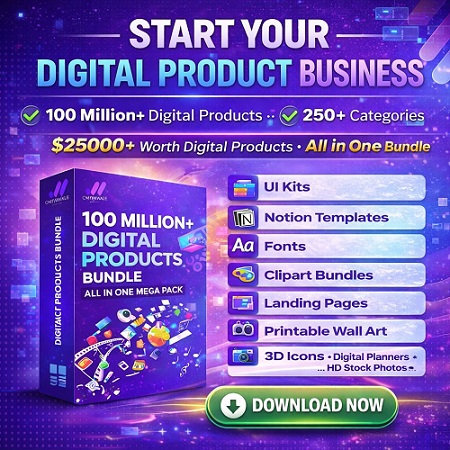
START YOUR DIGITAL PRODUCT BUSINESS
100 million+ digital products • 250+ categories • All-in-one bundle
$25,000+ value for just $199

Table of Contents
Why this mattersDigital Product Business
A digital product is one of the most beginner-friendly ways to build income online—because you can start with skills you already have, validate fast, and improve the product over time.
What problems a Digital Product Business solves
- No inventory risk: you don’t buy stock or handle shipping.
- High margins: after creation, each sale costs little to deliver.
- Flexible formats: from printable planners to Notion templates, ebooks, UI kits, Lightroom presets, or mini-courses.
- Global reach: your buyer can be anywhere, anytime.
- Scalable “asset building”: each product can become a bundle, upsell, or lead magnet later.
Who this is best for (and who should avoid it)
Best for: creators, freelancers, students, teachers, hobbyists, designers, writers, coaches, developers, and anyone who can turn knowledge into a repeatable outcome.
Avoid if: you want instant results without testing; you dislike customer support; or you won’t commit to improving your product based on real buyer feedback.
Why “digital downloads” still work in 2026
Digital products keep growing because buyers prefer fast solutions: templates, checklists, and “done-for-you” assets that save time. The winners aren’t the people who create the most—they’re the people who solve a specific problem with clear value, clean UX, and trustworthy positioning.
Related on Sense Central: browse ideas and examples under Digital product for creators and Etsy digital products, or explore broader monetization in Online Money Making.
Key concepts and definitions
This section is designed for featured snippets: quick, plain-English definitions you can skim.
Core definitions (simple + practical)
- Digital product: a file or access-based item delivered electronically (template, ebook, preset, design pack, course, software, etc.).
- Digital download: a file the buyer downloads after purchase (PDF, ZIP, PNG, PSD, Figma, spreadsheet, etc.).
- Offer: the full package: product + outcomes + bonuses + guarantee + price + positioning.
- Niche: a specific group with a specific problem (e.g., “new Etsy sellers making printable wall art”).
- Validation: proving demand exists using evidence (pre-orders, waitlist signups, keyword demand, competitor sales, etc.).
- Value-based pricing: pricing based on the outcome/time saved, not your effort.
Mini glossary (creator terms you’ll see everywhere)
- Lead magnet: free mini-product to collect emails (e.g., “5-page starter kit”).
- Tripwire: low-cost product ($7–$19) that converts new buyers quickly.
- Order bump: add-on at checkout (e.g., “commercial license + extra templates”).
- Upsell: a higher-tier offer after purchase (bundle, premium version, coaching).
- Bundle: multiple products packaged together for higher perceived value.
- License: what buyers are allowed to do with your files (personal use vs commercial use).
- Refund policy: your rules for refunds (important for trust—especially with downloads).
Secondary keyword variations (used naturally throughout this guide)
In this article you’ll also see these terms (all part of the same search intent): sell digital products online, how to sell digital downloads, digital product pricing strategy, best platform to sell digital products, create and sell printables, Notion template business, digital asset bundle, online course business, Gumroad digital products, and Etsy digital downloads.
Step-by-step roadmapDigital Product Business
This is a practical, end-to-end system. Follow it in order and you’ll avoid 90% of beginner mistakes. If you already have a product, use this as an audit and upgrade path.
Step 1) Pick one buyer + one painful problem
- What to do: choose a narrow buyer and a specific outcome they want.
- Why it matters: broad products feel generic and don’t convert. Specific products build trust fast.
- How to do it: write: “I help [who] achieve [result] without [pain].” Then list 10 problems they complain about.
- Example: “I help new Etsy sellers design printable wall art packs that look premium without learning Photoshop.”
- Pro tip: if you’re stuck, start from your own experience: what did you struggle with 6–18 months ago?
Step 2) Choose the easiest product type to ship (MVP first)
- What to do: pick a format you can create quickly: checklists, templates, swipe files, planners, presets, mini-guides.
- Why it matters: your first goal is proof-of-demand, not perfection.
- How to do it: select one: PDF guide, Canva template, Notion template, Excel/Sheets tracker, design assets, UI kit, or a “starter pack” ZIP.
- Example: “30-day content planner + caption bank for fitness coaches” (PDF + spreadsheet).
- Pro tip: build “version 1” to solve one job. Save advanced features for version 2.
Step 3) Validate demand before you build (fast proof)
- What to do: collect evidence that buyers want this product.
- Why it matters: the #1 failure mode is building something nobody asked for.
- How to do it:
- Check search intent: is your topic asked repeatedly? (Google, YouTube, forums)
- Check marketplace demand: are similar items selling on Etsy/Gumroad?
- Run a waitlist: “Join for early access + discount.”
- Pre-sell: offer a “founder price” and deliver later (with clear timeline).
- Example: if 30 people join your waitlist in 7 days from one social post, you have signal.
- Pro tip: validation isn’t applause (“nice!”). It’s action: email signups, saves, DMs asking to buy, or pre-orders.
Step 4) Build your product with clean UX (buyers want ease)
- What to do: create a product that is simple to use and instantly helpful.
- Why it matters: the easiest-to-use product gets better reviews, fewer refunds, and more referrals.
- How to do it:
- Start with a “Quick Start” page.
- Use clear naming: ReadMe.pdf, StartHere.pdf, License.pdf.
- Use consistent formatting, headings, and examples.
- Ship editable files only if your audience needs them (and if you can support them).
- Example: a Notion template includes: setup guide, 1-minute video link, sample data, and “common issues” section.
- Pro tip: treat your product like software onboarding: remove confusion, reduce steps, add clarity.
Step 5) Package delivery properly (files, licensing, and trust)
- What to do: bundle files into a clean structure and include usage rights.
- Why it matters: most support emails are caused by messy packaging and unclear rules.
- How to do it:
- Deliver as ZIP for multi-file products; keep filenames human-readable.
- Include license terms (personal/commercial) and attribution rules.
- Include refund terms and contact method.
- For privacy, store customer data responsibly (see guidance at ICO: https://ico.org.uk/for-organisations/uk-gdpr-guidance-and-resources/).
- Example: a “Brand Kit Bundle” ZIP includes: logos, color palettes, fonts links, usage guide, and a license PDF.
- Pro tip: add a “troubleshooting” section: how to unzip, open in Canva/Figma/Notion, and common fixes.
Step 6) Price your product confidently (simple pricing strategy)
- What to do: set a price that matches the outcome, urgency, and audience budget.
- Why it matters: underpricing can signal low quality; overpricing without proof reduces conversions.
- How to do it:
- Estimate value by time saved or money earned: “Saves 5 hours/week.”
- Use tiering: Basic / Pro / Commercial license.
- Anchor value with comparisons: “One designer hour costs more than this template pack.”
- Example: Printable planner: $9 (personal), $19 (editable), $49 (commercial license).
- Pro tip: start with a launch price (limited time), then raise after reviews and proof.
Step 7) Choose the best selling platform (where your buyer already shops)
- What to do: pick the platform that matches your audience and product type.
- Why it matters: distribution is often more important than product quality in the beginning.
- How to do it:
- Gumroad: simple storefront and digital delivery (https://help.gumroad.com/).
- Etsy: built-in discovery for digital downloads (https://www.etsy.com/seller-handbook/article/47330319230).
- Shopify: full store control; digital products supported (https://help.shopify.com/en/manual/products/digital-service-product).
- WooCommerce: WordPress-based store; downloadable products docs (https://woocommerce.com/document/digital-downloadable-product-handling/).
- Example: If you sell “printable wall art,” Etsy often wins early because people are already searching there.
- Pro tip: start where demand already exists, then later move best-sellers into bundles on your own site for higher margins.
Step 8) Create a product page that converts (EEAT + clarity)
- What to do: write a clear, trust-building sales page.
- Why it matters: even a great product fails with weak positioning.
- How to do it:
- Headline = outcome: “Get X result in Y time without Z pain.”
- Show what’s included (exact files, pages, templates).
- Add proof: reviews, screenshots, examples, before/after.
- Add risk reducers: FAQs, refund policy, support info.
- Disclose affiliations when relevant (FTC guidance: https://www.ftc.gov/business-guidance/advertising-marketing/endorsements-influencers-reviews).
- Example: A UI kit page shows: preview images, file formats (Figma), how to use, and licensing.
- Pro tip: add a “Who it’s for / not for” section—this reduces refunds and increases trust.
Step 9) Launch, market, and iterate (the real flywheel)
- What to do: launch in a controlled way, collect feedback, then optimize.
- Why it matters: most products succeed after improvements, not before.
- How to do it:
- Launch to your warm audience first (email list, friends, existing customers).
- Then build traffic: SEO content, short videos, Pinterest, communities.
- Track conversion: clicks → add to cart → purchase.
- Upgrade: improve onboarding, add bonuses, refine copy, raise price.
- Example: “Notion Study Planner” starts at $9, gets 20 reviews, upgrades to $19 with a bonus dashboard.
- Pro tip: document every support question—each one becomes a future FAQ or product improvement.
For extra business fundamentals, see Sense Central’s guide: How to Start a Business From Scratch (Step-by-Step).
Shortcut Bundle for Builders
START YOUR DIGITAL PRODUCT BUSINESS
100 million+ digital products • 250+ categories • $25,000+ value for $199
Examples, templates, and checklists
This section gives you “copy/paste” assets to move faster: templates, checklists, and a decision table.
Realistic examples (mini case studies)
- Example A: Printable bundle (Etsy digital downloads)
A creator sells “Minimalist Wall Art Set” as a ZIP of 30 prints. They win by: great thumbnails, clear size ratios, and a “how to print” guide. They add a commercial license upsell for small businesses. - Example B: Notion template business
A student sells a “Study System” Notion template. Their conversions improve after adding a 1-page quick start guide + a short setup video link + sample data. - Example C: Digital asset bundle for freelancers
A freelancer sells proposal templates + invoice templates + onboarding checklists. They bundle three small products and price higher because the outcome is “close clients faster.”
Copy-paste template (product page outline)
Use this structure for a Gumroad page, Etsy description, or your own landing page:
 TITLE: Get [Outcome] in [Time] with [Product Name] — without [Big Pain]

ONE-LINE PROMISE:
This is for [Audience] who want to [Result]. You'll get [Key Deliverable] so you can [Benefit].

WHAT’S INSIDE (bullet list):

[File 1 + format]

[File 2 + format]

Quick Start Guide (StartHere.pdf)

License + usage terms

Bonus: [optional]

HOW IT WORKS (3 steps):

Download files instantly after purchase.

Follow the Quick Start page.

Customize + use for your project.

WHO IT’S FOR / NOT FOR:
Best for: [...]
Avoid if: [...]

FAQ (short):

What software do I need?

Is this editable?

Can I use commercially?

Do you offer refunds?

CALL TO ACTION:
Download now and start [Outcome] today.
Checklist (launch-ready in 30–90 minutes)
- ☐ Define one buyer + one promise (outcome, not features).
- ☐ Create a “Quick Start” page (how to use in 3 steps).
- ☐ Package files cleanly (ZIP + clear naming).
- ☐ Add licensing terms (personal/commercial).
- ☐ Write product page: promise, inclusions, who it’s for, FAQs.
- ☐ Add previews/screenshots (show outcomes and examples).
- ☐ Decide pricing + one simple tier (or 3 tiers).
- ☐ Set refund/support policy (clear expectations).
- ☐ Create 3 marketing posts (short, medium, long version).
- ☐ Publish and collect first feedback (improve version 1.1).
Decision table: best platform to sell digital products (quick comparison)
Want more platform context? Sense Central also reviews broader ecommerce options here: 10 Best Ecommerce Platforms in 2026 (Reviewed, Compared, Rated).
Common mistakes and how to fix them
Most failures are not “bad products.” They’re mismatched offers, unclear positioning, or poor onboarding.
- Making a product for “everyone.”
Fix: narrow to one buyer + one job-to-be-done; rewrite the promise. - Overbuilding before validation.
Fix: ship a minimum viable product (MVP) and improve with feedback. - Weak previews (buyers can’t see value).
Fix: add screenshots, mockups, before/after examples, and clear inclusions. - Confusing delivery (no Quick Start).
Fix: add “Start Here” instructions and troubleshooting steps. - Unclear licensing (commercial vs personal).
Fix: include a 1-page license summary; add tiers if needed. - Pricing based on effort, not value.
Fix: anchor on outcomes (time saved, results achieved) + add a Pro tier. - Too many product formats at once.
Fix: pick one format first, then expand (bundle later). - No trust signals (EEAT gap).
Fix: add FAQ, support contact, refund terms, and real examples. Keep claims honest. - Ignoring taxes and compliance.
Fix: learn basics of indirect taxes (VAT/GST/sales tax). Start with Stripe’s overview: https://stripe.com/guides/introduction-to-sales-tax-vat-and-gst-compliance. For UK digital services VAT basics: https://www.gov.uk/guidance/the-vat-rules-if-you-supply-digital-services-to-private-consumers. - No traffic plan (posting randomly).
Fix: choose 1–2 channels and run a weekly system (SEO + short video is a strong combo).
Tools and resources
Below is a practical stack, grouped by budget and skill level. Use what you need—avoid tool overload.
Free or low-cost (beginner-friendly)
- Google SEO Starter Guide (foundation for content traffic): https://developers.google.com/search/docs/fundamentals/seo-starter-guide
- Etsy Seller Handbook (marketplace selling basics): https://www.etsy.com/seller-handbook
- Gumroad Help Center (delivery and selling setup): https://help.gumroad.com/
- Shopify digital products docs (if you build a store): https://help.shopify.com/en/manual/products/digital-service-product
- PayPal (payments): https://www.paypal.com/
Paid tools (use when you have traction)
- Shopify (scalable store): https://www.shopify.com/
- Stripe Tax (helpful for compliance as you scale): https://docs.stripe.com/tax
- WooCommerce (WordPress store): https://woocommerce.com/documentation/woocommerce/
- Easy Digital Downloads (WordPress plugin for downloads): https://wordpress.org/plugins/easy-digital-downloads/
Beginner vs advanced (what to pick first)
- Beginner path: Gumroad or Etsy + 1 product + 1 landing page + simple email capture.
- Advanced path: own site + email automation + bundles + licensing tiers + SEO content engine.
If you use AI to help write product pages, keep quality high: verify facts, avoid exaggerated claims, and add real examples. Sense Central’s workflow guide can help: Best AI tools for writing (and how to verify output).
Advanced tips and best practices
Once you’ve made your first sales, these strategies help you scale without burning out.
1) Build a “value ladder” (make your business easier to grow)
- Free: checklist / mini-template (lead magnet)
- Entry ($7–$19): starter kit / swipe file
- Core ($29–$99): full template system / bundle
- Premium ($149–$499+): commercial license, advanced bundle, or course
Why it works: people buy small first, then upgrade when they trust you.
2) Tier your licensing (increase revenue without more products)
- Personal use: individual buyer use only.
- Commercial use: buyer can use in client work or small business.
- Extended license: higher price for broader redistribution rights (be specific and careful).
Best for: designers, template sellers, UI kit creators, and digital asset bundles.
3) Bundle strategically (not randomly)
- Bundle by goal: “Start Etsy Shop Kit” vs “random 50 templates.”
- Bundle by persona: “For Teachers,” “For Fitness Coaches,” etc.
- Bundle by workflow stage: “Plan → Create → Publish → Track.”
4) Build SEO content that sells without sounding salesy
A strong Digital Product Business uses helpful content to earn trust first. Focus on:
- Beginner guides: definitions, how-tos, checklists (like this post).
- Comparisons: “Gumroad vs Etsy,” “best platform to sell digital products.”
- Problem-solving posts: “How to price printables,” “how to deliver ZIP files,” etc.
For SEO foundations, use Google’s official guidance: https://developers.google.com/search/docs/fundamentals/seo-starter-guide.
5) Make trust visible (EEAT on-page signals)
- Add author bio + credentials/experience (real and honest).
- Add product screenshots + examples (proof over hype).
- Add policies (refund, license, support).
- Add references to official policies where relevant (FTC disclosures, privacy guidance).
Sense Central’s style leans toward practical trust-building. For monetization strategy beyond digital products, you may also like: The Ultimate Guide to Earning Passive Income Online.
6) Handle tax and compliance like a grown-up business
Taxes and privacy rules vary by country. The goal isn’t to become an accountant—it’s to know what to check and when to get professional advice.
- Sales tax/VAT/GST overview: https://stripe.com/guides/introduction-to-sales-tax-vat-and-gst-compliance
- UK guidance (digital services VAT): https://www.gov.uk/guidance/the-vat-rules-if-you-supply-digital-services-to-private-consumers
- Privacy basics (ICO UK GDPR resources): https://ico.org.uk/for-organisations/uk-gdpr-guidance-and-resources/
Note: This is educational information, not legal or tax advice. If you’re scaling, consult a qualified professional for your region.
FAQ
1) What is the best first digital product to sell?
Start with a simple product that solves one problem fast: a template, checklist, planner, swipe file, or mini-guide. These ship quickly and validate demand without months of work. Once you have buyers, you can expand into bundles or advanced versions.
2) Is a Digital Product Business still profitable for beginners?
Yes—if you validate demand and build for a specific buyer. Profitability depends more on distribution (where traffic comes from) and clarity (how easy it is to understand/buy/use) than on “having a perfect product.”
3) Should I sell on Gumroad or Etsy?
If you want built-in discovery and you sell “searchable” digital downloads (printables, planners, art), Etsy can work well. If you want a simple storefront and you can bring traffic from content or social, Gumroad is often faster to start. Many creators use both: Etsy for discovery, Gumroad for bundles.
4) How do I price digital downloads?
Price based on value: the outcome achieved or time saved. Use tiers (personal/commercial), include bonuses, and test pricing after you get feedback. A common beginner move is starting with a launch price and increasing after proof (reviews, results, demand).
5) Do I need a website to sell digital products?
No. You can start on platforms like Etsy or Gumroad. A website becomes valuable later for branding, SEO traffic, email capture, and better long-term control.
6) What file formats sell best?
PDF is the easiest universally (guides, planners). Canva templates, Notion templates, and spreadsheets also sell well because buyers can customize. If you sell design assets, provide common formats and clear instructions.
7) How do refunds work for digital downloads?
Policies vary by platform and seller. Because downloads are instantly delivered, many sellers use stricter refund rules but reduce disputes by clearly describing what’s included, showing previews, and offering support for access issues. Always publish your policy clearly.
8) How do I market without an audience?
Start with “demand-first” channels: SEO blog posts, marketplace search (Etsy), and short-form videos answering specific questions. One helpful post can compound for months. On Sense Central, you can study how-to content structures and build your own content engine.
9) How long does it take to get first sales?
With marketplace discovery (Etsy), some creators get sales in days if listings match active searches. With Gumroad + content, it may take weeks as your audience grows. Speed improves when you validate first and launch with clear positioning.
10) Do I need to worry about taxes and privacy?
Yes, but keep it practical: learn the basics and follow platform guidance. For a high-level overview, see Stripe’s compliance guide: https://stripe.com/guides/introduction-to-sales-tax-vat-and-gst-compliance. For privacy, the ICO’s UK GDPR resources are a strong starting point: https://ico.org.uk/for-organisations/uk-gdpr-guidance-and-resources/.
Key takeaways
- Start narrow: one buyer + one problem + one promise converts better than broad offers.
- Validate first: evidence beats guessing—use waitlists, pre-sales, and market research.
- Ship an MVP: version 1 should be simple, useful, and easy to use.
- UX matters: Quick Start + clean packaging = fewer support issues and better reviews.
- Price on value: tier pricing and licensing often outperform a single price.
- Choose smart distribution: Etsy for discovery, Gumroad/own site for control and bundles.
- Build systems: content + email + bundles + upgrades = long-term growth.
- Trust sells: clear previews, honest claims, policies, and FAQs reduce friction.
- Scale responsibly: understand basic tax and privacy obligations as you grow.
Ready-to-Use Library (Huge Value)
START YOUR DIGITAL PRODUCT BUSINESS
100 million+ digital products • 250+ categories • $25,000+ value for $199

Conclusion
A Digital Product Business is not “easy money.” But it is one of the cleanest online business models to start—if you follow the right sequence: pick a specific buyer, validate demand, ship a simple product with great UX, price based on value, and sell where your buyers already are. Then scale using systems: content, email, bundles, and licensing.
Next steps: choose one product idea today, validate it with a waitlist or pre-sale, and commit to shipping version 1 within a realistic deadline. Build momentum with small wins, and let real customer feedback guide your upgrades.
More helpful reads on Sense Central (continue learning):
- Digital product for creators (tag hub)
- Etsy digital products (tag hub)
- Online Money Making (category hub)