- Table of Contents
- What “managed WordPress hosting” usually means (and what it doesn’t)
- What Elementor Hosting / Elementor Cloud actually is
- The practical differences that matter (workflow, support, performance, security)
- 1) Workflow: builder-led vs host-led
- 2) Support boundaries: fewer “blame games”
- 3) Performance stack: what you get “by default”
- 4) Security + backups: what’s included vs what you must add
- 5) Operational tooling: staging, migration, and repeatability
- Side-by-side comparison table
- Cost reality check: the “bundle vs build-your-own” equation
- Option A: Bundle (Elementor Hosting / Elementor Cloud)
- Option B: Build-your-own (Typical managed host)
- Who should choose what (decision matrix)
- Migration checklist (if you’re switching)
- Performance notes for Elementor sites (Core Web Vitals)
- FAQs
- Key Takeaways
- References
Affiliate Disclosure: This post contains affiliate links. If you buy through these links, SenseCentral may earn a commission at no extra cost to you. We only recommend tools we believe are genuinely useful.
“Managed WordPress hosting” is one of those terms that sounds simple—until you try to compare two offers side-by-side.
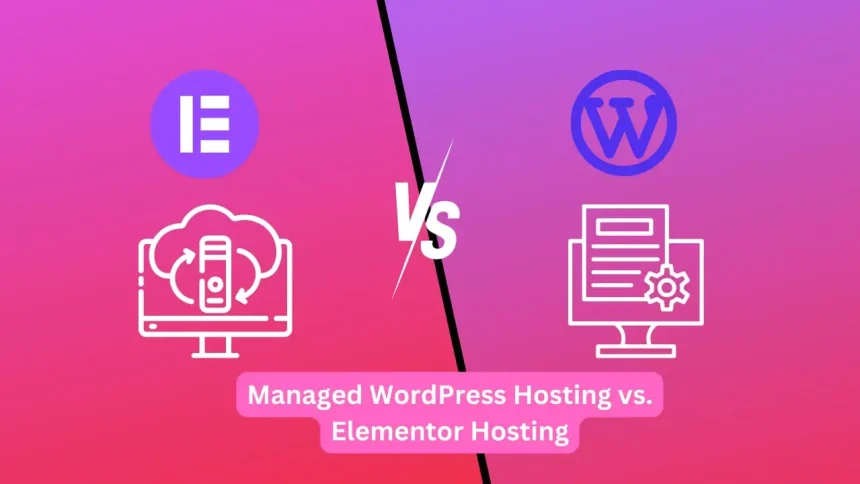
At a high level, Elementor Hosting sits inside the managed WordPress hosting universe (fast cloud infrastructure, security layers, backups, and WordPress-specific optimizations). The practical difference is that Elementor’s approach is typically builder-led and all-in-one (hosting + WordPress + Elementor workflow under one roof), while “managed WordPress hosting” is often host-led and modular (you bring your builder, theme, and plugin stack).
If you’re deciding what to recommend to your readers—or what to run your own site on—this guide breaks the decision down into what actually matters day-to-day: workflow, responsibility split, support boundaries, performance tooling, and total cost of ownership.
Quick links (affiliate):
Tip: If you’re new to WordPress setup, start here:
SenseCentral’s WordPress Tutorial hub.
Table of Contents
- What “managed WordPress hosting” usually means (and what it doesn’t)
- What Elementor Hosting / Elementor Cloud actually is
- The practical differences that matter (workflow, support, performance, security)
- Side-by-side comparison table
- Cost reality check: the “bundle vs build-your-own” equation
- Who should choose what (decision matrix)
- Migration checklist (if you’re switching)
- Performance notes for Elementor sites (Core Web Vitals)
- FAQs
- Key Takeaways
- References
What “managed WordPress hosting” usually means (and what it doesn’t)
In practice, managed WordPress hosting means the host takes responsibility for a meaningful chunk of the operational work that normally sits on the site owner’s plate—things like platform-level caching, backups, security hardening, WordPress-specific tuning, and support that understands WordPress failures (not just “your PHP is down”).
However, two hosts can both call themselves “managed” and still deliver very different experiences. Here’s the simplest way to think about it:
- Host-led managed WordPress hosting: You pick the host first, then add your tools (page builder, theme, plugins). The host optimizes the environment and gives you staging, backups, caching, security tooling, and support—while you control your stack.
- Platform-led managed WordPress hosting: The “platform” bundles the site creation workflow and the hosting workflow into one product. You get fewer moving parts and fewer compatibility debates, at the cost of some modular flexibility.
If you want a deeper foundational explanation, see:
Shared Hosting vs Managed WordPress Hosting: A Buyer’s Guide
.
What “managed” does not automatically mean
- “Unlimited everything” — Most managed plans have reasonable thresholds (visits, storage, bandwidth) and upgrade paths.
- “No plugin conflicts ever” — Managed hosts reduce risk, but WordPress is still WordPress. The stack you choose matters.
- “You never touch settings” — Great managed hosts minimize DevOps work, but good outcomes still require basic performance hygiene (images, fonts, plugins, caching alignment).
So the real question isn’t “Is Elementor Hosting managed?” It’s: How is Elementor’s managed approach practically different from a typical managed host?
What Elementor Hosting / Elementor Cloud actually is
Elementor is widely used as a visual website builder for WordPress (drag-and-drop design, theme building, forms, popups, and more). The plugin itself is available via WordPress.org, and premium capabilities come with paid plans.
Elementor Hosting (sometimes described as “Elementor Host”) is positioned as an all-in-one managed WordPress hosting solution designed to pair tightly with the Elementor workflow. In practical terms, this typically means:
- Hosting + WordPress environment designed specifically for Elementor sites
- Performance stack that includes enterprise CDN and caching alignment
- Security layers (WAF/DDoS style protections, SSL, monitoring)
- Operational tooling like backups and streamlined onboarding
- One vendor support boundary for both “site builder” and “hosting” problems
When people say “Elementor Cloud”, they’re generally referring to the hosted experience where you can run your WordPress+Elementor site on Elementor’s managed infrastructure (often with the option to connect a custom domain). That’s the offer your readers will intuitively compare against a “normal managed WordPress host.”
Important framing: Elementor Hosting is not “hosting vs managed hosting.” It’s better understood as Elementor’s integrated managed WordPress platform vs a typical managed host where you assemble your own stack.
Prefer the “all-in-one” approach?
Try elementor cloud hosting for wordpress
This is the cleanest path for readers who want fewer tools to stitch together (hosting + builder + workflow).
The practical differences that matter (workflow, support, performance, security)
1) Workflow: builder-led vs host-led
With many managed WordPress hosts, the workflow looks like this:
- Choose the host and a plan.
- Install WordPress.
- Pick your theme and builder (Elementor, Gutenberg, Bricks, etc.).
- Configure caching/CDN and performance plugins.
- Work out “who owns what” when something breaks.
With Elementor Hosting/Cloud-style offers, the workflow is typically closer to:
- Choose the Elementor hosting plan.
- WordPress and the Elementor environment are set up in a way that’s optimized for the Elementor workflow.
- You build immediately, with fewer configuration steps and fewer third-party dependencies.
Practical outcome: The Elementor route reduces friction for beginners, freelancers, and teams that want a repeatable system for shipping sites quickly.
2) Support boundaries: fewer “blame games”
In a modular stack (host + builder + performance plugins), when something fails you can hit the classic loop:
- The host says “It’s the plugin/theme.”
- The plugin vendor says “It’s the server environment/caching/CDN.”
Elementor’s integrated hosting approach is marketed as a single boundary for builder + hosting stack, which can reduce time-to-resolution when issues involve caching layers, optimization, and builder-specific behavior.
3) Performance stack: what you get “by default”
Most serious managed hosts provide a strong baseline: fast infrastructure, caching at the server layer, CDN options, and tuned PHP/database performance. The difference is that you often still need to align your stack (builder, caching plugin, CDN settings, image optimization) to match the host’s architecture.
Elementor Hosting emphasizes performance components as part of the bundle—so the “default state” is designed to be fast for Elementor sites, without requiring you to assemble as many separate parts.
For readers who want the host-led modular path, you can also point them to your broader hosting coverage:
Best Managed WordPress Hosting in 2026 (Speed, Security, Support Compared)
.
4) Security + backups: what’s included vs what you must add
Managed WordPress hosts typically include SSL, firewalling, malware scanning, DDoS mitigation layers, and daily backups. But the exact implementation varies widely, and some “managed” plans quietly push important protections into higher tiers.
Elementor Hosting positions enterprise-style security layers and backups as part of the standard hosting package. Practically, that means fewer separate vendors and fewer “security add-on decisions” for new site owners.
5) Operational tooling: staging, migration, and repeatability
For agencies and creators, the operational tools matter as much as raw speed:
- Staging for safe testing before going live
- Migration support for moving existing sites
- Backups with easy restore
- Dashboards that scale across multiple sites
In a typical managed host, these are provided by the host. With Elementor Hosting, the pitch is that these are provided in a way that’s optimized specifically for Elementor workflows—so your team spends less time doing setup and more time building pages and shipping results.
Side-by-side comparison table
Here’s the plain-English comparison that readers actually understand.
| Category | Elementor Hosting / Elementor Cloud | Typical Managed WordPress Hosting |
|---|---|---|
| Primary idea | An integrated “build + host” platform designed around Elementor workflows. | A high-quality hosting environment where you bring your builder/theme/plugins. |
| Setup time | Typically faster start: fewer moving parts to configure. | Fast, but more choices (builder, caching stack, CDN alignment). |
| Support boundary | More centralized (builder + hosting story is unified). | May require coordination across vendors (host vs plugin/theme). |
| Performance baseline | Designed to be “fast by default” for Elementor sites, with CDN/caching positioned as built-in value. | Often excellent infrastructure; you still need stack alignment for best results. |
| Flexibility | Optimized for Elementor-centric workflows; fewer “build-your-own” decisions. | Highest flexibility: switch builders, themes, caching approaches more freely. |
| Total cost clarity | Often simpler to explain: one bundle for building + hosting. | Can be cheaper or more expensive depending on what you add (builder license, premium CDN, etc.). |
Cost reality check: the “bundle vs build-your-own” equation
This is where many readers get stuck: they compare a hosting price to a bundled platform price and assume the bundle is “more expensive.” But the fair comparison is total stack cost:
Option A: Bundle (Elementor Hosting / Elementor Cloud)
- Hosting environment
- Managed features (security layers, backups, performance stack)
- Elementor-centric workflow integration
- Fewer third-party tools needed to get to a “professional baseline”
Option B: Build-your-own (Typical managed host)
- Managed host plan
- Elementor Pro (or another builder) license
- Potential premium add-ons (CDN upgrades, image optimization, email deliverability, etc.)
- Time cost to configure and maintain a coherent stack
Practical rule of thumb:
- If your reader values speed to launch, fewer configuration steps, and fewer support boundaries, the bundle tends to feel “worth it.”
- If your reader values maximum stack control, prefers a specific host, or runs multiple different site builds (not just Elementor-centric ones), the modular approach often wins.
Want the clean “bundle” path?
Who should choose what (decision matrix)
If you want a simple way to guide readers, use this decision matrix.
| If the reader is… | Recommend… | Why |
|---|---|---|
| A beginner who wants the fastest path to a professional WordPress site | Elementor Hosting / Cloud | Fewer vendors, fewer setup steps, and a cohesive builder+hosting workflow. |
| A freelancer shipping Elementor sites repeatedly | Elementor Hosting / Cloud | Repeatable process, centralized support boundary, consistent performance baseline. |
| A power user who wants full freedom over stack + tooling | Typical managed WP host | Maximum modularity: choose host, caching approach, CDN, builder, and optimization tools independently. |
| A site owner who already has a preferred managed host | Typical managed WP host | No need to change what already works; add Elementor as the builder if desired. |
| An SEO/content team focused on stability + fewer moving parts | Either (based on workflow) | If they want simpler ops: Elementor bundle. If they want deep infra control: premium managed host. |
For a broader hosting shortlist your readers can compare against, link them to:
Best Cloud Hosting for WordPress (What “Managed” Actually Means)
.
Migration checklist (if you’re switching)
If a reader is moving from a typical host to an integrated Elementor hosting plan (or vice versa), here’s the practical checklist that prevents 80% of migration pain:
- Inventory your plugins: Remove anything redundant (two caching plugins, old optimization plugins, unused builders).
- Benchmark before you move: Save current LCP/CLS/Core Web Vitals snapshots so you can validate improvements after migration.
- Plan DNS carefully: Lower DNS TTL 24 hours before switching to speed up propagation.
- Staging first (if available): Validate critical pages, checkout flows, forms, and search on a staging environment.
- Re-check caching alignment: Avoid double-caching conflicts (host cache + plugin cache fighting each other).
- Confirm backups + restore points: Make sure you can roll back quickly if something breaks.
For practical speed tuning after migration, these two SenseCentral guides help:
- Best Caching Setup for WordPress (What Works in 2026)
- Core Web Vitals for WordPress: Practical Steps to Pass
Performance notes for Elementor sites (Core Web Vitals)
Elementor can produce excellent Core Web Vitals—but like any powerful builder, performance depends on how you build.
Common wins that move the needle
- Keep the hero section lean: Avoid heavy sliders and multiple above-the-fold animations.
- Optimize images correctly: Use modern formats where possible and size images to their display dimensions.
- Be intentional with widgets: Every widget adds DOM + CSS/JS overhead—especially when stacked.
- Align caching with the host: If the host provides strong full-page caching and CDN, keep plugin caching minimal to avoid conflicts.
If your readers need a step-by-step playbook, point them to your Core Web Vitals guide:
Core Web Vitals for WordPress: Practical Steps to Pass (Without Guesswork)
.
FAQs
Is Elementor Hosting the same thing as “managed WordPress hosting”?
It belongs in that category, but it’s more accurate to call it an integrated managed WordPress platform. The practical difference is the bundle: it’s designed around an Elementor-centric build workflow, rather than being a host where you assemble your own stack.
When should I recommend a typical managed WordPress host instead?
Recommend a typical managed host when the reader wants maximum flexibility (different builders, custom stacks, specific infrastructure preferences) or already has a host they trust and simply wants Elementor as the builder.
Will Elementor Hosting automatically fix Core Web Vitals?
It can improve the baseline (infrastructure + caching + CDN), but Core Web Vitals still depend on how the site is built: images, fonts, layout stability, above-the-fold complexity, and plugin load.
Is Elementor (the builder) only for WordPress?
Elementor’s core product is a WordPress website builder. If your reader is on WordPress and wants visual control without custom code, Elementor is one of the most popular options.
What’s the simplest recommendation for most readers?
Choose based on workflow. If they want fewer tools and faster launch: Elementor Hosting/Cloud. If they want to mix-and-match and fine-tune everything: a premium managed WordPress host + Elementor Pro as the builder.
Key Takeaways
- Elementor Hosting is best understood as an integrated managed WordPress platform—not merely “hosting.”
- The practical difference is workflow: Elementor is builder-led (bundle), typical managed hosts are host-led (modular).
- Bundling reduces friction: fewer moving parts, fewer compatibility debates, faster launch for many users.
- Modular managed hosting maximizes flexibility: best for power users or teams with specific infrastructure preferences.
- Compare total stack cost (hosting + builder + performance/security add-ons), not just the hosting line item.
Recommended next step: If your reader wants an all-in-one path, they can start here:
Try elementor website builder for wordpress
Try elementor cloud hosting for wordpress