- Key Takeaways
- Table of Contents
- 1) What is Elfsight (and why it converts well)?
- 2) How the 30% recurring commission model works
- 3) What counts as a “qualified” sale?
- 4) Tracking window + last-click attribution (important!)
- 5) Commission math: realistic earning examples
- 6) Best Elfsight widgets to promote (creator picks)
- 7) Best promo strategies for creators (that don’t feel salesy)
- Strategy #1: Create “problem → solution → proof” posts (highest intent)
- Strategy #2: Publish one “best overall” comparison (and win the last click)
- Strategy #3: Offer a “free template pack” (instant conversions)
- Strategy #4: Add a mini-demo section in every relevant post
- Strategy #5: “Install guide” content wins the last click
- 8) A simple 30-day content plan + internal link map (Sensecentral-ready)
- Week 1: High-intent how-to posts
- Week 2: Comparison posts (buyer intent)
- Week 3: Outcome-driven guides
- Week 4: Affiliate-focused + roundup
- 9) Disclosure + compliance (FTC-style trust building)
- FAQ
- How much commission does the Elfsight affiliate program pay?
- When do I get paid?
- Where do I find my affiliate link?
- Does “recurring” mean I get paid every month?
- Is it better to promote one widget or many?
- What content converts best for Elfsight?
- Can I promote Elfsight on YouTube?
- Do I need a big audience to earn?
- What’s the easiest way to increase conversions?
- What should I avoid?
- References
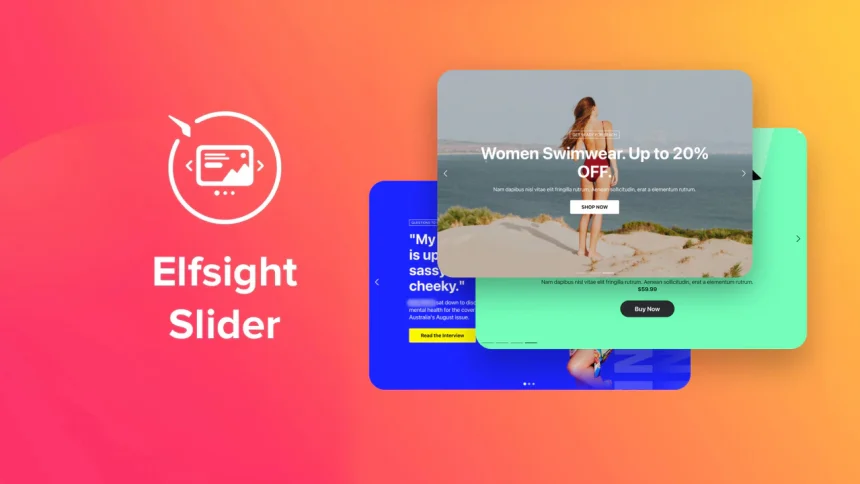
Quick context: If you create content about websites, WordPress, small business growth, or no-code tools, Elfsight can be a high-intent affiliate offer—because visitors usually arrive with a specific problem (“I need reviews on my site”, “I need an Instagram feed”, “I need a popup”, etc.). In this guide, we’ll break down how Elfsight’s affiliate commission works and give you creator-tested promotion strategies to earn consistently.
Affiliate disclosure: This post contains affiliate links. If you use them, Sensecentral may earn a commission at no extra cost to you. Read our disclosure here:
Affiliate Disclosure.
Key Takeaways
- You earn 30% recurring commission on purchases made by your referrals (including upgrades and renewals).
- Tracking is “last-click” (the final affiliate link click before purchase gets the credit).
- There’s a payout threshold (commonly $50) and payouts are typically monthly to PayPal/bank.
- Best-performing creators don’t “sell widgets”—they sell a clear outcome (more trust, more leads, more sales, less support load).
- Highest conversions come from: demos + templates + “best for” comparisons + problem/solution posts + short video walkthroughs.
Table of Contents
- What is Elfsight (and why it converts well)?
- How the 30% recurring commission model works
- What counts as a “qualified” sale?
- Tracking window + last-click attribution (important!)
- Commission math: realistic earning examples
- Best Elfsight widgets to promote (creator picks)
- Best promo strategies for creators (that don’t feel salesy)
- A simple 30-day content plan + internal link map (Sensecentral-ready)
- Disclosure + compliance (FTC-style trust building)
- FAQ
- References
1) What is Elfsight (and why it converts well)?
Elfsight is a no-code widget platform that helps site owners add powerful features—like reviews, social feeds, popups, forms, chat, announcements, and more—to websites without custom development. For creators and affiliates, this matters because:
- It solves urgent problems that have clear ROI (more conversions, more leads, more trust).
- It’s easier to demonstrate than many SaaS tools—one screenshot or 30-second video can “click” for the user.
- It fits multiple niches: bloggers, eCommerce, agencies, coaches, local businesses, creators, portfolios, communities.
If you want a broader overview of what Elfsight does (features, pros/cons, pricing context), see our related post:
Elfsight Review on Sensecentral.
Creator mindset shift: Don’t promote “Elfsight widgets.” Promote outcomes like “Add trust with Google Reviews,” “Capture leads with a form,” “Reduce support tickets with FAQ,” or “Boost engagement with an Instagram feed.”
2) How the 30% recurring commission model works
Elfsight’s affiliate program is built around a recurring commission structure. In plain language:
- You share your unique affiliate link (we’ll use this one in the guide: https://go.elfsight.io/click?pid=4586&offer_id=3).
- A visitor clicks your link, signs up, and becomes a paying customer.
- You earn a 30% commission on the purchases made by that referral—often including new subscriptions, upgrades, and renewals.
Why recurring is powerful: a one-time payout affiliate offer “resets” each month. A recurring offer can stack—meaning your older content can keep earning while you publish new content.
Try Elfsight
Tip: Place one strong CTA above the fold and one after the “commission examples” section.
3) What counts as a “qualified” sale?
In most affiliate programs, not every payment becomes commissionable. For Elfsight, a purchase generally needs to be confirmed and not canceled/refunded within the program’s rules.
Practical creator advice: Always set expectations in your content:
- Explain what the tool does (don’t oversell).
- Recommend the right widget for the right user (higher satisfaction = fewer refunds).
- Include setup guidance (fewer “I couldn’t install it” cancellations).
4) Tracking window + last-click attribution (important!)
Two details can make or break your earnings:
A) Last-click attribution
If a user clicks multiple affiliates before purchasing, the program commonly rewards the last affiliate link clicked. That means your goal isn’t just traffic—it’s being the final, most helpful step before purchase.
B) Tracking window
Affiliate programs use cookies/tracking periods to connect clicks to purchases. Practically, this means the buyer doesn’t always need to purchase instantly—but they must purchase within the tracking window for you to get credit.
Optimization tip: Because last-click matters, include your affiliate link again right after the “how-to” steps, not only at the top of the post.
5) Commission math: realistic earning examples
Let’s use simple, realistic numbers. (These are examples, not promises. Pricing and conversions vary by niche, traffic, and content quality.)
| Scenario | Referred customer spend | Your 30% commission | What makes it “recurring” |
|---|---|---|---|
| 1 customer on a monthly plan | $20/month | $6/month | You earn again on renewals while they stay subscribed |
| 10 customers average spend | $30/month | $90/month | Your older posts keep earning monthly |
| Upgrades happen | Customer upgrades from $20 → $40 | Commission can increase from $6 → $12 | If the program pays on upgrades/renewals, your “base” can grow |
The creator advantage: You don’t need viral traffic. You need high-intent traffic—people actively building a website, improving conversions, or adding features.
6) Best Elfsight widgets to promote (creator picks)
Instead of listing every widget, focus on the ones that map to the most common “money pages” and pain points. These tend to convert best:
High-conversion widget categories
- Reviews & social proof: Google Reviews, All-in-One Reviews (trust, local SEO support, conversion lift)
- Lead capture: Form Builder, Contact Form, Subscription forms (newsletter growth)
- Sales & urgency: Popup, Announcement Bar, Countdown Timer (promotions, launches)
- Engagement: Instagram Feed, TikTok Feed, Social Feed (time on site, content freshness)
- Support reduction: FAQ, Help/Support widgets, AI Chatbot (fewer repetitive questions)
Rule of thumb: Promote the widget that is closest to revenue. For eCommerce, that’s usually reviews + popup. For creators, it’s social feed + email capture. For service businesses, it’s reviews + contact form.
7) Best promo strategies for creators (that don’t feel salesy)
Here are the strategies that work consistently for affiliates in the website/tools niche.
Strategy #1: Create “problem → solution → proof” posts (highest intent)
Examples:
- “How to add Google Reviews to WordPress (fast + no code)”
- “Best popup tools for WordPress: 7 options compared (with templates)”
- “How to embed Instagram feed on any website (and why it boosts trust)”
Where to place your CTA: after the first quick win (“Here’s the easiest method”) and after your setup steps.
Strategy #2: Publish one “best overall” comparison (and win the last click)
Comparison posts convert well because the reader is already evaluating tools. Your job: make Elfsight the easiest decision.
| Traffic Source | Best content format | Widget angle that converts | CTA placement |
|---|---|---|---|
| Google Search | How-to + screenshots | Reviews / Forms | After setup steps |
| YouTube | 5–8 min demo | Popup / Social Feed | Pinned comment + description |
| Template/idea pins | Announcement / Countdown | Link to your blog comparison | |
| Newsletter | Tool of the week | Forms / Reviews | Mid-email button |
Strategy #3: Offer a “free template pack” (instant conversions)
Instead of only linking to Elfsight, create a small free resource on your site:
- “5 Popup templates for product launches”
- “3 review widget layouts for local businesses”
- “2 email opt-in forms for creators”
Then show how to build them inside Elfsight and place your affiliate button right below the template preview.
Strategy #4: Add a mini-demo section in every relevant post
This is a simple system that scales: whenever you write about eCommerce, social proof, WordPress, or conversions, add a mini box:
Quick recommendation: If you want a fast no-code way to add reviews/social feeds/popups, Elfsight is one of the easiest tools to set up.
Strategy #5: “Install guide” content wins the last click
Most users don’t buy because they doubt setup. So publish a short section or a standalone article:
- How to add an Elfsight widget to WordPress (Custom HTML block method)
- How to add Elfsight to Shopify/Wix/Webflow (platform-specific steps)
When users feel confident about installation, conversions spike.
Pro tip: WordPress.com users may need a plan that allows JavaScript for some widget installs. Always mention this so you build trust and reduce refunds.
8) A simple 30-day content plan + internal link map (Sensecentral-ready)
Below is a simple publishing sprint you can run in one month. The goal: build an “Elfsight cluster” so Google (and readers) see Sensecentral as a helpful destination for widget solutions.
Week 1: High-intent how-to posts
- Post 1: How to Add Google Reviews to WordPress (No-Code Method)
- Post 2: How to Embed Instagram Feed on Any Website (Fast Setup)
Week 2: Comparison posts (buyer intent)
- Post 3: Best Website Widget Tools (Elfsight vs Alternatives) — Which One Wins?
- Post 4: Best Popup Tools for WordPress: Templates + Real Examples
Week 3: Outcome-driven guides
- Post 5: How to Increase Conversions with Social Proof Widgets (Step-by-step)
- Post 6: Lead Capture for Creators: Best Form + Email Opt-in Layouts
Week 4: Affiliate-focused + roundup
- Post 7: This article (Affiliate Guide)
- Post 8: “Best Elfsight Widgets for Small Businesses” (Top picks + use cases)
9) Disclosure + compliance (FTC-style trust building)
Affiliate marketing works long-term when readers trust you. Follow two simple rules:
- Disclose clearly (near the top of the post and near CTAs).
- Be accurate about what the tool can and can’t do (especially install requirements and limitations).
We include a disclosure at the top of this post and maintain a dedicated page here:
Sensecentral Affiliate Disclosure.
FAQ
How much commission does the Elfsight affiliate program pay?
Elfsight promotes a 30% recurring commission model for purchases made by your referrals (including upgrades and renewals).
When do I get paid?
Payouts are commonly monthly after you reach the program’s payout threshold (often $50), paid to PayPal or bank.
Where do I find my affiliate link?
After joining, you can log in to the affiliate dashboard and copy your tracking link. For Sensecentral CTAs, we use this referral link:
https://go.elfsight.io/click?pid=4586&offer_id=3.
Does “recurring” mean I get paid every month?
In a recurring model, you can earn again as long as the referred customer continues paying and the transactions qualify under the program rules.
Is it better to promote one widget or many?
Start with 3–5 that match your audience. Most creators see the best results with Reviews, Social Feeds, Popup, and Forms.
What content converts best for Elfsight?
Highest intent typically comes from: “how to add X to WordPress,” “best tools for X,” and “Elfsight vs alternatives” posts—plus short demo videos.
Can I promote Elfsight on YouTube?
Yes—demos are powerful. Put the link in the description and pinned comment, and repeat the CTA right after showing the “install code” step.
Do I need a big audience to earn?
No. A small, focused audience (WordPress/site builders/eCommerce) can outperform large general traffic because intent is higher.
What’s the easiest way to increase conversions?
Show outcomes. Add screenshots, a 30–60 second setup demo, and a “template” the reader can copy.
What should I avoid?
Avoid spammy placements, misleading claims, and hiding disclosures. Long-term affiliate income comes from trust.
References
- Elfsight Affiliate Program (official)
- Elfsight Affiliate Program Terms (official)
- Elfsight: Add widget to WordPress (Help Center)
- FTC: Endorsements, Influencers & Reviews
- WordPress: Custom HTML Block Documentation
Ready to start? If you create content for site owners, agencies, creators, or small businesses, Elfsight is one of the easiest no-code tools to recommend because it solves clear problems quickly.