- Key Takeaways
- Table of Contents
- The real question: what problem are you solving?
- SaaS widget vs plugin (simple definitions)
- When a WordPress plugin is the better choice
- 1) Deep WordPress integration
- 2) Full ownership of logic and data
- 3) “One plugin does it all” (and is actively maintained)
- When Elfsight (SaaS) is the better choice
- 1) You want to launch in minutes (not hours)
- 2) You’re tired of plugin conflicts and theme weirdness
- 3) You run multiple sites (or might migrate off WordPress later)
- 4) You need conversion boosters without engineering
- 5) You want centralized management
- 6) You want support that includes “installation help”
- 7) You want to reduce maintenance load
- Quick comparison table
- Security & reliability (the hidden cost of “too many plugins”)
- Speed: what actually slows your site?
- Pricing mindset: “views” vs “licenses”
- Best Elfsight widgets for a review/comparison site like Sensecentral
- 1) Popup (lead capture)
- 2) Reviews / Testimonials widgets
- 3) Announcement Bar (deal alerts)
- 4) Social Feeds (Instagram / social proof)
- 5) FAQ widget (reduce objections)
- How to add Elfsight to WordPress (step-by-step)
- Decision checklist: choose SaaS widget or plugin
- FAQs
- Will Elfsight slow down my WordPress site?
- When should I avoid a SaaS widget and use a plugin instead?
- What are “views” in Elfsight pricing?
- Can I use Elfsight on multiple websites?
- What’s the best first widget for an affiliate site?
- References & helpful links
- Ready to test a SaaS widget on your best-performing page?

Updated for 2026 • By Sensecentral (https://sensecentral.com/)
Read our full disclosure here:
Sensecentral Affiliate Disclosure.
Tip: Start with one widget on your highest-traffic “Best Products” page and measure results for 7–14 days.
Key Takeaways
- Plugins are great when you need deep WordPress integration (SEO, caching, membership, checkout, LMS, etc.).
- SaaS widgets (like Elfsight) win when you want fast setup, less maintenance, fewer plugin conflicts, and cross-platform portability.
- Security & upkeep can be easier with a SaaS widget because you’re not stacking lots of third-party plugins that require constant updates.
- Performance depends on discipline: one purposeful widget can help conversions; ten widgets everywhere can slow pages (plugin or SaaS).
- Cost model differs: Elfsight is views-based (how often widgets load), while plugins are usually flat-fee or annual.
Table of Contents
The real question: what problem are you solving?
If you’re reading Sensecentral, you probably run (or want to run) a content-heavy website:
product reviews, comparison posts, “best of” roundups, and buying guides. On sites like ours,
the goal is simple: help visitors make a decision faster—and feel confident enough to click your recommendation.
That’s why “plugin vs SaaS widget” isn’t really about technology.
It’s about outcomes:
- Trust: “Is this recommendation legit?”
- Action: “Which button do I click?”
- Retention: “How do I bring them back for the next deal or updated comparison?”
WordPress plugins can solve many of these—but so can SaaS widget platforms like Elfsight.
The difference is how quickly you can launch, how much maintenance you accept, and
how portable the solution is if you ever move platforms (Webflow, Shopify, etc.).
SaaS widget vs plugin (simple definitions)
What is a WordPress plugin?
A WordPress plugin is installed into your WordPress site and runs inside your WordPress environment.
Many plugins are brilliant. But they also add code, settings, scripts, and ongoing updates to your site.
The more plugins you add, the more you’re managing a “stack.”
What is a SaaS widget (like Elfsight)?
A SaaS widget platform is a hosted service: you build a widget inside a web dashboard,
then paste an embed code onto your site. Elfsight is built around that model—no-code widgets you configure and copy-paste.
When a WordPress plugin is the better choice
Let’s be fair: there are many scenarios where a plugin is the best answer.
Choose a WordPress plugin when you need:
1) Deep WordPress integration
- SEO frameworks
- Caching and performance tuning
- Membership / paywalls
- LMS / course platforms
- WooCommerce checkout customization
These require tight coupling to WordPress internals—databases, hooks, user roles, and theme templates.
A SaaS widget won’t replace that.
2) Full ownership of logic and data
If you need all functionality to run on your own server (for compliance, privacy, or custom logic),
a plugin is often more “self-contained.” You’re hosting everything yourself.
3) “One plugin does it all” (and is actively maintained)
Sometimes you find a well-supported plugin that replaces three other plugins.
That can be a huge win—especially if it’s actively maintained, widely used, and compatible with your theme.
When Elfsight (SaaS) is the better choice
Here’s where SaaS widgets shine—especially for affiliate sites, content publishers, and comparison blogs.
1) You want to launch in minutes (not hours)
Elfsight widgets are designed to be “build → copy → paste.” If you’ve ever installed a plugin,
configured it, fixed a conflict, adjusted CSS, and tested mobile… you know how long “simple” can take.
2) You’re tired of plugin conflicts and theme weirdness
Plugin conflicts happen when multiple plugins load scripts, libraries, or overlapping features.
A widget embed can reduce that complexity—especially if you’re replacing multiple plugins with a single widget platform.
3) You run multiple sites (or might migrate off WordPress later)
Plugins lock you into WordPress. SaaS widgets are portable. If tomorrow you build a Shopify landing page,
a Webflow microsite, or a static HTML promo page—your Elfsight widget can often move with you.
4) You need conversion boosters without engineering
For affiliate content, the “money widgets” usually fall into:
- Social proof: reviews, testimonials, rating walls
- Lead capture: popups, forms, announcement bars
- Engagement: social feeds, FAQ blocks, galleries
These don’t need deep WordPress integration. They need good templates, flexible settings,
and fast iteration. That’s exactly what widget platforms optimize for.
5) You want centralized management
With plugins, each plugin is its own mini-product with its own UI, updates, and settings.
With Elfsight, your widgets live in one dashboard where you can manage multiple widgets and projects.
6) You want support that includes “installation help”
Many plugin developers offer support—some don’t. Elfsight positions itself as a service,
and includes installation guidance/documentation for WordPress and other platforms.
7) You want to reduce maintenance load
With plugins, you are responsible for updates, compatibility testing, and keeping your stack clean.
With a SaaS widget, the vendor ships updates on their side—your embed keeps working without you constantly updating plugins.
Quick comparison table
| Factor | WordPress Plugin | Elfsight (SaaS Widget) |
|---|---|---|
| Setup speed | Depends (install, configure, troubleshoot) | Fast (build → embed code) |
| Maintenance | Updates + compatibility checks | Vendor-managed updates |
| Portability | WordPress-only | Works across platforms via embed |
| Security surface | More code inside WP (more things to patch) | Less WP plugin sprawl; still a 3rd-party script |
| Best use | Core site functionality | Conversion + engagement widgets |
Security & reliability (the hidden cost of “too many plugins”)
Most WordPress site owners don’t get hacked because WordPress is “bad.”
They get hacked because one plugin in a big pile becomes outdated or vulnerable.
That’s not theory—it’s a pattern that shows up repeatedly in real-world incidents.
WordPress itself provides guidance on plugin security practices, and the community regularly tracks plugin vulnerabilities.
The problem for busy site owners is time: updating, testing, and monitoring dozens of plugins is a job.
How SaaS widgets can reduce plugin risk
- Fewer plugins installed → fewer components to patch and test.
- Vendor-managed updates → widget improvements happen without you updating WordPress plugins constantly.
- Cleaner “stack” → fewer random addons doing overlapping jobs.
The win is often reduced plugin sprawl, not “zero risk.”
Always use reputable vendors and keep WordPress core/themes updated too.
Speed: what actually slows your site?
Speed complaints usually come from one of these:
- Too many scripts loading on every page
- Heavy images and unoptimized media
- Bloated themes and page builders
- Unnecessary plugins loading assets site-wide
Plugin performance traps
Many plugins load CSS/JS globally—even if you only use the feature on one page.
On a review site, that adds up fast.
SaaS widget performance traps
Embeds are not magic. If you add multiple widgets to every page (popups, chats, feeds, counters),
your site can still slow down. The best approach is to:
- Use one primary conversion widget per page type (e.g., lead popup on “best of” pages)
- Place widgets where they remove doubt (near CTAs, comparison tables, conclusion sections)
- Audit widgets quarterly: remove what you’re not using
Pricing mindset: “views” vs “licenses”
Most plugins charge by:
- Yearly license (per site)
- Lifetime deal (rare)
- Tiered features
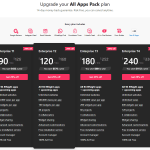
Elfsight’s pricing is based on views—how often a widget loads on a page. If your traffic grows,
your widget usage grows, and you may need a higher plan. (That’s the trade-off for hosted infrastructure.)
A simple way to estimate Elfsight “views” for a content site
- If you place a widget on one page that gets 10,000 pageviews/month → roughly 10,000 widget views/month.
- If you place the same widget on five pages that each get 10,000 pageviews/month → roughly 50,000 widget views/month.
- If you place two widgets on one page, one page load can count as two views (because two widgets load).
The takeaway: Elfsight can be extremely cost-effective when you’re intentional about placement,
and more expensive if you embed many widgets site-wide without a plan.
Best Elfsight widgets for a review/comparison site like Sensecentral
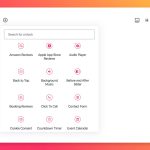
Here are the widget types that typically deliver the highest ROI for affiliate publishers:
1) Popup (lead capture)
Use it to collect emails for:
“weekly best deals,” “price drop alerts,” or “new comparison updates.”
A small list beats unpredictable search traffic every time.
2) Reviews / Testimonials widgets
If your site sells services (consulting, setup help, audits) or you have reader feedback,
testimonials reduce hesitation. If you’re showcasing brand trust, review widgets help.
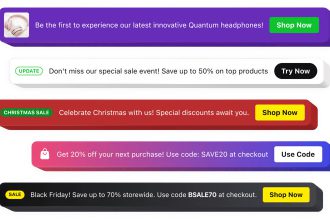
3) Announcement Bar (deal alerts)
Perfect for seasonal events: Black Friday, New Year sales, limited-time coupon pages.
Keep it subtle and relevant, not spammy.
4) Social Feeds (Instagram / social proof)
If you publish on social, a feed widget makes your site feel active and current.
That “freshness” effect matters for visitor confidence in 2026.
5) FAQ widget (reduce objections)
Add a clean FAQ block under your comparison tables to answer the questions visitors always ask:
refunds, compatibility, support, setup time, alternatives, etc.
Want a deeper breakdown of Elfsight’s widget catalog and pricing logic?
Read our full guide here:
Elfsight Review (2026): 97 No-Code Widgets + Pricing Explained
.
How to add Elfsight to WordPress (step-by-step)
The process is straightforward:
- Create your widget in Elfsight.
- Copy the installation code (embed snippet).
- In WordPress, open the page/post where you want it.
- Add a Custom HTML block and paste the embed code.
- Update/publish and test on mobile.
Put a trust widget above your “Best Overall” recommendation,
and put a lead-capture widget after the comparison table where decision intent is highest.
Decision checklist: choose SaaS widget or plugin
| If you say “YES” to this… | Choose |
|---|---|
| I need deep WordPress data, roles, or WooCommerce integration. | Plugin |
| I want a conversion widget live today with minimal setup. | Elfsight (SaaS) |
| I hate plugin conflicts and maintaining 20+ plugins. | Elfsight (SaaS) |
| I might migrate to Shopify/Webflow later. | Elfsight (SaaS) |
| I want everything hosted on my server, no external embeds. | Plugin |
For most product review & comparison websites, the winning combo is:
WordPress for publishing + a small number of essential plugins +
purposeful SaaS widgets to boost conversions.
FAQs
Will Elfsight slow down my WordPress site?
It can, if you add too many widgets everywhere. But one well-placed widget on key pages is usually fine.
Treat widgets like “conversion tools,” not decorations. Add, measure, and keep only what improves results.
When should I avoid a SaaS widget and use a plugin instead?
Use a plugin when you need deep WordPress integration (membership, checkout logic, SEO frameworks, caching,
database-driven features). SaaS widgets are best for conversion/engagement features that don’t require WordPress internals.
What are “views” in Elfsight pricing?
A view is counted each time a page loads with your widget on it. Views aren’t clicks or unique visitors.
If you add multiple widgets to one page, one page load can count as multiple views.
Can I use Elfsight on multiple websites?
Elfsight plans typically allow usage across multiple websites, but view limits still apply. If you spread widgets
across many pages/sites, your views add up faster—so plan placement intentionally.
What’s the best first widget for an affiliate site?
Start with a lead capture popup (for deal alerts / updates) or a social proof widget (to reduce hesitation).
Put it on your highest-traffic “Best Products” page and test for 7–14 days.
References & helpful links
- Internal (Sensecentral):
- Official Elfsight:
- WordPress plugin security background:
Ready to test a SaaS widget on your best-performing page?
If you want a fast, no-code way to add popups, forms, reviews, or social feeds—without stacking more plugins—Elfsight is worth a test.