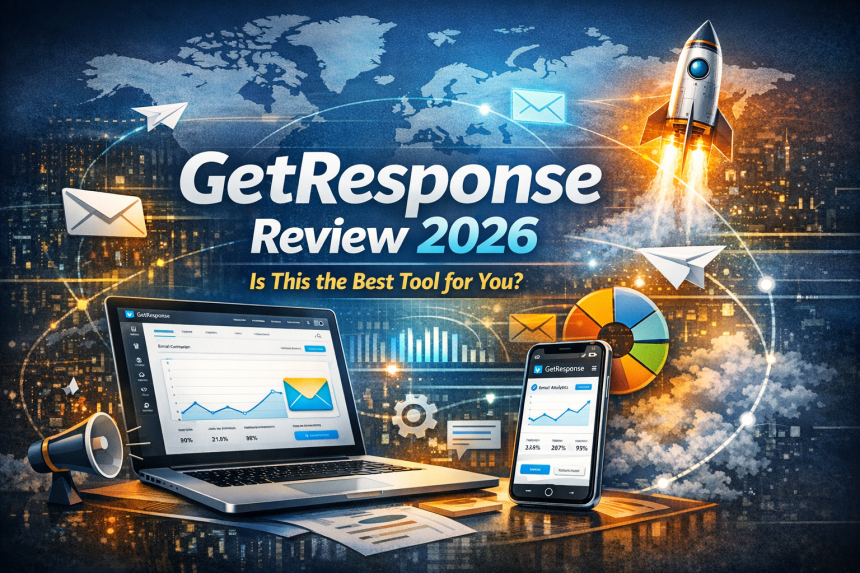

GetResponse has evolved from a classic email newsletter tool into an all-in-one platform that combines email marketing, automation, landing pages, funnels, webinars, and even course/creator monetization features. But “all-in-one” isn’t automatically “best for everyone.” In this 2026 review, we’ll break down what GetResponse does well, where it feels limiting, how pricing works, and who should (and shouldn’t) choose it.
- Table of contents
- Key takeaways
- Quick verdict: should you use GetResponse in 2026?
- What is GetResponse?
- Who GetResponse is best for (and who should skip it)
- Core features (email, automation, landing pages, funnels)
- 1) Email marketing editor (newsletters + broadcasts)
- 2) Automation workflows (the real value)
- 3) Landing pages + signup forms + popups
- 4) Funnels (lead-gen and sales flows)
- AI features: email generator + writing assistant
- Deliverability & compliance in 2026
- Critical sender requirements (Google/Yahoo and mailbox providers)
- Legal compliance: CAN-SPAM + GDPR basics
- Ecommerce & revenue features (abandoned cart, promos, reporting)
- Webinars, courses & creator monetization
- Integrations & API
- GetResponse pricing (Free vs Starter vs Marketer vs Creator)
- Free plan (best for testing and very small lists)
- Starter (good if you mainly send newsletters + basic automation)
- Marketer (best value for automation + ecommerce growth)
- Creator (ideal for webinars/courses + list growth)
- Enterprise (for high-volume senders and custom needs)
- Pros & cons
- Best alternatives (when they’re better)
- Mailchimp (brand familiarity + templates, but watch scaling costs)
- ActiveCampaign (deeper automation + CRM-style workflows)
- MailerLite (simple + creator-friendly for newsletters)
- Brevo (email + multi-channel options; pricing based on email volume)
- FAQs
- Is GetResponse good for beginners?
- How many contacts can I have on GetResponse Free?
- Does GetResponse include webinars?
- Is GetResponse good for ecommerce?
- What do I need for deliverability in 2026?
- Is GetResponse compliant with CAN-SPAM and GDPR?
- References & further reading
Disclosure: This review is based on publicly available product documentation, plan pages, and widely used email marketing best practices. Pricing and features can change—always confirm details on the official pricing page before purchasing.
Table of contents
- Key takeaways
- Quick verdict: should you use GetResponse in 2026?
- What is GetResponse?
- Who GetResponse is best for (and who should skip it)
- Core features (email, automation, landing pages, funnels)
- AI features: email generator + writing assistant
- Deliverability & compliance in 2026
- Ecommerce & revenue features (abandoned cart, promos, reporting)
- Webinars, courses & creator monetization
- Integrations & API
- GetResponse pricing (Free vs Starter vs Marketer vs Creator)
- Pros & cons
- Best alternatives (when they’re better)
- FAQs
- References & further reading
Key takeaways
- Best fit: small businesses, ecommerce, and creators who want email + automation + landing pages (and possibly webinars/courses) in one tool.
- Free plan exists: up to 500 contacts and 2,500 newsletters/month—good for testing the editor and list-building basics.
- Automation is the pivot point: Starter is limited (1 workflow), while higher plans unlock deeper automation.
- Creator plan stands out: webinars + website builder + course tools can replace multiple subscriptions for some businesses.
- Deliverability isn’t “set and forget”: you still need SPF/DKIM/DMARC + clean lists + easy unsubscribe to stay compliant and land in inboxes.
Quick verdict: should you use GetResponse in 2026?
If you want a single platform that covers email marketing, landing pages, funnels, and automation—and you like the idea of adding webinars or even courses later—GetResponse is one of the strongest “all-in-one” options in its price range.
However, if you need extremely advanced CRM-style sales automation, enterprise-grade segmentation across multiple pipelines, or you’re building a highly complex omnichannel system (heavy sales team workflows + advanced attribution), you may outgrow GetResponse and prefer platforms like ActiveCampaign or a dedicated CRM/marketing stack.
Bottom line: GetResponse is “best” when you value breadth, speed-to-launch, and cost consolidation more than ultra-deep specialization in one single area.
What is GetResponse?
GetResponse is an email marketing and automation platform that also includes landing pages, signup forms, funnels, and (on higher plans) webinars and creator monetization tools. Its positioning in 2026 is clear: help you capture leads, nurture them automatically, and convert them—without stitching together five different tools.
Official pages to explore:
Who GetResponse is best for (and who should skip it)
GetResponse is best for:
- Small businesses & startups that need email + landing pages + automation quickly.
- Ecommerce stores that want abandoned cart recovery, promotions, and revenue tracking in the same system.
- Creators/coaches who may want to run webinars or sell courses/newsletters without buying separate platforms.
- Teams who want fewer tools to manage (and fewer integrations to maintain).
You may want to skip GetResponse if:
- You need a deep CRM-first system with advanced pipeline automation as the core (rather than email-first).
- You’re an enterprise sender with extremely specific security/compliance requirements and custom routing demands (you’ll likely end up in an enterprise plan anyway).
- Your workflow relies heavily on niche integrations that aren’t available and would require ongoing custom development.
Core features (email, automation, landing pages, funnels)
1) Email marketing editor (newsletters + broadcasts)
GetResponse includes a modern drag-and-drop email editor with templates, personalization fields, and common campaign tools like A/B testing (availability depends on plan). The Free plan is enough to test the editor and basic campaigns, but serious senders should plan on upgrading once list growth and automation become important.
Start here:
2) Automation workflows (the real value)
Automation is where email marketing becomes a revenue system. Instead of “send a newsletter and hope,” you build sequences like:
- New subscriber → welcome series → segmentation by clicks
- Lead magnet download → nurturing sequence → offer email
- Cart abandoned → reminder → incentive → follow-up
In GetResponse, the automation depth depends heavily on your plan. If you’re serious about lifecycle marketing, compare plans carefully:
3) Landing pages + signup forms + popups
GetResponse includes landing pages, forms, and popups so you can grow your list without buying a separate landing page builder. The Free plan includes 1 landing page and allows up to 1,000 unique visits per month to landing pages (per account limit), which is enough for early testing.
4) Funnels (lead-gen and sales flows)
Funnels matter when you want a repeatable “traffic → lead → nurture → sale” machine. GetResponse funnels can reduce your tech stack: build an opt-in page, connect emails, add an offer page, and track outcomes—without duct tape integrations.
AI features: email generator + writing assistant
In 2026, most email marketing tools claim “AI.” The important question is: does it actually reduce work and improve outcomes?
AI email generator
GetResponse includes an AI email generator and related content tools to help draft emails faster, especially for small teams. This is useful when you’re stuck on:
- Subject line variations
- Product announcement drafts
- Promo structure and CTA options
- Tone adjustments (professional vs friendly)
AI writing assistant
GetResponse also promotes an integrated AI writing assistant to help write and refine email copy inside the editor.
Realistic advice: AI helps you draft faster, but deliverability + conversions still depend on list quality, segmentation, and relevance. Use AI to speed execution—not to replace strategy.
Deliverability & compliance in 2026
Email marketing success is 50% content and 50% deliverability. Great emails that land in spam don’t convert. GetResponse publicly discusses deliverability and claims an overall deliverability rate figure across customers—useful context, but remember that your deliverability depends on your domain setup, list hygiene, and sending behavior.
Critical sender requirements (Google/Yahoo and mailbox providers)
Mailbox providers have pushed senders toward stronger authentication and simpler unsubscribes. If you send bulk email, you should implement:
- SPF and DKIM authentication
- DMARC policy (at least monitoring to start)
- One-click unsubscribe and fast opt-out processing
- Spam complaint rates kept extremely low (often cited around 0.3%)
Helpful guides:
- DMARCian: Google/Yahoo bulk sender requirements
- Mailgun: “Yahoogle” bulk sender requirements breakdown
- Red Sift: bulk sender requirements (SPF/DKIM alignment + DMARC)
Legal compliance: CAN-SPAM + GDPR basics
If you market to the US, follow CAN-SPAM requirements (clear identification, physical address, working unsubscribe, no deceptive subject lines). If you collect or email EU/UK residents, GDPR obligations can apply (lawful basis, transparency, user rights, etc.).
Practical deliverability checklist:
- Authenticate your domain (SPF/DKIM/DMARC).
- Use double opt-in where appropriate.
- Warm up new domains and new lists gradually.
- Remove inactive subscribers and hard bounces.
- Make unsubscribing easy—don’t hide it.
Ecommerce & revenue features (abandoned cart, promos, reporting)
For ecommerce, GetResponse shines when you want email automation tied to customer behavior. On ecommerce-focused plans, features may include abandoned cart recovery, promo codes, sales funnels, and revenue reporting (exact availability depends on plan).
Official help resources:
- How to set up abandoned cart campaigns
- Pricing page: ecommerce items (abandoned cart, revenue reports)
Why abandoned cart matters: It’s one of the highest-intent automations you can run—because the customer already showed buying intent. If your store has consistent traffic, abandoned cart recovery can pay for the platform quickly.
Webinars, courses & creator monetization
This is where GetResponse can replace multiple subscriptions. If you’re a coach, educator, consultant, or creator, you can potentially run:
- Lead gen (landing pages)
- Warm-up nurture sequences (automation)
- Live webinars (plan-dependent)
- Course delivery / student access (plan-dependent)
GetResponse’s help center also clarifies how webinars appear in plans and add-ons:
When this is “best tool for you”: If you currently pay separately for email + landing pages + webinar platform + course platform, consolidation can save money and reduce technical complexity.
Integrations & API
Integrations matter because email marketing rarely lives alone. You may need to connect ecommerce platforms, analytics, webinar tools, CRMs, forms, and payment providers.
Tip: If you don’t see a direct integration, check whether it’s available through Zapier or via GetResponse’s API docs (best for developers or teams with technical support).
GetResponse pricing (Free vs Starter vs Marketer vs Creator)
GetResponse offers a Free plan and paid tiers. The exact price depends on billing period and list size, and the pricing page can display different currencies by region. Always verify current numbers on the official page.
Free plan (best for testing and very small lists)
- Up to 500 contacts
- Up to 2,500 newsletters/month
- 1 landing page + forms
Starter (good if you mainly send newsletters + basic automation)
Starter is positioned as the entry paid tier: unlimited sends, AI content tools, and the basics to build and grow your list. Automation can be limited at this tier (check plan limits carefully).
Marketer (best value for automation + ecommerce growth)
Marketer is typically where GetResponse becomes a real growth engine: deeper automation workflows, advanced segmentation, ecommerce features like abandoned cart recovery, and more channels.
Creator (ideal for webinars/courses + list growth)
Creator adds creator-focused tools like webinars and course features, which can be a strong deal if you’d otherwise pay for separate platforms.
Enterprise (for high-volume senders and custom needs)
Enterprise is custom-priced and usually adds advanced support, scaling options, and enterprise features (e.g., additional messaging channels).
Plan explanation resources:
Pros & cons
Pros
- All-in-one value: email + landing pages + funnels + automation in one ecosystem.
- Free plan: solid for testing and early-stage list building.
- Automation + ecommerce options: strong if you want lifecycle marketing without complexity.
- Creator tools: webinars/courses can replace separate subscriptions.
- AI assist: helpful for faster drafting and iteration.
Cons
- Automation limitations on entry tiers: you may need to upgrade earlier than expected.
- “All-in-one” tradeoffs: best-in-class CRM automation may still require specialized tools.
- Deliverability depends on you: authentication, list hygiene, and compliance are still mandatory.
Best alternatives (when they’re better)
If GetResponse isn’t the perfect fit, here are strong alternatives depending on your priority:
Mailchimp (brand familiarity + templates, but watch scaling costs)
ActiveCampaign (deeper automation + CRM-style workflows)
MailerLite (simple + creator-friendly for newsletters)
Brevo (email + multi-channel options; pricing based on email volume)
Rule of thumb: If you want one platform that covers a lot, GetResponse is attractive. If you want maximum depth in automation/CRM, prioritize ActiveCampaign-style tools. If you want simplicity, MailerLite is often easier.
FAQs
Is GetResponse good for beginners?
Yes—especially because it offers a Free plan and includes landing pages and list-building tools. Beginners can launch quickly with templates and basic automations, then upgrade when they need deeper workflows.
How many contacts can I have on GetResponse Free?
The Free plan supports up to 500 contacts and allows up to 2,500 newsletters/month. See official limits here: GetResponse Free.
Does GetResponse include webinars?
Webinars are included on certain plans (notably creator-oriented tiers) and may be available as an add-on depending on your package. Confirm details here: webinar add-ons and inclusions.
Is GetResponse good for ecommerce?
It can be, especially if you use abandoned cart recovery and automation workflows tied to store behavior. Start with their ecommerce campaign setup guide: Abandoned cart campaigns.
What do I need for deliverability in 2026?
At minimum: SPF + DKIM authentication, DMARC policy, easy unsubscribe, and strong list hygiene. Useful guides include DMARCian and Mailgun.
Is GetResponse compliant with CAN-SPAM and GDPR?
Compliance depends on how you use any platform. Follow CAN-SPAM and GDPR rules for consent, transparency, unsubscribe, and record keeping:
FTC CAN-SPAM guide,
GDPR legal text.
References & further reading
- GetResponse official pricing
- GetResponse Free plan
- GetResponse pricing plans explained
- Add-ons and webinar inclusions
- GetResponse features overview
- GetResponse AI email assistant
- GetResponse deliverability info
- DMARCian: Google/Yahoo requirements
- Mailgun: bulk sender requirements
- FTC CAN-SPAM guide
- GDPR (EUR-Lex)
Final recommendation: If you want email marketing that grows into automation, funnels, and (optionally) webinars/courses—GetResponse is a strong contender in 2026. Start on Free to test the editor and landing pages, then upgrade once automation and ecommerce recovery begin to matter.
Now over to you: What’s your use case—newsletter, ecommerce, coaching, SaaS, or agency? That determines the best plan.