- Why Elementor for a portfolio website?
- Step 1: Plan your portfolio (content + structure)
- Pick your “portfolio goal” (choose one primary)
- Decide your minimum site structure
- Create your “case study data” (use this reusable template)
- Step 2: Choose your setup (WordPress hosting vs Elementor Cloud)
- Step 3: Build your portfolio in Elementor (page-by-page)
- 3.1 Install WordPress + Elementor (or use Elementor Cloud)
- 3.2 Choose a fast, flexible theme (keep it simple)
- 3.3 Build the Home page (the “sales page” version of you)
- 3.4 Build the Work/Projects page (make it scannable)
- 3.5 Create a Case Study template (reuse it for every project)
- 3.6 Build the About page (trust + fit)
- 3.7 Build the Contact page (reduce friction)
- Design Checklist (what great portfolios always include)
- Portfolio Template Ideas (layouts you can copy)
- Template Idea #1: The “Case Study First” Portfolio (best for getting clients)
- Template Idea #2: The “Personal Brand” Portfolio (best for hiring + speaking)
- Template Idea #3: The “Creative Gallery” Portfolio (best for photographers/artists)
- Template Idea #4: The “Service + Portfolio Hybrid” (best for consultants/freelancers)
- Template Idea #5: The “Developer Portfolio” (best for technical hiring)
- SEO + Speed: Make it rank and load fast
- Common mistakes to avoid
- FAQs
- 1) Is Elementor good for portfolio websites?
- 2) Do I need Elementor Pro for a portfolio?
- 3) Should I use my own hosting or Elementor Cloud Hosting?
- 4) How many projects should I showcase?
- 5) What if I don’t have “results” or metrics yet?
- 6) What is the best structure for a case study?
- 7) How do I make my portfolio look more “premium”?
- 8) Can a portfolio rank on Google?
- Key Takeaways
- References
Affiliate Disclosure: This post contains affiliate links. If you purchase through these links, SenseCentral may earn a commission at no extra cost to you. We only recommend tools we believe are genuinely useful for building better websites.
A portfolio website is not just a gallery. It’s your proof of skill, your sales page, and your first impression—all in one place.
The best portfolio sites do three things fast:
- Show outcomes (what you built, what changed, what improved)
- Build trust (social proof, process, clarity)
- Make it easy to contact you (clear call-to-action, frictionless forms)
In this guide, you’ll build a complete portfolio website using Elementor—step-by-step—plus you’ll get a
design checklist and template ideas you can reuse for different professions.
Recommended If you want the fastest path to a polished portfolio:
Tip: Use the website builder link if you already have WordPress hosting.
Use the cloud hosting link if you want an all-in-one setup (hosting + builder).
- Why Elementor for a portfolio website?
- Step 1: Plan your portfolio (content + structure)
- Step 2: Choose your setup (WordPress hosting vs Elementor Cloud)
- Step 3: Build your portfolio in Elementor (page-by-page)
- Design Checklist (what great portfolios always include)
- Portfolio Template Ideas (layouts you can copy)
- SEO + Speed: Make it rank and load fast
- Common mistakes to avoid
- FAQs
- Key Takeaways
- References
Why Elementor for a portfolio website?
Elementor is popular for one simple reason: it lets you build professional layouts quickly without needing to code.
For portfolio sites, that matters because your “work” is often visual—screenshots, mockups, galleries, case studies, and clear section layouts.
With Elementor, you can:
- Create clean sections (hero, projects, testimonials, services) with consistent spacing and typography
- Use templates and kits to launch fast, then customize branding later
- Build conversion elements (contact forms, CTAs, popups) as your portfolio grows
If you want a proven path: start simple, publish early, then improve with a checklist.
That’s exactly what this guide provides.
Quick start: If you want to build with Elementor on WordPress right away, use this link:
Try elementor website builder for wordpress
Step 1: Plan your portfolio (content + structure)
Before you design anything, decide what your portfolio must achieve.
Most portfolios fail because they focus on aesthetics while missing the two things buyers need:
clarity and proof.
Pick your “portfolio goal” (choose one primary)
- Get clients: Freelancers, agencies, consultants, creators
- Get hired: Designers, developers, marketers, writers
- Build credibility: Thought leadership + speaking + partnerships
Decide your minimum site structure
For most people, these pages are enough to start:
| Page | Purpose | What to include |
|---|---|---|
| Home | First impression + quick proof | Hero, featured projects, testimonials, short “about,” CTA |
| Work / Projects | Evidence | Project grid + filters + 3–6 best case studies |
| Case Study (template) | Show your process | Problem → approach → solution → results → tools → CTA |
| About | Trust | Your story, specialization, values, timeline, credibility |
| Contact | Conversion | Simple form, email, social links, “what happens next” |
Create your “case study data” (use this reusable template)
Copy/paste this into a note and fill it for each project:
PROJECT NAME:
ROLE: (designer/dev/writer/marketer/etc.)
CLIENT / INDUSTRY:
TIMELINE:
TOOLS USED:

THE PROBLEM:
- What was broken / missing / slow / unclear?

THE APPROACH:
- 3–6 bullets explaining what you did and why

THE DELIVERABLE:
- What you shipped (site, UI, campaign, prototype, system)

THE RESULTS:
- Metrics if possible (leads, speed, revenue, conversion, engagement)
- If no metrics, show measurable outputs (pages built, features delivered, time saved)

VISUALS:
- 3–8 images (before/after, screens, mockups)

CALL TO ACTION:
- “Want similar results? Contact me.”
Once you have 3 solid case studies, your portfolio becomes more persuasive than 20 random screenshots.
Step 2: Choose your setup (WordPress hosting vs Elementor Cloud)
There are two common ways to use Elementor:
(1) WordPress on your own hosting, or (2) an all-in-one hosting setup designed around Elementor.
| Option | Best for | Pros | Watch-outs |
|---|---|---|---|
| Elementor on WordPress hosting | People who already have hosting or want maximum flexibility | More control, wide plugin ecosystem, easy migrations | You manage hosting quality, updates, caching, security |
| Elementor Cloud Hosting | Creators who want a simpler “all-in-one” experience | Fewer moving parts, streamlined setup, builder + hosting together | Less “mix and match” freedom than fully DIY setups |
Recommended links (highlighted):
Try elementor website builder for wordpress
(use this if you already run WordPress hosting)
Try elementor cloud hosting for wordpress
(use this if you want an all-in-one setup)
If you want SenseCentral’s practical WordPress learning hub, bookmark this:
WordPress Tutorial on SenseCentral.
Step 3: Build your portfolio in Elementor (page-by-page)
This is the build sequence that prevents overthinking: set the foundation, build the pages, then polish with the checklist.
3.1 Install WordPress + Elementor (or use Elementor Cloud)
- If you have WordPress hosting: Install the Elementor plugin, then connect your Elementor account (if using paid features).
- If you want all-in-one: use Elementor Cloud and follow the guided setup.
3.2 Choose a fast, flexible theme (keep it simple)
For portfolio sites, speed and layout freedom matter. Many creators start with a lightweight theme and let Elementor handle the design.
Avoid heavy themes packed with features you’ll never use.
3.3 Build the Home page (the “sales page” version of you)
Use this proven Home structure:
- Hero: who you help + what you do + one clear CTA
- Featured Work: 3–6 best projects (not everything)
- Services / Skills: your offerings (clear, scannable)
- Proof: testimonials, logos, results, numbers
- Process: 3–5 steps (sets expectations)
- CTA section: contact form or “book a call” link
Copywriting formula for the hero section:
“I help [audience] achieve [outcome] using [skill/tool].”
Example: “I help SaaS startups turn landing pages into consistent demos using conversion-focused design.”
3.4 Build the Work/Projects page (make it scannable)
The mistake most people make is dumping everything into a grid. Instead, categorize work so visitors can find what matches them.
| Best practice | How to apply it in Elementor |
|---|---|
| Show “best work” first | Use a featured section at the top, then the full grid below |
| Add filters | Group projects by type (UI, websites, branding, writing, etc.) |
| Make each item clickable | Each project should open a case study page (not just an image) |
| Use short labels | Add “Role,” “Industry,” and “Outcome” under each card |
3.5 Create a Case Study template (reuse it for every project)
Your case study pages are where you “win” clients or interviews. Keep the format consistent so your site feels professional and easy to browse.
Case study layout (recommended):
- Summary: 3–5 lines about the project
- Problem: what was wrong or missing
- Approach: steps you took (use bullets)
- Solution: what you built and why
- Results: numbers, outcomes, screenshots
- Next step CTA: contact form / email / booking link
3.6 Build the About page (trust + fit)
Your About page should not read like a resume. It should answer: “Why should I trust you with my project?”
- Start with your focus: what you do and who you do it for
- Show credibility: years, clients, results, platforms, publications
- Share your process: how projects run, how you communicate
- End with a CTA: “If you want X outcome, let’s talk.”
3.7 Build the Contact page (reduce friction)
A portfolio contact page should be simple. Most visitors are not ready for a long application form.
Use a short form and add a single “what happens next” paragraph.
Contact page copy (paste-ready):
“Share a few details below. I’ll reply within 24–48 hours with next steps and a simple plan.”
Want more WordPress optimization guidance? See:
Best Caching Setup for WordPress (What Works in 2026)
and
Core Web Vitals for WordPress: Practical Steps to Pass.
Design Checklist (what great portfolios always include)
Use this checklist after your first draft is live. It’s designed to turn an “okay” portfolio into a site that feels premium.
| Area | Checklist |
|---|---|
| Brand clarity |
|
| Portfolio proof |
|
| Trust elements |
|
| Conversion UX |
|
| Accessibility |
|
| Performance |
|
If you want the fastest design workflow (templates + widgets + site-wide control), start here:
Try elementor website builder for wordpress
Portfolio Template Ideas (layouts you can copy)
Templates help you launch quickly. But the goal is not to look like everyone else—it’s to start with a strong structure
and then customize the brand details.
Template Idea #1: The “Case Study First” Portfolio (best for getting clients)
- Home: hero + 3 featured case studies + results + CTA
- Work: case study grid with filters
- Case studies: problem → approach → results
Template Idea #2: The “Personal Brand” Portfolio (best for hiring + speaking)
- Home: statement + featured work + featured writing + newsletter CTA
- About: story + values + credibility
- Blog: practical articles that show expertise
Template Idea #3: The “Creative Gallery” Portfolio (best for photographers/artists)
- Full-screen hero image or reel
- Gallery categories (weddings, product, portraits, etc.)
- Inquiry form with project details
Template Idea #4: The “Service + Portfolio Hybrid” (best for consultants/freelancers)
- Home: what you do + outcomes + services + proof
- Services page: packages + FAQs + CTA
- Work page: results-focused case studies
Template Idea #5: The “Developer Portfolio” (best for technical hiring)
- Home: short intro + links (GitHub, LinkedIn) + featured projects
- Projects: stack tags (React, WP, API, etc.) + demo links
- Case studies: architecture decisions + outcomes
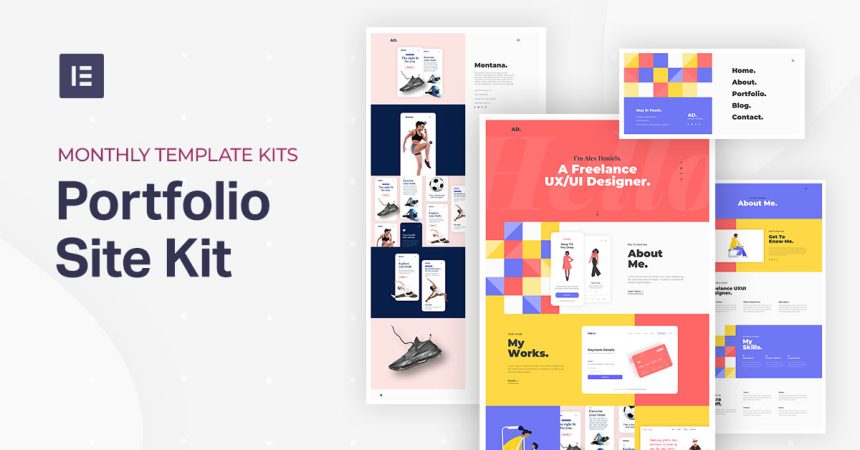
Template shortcut: If you want ready-made portfolio structures, explore Elementor’s portfolio template collection and adapt it to your brand.
Also, if you want the simplest all-in-one route (hosting + builder), use:
Try elementor cloud hosting for wordpress
SEO + Speed: Make it rank and load fast
Portfolios can rank well when you target the right keywords and build supporting pages (services, case studies, blog posts).
But you must also keep the site fast and clean—especially on mobile.
SEO basics for portfolio sites
- One primary keyword per page: “UI designer portfolio,” “WordPress developer in [City],” etc.
- Write short intros on Work pages: Don’t publish only a grid; add context text.
- Use internal links: link from Home → Work → Case studies → Contact.
- Add FAQ sections on services pages: FAQs often win extra search visibility.
Speed essentials (Elementor-friendly)
- Compress images and avoid huge background videos above the fold.
- Limit heavy widgets (sliders, multiple animations, huge icon libraries).
- Be careful with third-party “addon packs” you don’t truly need (they can add bloat).
- Use a solid caching + performance setup (guide below).
SenseCentral performance reads:
Best Caching Setup for WordPress •
Core Web Vitals for WordPress
If you plan to add conversion widgets (reviews, chat, popups), do it intentionally and keep scripts minimal.
You may find these helpful:
Best Website Widgets to Increase Conversions
and
How to Add a Countdown Timer for Limited-Time Offers.
Common mistakes to avoid
- Too many projects: 3–6 best case studies beats 30 random screenshots.
- No outcomes: Always describe “why” and “what changed.”
- Weak CTA: Make your next step obvious (contact / book / email).
- Heavy design above the fold: Sliders + large videos can hurt speed and clarity.
- Unclear positioning: If your visitor can’t tell what you do in 5 seconds, you lose.
Want a clean, fast start? Use Elementor to build quickly and polish later:
Try elementor website builder for wordpress
FAQs
1) Is Elementor good for portfolio websites?
Yes—especially if you want a strong layout quickly without coding. Portfolios benefit from structured sections,
templates, and reusable case study designs.
2) Do I need Elementor Pro for a portfolio?
Not always. You can start with a simple portfolio using the free version. If you want deeper site-wide control,
marketing features, advanced widgets, or more templates, upgrading can be worth it.
3) Should I use my own hosting or Elementor Cloud Hosting?
Use your own hosting if you want maximum flexibility and already have a preferred host.
Use Elementor Cloud Hosting if you want an easier all-in-one setup with fewer moving parts.
4) How many projects should I showcase?
Start with 3–6 strong case studies. Add more only when they are equally strong and clearly different.
5) What if I don’t have “results” or metrics yet?
Use measurable outputs: timeline, scope, deliverables, before/after comparisons, and what improved (speed, clarity, usability, conversions).
6) What is the best structure for a case study?
Problem → Approach → Solution → Results → Tools → CTA. Keep it skimmable with headings and bullets.
7) How do I make my portfolio look more “premium”?
Consistent spacing, strong typography, fewer sections, better screenshots, and real proof (testimonials, outcomes) make the biggest difference.
8) Can a portfolio rank on Google?
Yes—especially with service pages, niche keywords, strong internal linking, and fast performance.
Consider adding blog posts that support your services.
Key Takeaways
- A portfolio site is a conversion asset: clarity + proof + CTA wins.
- Start with 3–6 best projects and write case studies that show outcomes.
- Use a reusable case study template to keep your site consistent.
- Choose the right setup: WordPress hosting (flexibility) vs Elementor Cloud (simplicity).
- Polish with the design checklist, then improve speed/SEO for long-term growth.
Ready to build? Here are the two best starting points:
References
- Elementor plugin listing on WordPress.org
- Elementor Portfolio Website Templates
- Elementor Hosting
- Elementor performance experiments (help docs)
- Hello theme by Elementor
Related reading on SenseCentral:
WordPress Tutorial Hub •
Best Landing Page Builders (includes Elementor) •
How to Add Google Reviews (Elementor method included)