Monitor
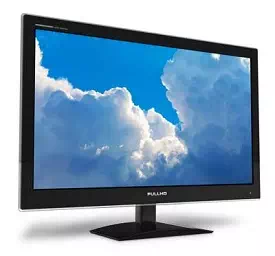
· Size − It is the diagonal size of the LCD screen. Larger the area, bigger the picture screen. A bigger picture is preferable for movie watching and gaming. It will increase the productivity as well.
· Resolution − This is the number of pixels on the screen. For example, 24inch display is 1920×1200 (width by length) and 22-inch display is 1680×1050. High resolution provides better picture quality and a nice gaming experience.
· Inputs − Now-a-days monitors can accept inputs from cable as well apart from the computer. They can also have USB ports.
· Stand − Some monitors come with adjustable stands while some may not.
· Recommended − 24 Inch LCD.
Operating System
· Operating System is the main software of the computer as everything will run on it in one form or other.
· There are primarily three choices: Windows, Linux, Apple OS X.
· Linux is free, however people generally do not use it for home purpose.
· Apple OS X works only on Apple desktops.
· Windows 7 is very popular among desktop users.
· Most of the computers come pre-equipped with Windows 7 Starter edition.
· Windows 8 is recently introduced and is available in the market.
· Windows 7 and Windows 8 come in multiple versions from starter, home basic, home premium, professional, ultimate, and enterprise editions.
· As the edition version increases, their features list and price increases.
· Recommended − Windows 7 Home Premium.
Optical Drive (CD / DVD / Blu-ray)
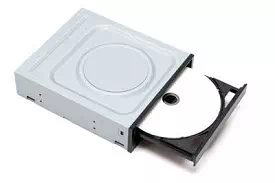
· Optical drive is the drive on a computer, which is responsible for using CD, DVD, and Blu-ray discs.
· Now-a-days, DVD burners are industry standards.
· DVD Burner can burn CD, DVD and play them.
· DVD Burner is cheaper than Blu-ray drives.
· Blu-ray drives can play HD movies but are costlier component.
· Recommended − DVD Burner.
Memory
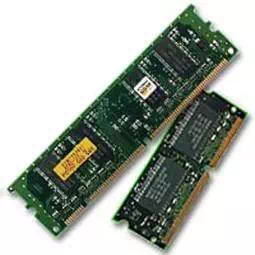
· RAM is considered as Computer Memory as the performance of a computer is directly proportional to its memory and processor.
· Today’s software and operating system require high memory.
· Today commonly used RAM is DDR3, which operates at 1066Mhz.
· As per Windows 7, 1 GB is the minimum RAM required to function properly.
· Recommended − 4 GB.
Hard Drive
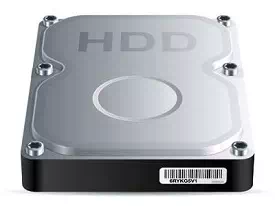
· Hard disk is used for storage purpose. Higher the capacity, more data you can save in it.
· Now-a-days computers are equipped with 500GB hard drive, which can be extended to 2TB.
· Most hard drives in desktop operate at the standard performance speed of 7200RPM.
· Recommended − 500GB.
CPU
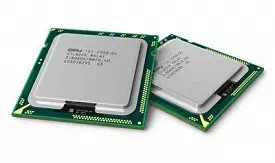
· Frequency (GHz) − This determines the speed of the processor. More the speed, better the CPU.
· Cores − Now-a-days CPUs come with more than one core, which is like having more than one CPU in the computer. Programs which can take advantage of multi-core environment will run faster on such machines.
· Brand − Intel or AMD. Both are equivalent. Intel is in lead.
· Cache − Higher the L1, L2 cache, better the CPU performance.
· Recommended − Intel Core i3-3225 3.30 GHz Processor.