If you’ve ever organized your life or work in Notion and thought, “Other people would pay for this,” you’re right. In this guide, you’ll learn how to create a high-quality Notion template, package it like a premium product, and sell it ethically and profitably as part of a sustainable Digital Product Business. This is written for beginners who want a clear first win, and for advanced creators who want cleaner systems, better conversion, and scalable operations. By the end, you’ll have a practical roadmap, real examples, checklists, and tools to launch with confidence (and improve fast after launch).
- Why this matters for your Digital Product Business
- Key concepts and definitions
- Step-by-step roadmap
- Step 1: Choose a specific buyer and outcome
- Step 2: Map the workflow (UX-first) before you build
- Step 3: Build the MVP template (one core workflow)
- Step 4: Add a premium onboarding experience (sell success, not pages)
- Step 5: Publish correctly and protect what you can (within Notion’s model)
- Step 6: Decide pricing, tiers, and what you’re really selling
- Step 7: Create a sales page that answers buyer objections
- Step 8: Launch, market, and iterate (the real growth loop)
- Examples, templates, and checklists
- 1) Copy-paste template: Notion template product page copy (Gumroad-ready)
- 2) Checklist: Pre-launch quality + UX checklist (print-and-use)
- 3) Table: Which Notion template should you build first?
- Common mistakes and how to fix them
- Tools and resources
- Free (or free-to-start) tools
- Paid tools (worth it when you have traction)
- Beginner stack (simple, minimum moving parts)
- Advanced stack (scale with systems)
- Trust and compliance resources (worth linking on your policy pages)
- Advanced tips and best practices for a scalable Digital Product Business
- 1) Build “atomic” components you can reuse across templates
- 2) Add a “success path” (so buyers stick)
- 3) Increase perceived value with guided onboarding
- 4) Use product-led SEO (high intent, low fluff)
- 5) Bundle strategy: turn one product into a product line
- 6) Keep your update promise realistic
- 7) Add trust signals that increase conversion
- FAQ
- 1) Do I need a paid Notion plan to sell templates?
- 2) How do buyers actually receive a Notion template after purchase?
- 3) What’s the best platform to sell Notion templates?
- 4) How much should I charge for a Notion template?
- 5) How do I make my template feel premium (not generic)?
- 6) Can people steal my template link and share it?
- 7) What should I include to reduce refunds?
- 8) How do I market my Notion template without a big audience?
- 9) Should I build one big “all-in-one dashboard” template?
- 10) How do updates work after I sell a template?
- Key takeaways
- Conclusion
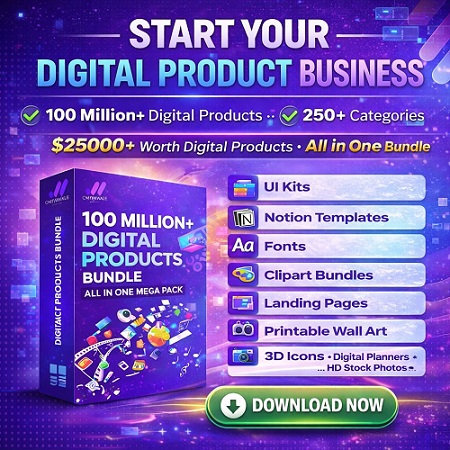
Featured Resource: START YOUR DIGITAL PRODUCT BUSINESS — 100 million+ digital products, 250+ categories, all-in-one bundle (worth $25,000+) for $199.
If you want a “done-for-you” library of digital assets to accelerate your content, offers, and creative production, this bundle is the fastest shortcut.
Quick Answer: A Notion template is a reusable workspace (pages + databases + layouts) that helps someone achieve a specific outcome faster (plan, track, organize, manage, learn).
- Pick one buyer + one job: “Weekly planner for ADHD students” beats “Ultimate life dashboard.”
- Build an MVP template: 1 core workflow, 3–5 key views, clear instructions.
- Publish correctly: Use Notion “Publish” and enable “Duplicate as template” for buyers to copy.
- Package like a product: Add a quick-start page, setup steps, and a clean sales page.
- Sell on Gumroad/your site: Deliver the template link + onboarding, then iterate with feedback.
- Scale with bundles + SEO: Add add-ons, use content marketing, and improve conversions over time.
Table of Contents
Why this matters for your Digital Product Business
Notion templates are one of the highest-leverage ways to start selling digital products because you can build once and sell repeatedly. There’s no inventory, shipping, or complex fulfillment—just clear value and clean delivery.
What problems a great Notion template solves
- Decision fatigue: Buyers don’t want to design a system; they want a system that works.
- Time waste: People lose hours setting up dashboards, trackers, and workflows from scratch.
- Messy organization: A well-built workspace makes priorities, deadlines, and progress visible.
- Accountability: Templates turn vague goals into trackable actions.
Who should consider selling Notion templates?
- Students (study systems, exam planners, assignment trackers)
- Professionals (project trackers, meeting systems, CRM-lite pipelines)
- Creators (content calendars, sponsorship trackers, brand kits)
- Freelancers/agencies (client onboarding, deliverables dashboards)
- Personal growth audiences (habit trackers, finance trackers, wellness logs)
Best for: creators who can explain a workflow clearly and care about user experience (UX).
Avoid if: you’re building “everything dashboards” without a specific buyer and measurable outcome.
Sense Central readers often pair Notion template sales with SEO content and conversion-focused pages. If you’re building traffic long-term, see our guide on SEO strategy for beginners (keyword clusters + internal linking) and our broader Money Making Tutorial hub.
Key concepts and definitions
Before you build, align on the language. These are the concepts that separate “pretty templates” from templates that sell and retain happy customers.
Simple definitions (featured-snippet friendly)
- Notion template: A shareable Notion page/workspace that others can duplicate into their own account.
- Outcome: The measurable result a buyer wants (save time, stay consistent, manage projects, hit deadlines).
- ICP (Ideal Customer Profile): The specific person you built the template for (not “everyone”).
- MVP template: A minimal version with one core workflow that works end-to-end.
- Onboarding: The instructions + setup steps that help buyers succeed fast after purchase.
- Template stack: A main template plus add-ons (tracking pack, dashboards, automations, guides).
Mini glossary (quick reference)
- Database: A Notion collection (tasks, projects, habits) that can be viewed different ways.
- Views: How the same database appears (board, calendar, list, timeline).
- Relations & rollups: Links between databases + calculated summaries.
- “Duplicate as template”: Setting that allows buyers to copy your published page into their workspace.
- Friction: Any confusion or extra steps that reduce conversion or increase refunds.
- Versioning: Managing updates (v1.0, v1.1) without breaking customer setups.
Official references worth bookmarking:
- Notion Templates Gallery
- Notion: The ultimate guide to templates
- Notion: Sharing & permissions
- Notion: Duplicate public pages (Duplicate as template)
- Gumroad: Adding a product
Step-by-step roadmap
This roadmap is built to reduce wasted effort. The goal is simple: build a template people actually finish using, package it like a product, launch cleanly, then improve based on real buyer behavior.
Step 1: Choose a specific buyer and outcome
What to do: pick one audience and one “job to be done.”
Why it matters: specificity improves everything—features, messaging, SEO, and conversion.
How to do it:
- Write a one-sentence promise: “Help [buyer] achieve [outcome] in [time/effort].”
- List the top 5 pains they feel today (missed deadlines, messy notes, inconsistent habits).
- Choose one primary workflow (planning, tracking, managing, learning).
Example: “A content creator template that turns ideas into a weekly posting plan with a sponsorship tracker.”
Pro tip: If your promise can’t fit on a product thumbnail, it’s too broad.
Step 2: Map the workflow (UX-first) before you build
What to do: sketch the template as a user journey: start → setup → daily use → weekly review.
Why it matters: templates fail when users don’t know what to do next.
How to do it:
- Create a “Quick Start” page that tells buyers exactly what to click first.
- Define 3–5 core actions (add task, schedule, review, archive).
- Decide which databases you truly need (often 1–2 is enough for MVP).
Example: Student planner journey: add semester dates → enter subjects → weekly plan → exam countdown.
Pro tip: A clean MVP beats a complex “ultimate dashboard” every time.
Step 3: Build the MVP template (one core workflow)
What to do: build the smallest version that works end-to-end.
Why it matters: MVP gets you to market faster and teaches you what buyers actually want.
How to do it:
- Start with one database (Tasks or Projects) and create 3 key views (List, Board, Calendar).
- Add properties that support decisions (status, priority, due date, category).
- Use simple labels and consistent naming (avoid clever but unclear terms).
Example: Freelancer client tracker: Clients database + Projects view + “Next actions” view.
Pro tip: Every extra database should justify itself with a clear user benefit.
Step 4: Add a premium onboarding experience (sell success, not pages)
What to do: add instructions, examples, and safe defaults so buyers can start fast.
Why it matters: onboarding reduces refunds and increases reviews.
How to do it:
- Create an “Instructions” page with 5–10 steps and screenshots (optional, but powerful).
- Include demo content (fake tasks/projects) so it doesn’t look empty.
- Add “Reset” guidance: how to clear demo data safely.
Example: “Start here → duplicate template → open Setup → customize categories → begin daily view.”
Pro tip: Use a short “Setup time: 7 minutes” promise if true—buyers love speed.
Step 5: Publish correctly and protect what you can (within Notion’s model)
What to do: publish your template and ensure duplication works.
Why it matters: if duplication fails, buyers get stuck—support load increases and trust drops.
How to do it:
- Use Notion’s publish settings and enable Duplicate as template for the page you sell.
- Test duplication in a separate Notion account (or a clean workspace).
- Include a buyer-only “Access” page that explains how to duplicate and where to get help.
Example: You sell a public “Template Page” link, but keep your internal build workspace private.
Pro tip: Keep a private “Master” version so you can update without breaking the live template.
Step 6: Decide pricing, tiers, and what you’re really selling
What to do: choose a pricing strategy that matches buyer value and your support level.
Why it matters: pricing is positioning. Too low can signal low value; too high needs proof.
How to do it:
- Start simple: one price (MVP) or two tiers (Lite vs Pro).
- Use anchors: Pro tier includes extras (bonus views, add-ons, mini guide, updates).
- Match price to buyer ROI (time saved, mistakes avoided, clarity gained).
Example: $9 Lite (core workflow), $29 Pro (extra dashboards + onboarding guide + update access).
Pro tip: A tiered offer often converts better than a single mid-price, because buyers self-select.
Step 7: Create a sales page that answers buyer objections
What to do: write a product page that is skimmable, concrete, and benefit-focused.
Why it matters: most visitors won’t “read”—they scan for proof, fit, and clarity.
How to do it:
- Open with outcome + who it’s for.
- Add “What’s inside” bullets + screenshots/GIFs.
- Include “Best for / Avoid if” to increase trust and reduce refunds.
- Answer FAQs (Notion account required, how duplication works, updates, refunds).
Example: “Best for creators who publish weekly. Avoid if you want a full team project management suite.”
Pro tip: Link to a “How it works” post on your site and drive SEO traffic (see Sense Central’s step-by-step business starter guide for a clean structure).
Step 8: Launch, market, and iterate (the real growth loop)
What to do: launch with a simple plan: audience → content → CTA → feedback → update.
Why it matters: your first version rarely becomes the bestseller. Iteration does.
How to do it:
- Publish 2–5 supporting posts (use long-tail keywords like “sell Notion templates” and “Notion template pricing”).
- Share short demos on social (30–60 sec “before/after” workflows).
- Collect 10 feedback points (confusions, missing views, unclear setup) and ship v1.1 quickly.
Example: Add a “Weekly Review” page after buyers ask, “How do I keep this updated?”
Pro tip: Use email capture popups to build a buyer list—see Sense Central’s popup guide (email capture + offers).
Shortcut for creators: Want a massive library to power your Digital Product Business faster?
START YOUR DIGITAL PRODUCT BUSINESS — 100 million+ digital products, 250+ categories, all-in-one bundle (worth $25,000+) for $199.

Examples, templates, and checklists
Use the assets below to speed up your build, improve UX, and launch with fewer mistakes.
1) Copy-paste template: Notion template product page copy (Gumroad-ready)
Paste this into your product page and edit the brackets. Keep it skimmable.
[Template Name]: [Outcome] in Notion (Copy + Start in Minutes)

✅ Who it’s for:
- [Ideal buyer group]
- People who struggle with [pain #1] and want [result #1]

🎯 What you’ll achieve:
- [Outcome #1]
- [Outcome #2]
- [Outcome #3]

📦 What’s inside:
- 1 core database: [Tasks/Projects/Habits/etc.]
- Views: [List], [Board], [Calendar], [Weekly Review]
- Quick Start page + setup steps
- Example entries (so it’s not empty)

⏱ Setup time:
- About [X] minutes (follow the Quick Start page)

✅ Best for:
- [Best fit #1]
- [Best fit #2]

🚫 Avoid if:
- [Avoid if #1]
- [Avoid if #2]

How it works:
1) Purchase the product
2) Open the template link
3) Click “Duplicate”
4) Customize your categories and start using it today

FAQ:
- Do I need Notion? Yes, a free Notion account works for most templates.
- How do I duplicate it? Click “Duplicate” in the top-right of the template page.
- Do I get updates? [Yes/No] + explain versioning.
- Refunds? [Your policy]
Helpful official docs for buyer support:
- Notion: how to share templates (publish + allow duplicate)
- Gumroad: how to add and structure a product
2) Checklist: Pre-launch quality + UX checklist (print-and-use)
- ✅ The template solves one clear outcome for one audience.
- ✅ “Start Here / Quick Start” page exists and is the first thing buyers see.
- ✅ Demo content is included (shows how the system should look when used).
- ✅ All views are named clearly (no confusing abbreviations).
- ✅ Minimal friction: setup takes under 10 minutes for the average buyer.
- ✅ Duplicate works in a clean Notion account (tested end-to-end).
- ✅ Instructions include: how to duplicate, how to customize, how to reset demo data.
- ✅ Sales page includes Best for / Avoid if + FAQs.
- ✅ You have a simple support path (email or a page on your site).
- ✅ You’ve written your first “how-to” post to drive SEO traffic (long-tail keywords).
3) Table: Which Notion template should you build first?
This decision matrix helps you choose the right “first product” based on complexity and market fit.
| Template Type | Best For | Build Time | Typical Price Band | Upsell Potential |
|---|---|---|---|---|
| Weekly Planner | Students, busy professionals | 2–6 hours | $5–$19 | Medium (add-ons: habits, goals) |
| Content Calendar | Creators, marketers | 4–10 hours | $9–$39 | High (brand kit, sponsorship tracker) |
| Freelancer Client CRM | Freelancers, agencies | 6–14 hours | $19–$79 | High (contracts, onboarding docs) |
| Finance Tracker | Personal finance audiences | 6–16 hours | $9–$49 | Medium (budgeting course, updates) |
| Team Project System | Advanced buyers | 12–30+ hours | $49–$199+ | Very high (templates + training) |
If you want real-world inspiration for “productized Notion systems,” browse Sense Central’s Notion-related downloads and examples like this Notion template mega bundle breakdown (use it as a structure reference: what’s inside, who it’s for, FAQs, and skimmable sections).
Common mistakes and how to fix them
Most Notion template failures aren’t about “missing features.” They’re about UX, unclear positioning, and weak packaging. Fix these and your conversion rate and reviews improve quickly.
- Mistake #1: Building for everyone.
Fix: define one buyer + one promise. Write it at the top of your Quick Start page. - Mistake #2: Too many databases.
Fix: start with one core database; add complexity only after feedback proves it’s needed. - Mistake #3: No onboarding.
Fix: add “Start Here” + setup steps + demo content. Assume buyers are busy. - Mistake #4: Confusing labels and views.
Fix: name views by action: “Today,” “This Week,” “Backlog,” “Review.” - Mistake #5: Selling features, not outcomes.
Fix: rewrite your sales page: “What you’ll achieve” > “What’s included.” - Mistake #6: No Best for / Avoid if section.
Fix: add it. It builds trust and reduces refunds. - Mistake #7: Pricing without a value story.
Fix: explain ROI (hours saved per week, fewer missed deadlines, clarity). - Mistake #8: Not testing duplication end-to-end.
Fix: test with a clean Notion account and confirm the “Duplicate” button appears. - Mistake #9: No update strategy.
Fix: keep a private master version and ship small updates (v1.1, v1.2) based on real usage. - Mistake #10: Depending only on social posts.
Fix: publish SEO-friendly articles targeting long-tail keywords like “how to sell Notion templates” and “Notion template marketplace.” - Mistake #11: Weak visuals.
Fix: show 3–6 screenshots of key views and the Quick Start page. Clear visuals sell clarity. - Mistake #12: Ignoring trust signals.
Fix: add a simple support policy, transparent pricing, and honest limitations.
If you need a repeatable traffic engine for templates and other digital downloads, build an SEO system (not random posts). Start here: Sense Central’s SEO strategy guide.
Tools and resources
Below are the tools that make a Notion template business easier to run—organized so beginners don’t overbuy, and advanced creators can scale.
Free (or free-to-start) tools
- Notion: create and publish templates. Start with the official template guide.
- Gumroad (free to start): sell digital products with a simple storefront. Use this setup guide.
- Google Search Central: learn “helpful content” fundamentals for SEO: creating helpful content.
- Canva: simple product images and thumbnails: Canva.
Paid tools (worth it when you have traction)
- Email marketing: convert visitors into buyers (welcome sequence + launches). (Pick any reputable provider; focus on onboarding emails.)
- Better screenshots / short demos: a 30–60 second screen recording often increases conversion.
- Premium design assets: faster visuals and consistent branding. (If you publish frequently, consider a curated library like the promoted bundle above.)
Beginner stack (simple, minimum moving parts)
- Notion + Gumroad + a basic landing page
- 1–2 SEO posts per month targeting “sell Notion templates” long-tail searches
- A single email capture form (lead magnet: free mini-template or checklist)
Advanced stack (scale with systems)
- Template portfolio (3–7 templates) + bundles (Lite/Pro) + seasonal promos
- SEO topic clusters + internal links (Sense Central style)
- Conversion widgets (popups, social proof, sticky CTAs). For WordPress UX ideas, see this popup builder guide.
Trust and compliance resources (worth linking on your policy pages)
- FTC: Endorsements, influencers, and reviews
- U.S. Copyright Office
- Creative Commons licenses
- Notion: Sharing & permissions (avoid accidental public access)
Content and copy can be accelerated with AI writing tools—but always verify claims and keep it human-readable. If you use AI to draft product descriptions, see Sense Central’s guide to AI writing tools + verification.
Advanced tips and best practices for a scalable Digital Product Business
Once you have a template selling consistently, scale by improving three things: UX clarity, conversion, and distribution.
1) Build “atomic” components you can reuse across templates
- Create a reusable “Start Here” page layout, “Weekly Review” page, and “Settings” page.
- Reuse database property standards (Status, Priority, Due Date, Category).
- Result: faster creation, consistent user experience, fewer support issues.
2) Add a “success path” (so buyers stick)
- Day 1: setup + add 5 entries
- Day 3: first review + adjust categories
- Day 7: weekly review + plan next week
Why it works: retention drives reviews and word-of-mouth—especially in a Notion template marketplace where trust matters.
3) Increase perceived value with guided onboarding
- Add a mini “video walkthrough” link (even unlisted YouTube) if your audience likes video.
- Add a one-page PDF “cheat sheet” summary (buyers love quick reference).
- Include “Troubleshooting: Duplicate button missing” and how to fix it.
4) Use product-led SEO (high intent, low fluff)
Write posts that match real searches:
- “How to duplicate a Notion template and customize it”
- “Notion template pricing: how much should you charge?”
- “How to sell digital downloads on Gumroad (template edition)”
- “Best Notion templates for [specific audience]”
Then connect posts using internal links (topic clusters). For a clear system, use this SEO structure guide.
5) Bundle strategy: turn one product into a product line
- Core template → Add-on pack (extra dashboards, trackers, views)
- Lite vs Pro → price discrimination without feeling pushy
- Niche bundle (e.g., “Creator Stack: Calendar + Sponsorship + KPI tracker”)
6) Keep your update promise realistic
- Offer “minor updates for 6 months” or “lifetime updates” only if you can commit.
- Publish a changelog page: what changed, what was added, what was fixed.
- Maintain a private master; don’t edit the live customer link without testing.
7) Add trust signals that increase conversion
- Clear compatibility (Notion free plan vs paid plan if relevant)
- Honest limitations (“Not for complex team permissions”)
- Real screenshots of key views (not just a pretty cover image)
- Simple refund/support policy (reduce anxiety)
If your goal is broader “income stacking,” combine templates with other digital products like guides and bundles. See Sense Central’s passive income guide for monetization models you can layer responsibly.
FAQ
1) Do I need a paid Notion plan to sell templates?
Not usually. Many templates work perfectly on a free Notion plan. If your template relies on advanced permissions or heavy team collaboration, mention any limitations clearly so buyers know what to expect.
2) How do buyers actually receive a Notion template after purchase?
Most creators deliver a link to a published Notion page where buyers click “Duplicate.” Pair that with a short onboarding page that explains setup and customization. Notion’s official template guide explains the publish + duplicate flow.
3) What’s the best platform to sell Notion templates?
Gumroad is popular because it’s simple, fast to set up, and works well for digital downloads. You can also sell through your own website for stronger branding and SEO. The “best” choice depends on how much you want to control traffic and customer relationships.
4) How much should I charge for a Notion template?
Price based on outcome value and complexity, not the number of pages. A simple weekly planner might be $5–$19, while a specialized business system can command higher pricing—especially with onboarding and add-ons. Tiered pricing (Lite vs Pro) often increases total revenue.
5) How do I make my template feel premium (not generic)?
Premium comes from clarity and usability: a Quick Start page, clean naming, helpful defaults, and a workflow that “just makes sense” for the buyer. Add a weekly review flow and practical examples so buyers can copy your structure immediately.
6) Can people steal my template link and share it?
Any digital product can be shared, so focus on reducing incentives: add value through onboarding, updates, support, and a brand people want to buy from. Also keep a private master version so your build workspace stays protected.
7) What should I include to reduce refunds?
Clear Best for / Avoid if notes, screenshots of key views, and step-by-step setup guidance. Most refunds happen when buyers expected something different or didn’t understand how to use it. Your sales page should remove those surprises.
8) How do I market my Notion template without a big audience?
Start with SEO-driven “how to” posts and long-tail keywords (e.g., “sell Notion templates,” “Notion template ideas for students”). Pair with short demo videos on social. This creates both long-term discovery and short-term spikes.
9) Should I build one big “all-in-one dashboard” template?
Usually no for your first product. All-in-one dashboards are harder to explain, harder to onboard, and harder to satisfy. Start with one clear workflow, then expand into bundles once you know what buyers want.
10) How do updates work after I sell a template?
Keep a private master version and ship tested improvements as versioned updates (v1.1, v1.2). Communicate changes clearly with a changelog. Avoid breaking changes unless you provide a migration path or a fresh duplicate link.
Key takeaways
- A Notion template sells best when it delivers one clear outcome for one clear buyer.
- Your competitive edge is UX: Quick Start + onboarding beats extra features.
- Test duplication end-to-end before launch; broken delivery destroys trust.
- Use tiered pricing to increase revenue without pushing everyone into one price.
- Write product-led SEO posts to capture high-intent searches and compound traffic.
- Bundle add-ons and updates to build a real Notion template business, not one-off sales.
- Trust signals (Best for/Avoid if, visuals, clear policies) reduce refunds and increase reviews.
- Iteration is the growth engine: ship v1, learn, improve, repeat.
Ready to accelerate? START YOUR DIGITAL PRODUCT BUSINESS — 100 million+ digital products, 250+ categories, all-in-one bundle (worth $25,000+) for $199.
Use it to power your visuals, bundles, content, and launches—without starting from scratch.

Conclusion
A successful Notion template isn’t “more pages.” It’s a clean workflow that helps a specific person get a specific result quickly—and feels premium because it’s easy to use. That’s why Notion templates can become a reliable engine inside a broader Digital Product Business: you build once, package well, market with intent, and improve through iteration.
Next steps (simple, high leverage):
- Pick one buyer + outcome and build a 1-workflow MVP template this week.
- Publish the template correctly and test duplication in a clean workspace.
- Write one SEO post targeting a long-tail query (“how to sell Notion templates” or “Notion template pricing”).
Continue on Sense Central: