- Want a setup that’s built for spikes?
- Table of Contents
- What a “traffic spike” really means (and why sites fail)
- Launch vs Viral vs Sale: different spikes, different bottlenecks
- The Traffic Spike Playbook (Prepare → Absorb → Recover)
- Phase 1: Prepare (days to weeks before)
- 1) Know your baseline and your “break point”
- 2) Make caching your primary shield
- 3) Reduce “expensive” page components
- 4) Pre-warm caches (don’t wait for users to do it)
- 5) Have a “surge mode” plan
- Phase 2: Absorb (during the spike)
- Phase 3: Recover (after the spike)
- Launch Day checklist (step-by-step)
- Viral post survival plan
- Sale events (WooCommerce): how to avoid checkout failures
- Hosting architecture that handles spikes
- How Kinsta helps with traffic spikes (and how to configure it)
- Monitoring & load testing (don’t guess)
- Common mistakes during traffic surges
- Key Takeaways
- Ready to make your site spike-proof?
- FAQs
- 1) What is the fastest way to survive a sudden traffic spike?
- 2) Why do sites crash even when they have “good” hosting?
- 3) Should I upgrade hosting before a sale event?
- 4) Is a CDN enough to prevent downtime?
- 5) How does edge caching help during a viral post?
- 6) What pages should never be cached on WooCommerce?
- 7) What should I do if my site is already throwing 502/504 errors?
- References
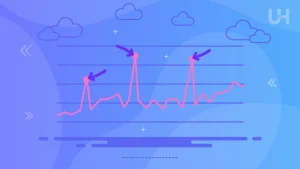
Traffic spikes are a good problem—until they break your site. A product launch, a viral post, a Black Friday sale, or a creator shoutout can multiply traffic in minutes. If your hosting stack, cache strategy, and database aren’t prepared, you’ll see slow load times, checkout failures, 502/504 errors, or a complete outage right when attention is highest.
This guide gives you a practical, battle-tested approach: what to prepare before the spike, what to do during it, and how to harden your setup after. You’ll also see how premium managed hosting (including Kinsta) can remove a lot of operational risk with built-in performance layers.
Want a setup that’s built for spikes?
Managed WordPress hosting with edge caching + CDN + enterprise protection can keep your site stable when traffic surges.
Try Kinsta
Affiliate link: https://kinsta.com/?kaid=SFXLBXAWFVKU
Table of Contents
- What a “traffic spike” really means (and why sites fail)
- Launch vs Viral vs Sale: different spikes, different bottlenecks
- The Traffic Spike Playbook (Prepare → Absorb → Recover)
- Launch Day checklist (step-by-step)
- Viral post survival plan
- Sale events (WooCommerce): how to avoid checkout failures
- Hosting architecture that handles spikes
- How Kinsta helps with traffic spikes (and how to configure it)
- Monitoring & load testing (don’t guess)
- Common mistakes during traffic surges
- Key Takeaways
- FAQs
- References
What a “traffic spike” really means (and why sites fail)
A traffic spike is not just “more visitors.” It’s usually a sudden jump in concurrent requests and dynamic workload:
- Concurrency: hundreds or thousands of people hitting the same page at the same time.
- Cache misses: requests that your server must compute (PHP + database) instead of serving from cache.
- Dynamic flows: logins, searches, add-to-cart, checkout, form submissions, API calls.
- External dependencies: payment gateways, third-party scripts, analytics, ads, tag managers.
Most failures happen when your site’s “origin” (your WordPress server + database) is forced to handle too many dynamic requests at once. The safest strategy is to ensure the origin handles as little as possible during the surge, by pushing traffic through caching and edge delivery.
Typical symptoms during a surge
- Pages become slow, then time out (high TTFB, 502/504 gateway errors).
- Admin becomes unusable (wp-admin slow, publishing fails).
- Database gets overwhelmed (slow queries, “Error establishing a database connection”).
- Checkout breaks (carts empty, payment failures, inventory oversells).
Launch vs Viral vs Sale: different spikes, different bottlenecks
| Spike type | What usually breaks | Best first defense |
|---|---|---|
| Launch Day | Home page, landing pages, redirects, media assets, forms | Edge/page cache + CDN + reduce third-party scripts |
| Viral Post | Single post, category archive, related posts widgets, comments | Full-page caching + image optimization + static delivery |
| Sale Event (WooCommerce) | Cart/checkout, inventory, payment webhooks, database writes | Object cache + DB tuning + selective caching + capacity headroom |
A viral blog post is often “read-heavy,” which is perfect for caching. A sale event is “write-heavy,” which is harder: carts, sessions, inventory updates, and checkout transactions strain PHP and the database. That’s why “sale spike readiness” usually requires more than just a CDN.
The Traffic Spike Playbook (Prepare → Absorb → Recover)
Phase 1: Prepare (days to weeks before)
1) Know your baseline and your “break point”
Before you optimize anything, measure:
- Average and peak concurrent users (from analytics / server logs).
- TTFB and Core Web Vitals on your key pages.
- Checkout performance (if ecommerce): time-to-checkout, payment success rate.
- Error rates (4xx/5xx), CPU/RAM saturation, and database slow queries.
If you don’t know what “normal” looks like, you won’t detect when things go wrong—until customers tell you.
2) Make caching your primary shield
Caching is the single highest ROI defense for traffic spikes. Use layers:
- Edge/page caching: serves full pages without hitting WordPress.
- CDN caching: serves static assets (images, CSS, JS) from global nodes.
- Object caching: reduces database pressure for dynamic operations.
- Browser caching: reduces repeat requests from the same visitor.
3) Reduce “expensive” page components
- Remove heavy sliders/animations for launch pages.
- Optimize images (WebP/AVIF), lazy-load below the fold.
- Minimize third-party scripts (chat widgets, heatmaps, multiple trackers).
- Defer non-critical JS where possible.
- Eliminate slow plugins or replace them with lighter alternatives.
4) Pre-warm caches (don’t wait for users to do it)
If your cache is empty at launch time, the first wave of visitors forces your server to generate pages under peak load. Pre-warm important URLs:
- Home + top landing pages
- Top product pages and categories
- Checkout (without caching it, you can still verify performance)
- Top blog posts that you will promote
5) Have a “surge mode” plan
Surge mode is a temporary configuration you can activate during events:
- Disable non-essential plugins (popups, recommendations, heavy analytics).
- Pause background jobs that compete for resources (non-critical cron tasks).
- Temporarily simplify the homepage layout (fewer queries/widgets).
- Enable stricter rate limiting or bot protection.
Phase 2: Absorb (during the spike)
1) Protect the origin
- Confirm caching is working (high cache-hit ratio).
- Ensure CDN is serving assets correctly.
- Watch error rates and TTFB in real time.
- Block obvious bots or abusive traffic patterns.
2) Prioritize revenue-critical paths
For ecommerce spikes, your highest priority is not a perfect homepage—it’s a working checkout. If you must choose:
- Keep checkout fast and stable
- Keep product pages responsive
- Degrade “nice-to-have” features (recommendations, reviews widgets, related posts)
3) Make fast, reversible changes
In a live surge, avoid big migrations or risky refactors. Choose changes you can undo quickly:
- Disable a plugin
- Switch to a simpler template
- Reduce scripts
- Turn on additional caching options (where safe)
Phase 3: Recover (after the spike)
- Review logs: What failed first—CPU, PHP workers, database, third-party?
- Identify top slow queries and heavy endpoints.
- Document what you changed (so next event is smoother).
- Turn “surge mode” back off carefully and verify normal behavior.
Launch Day checklist (step-by-step)
| Time | Action | Why it matters |
|---|---|---|
| 7–3 days before | Load test key pages + confirm caching & CDN | Find bottlenecks before real users arrive |
| 48–24 hours before | Pre-warm caches, compress images, freeze major changes | Avoid last-minute breakage; reduce origin load |
| 1–2 hours before | Enable surge mode, monitor dashboards, test checkout/forms | Validate revenue paths under ready state |
| During launch | Watch error rate + TTFB; block bots; keep changes minimal | Stability first; fix what hurts customers |
| After | Post-mortem: what broke, what saved you, what to improve | Repeatable upgrades for next event |
If you want a “one-click” way to reduce risk on launch day, consider moving your critical site to managed hosting built for performance and security layers.
Viral post survival plan
Viral spikes often come from a single URL. That’s good news: you can optimize and cache the viral page aggressively.
What to do immediately when a post goes viral
- Confirm full-page caching is active for the post and archives.
- Reduce dynamic widgets (related posts, popular posts, “also read”) if they hit the database heavily.
- Turn off comments temporarily if it triggers heavy write activity or spam.
- Audit third-party scripts (ads, trackers) that can slow the page under load.
- Enable stronger bot protection if traffic includes scrapers.
Make viral pages “static-friendly”
If your theme builds the post page with many database queries (author box queries, category widgets, tag clouds, related posts), caching hides the cost—until the cache misses. Reduce the number of moving parts on your most shareable templates.
Internal reading suggestion (SenseCentral):
Core Web Vitals for WordPress: Practical Steps to Pass
Sale events (WooCommerce): how to avoid checkout failures
Sale spikes are different because the site becomes “transactional.” More users add to cart, modify quantities, apply coupons, and check out. That means a lot of database writes and session handling.
High-impact WooCommerce hardening steps
- Object caching: reduces repeated DB lookups during cart and product browsing.
- Optimize checkout: remove unnecessary fields, reduce expensive plugins, minimize marketing scripts.
- Use selective caching: cache product/category pages, but never cache cart/checkout/account.
- Watch coupon logic: complex coupons can be CPU-heavy under load.
- Inventory strategy: if stock is limited, consider queueing or “wait room” mechanics to prevent oversell.
Internal reading suggestion (SenseCentral):
Why WordPress Sites Get Slow: The 17-Point Fix Checklist
Hosting architecture that handles spikes
To survive large surges reliably, your architecture should look like this:
- Edge delivery (edge/page cache) for HTML responses where safe.
- CDN for static assets and global latency reduction.
- Origin isolation so one site’s spike doesn’t affect others.
- Scalable resources (CPU/RAM/PHP workers) and intelligent routing.
- Security layers (WAF, DDoS protection, rate limiting).
- Monitoring/APM to diagnose what’s slow under load.
This is where “cheap shared hosting” typically falls apart: limited CPU, no isolation, weak caching defaults, and slow support when you need answers fast.
How Kinsta helps with traffic spikes (and how to configure it)
Kinsta is designed around performance and reliability for WordPress. For traffic spikes, the most relevant advantages are:
- Edge caching: deliver cached pages from a large global edge network, reducing origin requests.
- CDN + security: CDN delivery plus enterprise-grade firewall and DDoS protection via Cloudflare integration.
- Isolation: container-based site isolation helps prevent “noisy neighbor” issues during surges.
- Operational visibility: monitoring and tooling to pinpoint bottlenecks quickly.
Recommended Kinsta configuration for spike readiness
- Enable Edge Caching for cache-friendly pages (blogs, landing pages, marketing pages).
- Enable the Kinsta CDN to offload static assets globally.
- Confirm exclusions for WooCommerce dynamic pages (cart/checkout/account).
- Reduce plugin bloat and avoid duplicating caching features across multiple plugins.
- Plan headroom for sale events (writes are heavier than reads).
| Kinsta capability | What it does during spikes | Best for |
|---|---|---|
| Edge Caching | Serves cached HTML near visitors; reduces origin hits | Launch pages, viral posts, marketing sites |
| CDN (HTTP/3) | Offloads static assets globally; reduces latency | Image-heavy sites, global audiences |
| Cloudflare security | Firewall + DDoS protection + edge performance features | Public launches, campaigns, high-visibility events |
| Container isolation | Helps maintain stability under load; reduces neighbor impact | Multi-site owners, agencies, growing brands |
If you’re expecting a spike soon
Moving to a platform with edge caching + CDN + built-in protection is often faster than trying to patch performance issues hours before launch.
Monitoring & load testing (don’t guess)
Two mistakes cause most “surprise outages” during spikes: no monitoring and no load testing.
What to monitor in real time
- Response time (TTFB): watch the median and the 95th percentile.
- Error rate: 502/504 spikes are a red alert.
- Cache hit ratio: low hit ratio means your origin is doing too much work.
- Database health: slow queries, connection errors.
- Checkout metrics: cart/checkout response time and payment success rate.
Load test before you launch
Use a load testing tool to simulate realistic traffic:
- Ramp up gradually (not instant 10,000 users).
- Test the exact pages you will promote.
- Include ecommerce flows (browse → add-to-cart → checkout) for sale events.
External tools you can use:
- PageSpeed Insights (field + lab performance signals)
- WebPageTest (deep waterfall analysis)
- GTmetrix (quick speed diagnostics)
Common mistakes during traffic surges
- Installing multiple caching plugins that conflict and reduce cache hit rate.
- Leaving heavy scripts on (heatmaps, chat widgets, ad stacks) during a launch.
- Not excluding cart/checkout from caching (breaks sessions and conversions).
- Publishing major changes right before launch without rollback options.
- Ignoring bot traffic (scrapers can look like “growth” but behave like an attack).
Key Takeaways
- Traffic spikes break origins, not CDNs. Your strategy should minimize origin work via caching and edge delivery.
- Different spikes stress different systems: viral posts are read-heavy; sale events are write-heavy and database-sensitive.
- Pre-warm caches and reduce moving parts before launch day.
- Monitor in real time (TTFB, errors, cache hit ratio) so you can act before an outage.
- Managed hosting can remove operational risk with built-in edge caching, CDN, and security layers.
Ready to make your site spike-proof?
If you’re planning a launch, sale, or marketing push, consider hosting that’s built to handle surges without panic.
FAQs
1) What is the fastest way to survive a sudden traffic spike?
Enable full-page caching (where safe), ensure a CDN is active for static assets, reduce heavy scripts/plugins, and block obvious bots. The goal is to protect your origin from doing dynamic work for every request.
2) Why do sites crash even when they have “good” hosting?
Because many hosts can’t handle high concurrency or don’t have effective caching defaults. Without edge/page caching and a properly configured stack, your PHP + database becomes the bottleneck under load.
3) Should I upgrade hosting before a sale event?
For ecommerce, yes—because sale spikes create lots of database writes (cart, checkout, inventory). Plan for headroom and test your checkout flow under load before the event.
4) Is a CDN enough to prevent downtime?
A CDN helps, but it mainly serves static assets (and cached content). If your pages are dynamic and uncacheable, your origin still bears most of the load. You typically need page/edge caching plus backend capacity for true resilience.
5) How does edge caching help during a viral post?
Edge caching can serve cached HTML from locations close to visitors, reducing latency and dramatically reducing origin requests. That means your WordPress server is less likely to overload.
6) What pages should never be cached on WooCommerce?
Cart, checkout, account pages, and any page showing user-specific data should not be cached as static HTML. Use selective caching and rely on object caching and backend capacity for those flows.
7) What should I do if my site is already throwing 502/504 errors?
Immediately reduce origin load: disable non-essential plugins/scripts, confirm caching is active, block suspicious traffic, and consider temporarily scaling resources (or moving to a platform that can handle the surge).
References
- Kinsta Docs: Edge Caching
- Kinsta Docs: CDN
- Kinsta: Cloudflare Integration
- WordPress Developer Handbook: Cache
- Google PageSpeed Insights