- Table of Contents
- The One-Weekend Plan (Overview)
- Prep: What to Gather Before You Start
- The 5 Rules That Make This Work
- Rule 1: Organize what you use, not what you wish you used
- Rule 2: Don’t “sort everything.” Reduce first.
- Rule 3: Make one “exit route” for stuff leaving the house
- Rule 4: Build friction in the wrong places, reduce friction in the right places
- Rule 5: You’re building a maintenance system, not a perfect weekend
- Saturday: Home Reset (Fast Declutter + Simple Systems)
- Step 1 (30 minutes): Reset your entry zone
- Step 2 (60 minutes): Living room “surface sweep”
- Step 3 (90 minutes): Kitchen counters + fridge “quick reset”
- Step 4 (60 minutes): Bedroom reset (sleep = organization fuel)
- Step 5 (45 minutes): Bathroom “fast clean” (no perfection)
- Step 6 (30 minutes): Set up 3 “forever systems”
- Sunday: Phone Reset (Digital Declutter + Clean Home Screen)
- Step 1 (20 minutes): Delete obvious apps
- Step 2 (30–45 minutes): Photos cleanup (fast version)
- Step 3 (20 minutes): Notifications reset (the biggest win)
- Step 4 (30 minutes): Home screen redesign (calm + fast access)
- Step 5 (15 minutes): Inbox cleanup (two-folder method)
- Sunday: Time Reset (Calendar + Weekly Plan + Task System)
- Step 1 (20 minutes): Pick ONE calendar
- Step 2 (30 minutes): Do a “calendar sweep”
- Step 3 (20 minutes): Choose a task system (simple wins)
- Step 4 (30 minutes): Brain dump → sort → choose “Big 3”
- Step 5 (15 minutes): Create your “next action” lists
- Step 6 (10 minutes): Add buffers (the secret weapon)
- The 20-Minute Weekly Reset (So It Stays Organized)
- Common Mistakes (and How to Avoid Them)
- Mistake 1: Buying storage before decluttering
- Mistake 2: Trying to organize the whole house
- Mistake 3: Keeping notifications “just in case”
- Mistake 4: Making an overly complex planning system
- Mistake 5: No weekly reset
- FAQs
- 1) Can I really do this in one weekend if I’m busy?
- 2) What if I live with family or roommates?
- 3) I get overwhelmed when decluttering. What should I do?
- 4) What’s the fastest home improvement if I only have 60 minutes?
- 5) How do I stop my phone from becoming messy again?
- 6) What if I can’t stick to planning systems?
- 7) What’s a good rule for what to keep at home?
- 8) How do I handle paperwork and bills?
- Key Takeaways
- References & Further Reading
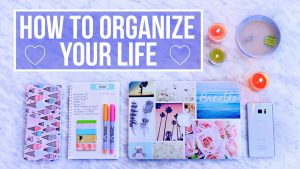
You don’t need a new personality to feel “on top of life.” You need a short, focused reset—done the right way.
If your home feels cluttered, your phone feels chaotic, and your calendar feels like a guessing game, you’re not alone. Most people don’t have an “organization problem”—they have a systems problem. Stuff piles up because there’s no easy path for it to leave. Notifications multiply because nothing is routinely reviewed. Time slips because plans live in your head instead of a simple structure.
This guide gives you a realistic, step-by-step plan to organize three areas that control your daily stress:
- Home (spaces that you see every day)
- Phone (the digital environment you carry everywhere)
- Time (your schedule, commitments, and weekly plan)
And yes—this can be done in one weekend. Not perfectly. Not Pinterest-perfect. But clean, clear, functional—the kind of organized that makes Monday feel lighter.
Table of Contents
- The One-Weekend Plan (Overview)
- Prep: What to Gather Before You Start
- The 5 Rules That Make This Work
- Saturday: Home Reset (Fast Declutter + Simple Systems)
- Sunday: Phone Reset (Digital Declutter + Clean Home Screen)
- Sunday: Time Reset (Calendar + Weekly Plan + Task System)
- The 20-Minute Weekly Reset (So It Stays Organized)
- Common Mistakes (and How to Avoid Them)
- FAQs
- References & Further Reading
The One-Weekend Plan (Overview)
Here’s the flow. It’s designed to give you maximum “mental relief” as quickly as possible.
Saturday (Home): Clear the friction
- Morning: Entry + living area surfaces, kitchen counters, and “hotspots”
- Afternoon: Bedroom reset + laundry loop + bathrooms quick refresh
- Evening: Set up 3 simple systems (drop zones, bins, and a donation exit)
Sunday (Phone + Time): Clear the noise
- Morning: Phone cleanup (photos, apps, notifications, home screen)
- Afternoon: Calendar + tasks + weekly planning
- Evening: Build a small weekly reset routine
Goal: You end the weekend with a calmer space, a cleaner phone, and a plan you can follow—without needing motivation every day.
Prep: What to Gather Before You Start
Don’t skip this. The weekend goes faster when you don’t stop every 10 minutes to find supplies.
Home supplies
- Trash bags (at least 5–10)
- One donation bag/box (or two)
- Microfiber cloths + all-purpose cleaner
- Sticky notes + a marker
- One “catch-all” laundry basket (for items that belong elsewhere)
- Optional: 3–6 simple bins/baskets (cheap is fine)
Phone/time supplies
- Charging cable + 1–2 hours of focused time
- A calendar app you’ll actually use (Google Calendar, Apple Calendar, Outlook)
- A task system (Notes app, Todoist, Microsoft To Do, Things, Notion—keep it simple)
Helpful idea: Put on a “reset playlist” and set a 25-minute timer (Pomodoro style). If you love timers, try a simple method like Pomodoro (25/5).
Pomodoro Technique (official overview)
The 5 Rules That Make This Work
Rule 1: Organize what you use, not what you wish you used
Weekend resets fail when you build a fantasy system. Keep what supports your real life.
Rule 2: Don’t “sort everything.” Reduce first.
You can’t organize clutter. Your fastest win is removing obvious excess (trash, duplicates, expired items, unused apps).
Rule 3: Make one “exit route” for stuff leaving the house
Donation bags that sit for months don’t count. Create a plan: “Donation goes to the car today.”
Rule 4: Build friction in the wrong places, reduce friction in the right places
- Reduce friction: keep daily items easy to reach.
- Add friction: delete distracting apps, reduce notifications, log out of time-wasters.
Rule 5: You’re building a maintenance system, not a perfect weekend
Perfection makes you quit. A simple system makes you consistent.
Saturday: Home Reset (Fast Declutter + Simple Systems)
Your home affects your nervous system more than you realize. Visual clutter keeps your brain “on alert.” The fastest improvement comes from clearing your hotspots—the places where clutter naturally gathers.
Step 1 (30 minutes): Reset your entry zone
This is your “life landing pad.” If the entry is chaotic, your day starts and ends in friction.
- Clear the floor and any visible surfaces.
- Create a drop zone: keys, wallet, sunglasses, earbuds.
- Create a paper zone: one tray/folder for mail and documents.
- Put a small trash bin nearby (even a bag tucked inside a cabinet works).
Quick system: One hook for keys, one tray for wallet, one basket for “outgoing.”
Helpful organizing principles from the professional organizing community:
National Association of Productivity & Organizing Professionals (NAPO)
Step 2 (60 minutes): Living room “surface sweep”
Don’t deep clean. Your goal is visual calm.
- Grab a laundry basket: collect items that belong elsewhere.
- Trash: obvious garbage out immediately.
- Put away: items that have a clear home.
- Relocate: items in the basket go to their rooms later.
Tip: If you don’t know where something belongs, label a temporary bin “Decide Later.”
Step 3 (90 minutes): Kitchen counters + fridge “quick reset”
The kitchen is a stress amplifier. Clear counters = instant relief.
- Clear counters completely (yes, everything).
- Put back only daily essentials (ex: kettle, coffee, one cutting board).
- Throw expired food and wipe shelves quickly.
- Create one “snack zone” and one “breakfast zone.”
Food storage safety guidance (great reference when you’re unsure):
FoodSafety.gov (US food storage & safety)
Step 4 (60 minutes): Bedroom reset (sleep = organization fuel)
Organizing your life without organizing sleep is like charging your phone with a broken cable.
- Make the bed (instant structure).
- Clear nightstand surfaces.
- Put a small “tomorrow tray” for essentials (charger, book, glasses).
- Start a laundry loop: one load in → one load out.
Minimal closet mini-reset (optional 30 minutes):
- Pick 10 items you never wear: donate them.
- Group clothes by type (shirts, pants, etc.).
- Put “special occasion” items separately so they don’t clutter daily choices.
If you like structured decluttering methods, the KonMari approach is popular for a reason:
Step 5 (45 minutes): Bathroom “fast clean” (no perfection)
- Trash out.
- Wipe sink + mirror.
- Group items into 3 categories: daily, weekly, rarely.
- Discard expired/unused products.
For medication safety and disposal guidance (especially important):
FDA: Safe disposal of medicines
Step 6 (30 minutes): Set up 3 “forever systems”
System A: The “Drop Zone” system (entry + bedroom)
- Keys, wallet, earbuds, ID
- Charging station
- Outgoing items basket
System B: One donation exit
- Keep one bag/box labeled “DONATE.”
- When full, it goes to the car the same day.
- Schedule drop-off once per week or two.
Find donation drop-off options in many areas via:
The Salvation Army (donation centers)
System C: The “Hotspot Basket”
Pick ONE basket where random items can land temporarily—then empty it during your weekly reset.
End of Saturday success metric: Your main surfaces are clearer, your home feels lighter, and you have a few basic systems that reduce mess automatically.
Sunday: Phone Reset (Digital Declutter + Clean Home Screen)
Your phone is a portable stress machine—unless you redesign it as a tool. A clean phone reduces distraction, decision fatigue, and that constant “I’m behind” feeling.
Step 1 (20 minutes): Delete obvious apps
- Delete apps you haven’t used in 30–60 days.
- Delete duplicate apps that do the same thing.
- Remove games/social apps you use “by accident.”
If you’re unsure, you can always reinstall later. Removing is not a life sentence.
Step 2 (30–45 minutes): Photos cleanup (fast version)
Don’t organize every photo. Do this:
- Delete screenshots you don’t need.
- Delete duplicates and blurry photos.
- Create 3 albums only: Family, Documents, Projects.
Help resources:
Step 3 (20 minutes): Notifications reset (the biggest win)
Notifications are interruptions. Most of them aren’t worth your attention.
- Turn off marketing notifications (shopping, promos, “we miss you”).
- Keep only: calls/messages, banking/security, calendar reminders, navigation.
- Move social notifications to “deliver quietly” (or off).
Guides:
Step 4 (30 minutes): Home screen redesign (calm + fast access)
A simple rule: your home screen should show tools, not temptations.
Recommended layout:
- Dock: Phone, Messages, Calendar, Maps (or your equivalents)
- Page 1: Essentials folder + health + notes + camera
- Page 2: Everything else (rarely used)
Folders to create (example):
- Essentials: Calendar, Notes, Tasks, Mail
- Money: Banking, payments, budget
- Learn: Reading, courses
- Create: Camera, editing tools
Want to reduce screen addiction and mindless scrolling? These tools help you set boundaries:
Step 5 (15 minutes): Inbox cleanup (two-folder method)
Don’t aim for “inbox zero” if it stresses you out. Aim for “inbox usable.”
- Create 2 folders/labels: Action and Receipts/Reference.
- Unsubscribe from newsletters you never read.
- Archive old threads you keep scrolling past.
Unsubscribe tools (choose any):
End of phone reset success metric: fewer interruptions, fewer apps, cleaner photos, and a home screen that supports focus.
Sunday: Time Reset (Calendar + Weekly Plan + Task System)
This is where your life actually feels organized: when your commitments are visible, your priorities are clear, and your tasks live in one trusted place.
Step 1 (20 minutes): Pick ONE calendar
If you keep multiple calendars, combine them or subscribe to one primary view. Your brain needs a single “truth.”
Calendar options:
Step 2 (30 minutes): Do a “calendar sweep”
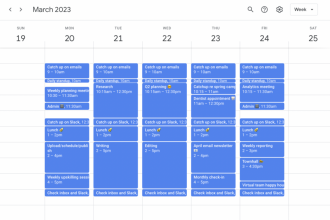
- Add all fixed commitments for the week (meetings, appointments, deadlines).
- Add 2–3 personal anchors: workouts, family time, deep work blocks.
- Add reminders for recurring life admin (bills, refills, monthly chores).
Key mindset: Your calendar is for time, not just intentions.
Step 3 (20 minutes): Choose a task system (simple wins)
Your task list should be fast to capture and easy to review. If it’s too complex, you’ll abandon it.
Options:
Minimal task structure (recommended):
- Today
- This Week
- Later
Step 4 (30 minutes): Brain dump → sort → choose “Big 3”
A) Brain dump (10 minutes)
Write everything down—work, home, health, errands, calls, “I should…” thoughts.
B) Sort (10 minutes)
- If it’s a specific date/time → put it on the calendar.
- If it’s an action → put it in tasks.
- If it’s reference info → put it in Notes.
C) Choose your “Big 3” for the week (10 minutes)
Pick three outcomes that would make the week feel successful. Not 12. Not 25. Three.
Examples:
- Finish the report and send it by Thursday.
- Walk 4 times this week.
- Organize finances: pay bills + review spending.
This approach reduces overwhelm and improves follow-through. If you like deeper planning ideas, time-blocking can help:
Cal Newport on Deep Work (time/focus)
Step 5 (15 minutes): Create your “next action” lists
When people feel stuck, it’s often because tasks are too vague.
Turn this:
- “Organize taxes”
Into this:
- “Download bank statement”
- “Find last year’s return PDF”
- “Email accountant 3 questions”
If you want a classic productivity framework for “next actions,” this is the gold standard:
Getting Things Done (GTD) overview
Step 6 (10 minutes): Add buffers (the secret weapon)
Plan less than you think. Leave space for reality.
- Add 15 minutes before/after important blocks.
- Keep one “open block” each day if possible.
- Protect one evening for rest or catch-up.
End of time reset success metric: you know what matters this week, you can see your commitments, and your tasks aren’t floating in your head.
The 20-Minute Weekly Reset (So It Stays Organized)
This is how you keep the benefits of the weekend without repeating the whole process.
Do this once per week (20 minutes)
- 5 minutes: Clear surfaces (entry + one hotspot).
- 5 minutes: Empty the hotspot basket and reset drop zone.
- 5 minutes: Phone quick check: delete 10 photos, clear 10 emails, close open tabs.
- 5 minutes: Calendar preview + pick “Big 3” for the week.
If you want habit consistency support, ideas from behavior science and habit frameworks help:
Common Mistakes (and How to Avoid Them)
Mistake 1: Buying storage before decluttering
Storage doesn’t fix clutter. It hides it. Reduce first, then contain what remains.
Mistake 2: Trying to organize the whole house
Focus on high-impact areas: entry, kitchen, bedroom, bathroom. That’s enough to feel a big change.
Mistake 3: Keeping notifications “just in case”
Most notifications are designed to pull you back. Your attention is a limited resource.
Mistake 4: Making an overly complex planning system
If you need a tutorial to use your system, it’s too complicated. Use one calendar + one task list.
Mistake 5: No weekly reset
Without a 20-minute reset, you’ll slowly drift back to chaos. Maintenance is everything.
FAQs
1) Can I really do this in one weekend if I’m busy?
Yes—because this is designed as a high-impact reset, not a full home makeover. If you only complete the entry + kitchen + phone notifications + weekly plan, you’ll still feel a big difference.
2) What if I live with family or roommates?
Start with your personal zones (bedroom, phone, your calendar). For shared spaces, focus on “surface sweeps” and simple bins. You don’t need everyone to change to see benefits.
3) I get overwhelmed when decluttering. What should I do?
Use timers and tiny categories. “10 items to donate” is less overwhelming than “clean the closet.” Also, work in short sprints and stop while you still have energy.
4) What’s the fastest home improvement if I only have 60 minutes?
Clear kitchen counters + reset entry drop zone. That’s the highest “stress-to-effort” payoff.
5) How do I stop my phone from becoming messy again?
Turn off non-essential notifications, keep fewer apps on the first screen, and do a 5-minute weekly cleanup (photos, downloads, browser tabs).
6) What if I can’t stick to planning systems?
Use the simplest version: one weekly “Big 3,” one daily “Top 3,” and a calendar for fixed commitments. Consistency beats complexity.
7) What’s a good rule for what to keep at home?
Keep what you use, what you truly love, and what supports your health/safety. If you haven’t used it in a long time and it doesn’t matter emotionally, it’s probably clutter.
8) How do I handle paperwork and bills?
Create one “paper inbox” tray. Once per week, process it: pay, file, scan, shred. For secure identity guidance, consider:
IdentityTheft.gov (US identity protection resources)
Key Takeaways
- Organizing your life in a weekend works best when you focus on home hotspots, not everything.
- Your phone becomes calmer when you reduce notifications and redesign the home screen for tools.
- Time feels organized when you use one calendar, a simple task list, and a weekly “Big 3.”
- The real secret is maintenance: a 20-minute weekly reset keeps things from slipping back.
References & Further Reading
- David Allen — Getting Things Done (GTD framework): gettingthingsdone.com
- Marie Kondo — KonMari method: konmari.com
- James Clear — Habit formation concepts: jamesclear.com
- Cal Newport — Focus and deep work: calnewport.com
- NAPO — Organizing principles and professional resources: napo.net
- Apple Support — Notifications and Screen Time: support.apple.com
- Google Support — Android notifications and Photos: support.google.com
- FoodSafety.gov — Food storage reference: foodsafety.gov
- FDA — Safe medicine disposal: fda.gov
You’ve got this. Don’t aim for perfect. Aim for “lighter.” By Sunday night, your environment, your phone, and your plan can finally feel like they’re working with you—not against you.