- Table of Contents
- Quick Verdict (For Busy Agency Owners)
- The Agency Problem: Why Multi-Client Hosting Gets Messy
- Why Kinsta Works Well for Agencies
- 1) Centralized management in MyKinsta
- 2) Built-in speed and security stack (including Cloudflare integration)
- 3) Agency workflows: staging + selective deployment
- 4) Standardization: cloning, migrations, and automation
- Agency-Grade Features: What Matters Most (Table)
- A Practical Agency Workflow on Kinsta
- Step 1: Build a standard “baseline” for all client sites
- Step 2: Use cloning to standardize new builds
- Step 3: Establish a clean onboarding checklist
- Step 4: Maintain a safe “change pipeline”
- Multi-User Roles & Permissions: Safer Collaboration
- Staging, Selective Push, and Predictable Deployments
- Maintenance: Backups, Monitoring, and Incident Response
- Backups that support client-facing SLAs
- APM-based troubleshooting (without extra plugins)
- Cloudflare integration and baseline protection
- Automation & Standardization with the Kinsta API
- Scaling: Choosing Plans for Multiple Sites
- Client Handoffs, Ownership Transfer, and White-Label Fit
- Pros / Cons for Agencies
- Decision Matrix: Is Kinsta Worth It for Your Agency?
- Key Takeaways
- FAQs
- 1) Is Kinsta only for large agencies?
- 2) Can I give my client access without giving them full control?
- 3) Does Kinsta support staging environments for agency workflows?
- 4) Will Kinsta help if a client’s site is slow due to plugins?
- 5) Can I move many client sites to Kinsta without downtime?
- 6) Is Kinsta a good fit for WooCommerce agencies?
- 7) How do agencies avoid “one login shared by everyone”?
- 8) Should my agency bundle hosting, or let clients own it?
- References & Further Reading
Updated: January 2026
Running a digital agency is not just about delivering beautiful websites—it’s about delivering reliable outcomes at scale. As your client list grows, you inherit a growing surface area of responsibility: performance, uptime, security, updates, staging workflows, backups, and emergency fixes. The challenge is that “hosting” often becomes the hidden bottleneck: too many logins, inconsistent server setups, unclear access controls, fragile deployment processes, and support that can’t keep up when multiple clients need answers at the same time.
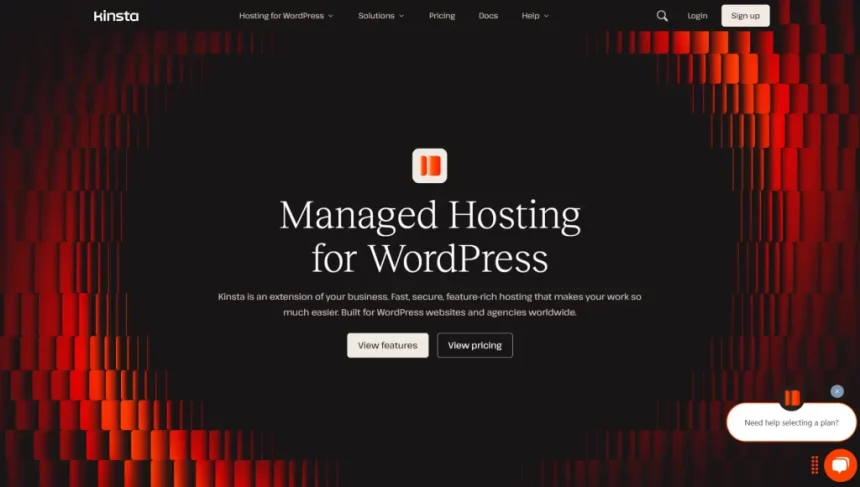
That is where Kinsta tends to resonate with agencies. Kinsta is positioned as premium managed WordPress hosting, designed around operational stability and repeatable workflows—exactly what agencies need when they’re managing multiple client sites concurrently.
Table of Contents
Quick Verdict (For Busy Agency Owners)
If your agency manages multiple WordPress sites and you want fewer “hosting surprises,” Kinsta is a strong fit when you value: structured access control, repeatable staging-to-live deployments, strong backups, integrated performance/security tooling, and the ability to standardize operations across clients.
- Best for: agencies that run multiple client WordPress sites, handle maintenance retainers, do ongoing iterations, or support WooCommerce and high-stakes marketing sites.
- Not ideal for: agencies that compete mainly on the lowest possible hosting cost, or those hosting non-WordPress workloads as the primary focus.
If you want to evaluate it with real client workflows (not just marketing claims), start with one or two active client sites and test: onboarding speed, staging workflow, support quality, and deployment safety.
The Agency Problem: Why Multi-Client Hosting Gets Messy
When you only manage a few websites, almost any host can “work.” Once you manage dozens (or hundreds), a host becomes part of your delivery system. The most common breakdowns agencies face include:
- Permission chaos: too many people sharing admin credentials, no clear separation of responsibilities, and risk exposure when contractors rotate.
- Inconsistent environments: each client site lives on a different setup with different performance limits, caching behavior, or security configuration.
- Risky deployments: changes pushed directly to production, unclear rollback plans, or staging workflows that break due to content mismatch.
- Unclear accountability: clients blame the agency for slow performance, downtime, or security incidents—even if the root cause is hosting limitations.
- Time leakage: your team spends hours on “hosting admin” instead of billable strategy, design, development, and CRO.
To manage multiple client sites efficiently, the real requirement is not “good hosting.” The requirement is operational hosting: a platform that supports secure collaboration, predictable deployment, consistent performance, and fast recovery when something goes wrong.
Why Kinsta Works Well for Agencies
Kinsta’s agency appeal typically comes down to one theme: control without chaos. Instead of treating hosting like a generic commodity, Kinsta provides a platform approach through its dashboard (MyKinsta), permissions model, staging tooling, and operational features like backups and monitoring.
1) Centralized management in MyKinsta
Agencies benefit when all client sites can be managed through one consistent interface—sites, environments, backups, performance tools, user permissions, and support—without jumping between multiple panels and plugins.
2) Built-in speed and security stack (including Cloudflare integration)
Speed and security are not “nice-to-haves” for agencies; they directly affect retention and referrals. Kinsta’s Cloudflare integration is positioned around performance and protection benefits that reduce the need for bolted-on third-party complexity.
3) Agency workflows: staging + selective deployment
A mature agency should deploy changes safely. Kinsta supports staging environments and offers more granular push options (helpful when you want to ship code changes without overwriting live database content).
4) Standardization: cloning, migrations, and automation
Repeatability is how agencies scale profitably. Tools like site cloning, free migrations, and API-driven automation help agencies standardize builds, streamline onboarding, and reduce variance across client stacks.
Agency-Grade Features: What Matters Most (Table)
| Agency Need | Kinsta Capability | Why It Matters in Agency Ops |
|---|---|---|
| Secure collaboration (no shared passwords) | Company-level + service-level user management | Reduce risk when you have designers, devs, PMs, and contractors rotating across projects. |
| Predictable deployments | Staging environments + selective push options | Ship changes without accidentally overwriting live content, orders, or new pages. |
| Fast recovery (mistakes happen) | Daily + system backups, restore points, optional add-ons | A clean rollback path reduces stress, downtime, and client escalation. |
| Performance troubleshooting | Built-in APM tooling for PHP/MySQL/requests | When a site slows down after a plugin update, you can diagnose before the client churns. |
| Standardization across clients | Cloning, migrations, consistent hosting stack | Less variance = fewer edge-case fixes = higher margins on maintenance retainers. |
| Automation at scale | Kinsta REST API for account/project interactions | Ideal for agencies building internal tools for reporting, provisioning, or repeatable ops. |
A Practical Agency Workflow on Kinsta
Here is a proven, agency-friendly way to structure work when you have many client sites. The goal is to reduce human error and make every client engagement feel consistent.
Step 1: Build a standard “baseline” for all client sites
- Create a standard plugin policy (performance, security, SEO, backups, forms).
- Define naming conventions (site naming, staging labeling, environments).
- Decide the “release cadence” (weekly releases, monthly maintenance windows).
- Document emergency procedures (rollback process, support escalation path).
Step 2: Use cloning to standardize new builds
If your agency builds similar site types (service business, SaaS marketing, local SEO, portfolio), cloning can speed up initial setup. A cloned setup can include theme framework choices, core plugins, and baseline performance configuration.
Step 3: Establish a clean onboarding checklist
- Confirm DNS ownership and domain access.
- Decide who owns the hosting plan (agency-managed vs client-owned).
- Set up users and permissions (minimum required access).
- Run the first performance baseline (before/after metrics).
- Set backup expectations and restore procedure with the client.
Step 4: Maintain a safe “change pipeline”
A simple pipeline that prevents most disasters:
- Make changes in staging.
- Test fully (forms, checkout, critical pages, analytics).
- Deploy using appropriate push method (files only, DB only, or selective options).
- Verify on live (smoke tests + key conversion events).
- Document the release (what changed, why, how to roll back).
Multi-User Roles & Permissions: Safer Collaboration
Agencies rarely operate with a single “webmaster.” You have a mix of roles: project managers, developers, designers, QA, content editors, and sometimes client-side stakeholders. Kinsta supports company-level user roles (including roles such as Company Owner, Company Administrator, Company Developer, and Company Billing) and also supports service-level roles where access can be granted to specific sites.
This matters because agencies can:
- Reduce risk: give team members access only to what they need.
- Improve accountability: separate billing responsibilities from technical responsibilities.
- Handle contractor turnover: remove access cleanly without breaking the entire operation.
- Owner/Admin: agency ops lead (hosting governance + billing + global settings)
- Developer: lead dev(s) (site-level access, staging workflows, performance work)
- Billing: finance/admin staff (billing visibility without production access)
- Client access (optional): limited, site-specific access for transparency, not control
Staging, Selective Push, and Predictable Deployments
Staging is where agencies win or lose trust. Without a safe staging workflow, teams tend to “just do it on live” under pressure. That creates risk—especially for sites with active marketing campaigns, frequent content updates, or WooCommerce orders.
Why selective deployment matters
In many real-world cases, you want to deploy theme/plugin/code changes without overwriting the live database (where new orders, comments, form submissions, or editorial content may have changed). A more selective deployment approach helps agencies avoid conflicts between development and production reality.
A simple deployment playbook agencies can follow
- Content-heavy sites: prefer “files/theme changes” pushes; minimize database overwrites.
- Structural changes (templates/blocks): stage carefully and test across key pages before pushing.
- WooCommerce: treat checkout and order integrity as priority #1; avoid overwriting live order tables.
If you publish WooCommerce-specific hosting reviews, you may also want to add an internal link here:
WooCommerce Hosting Guides on SenseCentral.
Maintenance: Backups, Monitoring, and Incident Response
Agencies that sell maintenance retainers need operational confidence. Two pillars matter most: recovery (backups/restore) and visibility (monitoring/troubleshooting).
Backups that support client-facing SLAs
A backup strategy is not just “we have backups.” It’s “we can restore quickly, confidently, and with minimal downtime.” Kinsta provides daily automatic backups and system-generated backups, presented as restore points inside the dashboard.
APM-based troubleshooting (without extra plugins)
When a client says “the site got slow,” the real work is identifying what changed and where time is being spent—PHP processes, slow database queries, external HTTP calls, and plugin bottlenecks. Kinsta’s APM tooling is designed to help surface this information for debugging and optimization work.
Cloudflare integration and baseline protection
For agencies, security is a reputation issue. A host-level security posture (including CDN/performance and DDoS/WAF-aligned protections) helps reduce incident frequency and lowers the cost of responding when attacks happen.
Automation & Standardization with the Kinsta API
Once you manage many sites, even small tasks become expensive if they require manual clicks. Kinsta offers a REST API intended to help developers interact with their account/projects programmatically.
Agency use cases include:
- Internal dashboards: pull site lists, environments, and usage metrics into an agency reporting panel.
- Automated onboarding: standardize setup steps and reduce onboarding time for new client sites.
- Ops automation: run repeatable checks and workflows across multiple sites.
If your agency is already investing in operational tooling, API capabilities can be the difference between “we manage many sites” and “we manage many sites efficiently.”
Scaling: Choosing Plans for Multiple Sites
For agencies, selecting a hosting plan is less about a single client and more about portfolio management. The best approach is to segment clients into tiers:
- Tier A (mission-critical): high-traffic, lead-generation, ecommerce, brand-critical launches.
- Tier B (growth sites): consistent traffic, ongoing content, periodic campaigns.
- Tier C (basic brochure): low traffic, minimal changes, lower operational risk.
From there, you match resources to actual needs (traffic, concurrency, PHP resources, and expected burst behavior). Always check current plan specifics directly on Kinsta’s pricing page before deciding, because plan details can change over time.
Client Handoffs, Ownership Transfer, and White-Label Fit
A common agency friction point is: “Who owns the hosting?” Some clients want full ownership. Some want the agency to manage everything. Kinsta supports structured user management and also provides documented paths for ownership transfer—useful when a client relationship ends, or when the client wants to bring hosting fully in-house.
Kinsta also maintains an Agency Partner Program positioned around helping agencies grow, including agency-oriented support and operational features that suit a behind-the-scenes hosting model.
Two workable hosting models for agencies (comparison table)
| Model | How It Works | Pros | Watch-outs |
|---|---|---|---|
| Agency-managed hosting | Agency provisions and manages hosting; client pays agency (bundled or pass-through). | Full control, consistent workflow, easier SLA delivery. | You own the ops burden; ensure contracts define responsibility clearly. |
| Client-owned hosting | Client owns the plan; agency is granted site/service access. | Cleaner ownership boundaries; easier handoff if client changes vendors. | Less control if client changes settings or delays renewals; enforce access policy. |
Pros / Cons for Agencies
Pros
- Operationally agency-friendly: multi-user access patterns and site-level permissions.
- Safer deployment workflows: staging environments and more controlled push options.
- Strong recovery posture: backups and restore points for client-facing confidence.
- Performance tooling: APM support for diagnosing slowdowns without piling on extra plugins.
- Standardization: cloning, migrations, and consistent platform design help reduce variance.
Cons (Be honest—clients respect it)
- Premium positioning: not the cheapest option; some low-budget clients may resist.
- Process discipline required: the platform helps, but agencies still need SOPs and release management to realize the benefits.
- Not a magic fix: performance still depends on theme quality, plugins, images, and front-end discipline.
Decision Matrix: Is Kinsta Worth It for Your Agency?
Use this quick decision guide. If you answer “yes” to at least 3–4 items, Kinsta is typically a strong fit.
- We manage multiple WordPress client sites and want standardized operations.
- We sell maintenance retainers and need reliable backups and recovery paths.
- We regularly ship updates and need staging + safer deployments.
- We want role-based access instead of shared credentials.
- We sometimes need to troubleshoot performance quickly after plugin/theme changes.
- We want a premium hosting partner to reduce escalations and improve client retention.
Key Takeaways
- Kinsta is a strong option for agencies because it emphasizes secure collaboration, standardized workflows, and operational tooling.
- Staging + selective deployment patterns help reduce production mistakes, especially on content-heavy or WooCommerce sites.
- Backups and APM-style troubleshooting tools are valuable for maintenance retainers and client SLAs.
- API capabilities matter when your agency wants automation and repeatable operations at scale.
- The best way to validate fit is to onboard 1–2 active client sites and test your full workflow end-to-end.
FAQs
1) Is Kinsta only for large agencies?
No. Smaller agencies can benefit early because standardized workflows reduce mistakes and time waste. The key question is whether your clients value reliability and speed enough to justify premium hosting.
2) Can I give my client access without giving them full control?
Yes—agencies typically grant limited site-level access so clients can see what they need, while the agency retains operational control over hosting governance.
3) Does Kinsta support staging environments for agency workflows?
Yes, staging is central to Kinsta’s WordPress workflow approach, and agencies typically use staging for QA and release management.
4) Will Kinsta help if a client’s site is slow due to plugins?
Hosting cannot “fix” a heavy plugin stack automatically, but stronger infrastructure and built-in performance tooling can help your team identify bottlenecks faster and stabilize performance.
5) Can I move many client sites to Kinsta without downtime?
Kinsta provides free migration options and supports scheduled migrations, which can be helpful when agencies are moving active marketing sites or sites with continuous updates.
6) Is Kinsta a good fit for WooCommerce agencies?
Many agencies prefer premium hosts for WooCommerce because checkout reliability, database integrity, and safe deployments matter more than cost. Use staging and selective deployment patterns to avoid overwriting live order data.
7) How do agencies avoid “one login shared by everyone”?
Use role-based access: separate admin/owner responsibilities from developer responsibilities and give site-specific access when needed.
8) Should my agency bundle hosting, or let clients own it?
Both models can work. Bundling gives you control and consistency; client-owned hosting gives clearer ownership boundaries. Choose based on your agency’s positioning, contracts, and support expectations.
References & Further Reading
- Kinsta Agency Partner Program
- MyKinsta User Management (Roles & Access)
- Staging Environments (Kinsta Docs)
- Selective Push Feature (Kinsta Changelog)
- Backups (Kinsta Docs)
- Kinsta APM Tool Overview
- Kinsta API (Docs)
- Kinsta Pricing (Official)
- Free WordPress Migrations
Want the shortest path to deciding? Start with 1–2 client sites that represent your typical workload (content-heavy, marketing-focused, or WooCommerce). Test onboarding, staging, deployment safety, and support responsiveness.