



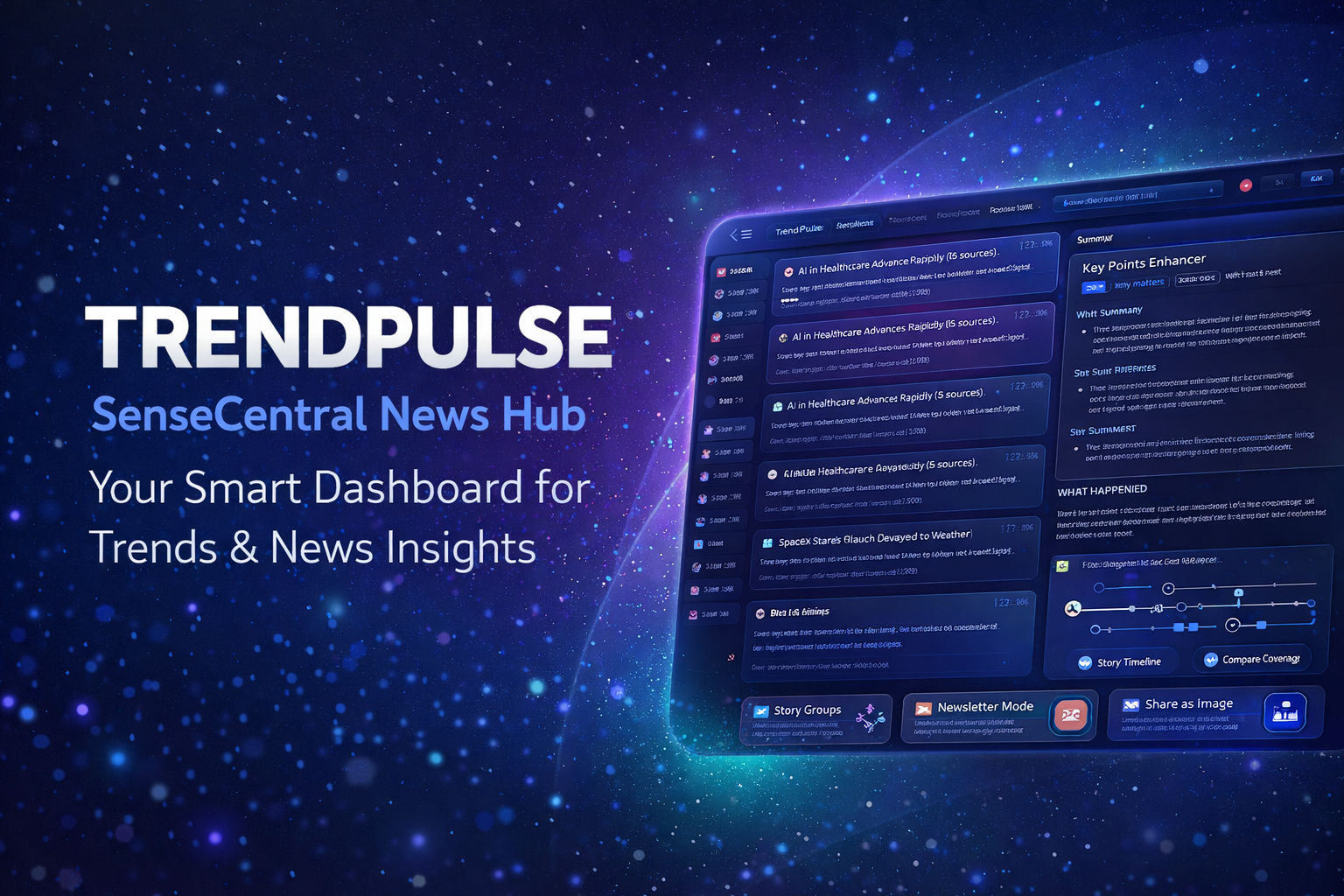
TrendPulse is a fast, app-like news + trends dashboard that pulls stories from top sources, groups similar coverage,
generates quick briefs, and helps you create digests, newsletters, and shareable story cards — all in one place.
🕒 Timeline
📝 Brief + Key Points
🗞️ Newsletter Export
🖼️ Share as Image
⌨️ Command Palette
⭐ Reading List
🌍 Regions
Contents
🧠 What is TrendPulse?
⚡ Quick Start (2 minutes)
🧩 Story Groups + Smart Clustering
📝 Brief Panel + Key Point Enhancer
🕒 Story Timeline View
🧭 Compare Coverage
🎯 Personal Interests (Include/Exclude)
⭐ Reading List + Offline Pack
📌 Digest Modes (60s / Deep / Personal)
🗞️ Newsletter Mode Export
🖼️ Share as Image
🌐 Mini Browser (Search / RSS / Sites)
⌨️ Keyboard Shortcuts + Command Palette
💎 Pro Tips (Get the Most Out)
❓ FAQ
🧠 What is TrendPulse?
TrendPulse is a futuristic, lightweight news-and-trends web app that helps you discover what’s trending,
understand stories faster, and compare how multiple sites report the same event.
creators, entrepreneurs, researchers, students, journalists, and anyone who wants quick “signal over noise.”
⚡ Quick Start (2 minutes)
- Pick a Region + Category
Select your country/region and a category (Tech, Business, AI, Sports, etc.). - Browse Story Groups
Feeds appear as grouped stories (example: “Elections update (5 sources)”). - Click a Story Group
TrendPulse expands the group and loads a brief in the Brief panel. - Use Compare / Timeline
See how multiple sites covered the story and how coverage evolved over time. - Save or Export
Save to Reading List, generate a digest/newsletter, or share as an image.
🧩 Story Groups + Smart Clustering
TrendPulse groups similar stories together so you see the “main topic” instead of duplicates.
Each group shows the number of sources reporting it.
How to use
Click a Story Group to expand the sources.
Click any source item to load its brief and open the original article in a new tab when needed.
Why it’s powerful
You spot the biggest stories faster, and you can compare multiple angles with one click.
📝 Brief Panel + Key Point Enhancer
The Brief panel summarizes the selected story inside TrendPulse.
It also runs an AI-free Key Point Enhancer to generate structured insights:
✅ What happened • ✅ Why it matters • ✅ What’s next
(based on entities, top nouns/verbs, and story structure — no AI APIs)
🕒 Story Timeline View
Timeline shows how a topic evolved from the earliest source to the latest source.
This helps you understand story progression and update speed.
🧭 Compare Coverage
Compare Coverage helps you see how different sources frame the same event.
Great for identifying emphasis, missing details, or conflicting angles.
Best usage
Use Compare Coverage after selecting a group — you’ll see alternate titles and related coverage from other sources in that cluster.
Pro move
Save the best source to Reading List, then export as Newsletter or Share Image.
🎯 Personal Interests (Include / Exclude)
Personal Interests lets you tune TrendPulse to your exact needs.
Add keywords you want more of (Include) and remove noise (Exclude).
Include: AI IPO EV Chip
Exclude: celebrity gossip rumor
⭐ Reading List + Offline Pack
Save stories you want to revisit. TrendPulse can store them locally and export them as an “Offline Pack”.
Save
Click ⭐ to save a story group or a single source item.
Offline Pack
Export your saved items to JSON and import later — great for archiving.
📌 Digest Modes (60s / Deep / Personal)
Digest modes turn your current feed (or reading list) into a clean summary you can copy, share, or export.
⚡ 60s Digest: top highlights in 1 line each
🧠 Deep Digest: expanded briefs + why it matters
🎯 Personal Digest: prioritizes Interests → Watchlist → Saved
🌐 Mini Browser (Search / RSS / Sites)
TrendPulse includes a mini browsing bar for quick discovery:
🔎 News Search (multi-source) • 🌍 Browse top sites • 🧷 Paste RSS/Atom URL • results appear in feeds.
⌨️ Keyboard Shortcuts + Command Palette
TrendPulse is designed like a real app with power shortcuts.
Ctrl + K (or ⌘ + K) — Open Command Palette
Esc — Close overlays
L — Local headlines (if available)
R — Refresh feeds
💎 Pro Tips (Get the Most Out)
- Use Interests to filter noise
Include 5–15 strong keywords, exclude spammy terms (rumor, celebrity, etc.). - Read from Story Groups first
It gives the clearest view of “what matters” without duplicates. - Use Compare Coverage for important topics
It reveals framing differences and helps you choose the best source. - Save your best items daily
Then export newsletter mode for daily/weekly content creation. - Share Image for social reach
Use the PNG card to post on LinkedIn, Twitter/X, Instagram and drive traffic.
❓ FAQ
Why do feeds sometimes take time to load?
Feeds come from external sources (RSS/news endpoints). Some servers respond slowly or block requests.
TrendPulse uses fallbacks and caching, but occasional delays are normal.
Does TrendPulse use AI APIs for summaries?
No. The Key Point Enhancer uses local, AI-free extraction methods (entities + noun/verb scoring + structure).
Can I use TrendPulse for daily content writing?
Yes. Use Digest + Newsletter Mode to generate structured content fast.
Then open original sources for deeper context before publishing.
What’s the difference between TrendPulse v5 and TrendPulse Mini v3?
TrendPulse v5 is the full “masterpiece” build with Story Groups, Timeline, Compare Coverage, Newsletter, Share Image, and power tools.
TrendPulse Mini is a lighter version for fast browsing.
