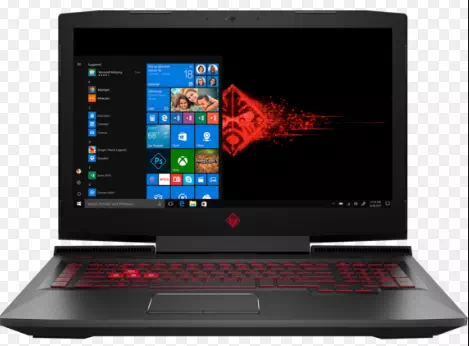
Computers can be cumbersome, and it’s pretty natural to want something smaller that won’t take up too much space on your desk. So for this reason you might consider getting a laptop rather than a desktop model.
Or perhaps you already have a desktop machine and need something to carry around with you – say, because you often work away from home or you do a lot of travelling for pleasure?
Whatever the reason for the purchase, buying a laptop can be a confusing experience, so luckily we’re here to give you some tips on what to keep in mind when you’re shopping. For more general information on selecting a computer, see our article How to choose a computer.
Follow these step-by-step instructions on how to choose a laptop
Step 1: Decide whether you want a PC or a Mac laptop. PCs are usually cheaper but harder to use – and vice versa – but you’ll probably want to stick with what you’re already used to. (The prices mentioned below apply to PC laptops.)
Step 2: Figure out what you need your laptop for. Decide whether you want to have one as your main computer, one that’s basically a more portable desktop model. In this case, you can buy a laptop that’s a little too large and heavy for easy on-the-go use but has the benefits of power and a large screen. These laptops can cost from £500 to much, much more.
Step 3: Decide if you’re looking for a capable machine that you can carry with you on your travels. You’ll probably want one of the mid-range laptops, which usually have screens that are (diagonally) about 13 to 15 inches. These laptops can carry out all the basic tasks as well as allow you to watch videos and even play games – though probably not with all the settings turned on. You can expect to pay around £300 to £400 for this kind of laptop.
Step 4: Decide whether you’re only interested in basic web browsing and checking your email while on the go. If so, you might want to consider buying a small and light machine known as a ‘netbook’. Compared to the other laptops, these are smaller and have less power and they also cost quite a bit less – some are available for under £100.
A word of warning, though – netbooks are frequently so low-power that they don’t use the standard Windows operating system, but a special version of of the ‘open source’ Linux one. They are simple to use, however, and should do everything you ask of them well.
Step 5: Finally, decide if you might want instead to go for a tablet computer like the iPad. If you don’t intend to do much typing, this could be a better bet than a netbook, especially if you want to do things like watch videos and play games.