A worksheet is a collection of cells where you keep and manipulate the data. Each Excel workbook can contain multiple worksheets.
Select a Worksheet
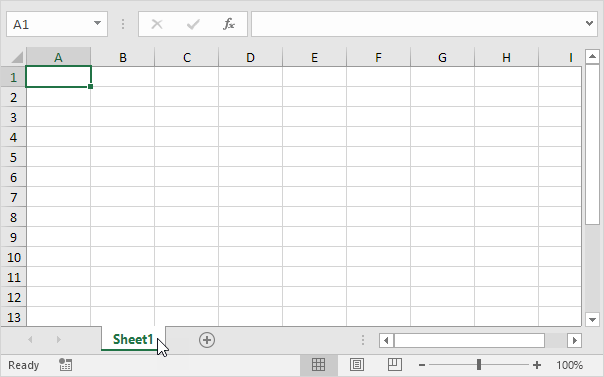
When you open an Excel workbook, Excel automatically selects Sheet1 for you. The name of the worksheet appears on its sheet tab at the bottom of the document window.
Insert a Worksheet
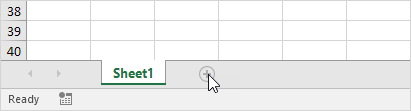
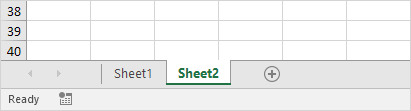
You can insert as many worksheets as you want. To quickly insert a new worksheet, click the plus sign at the bottom of the document window.
Result:
Rename a Worksheet
To give a worksheet a more specific name, execute the following steps.
1. Right click on the sheet tab of Sheet1.
2. Choose Rename.
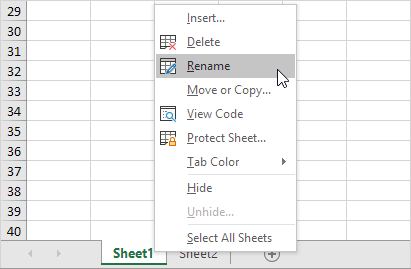
3. For example, type Sales 2016.
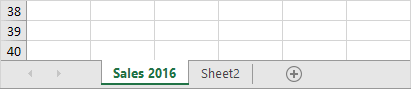
Move a Worksheet
To move a worksheet, click on the sheet tab of the worksheet you want to move and drag it into the new position.
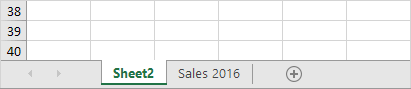
1. For example, click on the sheet tab of Sheet2 and drag it before Sales 2016.

Result:
Delete a Worksheet
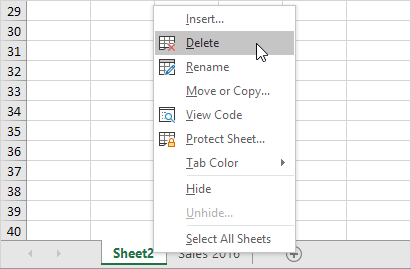
To delete a worksheet, right click on a sheet tab and choose Delete.
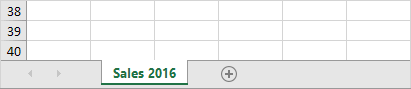
1. For example, delete Sheet2.
Result:
Copy a Worksheet
Imagine, you have got the sales for 2016 ready and want to create the exact same sheet for 2017, but with different data. You can recreate the worksheet, but this is time-consuming. It’s a lot easier to copy the entire worksheet and only change the numbers.
1. Right click on the sheet tab of Sales 2016.
2. Choose Move or Copy.
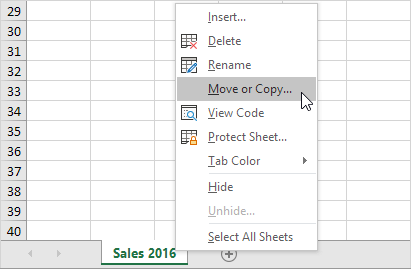
The ‘Move or Copy’ dialog box appears.
3. Select (move to end) and check Create a copy.
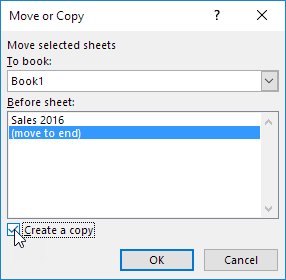
4. Click OK.
Result:
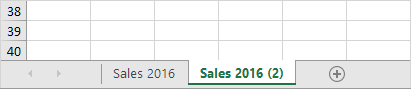
Note: you can even copy a worksheet to another Excel workbook by selecting the specific workbook from the drop-down list (see the dialog box shown earlier).