- Quick Navigation
- Who this bundle is for
- What you get in the 145 UI Kit Bundle
- 1) Mobile app UI kits (multi-niche)
- 2) Admin dashboards (SaaS & management panels)
- 3) Landing pages & website templates
- 4) 3D icon packs
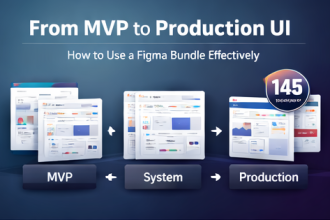
- How to use this bundle to design faster
- Step 1: Start with the closest baseline
- Step 2: Standardize your components
- Step 3: Assemble your product surfaces
- Step 4: Polish with icons & hero visuals
- FAQ
If you build digital products—apps, SaaS dashboards, landing pages—your biggest bottleneck is rarely “ideas.” It’s execution: wiring consistent UI patterns, creating screens that feel modern, and producing client-ready visuals fast enough to keep momentum.
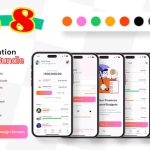
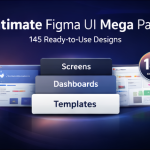
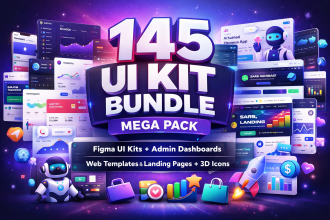
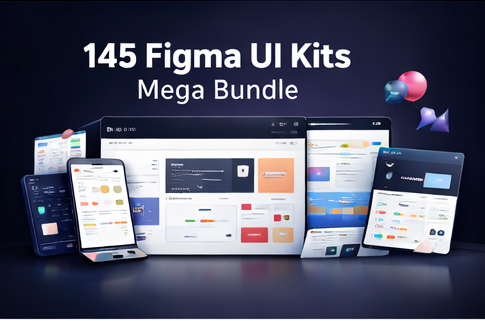
That’s why I put together the 145 UI Kit Bundle Mega Pack: a multi-niche collection of mobile app UI kits, admin dashboards, landing pages/website templates, and 3D icon packs designed to help you ship faster across high-demand categories like AI, fintech, crypto, health, fitness, e-learning, travel, HR, e-commerce, news, and productivity.
Quick Navigation
Who this bundle is for
- UI/UX Designers: accelerate wireframes, prototypes, and polished presentations.
- Developers: use ready-made layout references to reduce rework and ambiguity.
- Startups: build MVP visuals quickly for validation and investor demos.
- Agencies & freelancers: deliver client concepts faster without sacrificing quality.
What you get in the 145 UI Kit Bundle
This mega pack includes a broad mix of styles—clean minimal, futuristic, glassmorphism, and modern dashboard layouts—so you can match different brands and product directions without starting from zero.
1) Mobile app UI kits (multi-niche)
Mobile UI kits for common and high-demand categories such as health, finance, travel, fitness, e-learning, news, food, and chatbot-style interfaces.
2) Admin dashboards (SaaS & management panels)
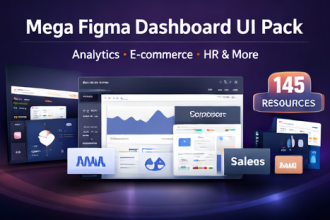
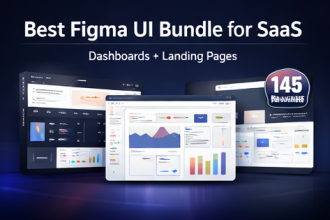
Dashboards for analytics, e-commerce, HR, payments, campaigns, ticketing/helpdesk, real estate, travel/hotel workflows, weather, and more—useful for internal tools and customer-facing SaaS products.
3) Landing pages & website templates
Website and landing templates suited for agencies, SaaS promotions, AI tools, SEO tools, coaching, and digital products—ideal for conversion-focused marketing pages.
4) 3D icon packs
3D icon packs that pair well with modern hero sections and premium SaaS branding.
Fastest path to results: pick one niche kit, remix components, and produce your first clickable prototype in a single session.
How to use this bundle to design faster
Step 1: Start with the closest baseline
Choose the kit that matches your project category (e.g., fintech, health, HR, e-commerce) and use it as the baseline for layout, spacing, and component language.
Step 2: Standardize your components
Pull recurring components—buttons, cards, form inputs, tables—into a shared page or component set. Consistency is the difference between “template-looking” and “product-looking.”
Step 3: Assemble your product surfaces
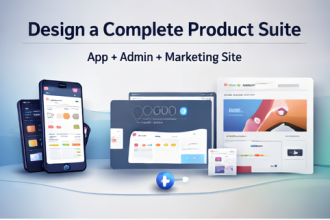
Most products need three surfaces: (1) marketing site/landing page, (2) mobile experience, (3) admin/dashboard. This bundle is designed to cover all three so your visuals feel unified.
Step 4: Polish with icons & hero visuals
Use the included 3D icon packs to make your hero sections and feature highlights feel premium without investing days into custom illustration.
FAQ
Is this a physical item?
No. This is a digital download.
How do I receive the files?
You’ll get an instant download once payment is confirmed (digital items). The listing notes the bundle is provided as a ZIP of UI resources.
Can I use it for client work?
Yes—use it for projects and client work. Please do not resell, share, or redistribute the original source files as-is.
Do digital items accept returns?
Instant download items typically don’t accept returns, exchanges, or cancellations.
Ready to design faster? If you want multi-niche UI coverage for mobile apps, dashboards, and landing pages in one purchase, this mega pack is built for you.