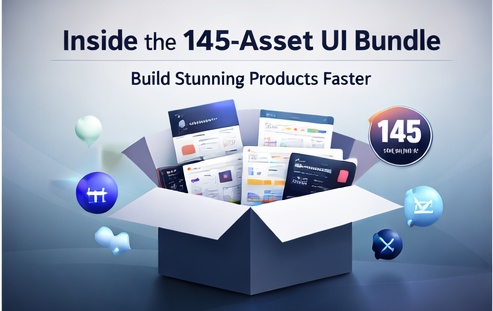
I created this bundle for one reason: design time is expensive. Whether you’re designing for clients, building your own startup, or developing apps as a solo maker, you shouldn’t spend weeks rebuilding the same UI patterns from scratch.
The 145 UI Kit Bundle Mega Pack is a curated library of modern UI resources—mobile app UI kits, admin dashboards, landing pages/website templates, and 3D icon packs—organized across high-demand niches like AI, fintech, crypto, health, fitness, e-learning, travel, HR, e-commerce, news, and productivity.
Table of Contents
Why I built this bundle
In real projects, you need:
- screens that look modern immediately,
- dashboards that communicate complexity clearly,
- landing pages that help you launch, and
- visual elements (like 3D icons) that elevate perceived quality.
Single UI kits are useful, but they don’t scale when you work across niches or build multiple products. This pack focuses on coverage + speed.
What’s inside (in plain English)
- Mobile UI Kits: multiple niches and use cases to accelerate app screens and prototypes.
- Admin Dashboards: analytics, e-commerce, HR, payments, campaign managers, ticketing/helpdesk, and more.
- Landing Pages / Website Templates: SaaS, AI tools, SEO tools, agencies, coaching, digital products.
- 3D Icon Packs: future-tech and SEO-themed icons plus modern visual styles.
What you’re really buying: weeks of saved time and a library you can reuse across projects.
The best way to use the bundle (so it doesn’t feel “templated”)
1) Use templates as structure, not identity
Keep layout logic (spacing, hierarchy, composition), but swap typography, colors, imagery, and icon language to match your brand.
2) Mix and match intelligently
Combine a landing page template with a dashboard kit that shares a similar visual style. That cohesion is what makes the result feel custom.
3) Prioritize states and clarity
Dashboards and apps become “real” when you handle empty states, loading states, and long content. Start with templates, then refine states for credibility.
4) Build a reusable internal system
Extract shared components (buttons, cards, tables, form patterns) into one place. Over time, your work becomes faster with every project.
FAQ
Is this a digital download?
Yes. It’s delivered as an instant download after payment confirmation.
Can I use it for client work?
Yes. Use for projects and client work, but do not resell or redistribute original files as-is.
If you want a single UI library that supports apps + dashboards + landing pages across multiple niches, this pack is designed for exactly that.