- Table of Contents
- Key Takeaways
- Why switch from Mailchimp in 2026?
- 1) Cost scaling
- 2) Automation depth
- 3) E-commerce requirements
- 4) Deliverability and compliance demands
- How we ranked these Mailchimp alternatives
- Quick comparison table
- 1) Brevo (Sendinblue)
- 2) MailerLite
- 3) Kit (formerly ConvertKit)
- 4) ActiveCampaign
- 5) Klaviyo
- 6) GetResponse
- 7) Omnisend
- 8) Moosend
- 9) Campaign Monitor
- Deliverability essentials (2026 checklist)
- 1) Authenticate your domain (SPF, DKIM, DMARC)
- 2) Make unsubscribing easy
- 3) Keep lists clean
- 4) Warm up sending when migrating
- How to migrate from Mailchimp safely
- How to choose the right Mailchimp alternative (quick decision guide)
- If you want the best overall value
- If you’re a creator or newsletter business
- If you need advanced automations + CRM workflows
- If e-commerce revenue is your #1 goal
- If design and campaign presentation matters most
- FAQs
- What is the best Mailchimp alternative in 2026?
- Which Mailchimp alternative is best for creators?
- Which tool is best for Shopify?
- Can switching tools improve deliverability?
- Do I need double opt-in?
- Is it legal to email people who gave me their business card?
- What’s the safest way to migrate without losing subscribers?
- References & further reading
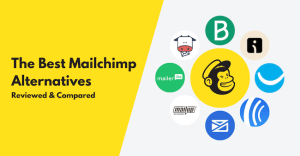
If you’ve used Mailchimp for years, you already know why it’s popular: it’s beginner-friendly, has plenty of templates, and works fine for basic newsletters. But in 2026, many businesses and creators want more than “send a campaign and hope.” They want:
- Better automation (welcome flows, win-back, post-purchase, lead nurturing)
- Cleaner segmentation and personalization
- Affordable scaling as the list grows
- Multi-channel options (SMS, web push, WhatsApp integrations, etc.)
- Deliverability tools that keep you out of spam
- Landing pages, forms, and conversion-focused reporting
This guide breaks down the 9 best Mailchimp alternatives in 2026, who each tool is best for, what to watch out for, and how to choose the right platform for your email marketing service goals.
Key Takeaways
- Best all-in-one value: Brevo (email + automation + SMS options) — great for small teams and service businesses.
- Best budget-friendly modern email tool: MailerLite — generous free plan and very usable automations.
- Best for creators/newsletters: Kit — built for creators, tagging, sequences, and audience-building workflows.
- Best for advanced automation + CRM: ActiveCampaign — powerful segmentation, lead scoring, and automations.
- Best for e-commerce revenue: Klaviyo or Omnisend — built around store data, personalization, and lifecycle flows.
- Best “send gorgeous campaigns” option: Campaign Monitor — strong templates and design/testing features.
Why switch from Mailchimp in 2026?
Mailchimp can still be a solid starting point. But many users switch when one (or more) of these issues shows up:
1) Cost scaling
As your list grows, pricing can rise quickly—especially if you need automations, multiple audiences, or advanced reporting. Many competitors price more predictably (either by contacts or by sending volume), making it easier to forecast growth.
2) Automation depth
Modern email marketing services rely on automated journeys: onboarding, nurture, cart recovery, post-purchase, renewal, win-back, and re-engagement. Some alternatives deliver more flexible triggers, branching logic, and personalization.
3) E-commerce requirements
If your core goal is revenue from a store (Shopify/WooCommerce/BigCommerce), specialized tools can provide deeper product feeds, customer lifetime value insights, and event-based segmentation.
4) Deliverability and compliance demands
Inbox providers increasingly expect strong authentication and easy unsubscribe experiences. Tools vary in how much they help you implement and monitor deliverability best practices.
How we ranked these Mailchimp alternatives
To choose the best Mailchimp competitors for 2026, we focused on what matters for practical email marketing services:
- Core email features: editor, templates, scheduling, A/B testing
- Automation power: triggers, branching, segmentation, personalization
- List growth: forms, popups, landing pages, integrations
- Analytics: campaign results, attribution, revenue tracking (where applicable)
- Pricing clarity: fair starting cost + predictable growth
- Support + ecosystem: integrations, documentation, migration help
Quick comparison table
| Tool | Best for | Pricing model (typical) | Standout strengths | Potential downside |
|---|---|---|---|---|
| Brevo | All-in-one marketing value | Often by email volume | Email + automation + SMS options | Some features vary by plan |
| MailerLite | Budget-friendly modern email | Contacts-based tiers | Excellent free plan + automation editor | Not as “CRM-deep” as enterprise tools |
| Kit | Creators & newsletters | Contacts-based tiers | Tagging, sequences, creator workflows | E-commerce depth varies by stack |
| ActiveCampaign | Advanced automation + CRM | Tiered plans | Powerful journeys, lead scoring, CRM features | Learning curve |
| Klaviyo | E-commerce revenue | Contacts + send volume | Deep store/event personalization | Can get pricey at scale |
| GetResponse | Marketing suite + funnels | Tiered plans | Automation + landing pages + webinars (plan-dependent) | Some features gated on higher tiers |
| Omnisend | E-commerce + multi-channel | Contacts-based tiers | Email + SMS + web push in one tool | Best value mainly for stores |
| Moosend | Affordable automation | Contacts-based tiers | Simple automations + clean UI | Fewer “enterprise” extras |
| Campaign Monitor | Beautiful campaigns + testing | Tiered plans | Templates, design testing, segmentation | Automation depth depends on plan |
1) Brevo (Sendinblue)
Best for: small businesses, agencies, and service brands that want an “all-in-one” marketing tool without enterprise complexity.
Brevo is a strong Mailchimp alternative because it goes beyond newsletters. It’s positioned as a broader marketing platform: email campaigns, automations, and optional channels like SMS—helpful if your email marketing service strategy includes reminders, appointment confirmations, or time-sensitive promotions.
Why Brevo is a great alternative
- Email-volume-based pricing (often): good if you have fewer contacts but send frequently.
- Automation builder: build welcome flows, lead nurturing, and re-engagement.
- Transactional + marketing: useful if your website needs both (e.g., order confirmations + campaigns).
Who should choose Brevo?
If you run a local service business, coaching, consulting, a small SaaS, or an agency managing multiple clients, Brevo is worth shortlisting because it’s built to cover a lot of common marketing needs without adding multiple tools.
Learn more:
Brevo pricing |
Marketing automation
2) MailerLite
Best for: creators and SMBs that want modern email marketing at a fair price, plus landing pages and automation—without paying enterprise rates.
MailerLite is one of the most popular Mailchimp alternatives for a reason: it’s easy, modern, and cost-efficient. It also offers a generous free plan and a very usable visual automation editor—perfect for building a serious email marketing service setup (lead magnet → nurture → offer → follow-up) even on a tight budget.
What makes MailerLite stand out
- Solid free plan: great for new lists and testing flows.
- Automation workflows: clean builder with triggers and steps that most businesses actually need.
- List growth tools: forms, popups, landing pages, and even surveys/quizzes.
Best use cases
MailerLite is ideal if you’re building newsletters, lead magnets, and product launches. It’s also a strong choice if you’re running email marketing services for clients who need simple reporting and reliable sending.
Learn more:
MailerLite free plan |
MailerLite pricing
3) Kit (formerly ConvertKit)
Best for: creators, bloggers, YouTubers, course builders, and newsletter-first businesses.
Kit is intentionally built around creators and audience relationships. Instead of treating email like “campaign blasts,” Kit is designed for ongoing subscriber engagement: tags, sequences, automations, and segmentation that feels natural for content-driven growth.
Why creators love Kit
- Tag-based system: flexible segmentation without messy list duplication.
- Sequences + automations: perfect for nurturing subscribers into buyers.
- Creator-friendly features: landing pages, forms, and monetization workflows.
When Kit beats Mailchimp
If your business is driven by content and trust (not just discounts), Kit often feels more “purpose-built” than Mailchimp. Many creators prefer Kit’s subscriber experience and automation approach.
Learn more:
Kit pricing |
Kit homepage
4) ActiveCampaign
Best for: businesses that need advanced automation, CRM-like lead management, and lifecycle marketing.
ActiveCampaign is the “automation powerhouse” on this list. If you want more than newsletters—like lead scoring, pipeline stages, sales follow-ups, and multi-step journeys—ActiveCampaign is a serious upgrade from basic tools.
What makes ActiveCampaign powerful
- Advanced automations: complex branching logic, goals, and triggers.
- Segmentation depth: build precise audiences based on behavior and attributes.
- Sales + marketing alignment: helpful for B2B, agencies, high-ticket services, and SaaS.
Who should choose it?
If you sell higher-ticket services, run B2B lead gen, or manage long sales cycles, ActiveCampaign can help you automate follow-ups and keep leads warm. For simple newsletters, it may be overkill—but for conversion-focused email marketing services, it’s a top contender.
Learn more:
ActiveCampaign pricing |
ActiveCampaign homepage
5) Klaviyo
Best for: e-commerce brands that want revenue-focused email and SMS personalization based on store events.
Klaviyo is famous in the e-commerce world because it’s built around customer data and store behavior. If your email marketing service goal is to drive measurable sales—welcome offers, abandoned cart, browse abandonment, post-purchase upsell, win-back—Klaviyo is often one of the strongest options.
Why Klaviyo excels for stores
- Behavior-based segmentation: target based on viewed products, purchase history, AOV, and more.
- Personalization: dynamic blocks and recommendations powered by customer data.
- Lifecycle flows: cart recovery, replenishment, cross-sell, and loyalty sequences.
When Klaviyo is worth the cost
Klaviyo can be more expensive than simple newsletter tools. But if you’re running a store with consistent traffic, its data-driven targeting can pay for itself through better conversion rates and repeat purchases.
Learn more:
Klaviyo pricing |
Klaviyo email marketing
6) GetResponse
Best for: businesses that want email marketing plus funnels/landing pages and broader marketing suite features.
GetResponse has evolved into a more complete marketing platform. Beyond email, it often appeals to marketers who want landing pages, conversion funnels, and webinar-style features (depending on the plan). If you want an “email marketing service + funnel” approach, GetResponse is a strong Mailchimp alternative.
Reasons to choose GetResponse
- Good automation: build onboarding, nurture, and follow-up flows.
- Landing pages: useful for lead magnets and product launches.
- Marketing suite feel: designed to support end-to-end campaigns.
Best use cases
GetResponse works well for course creators, coaches, SaaS businesses, and marketers who want to run campaigns that include opt-in pages, lead magnets, and structured sequences.
Learn more:
GetResponse pricing |
Marketing automation
7) Omnisend
Best for: e-commerce brands that want email + SMS + web push in one place.
Omnisend is built for online stores and is especially popular with Shopify and WooCommerce sellers. It’s designed for lifecycle marketing: cart recovery, customer win-back, post-purchase follow-up, and product promotions—plus web push notifications as an extra channel.
Why Omnisend is a top Mailchimp alternative for e-commerce
- Multi-channel: email, SMS, and web push within one workflow system.
- Store-focused templates: prebuilt automations for common e-commerce scenarios.
- Good for scaling: clear tiers and features designed around store events.
Who should choose Omnisend?
If your primary objective is online sales, Omnisend can be easier to implement than more general tools—because it’s optimized for store data, product catalogs, and event triggers.
Learn more:
Omnisend pricing |
Omnisend features
8) Moosend
Best for: affordable email marketing automation with a straightforward interface.
Moosend is a budget-friendly option for businesses that want solid automation and good templates without overpaying for features they won’t use. It’s not the most “enterprise” platform, but it’s often a very practical replacement for Mailchimp—especially for smaller brands and service businesses.
Why Moosend works well
- Simple automation builder: set up welcome emails, follow-ups, and re-engagement flows.
- Clean UI: easy for beginners, fast to execute campaigns.
- Good value: often competitive for small lists.
Best use cases
Moosend is a smart choice for local businesses, consultants, small e-commerce stores, and agencies that need an affordable email marketing service stack for multiple clients.
Learn more:
Moosend pricing |
Moosend email marketing
9) Campaign Monitor
Best for: brands that care about design, templates, and campaign testing—plus strong segmentation.
Campaign Monitor is known for polished email design tools and professional templates. If your email marketing service is brand-heavy (fashion, lifestyle, agencies, premium services), Campaign Monitor can help you send campaigns that look great everywhere—while still supporting segmentation, personalization, and automation options depending on plan.
Reasons to choose Campaign Monitor
- Design + testing: tools for previewing and optimizing campaigns.
- Segmentation: send the right message to the right audience.
- Agency-friendly options: useful if you manage multiple brands.
Learn more:
Campaign Monitor pricing |
Campaign Monitor features
Deliverability essentials (2026 checklist)
Switching email platforms won’t automatically fix deliverability. Inbox placement depends on trust, authentication, content quality, and subscriber engagement. Use this checklist to improve results regardless of platform:
1) Authenticate your domain (SPF, DKIM, DMARC)
Authentication proves you’re a legitimate sender and reduces spoofing risk. Many email providers now expect strong authentication—especially for high-volume senders.
- Set up SPF (Sender Policy Framework)
- Enable DKIM (DomainKeys Identified Mail)
- Publish DMARC (Domain-based Message Authentication, Reporting & Conformance)
Helpful links:
Google email sender guidelines |
DMARC RFC (technical spec) |
Yahoo sender best practices
2) Make unsubscribing easy
A visible unsubscribe link isn’t optional—it’s essential for compliance and deliverability. Also consider adding a preference center so subscribers can reduce frequency instead of unsubscribing entirely.
3) Keep lists clean
Remove hard bounces, monitor inactive subscribers, and avoid buying lists. Purchased lists increase complaints and spam placement risk.
4) Warm up sending when migrating
When moving from Mailchimp, avoid blasting your full list on day one. Start with engaged segments, build reputation, then expand.
How to migrate from Mailchimp safely
- Export audiences and segments: contacts, tags, groups, and engagement labels.
- Move only permission-based contacts: focus on subscribers who opted in.
- Rebuild key automations first: welcome series, lead magnet delivery, abandoned cart, re-engagement.
- Recreate forms/landing pages: update embedded forms on your site.
- Authenticate domain: SPF/DKIM/DMARC before sending.
- Warm up slowly: start with the most engaged subscribers.
- Monitor results: open rates, click rates, spam complaints, bounces, and unsubscribes.
How to choose the right Mailchimp alternative (quick decision guide)
If you want the best overall value
Choose: Brevo or MailerLite. These platforms cover the majority of email marketing service needs for SMBs without feeling bloated or overpriced.
If you’re a creator or newsletter business
Choose: Kit. It’s designed around subscribers, sequences, and creator-style monetization workflows.
If you need advanced automations + CRM workflows
Choose: ActiveCampaign. It’s ideal when you need deep lifecycle automation and lead management.
If e-commerce revenue is your #1 goal
Choose: Klaviyo or Omnisend. Both shine with store data, revenue tracking, and purchase-driven personalization.
If design and campaign presentation matters most
Choose: Campaign Monitor. Great templates, testing, and polished campaign building for brand-forward businesses.
FAQs
What is the best Mailchimp alternative in 2026?
For most small businesses, Brevo or MailerLite offers the best balance of affordability and features. For advanced automation, ActiveCampaign is a top choice. For e-commerce, consider Klaviyo or Omnisend.
Which Mailchimp alternative is best for creators?
Kit is built specifically for creators—tagging, sequences, and newsletter-based growth make it a great fit.
Which tool is best for Shopify?
Klaviyo and Omnisend are strong Shopify-friendly choices due to store-event triggers and personalization.
Can switching tools improve deliverability?
Sometimes—but deliverability depends more on authentication, engagement, list quality, and sending behavior than the tool itself. Use SPF/DKIM/DMARC, warm up sending, and clean your list.
Do I need double opt-in?
It depends on your region and risk tolerance. Double opt-in can improve list quality and reduce spam complaints—often helpful for deliverability and compliance.
Is it legal to email people who gave me their business card?
Laws vary by region. In many cases you need clear permission (or a lawful basis) and must provide a simple way to opt out. Always follow applicable laws like CAN-SPAM (US) and privacy rules like GDPR/ePrivacy (EU/UK).
What’s the safest way to migrate without losing subscribers?
Export your active, permission-based list, authenticate your domain, and warm up your sending starting with engaged subscribers. Recreate key automations first.
References & further reading
- Google Workspace Admin Help: Email sender guidelines
- Google: Email sender guidelines FAQ
- Yahoo sender best practices
- IETF RFC 7489: DMARC specification
- FTC: CAN-SPAM Act compliance guide
- European Commission: GDPR + direct marketing considerations
- UK ICO: Electronic mail marketing (PECR)
Disclaimer: Pricing and plan details can change. Always confirm current pricing on each provider’s official site before purchasing.