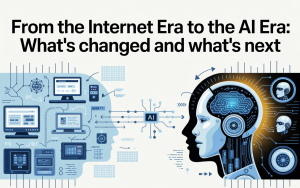
What “New Internet” means (in one minute)
The “New Internet” isn’t one invention. It’s four trends stacking together:- AI becomes the interface: you ask, it summarizes, it recommends, it drafts, it shops, it negotiates—sometimes before you click a single link.
- Privacy becomes the baseline: browsers, OS features, and regulations push companies to collect less, track less, and explain more.
- Identity becomes more secure (and less annoying): passkeys and device-based credentials replace many passwords.
- Trust becomes measurable: more content will carry authenticity signals (who made it, how it was edited, whether AI was used).
Shift #1: AI becomes your “front door” to the web
For ~20 years, the web’s main flow was: search → list of links → click → read. Now it’s becoming: ask → AI answer → follow-up questions → maybe click.1) Search becomes “answer engines,” not just link engines
AI can compress multiple sources into a single response. That saves time, but it changes incentives:- Less clicking, more summarizing: you’ll often get an overview before visiting a website.
- More conversational discovery: instead of refining keywords, you refine questions.
- More “invisible browsing”: the AI might read 10 pages; you read one paragraph.
2) Your “personal internet” gets more personalized
Personalization used to mean “ads and feeds.” Now it can mean:- Personalized summaries (“explain this like I’m a beginner”).
- Personalized recommendations (tools, products, courses, next steps).
- Personalized automation (drafting emails, scheduling, generating templates).
3) The web gets flooded with AI content (good and bad)
AI lowers the cost of producing text, images, audio, and video. That has two effects at once:- More useful content: better translations, accessibility, tutorials, and niche explanations.
- More junk content: SEO spam, fake review sites, synthetic engagement, and misinformation at scale.
Shift #2: Privacy is moving from “setting” to “default”
Privacy used to be a niche concern. Now it’s a mainstream product feature and a regulatory requirement. Two forces drive this: (1) tracking got too aggressive, and (2) AI makes personal data more valuable (because data fuels targeting, profiling, and automation).1) Tracking is getting harder (and more visible)
Browsers block more trackers by default. For example, Firefox’s Enhanced Tracking Protection blocks many trackers automatically (learn more here: Mozilla support page). Meanwhile, the “third-party cookie” era—where many ad systems followed you across unrelated sites—has been under pressure for years. Chrome’s approach has also shifted over time; Google’s own Privacy Sandbox updates reflect an evolving plan rather than a single clean switch-off (Privacy Sandbox cookies page; see also industry analysis at IAPP). What replaces cross-site tracking? More of these:- First-party data: data you give directly to a brand (accounts, purchases, newsletters).
- Contextual targeting: ads based on the page topic, not your identity.
- On-device processing: personalization done locally so less data leaves your phone/laptop.
- Aggregated measurement: “how did the campaign do?” without “who exactly clicked?”
2) Regulations are turning into real product changes
Globally, privacy laws are pushing companies to collect less, explain more, and give you more control. A few examples you can explore:- EU AI rules: Europe’s AI Act creates a risk-based framework for AI systems. Official EU overview: EU AI Act page.
- EU data privacy foundation: the GDPR legal text remains the cornerstone for personal-data rights in Europe: EUR-Lex GDPR.
- India’s DPDP regime: India’s Digital Personal Data Protection framework and related rules emphasize consent, purpose limitation, and breach notifications. Start here: PIB press release and the act text: DPDP Act PDF.
- California consumer privacy rights: official overview: California OAG CCPA page.
3) “Delete my data” is becoming a one-click expectation
One reason spam and scams feel relentless is the data broker ecosystem. In early 2026, California launched a state platform called DROP to let residents submit a single deletion request to hundreds of registered data brokers (learn more: privacy.ca.gov DROP and About DROP & the Delete Act). Why this matters even if you don’t live there: it signals a broader trend—privacy controls are moving from “hidden settings” to “standard consumer expectation.” ↑ Back to topShift #3: Logins evolve (passkeys, identity, less password pain)
Passwords are convenient for attackers. The replacement trend is: passkeys (cryptographic keys stored on your device) and phishing-resistant login.1) What passkeys are (without the math)
A passkey is like a “proof” your device can produce, without revealing a reusable secret. You unlock it with your fingerprint/face/PIN, and the website gets confirmation—without receiving your password. Start here: FIDO Alliance passkeys overview, plus the web standard behind many implementations: W3C WebAuthn (Level 3).2) What changes for you
- Fewer password resets: your device becomes the login anchor.
- Less phishing risk: passkeys don’t “type” into fake sites the same way passwords do.
- New recovery habits: keep recovery methods updated (secondary device, recovery codes, trusted contact).
3) Privacy tools also get “built in” (not just apps)
Some privacy features are now OS-level services. Example: Apple’s iCloud Private Relay routes Safari traffic through two relays so no single party can see both who you are and what sites you visit (official explainer: Apple Support – Private Relay). ↑ Back to topShift #4: Trust tech rises (deepfakes, provenance, “content nutrition labels”)
When AI can generate realistic media, the internet needs a new layer: provenance—where content came from, how it was edited, and whether it’s been tampered with.1) Content Credentials: a “label” for media
The Coalition for Content Provenance and Authenticity (C2PA) promotes a technical standard that can attach verifiable provenance metadata to content. Think: a digital “chain of custody.” Explore:- C2PA overview: c2pa.org
- Content Credentials hub: contentcredentials.org
- Adobe explainer: Adobe Content Credentials overview
2) Deepfake defense becomes a normal skill
In the old internet, misinformation spread with text and images. In the new internet, it spreads with voice notes, video clips, and realistic “proof.” Your defenses now include:- Provenance checks: look for content credentials where available.
- Source triangulation: confirm with at least two independent, reputable sources.
- Date checks: old footage re-posted as “breaking” is still one of the easiest tricks.
What changes for you (real-life scenarios)
Let’s translate “AI + privacy + trust layers” into everyday impact.Scenario A: Searching for advice (health, money, legal)
AI summaries are great for orientation—but for decisions with consequences, your new rule is:High-stakes rule: Use AI to find options, not to finalize decisions. Open sources, verify dates, and cross-check claims.
Scenario B: Ads feel different (less creepy… sometimes)
You may notice fewer “I talked about it once and now it’s everywhere” moments—partly because browsers block more trackers, and partly because platforms shift to first-party and on-device signals. But don’t assume ads are harmless now. The “new” tracking often happens in other ways: within apps, within logged-in platforms, via device signals, or through data brokers. That’s why privacy rights and deletion tools are growing in importance (for example, California’s DROP platform: How DROP works).Scenario C: Logins get faster (passkeys), but recovery matters more
Passkeys can make sign-in feel almost invisible—face/fingerprint and you’re in. But the risk shifts to:- device loss without backup,
- weak recovery email/phone security,
- and social engineering (“support scams”).
Scenario D: Messaging privacy becomes a conscious choice
If privacy matters, use end-to-end encrypted messaging for sensitive conversations. Learn about Signal here: signal.org. For stronger anonymity needs, Tor tools exist (start here: torproject.org and “What is Tor?”: Tor support explainer).Scenario E: Authenticity becomes a skill (and a feature)
In the new internet, you’ll increasingly ask:- Who made this?
- Was it edited—how, and by whom?
- Was AI used?
- Can I verify provenance metadata?
A practical 30-minute upgrade plan
If you do nothing else, do these in order. This is the “busy person” version of online safety for the new internet era.Step 1 (5 minutes): Secure your email
- Turn on 2-step verification (or passkeys if offered).
- Update recovery options (backup email, trusted phone, recovery codes).
Step 2 (5 minutes): Move top accounts to passkeys
- Start with email, cloud storage, banking, and social accounts.
- Learn the basics: FIDO passkeys.
Step 3 (10 minutes): Reduce passive tracking
- Use a browser with strong tracking protection (example: Firefox ETP).
- Review app permissions: location, mic, contacts, background access.
Step 4 (5 minutes): Set your “high-stakes AI rule”
- For health/money/legal: open sources and verify dates—don’t rely on one summary.
Step 5 (5 minutes): Choose one privacy tool you’ll actually use
- Secure messaging: Signal
- Privacy learning & checklists: EFF SSD
- Anonymity browsing (advanced): Tor Browser
Key Takeaways
- The internet’s interface is shifting: AI answers first, links second.
- Privacy is becoming default: tracking is harder, and laws push “collect less, explain more.”
- Passwords are being replaced: passkeys reduce phishing and reuse risk.
- Authenticity is turning into metadata: Content Credentials/C2PA aim to show origin and edits.
- Your best defense is practical, not paranoid: secure email, adopt passkeys, reduce tracking, verify sources when it matters.
FAQs
Is the “new internet” basically Web3?
Not really. Some decentralization ideas matter, but the bigger shift is AI as the interface, combined with privacy-by-default and authenticity signals. You’ll feel these changes even if you never touch crypto.Will privacy kill personalized experiences?
No—privacy is changing how personalization works. Expect more on-device personalization, more first-party relationships (logged-in experiences), and more contextual recommendations instead of cross-site tracking.Are passkeys safe if they sync across devices?
Passkeys are designed to be phishing-resistant. The key is to also secure the account that manages your device sync (Apple/Google/Microsoft) with strong protections and recovery options.How do I know if an image or video is AI-generated?
Sometimes you can’t—yet. But provenance systems like Content Credentials aim to make verification easier. Where available, look for verification pins/metadata, and cross-check with reputable sources.What’s the single most important security habit in 2026?
Secure your email and move critical accounts to phishing-resistant login (passkeys or strong 2FA). That blocks the most common takeover path: password reuse + account recovery abuse. ↑ Back to topReferences & helpful links
- EU AI Act overview: EU digital strategy
- GDPR legal text (EUR-Lex): Regulation (EU) 2016/679
- NIST AI RMF landing page: NIST AI RMF
- NIST AI RMF PDF: AI RMF 1.0 (PDF)
- India DPDP Rules press release: PIB
- DPDP Act text (PDF): MeitY
- Passkeys overview: FIDO Alliance
- WebAuthn standard: W3C WebAuthn
- Content provenance standard: C2PA
- Content Credentials hub: ContentCredentials.org
- Verify Content Credentials: Verification tool
- Apple iCloud Private Relay: Apple Support
- Firefox tracking protection: Mozilla
- EFF Surveillance Self-Defense: EFF SSD
- Signal private messenger: Signal
- Tor Project: Tor Project
- California CCPA overview: California OAG
- California DROP deletion platform: privacy.ca.gov/drop
- Privacy Sandbox cookies page: Google Privacy Sandbox