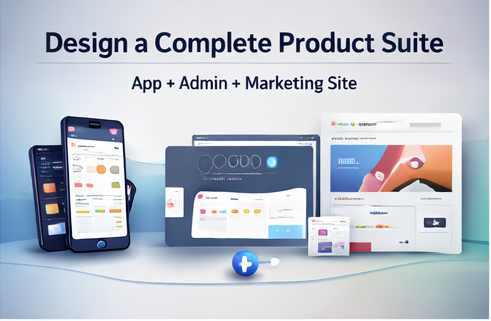
A “complete product suite” is not optional anymore. Users discover you on a landing page, use you via an app, and your team runs everything through a dashboard. When those three experiences look disconnected, trust drops—and so does conversion.
The 145 UI Kit Bundle Mega Pack is designed to help you build an aligned suite: mobile UI kits for user flows, admin dashboards for operations and analytics, landing pages/website templates for marketing, plus 3D icon packs to raise the perceived value of your visuals.
Table of Contents
- What a product suite includes
- How to keep alignment across surfaces
- A practical build plan (weekend-to-launch)
- FAQ
What a product suite includes
- Marketing site: landing page, pricing, FAQ, feature pages
- User experience: mobile UI for onboarding, core flows, retention loops
- Operations: admin dashboard for data, content, support, payments, campaigns
This bundle includes templates across these areas and spans niches like AI tools, fintech, crypto, health, fitness, e-learning, travel, HR, e-commerce, news, and productivity—useful if you build multiple products or serve multiple client verticals.
How to keep alignment across surfaces
Use one system of “visual rules”
- Pick one primary color and a neutral palette.
- Standardize button styles and corner radii.
- Reuse card patterns across landing page and dashboard.
Match language and hierarchy
Your landing page headings should match your product headings. Your dashboard should use the same spacing logic as your app. That is how a suite feels cohesive—even when screens differ.
A practical build plan (weekend-to-launch)
Day 1: Marketing page + positioning
Choose a landing page template, swap copy, add a pricing section, and insert 3–5 benefit blocks. Use 3D icons as feature markers to make the page feel premium.
Day 2: Mobile onboarding + core flow
Pick the closest mobile kit (your niche). Build the “first 5 screens”: onboarding, home, list, detail, and profile/settings.
Day 3: Admin dashboard (minimum viable operations)
Choose an admin dashboard template and assemble core operational views: user list, content/products, payments/billing view, and basic analytics. The listing describes dashboard coverage across analytics, e-commerce, HR, campaigns, ticketing/helpdesk, real estate, travel, and more—so you can find patterns that match your workflow.
Launch week: Iterate with confidence
Because you start from proven UI patterns, you can spend more time refining the product and less time fighting layout decisions.
FAQ
Is it digital?
Yes—instant download after payment confirmation.
Can I use it for client work?
Yes, for projects and client work. Do not redistribute original source files as-is.
When your app, admin, and marketing site look like a family, users trust you faster. This bundle is built to help you achieve that quickly.