Digital Product Business Guide
- Table of Contents
- What Are Digital Products?
- Why Digital Products Are Great for Beginners
- Low Startup Cost
- No Shipping Required
- Scalable Income
- Flexible Niches
- Useful Resource: Explore Ready-Made Digital Product Bundles
- Digital Product Comparison Table
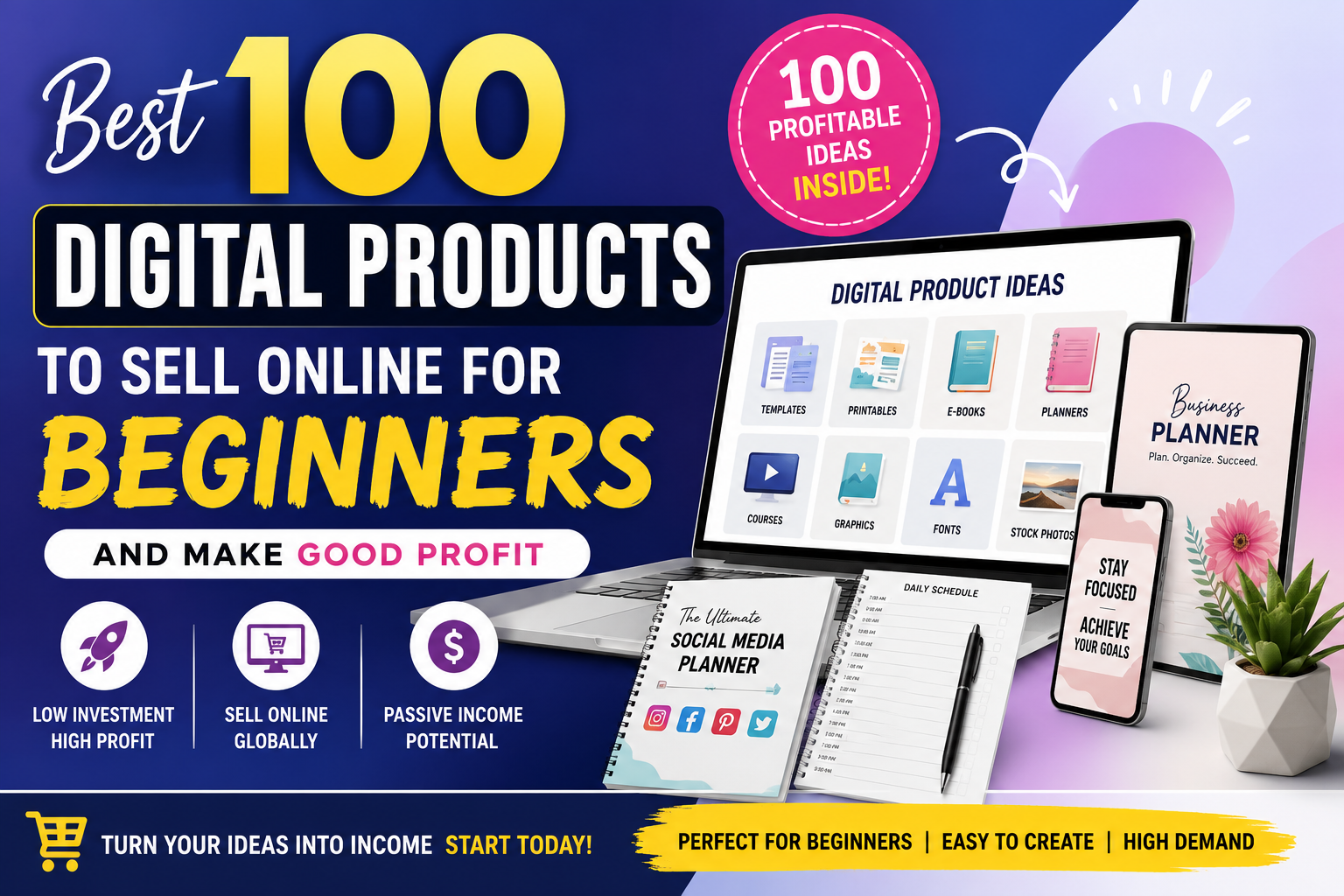
- Best 100 Digital Products to Sell Online for Beginners
- Printable and Planner Products
- Business and Marketing Templates
- Canva and Design Products
- Creator Shortcut: Use Bundles to Build Faster
- Education and Learning Products
- Tech, Website, and Developer Products
- Most Profitable Digital Product Categories
- Where to Sell Digital Products Online
- 1. Etsy
- 2. Gumroad
- 3. Shopify or WooCommerce
- 4. Creative Market and Design Marketplaces
- 5. Your Own Blog
- How to Price Digital Products for Good Profit
- Simple Beginner Launch Plan
- Step 1: Choose One Buyer
- Step 2: Pick One Pain Point
- Step 3: Create a Minimum Product
- Step 4: Make the Listing Attractive
- Step 5: Bundle and Expand
- Recommended Resource for Faster Product Creation
- Common Mistakes Beginners Should Avoid
- Best Niches for Beginner Digital Product Sellers
- Internal Links and Further Reading on SenseCentral
- Key Takeaways
- FAQs About Selling Digital Products Online
- 1. What is the easiest digital product to sell as a beginner?
- 2. Can I make good profit from digital products?
- 3. Do I need design skills to sell digital products?
- 4. Where should I sell my first digital product?
- 5. What digital products sell well on Etsy?
- 6. How many digital products should I create before launching?
- 7. Are digital product bundles better than single products?
- 8. What tools can I use to create digital products?
- Useful External References
- Suggested SEO Tags
Want to start selling online without managing inventory, shipping, or physical stock? Digital products are one of the most beginner-friendly online business models because you can create once, sell repeatedly, and improve your product over time. Whether you are a blogger, designer, student, freelancer, developer, teacher, coach, or small business owner, there are hundreds of profitable digital product ideas you can launch with simple tools.
In this guide, you will discover the best 100 digital products to sell online for beginners, grouped by niche, skill level, profit potential, and selling platform. You will also learn how to choose the right product, where to sell it, how to price it, and how to build a small but profitable digital product business.
What Are Digital Products?
Digital products are downloadable or online-access products that customers can buy and use without receiving a physical item. Examples include eBooks, templates, planners, spreadsheets, courses, fonts, graphics, website templates, stock photos, music files, printables, Notion dashboards, Lightroom presets, and software tools.
The biggest advantage is that digital products can often be sold repeatedly after the initial creation work is done. You do not need to pack boxes, handle shipping delays, store inventory, or reorder stock. Instead, your focus is on solving a clear problem for a specific audience.
For example, a freelancer may buy an invoice template, a teacher may buy classroom worksheets, a small business owner may buy social media templates, and a blogger may buy a digital product bundle to speed up content creation. The more specific your product is, the easier it becomes to market.
Why Digital Products Are Great for Beginners
Digital products are attractive because they combine low startup cost with flexible earning potential. You can begin with free or affordable tools such as Canva, Google Docs, Google Sheets, Notion, Figma, WordPress, or basic design software. Many beginners start with simple products such as printable planners, budget trackers, social media templates, or eBooks.
Low Startup Cost
You can create many beginner digital products using free tools and sell them on marketplaces or your own website.
No Shipping Required
Customers download the product or access it online, which makes fulfillment simpler than physical products.
Scalable Income
Once created, a product can be sold many times with updates, bundles, upsells, and seasonal variations.
Flexible Niches
You can sell to students, creators, teachers, bloggers, developers, businesses, parents, coaches, and more.
Useful Resource: Explore Ready-Made Digital Product Bundles
[Explore Our Powerful Digital Products Bundle] Browse these high-value bundles for website creators, developers, designers, startups, content creators, and digital product sellers. These bundles can help you save time, study product structures, and speed up your own digital product creation workflow.
Digital Product Comparison Table
Before choosing a product, compare the skill needed, creation time, and profit potential. A beginner should usually start with a product that is easy to create, easy to explain, and solves a painful problem.
| Product Type | Beginner Difficulty | Best Audience | Profit Potential | Best Platforms |
|---|---|---|---|---|
| Printable Planners | Easy | Students, families, small business owners | Medium to High | Etsy, Shopify, Gumroad, website |
| Canva Templates | Easy to Medium | Creators, coaches, businesses | High | Etsy, Creative Market, own store |
| Spreadsheets | Medium | Budgeters, freelancers, businesses | High | Gumroad, Shopify, website |
| eBooks and Guides | Easy to Medium | Beginners, learners, niche audiences | Medium | Gumroad, Amazon KDP, website |
| Online Courses | Medium to Hard | Students, professionals, hobby learners | Very High | Teachable, Gumroad, Shopify, own site |
| Fonts, Graphics, UI Kits | Medium to Hard | Designers, developers, creators | High | Creative Market, Etsy, Gumroad |
Best 100 Digital Products to Sell Online for Beginners
Here are 100 beginner-friendly digital product ideas you can sell online. You do not need to create all of them. Choose one niche, create 5 to 10 related products, bundle them together, and build a simple product system.
Printable and Planner Products
- Daily productivity planner
- Weekly planner printable
- Monthly goal planner
- Yearly life planner
- Budget planner
- Family savings planner
- Debt payoff tracker
- Grocery savings tracker
- Meal planning workbook
- Fitness planner
- Weight loss tracker
- Habit tracker printable
- Self-care journal
- Gratitude journal
- Cleaning checklist bundle
- Home organization binder
- Moving checklist
- Travel planner
- Wedding planner
- Student study planner
Business and Marketing Templates
- Business plan workbook
- Startup launch checklist
- Social media content calendar
- Instagram post templates
- Pinterest pin templates
- YouTube thumbnail templates
- Media kit template
- Brand kit template
- Client welcome packet
- Freelance proposal template
- Invoice template
- Quote template
- Contract template checklist
- Email newsletter templates
- Sales page wireframe
- Landing page copy template
- Lead magnet template
- Product launch planner
- Customer feedback form
- Testimonial request template
Canva and Design Products
- Canva Instagram carousel templates
- Canva story templates
- Canva flyer templates
- Canva presentation templates
- Canva eBook templates
- Canva workbook templates
- Canva planner templates
- Canva resume templates
- Canva business card templates
- Canva real estate templates
- Canva restaurant menu templates
- Canva cleaning business templates
- Canva coaching templates
- Canva church flyer templates
- Canva nonprofit templates
- Canva product mockups
- Canva thank-you card templates
- Canva price list templates
- Canva digital product instruction templates
- Canva bundle cover templates
Creator Shortcut: Use Bundles to Build Faster
Creating every asset from zero can take weeks. A premium digital product bundle can help beginners explore product formats, design layouts, templates, graphics, and creator-friendly resources in one place.
[Explore Our Powerful Digital Products Bundle] Browse these high-value bundles for website creators, developers, designers, startups, content creators, and digital product sellers.
Education and Learning Products
- eBook for beginners
- Mini course PDF
- Workbook for online learners
- Study notes bundle
- Flashcards
- Quiz question bank
- Language learning worksheets
- Kids activity sheets
- Teacher lesson planner
- Homeschool planner
- Exam revision checklist
- Career guide PDF
- Interview preparation workbook
- Resume writing guide
- Skill roadmap template
- Notion student dashboard
- Google Sheets grade tracker
- Printable classroom posters
- Educational wall art
- Training handout template
Tech, Website, and Developer Products
- HTML landing page templates
- WordPress checklist templates
- Website audit checklist
- SEO checklist PDF
- Blog post planner
- Content calendar spreadsheet
- UI kit
- Figma wireframe kit
- Icon pack
- Presentation deck template
- Code snippets pack
- Notion business dashboard
- Digital product store checklist
- AI prompt pack
- ChatGPT prompt workbook
- Product description generator sheet
- Stock photo bundle
- Lightroom presets
- Printable mockup scenes
- Commercial-use graphics bundle
Most Profitable Digital Product Categories
Not every digital product has the same profit potential. Some products are easy to create but sell at a low price. Others require more skill but can be sold at premium prices. The most profitable categories usually solve business, money, productivity, education, marketing, or design problems.
| Category | Why It Can Sell Well | Example Product | Suggested Price Range |
|---|---|---|---|
| Business Templates | Businesses pay for speed, clarity, and professional presentation. | Client onboarding kit | $9 to $49 |
| Canva Templates | Creators need attractive designs without hiring a designer. | Instagram carousel bundle | $7 to $39 |
| Spreadsheets | People want ready-made calculators, trackers, and dashboards. | Budget dashboard | $5 to $29 |
| Courses and Workshops | Education products can command higher prices when outcomes are clear. | Beginner Etsy SEO course | $29 to $199+ |
| Bundles | Bundles increase perceived value and average order value. | Digital creator starter bundle | $19 to $99+ |
Where to Sell Digital Products Online
You can sell digital products on marketplaces, your own website, or both. Marketplaces can help with discovery, while your own website gives you more control over branding, email list building, and long-term customer relationships.
1. Etsy
Etsy is popular for printables, planners, Canva templates, worksheets, invitations, wall art, and digital downloads. It is beginner-friendly because shoppers already search for creative digital files. The challenge is competition, so your product images, SEO title, tags, and niche positioning matter a lot.
2. Gumroad
Gumroad is simple for selling eBooks, templates, courses, guides, memberships, design assets, and creator products. It is useful for creators who already have an audience through a blog, YouTube channel, newsletter, or social media.
3. Shopify or WooCommerce
If you want more control, you can sell digital products through your own Shopify or WooCommerce store. This works well when you plan to build a brand, run ads, publish SEO blog posts, or create a long-term product catalog.
4. Creative Market and Design Marketplaces
Design marketplaces are useful for fonts, graphics, illustrations, templates, mockups, Lightroom presets, and branding kits. These platforms usually require better product presentation and stronger design quality.
5. Your Own Blog
A blog can be a powerful traffic source for digital products. For example, a blog post about “best budget planners” can promote a budget planner bundle, while a post about “Canva templates for small businesses” can promote a Canva template pack.
How to Price Digital Products for Good Profit
Pricing should depend on the outcome your product provides, not only the number of pages or files included. A simple one-page calculator that saves a business owner hours of work can be more valuable than a 50-page generic PDF.
Low-Ticket Products
$3 to $9: Printables, simple trackers, single templates, flashcards, mini checklists.
Mid-Ticket Products
$10 to $49: Bundles, Canva kits, spreadsheets, business workbooks, niche template packs.
High-Ticket Products
$50 to $199+: Courses, premium bundles, coaching resources, full business systems, advanced templates.
A smart beginner strategy is to create one low-ticket product, one bundle, and one premium version. For example, you could sell a single budget planner for $5, a family finance bundle for $19, and a complete personal finance workbook system for $39.
Simple Beginner Launch Plan
Here is a practical launch plan for your first digital product business:
Step 1: Choose One Buyer
Do not create a product for everyone. Choose a specific buyer such as Etsy sellers, teachers, students, cleaning businesses, real estate agents, bloggers, freelancers, parents, or coaches.
Step 2: Pick One Pain Point
Find a problem your buyer wants solved quickly. Examples include saving money, planning content, tracking clients, organizing lessons, designing posts, preparing for exams, or launching a business.
Step 3: Create a Minimum Product
Start small. A 10-page workbook, 20-template Canva set, 5-sheet spreadsheet, or 30-page guide can be enough if it solves a clear problem.
Step 4: Make the Listing Attractive
Your listing should include a clear title, benefit-driven description, mockup images, file format details, usage instructions, refund policy, and FAQs. Show exactly what the buyer receives.
Step 5: Bundle and Expand
Once your first product is ready, create related products. A single planner can become a full bundle. A social media template can become a 100-template content kit. A checklist can become a complete workbook.
Recommended Resource for Faster Product Creation
[Explore Our Powerful Digital Products Bundle] Browse these high-value bundles for website creators, developers, designers, startups, content creators, and digital product sellers. Use them as inspiration for product structure, bonus ideas, bundle positioning, and digital store planning.
Common Mistakes Beginners Should Avoid
Many beginners fail not because digital products are bad, but because they create products without research, positioning, or presentation. Avoid these mistakes:
- Creating generic products: “Planner” is too broad. “Cleaning business client planner” is more specific.
- Ignoring product images: Mockups and previews help buyers understand value quickly.
- Overpricing without proof: Premium pricing works better when the product solves a strong problem.
- Underpricing bundles: If your bundle saves time or helps a business, do not price it like a simple printable.
- Using unclear file instructions: Always explain whether the buyer gets PDF, PNG, ZIP, Canva link, Google Sheet, Notion link, or editable files.
- Copying other sellers: Study markets for inspiration, but create original products, original branding, and original value.
- No SEO strategy: Use keywords in titles, descriptions, tags, image alt text, blog posts, and Pinterest pins.
Best Niches for Beginner Digital Product Sellers
The best niche is usually where buyer demand meets your ability to create something useful. Here are beginner-friendly niches with strong product possibilities:
| Niche | Product Ideas | Why It Works |
|---|---|---|
| Personal Finance | Budget planners, debt trackers, savings dashboards | People want simple tools to manage money better. |
| Small Business | Client forms, invoices, quote templates, launch planners | Business owners pay for time-saving templates. |
| Education | Worksheets, flashcards, lesson planners, study guides | Teachers, parents, and students need repeat-use resources. |
| Content Creation | Canva templates, content calendars, prompt packs | Creators need consistent content quickly. |
| Home and Lifestyle | Cleaning checklists, meal planners, family binders | Useful for everyday organization and routines. |
Internal Links and Further Reading on SenseCentral
Continue learning with related SenseCentral resources:
- SenseCentral Home – Product Reviews, How-To Guides, and Digital Resources
- Digital Products on SenseCentral
- Digital Product Business Guides
- Etsy SEO Ideas and Seller Resources
- Canva Template Ideas for Creators
Key Takeaways
- Digital products are beginner-friendly because they do not require inventory, shipping, or physical storage.
- The best products solve specific problems for specific buyers.
- Printables, Canva templates, spreadsheets, eBooks, planners, and business templates are great starting points.
- Bundles can increase perceived value and help you earn more per customer.
- Good product images, clear descriptions, SEO keywords, and simple instructions are essential for sales.
- Start with one product, improve it, then expand into a product family or bundle.
FAQs About Selling Digital Products Online
1. What is the easiest digital product to sell as a beginner?
Printable planners, checklists, budget trackers, Canva templates, and simple spreadsheets are among the easiest digital products for beginners because they can be created with simple tools and explained clearly to buyers.
2. Can I make good profit from digital products?
Yes, digital products can be profitable when you choose a clear niche, create useful products, price them properly, and promote them through SEO, Pinterest, social media, email marketing, or marketplaces. Profit depends on product quality, traffic, conversion rate, and competition.
3. Do I need design skills to sell digital products?
You do not need advanced design skills to start, but your product should look clean, organized, and easy to use. Tools like Canva, Google Docs, Google Sheets, Figma, and Notion can help beginners create professional-looking products.
4. Where should I sell my first digital product?
Etsy is useful for beginners who want marketplace traffic. Gumroad is simple for creators with an audience. Shopify, WooCommerce, or your own WordPress website is better if you want long-term brand control.
5. What digital products sell well on Etsy?
Popular Etsy digital product categories include printable planners, wall art, invitations, Canva templates, worksheets, business forms, trackers, digital papers, and niche templates for small businesses.
6. How many digital products should I create before launching?
You can launch with one strong product, but a shop with 5 to 10 related products often looks more trustworthy. Start small, then create bundles, variations, and seasonal versions.
7. Are digital product bundles better than single products?
Bundles can be better because they offer more value and can increase average order value. However, single products are useful for testing demand before creating a larger bundle.
8. What tools can I use to create digital products?
Popular tools include Canva for designs, Google Sheets for spreadsheets, Notion for dashboards, Figma for UI kits, Google Docs for guides, WordPress for selling through a website, and email marketing tools for promotion.
Useful External References
- Etsy Seller Handbook: How to Sell Digital Downloads on Etsy
- Etsy Help: How to Manage Digital Listings
- Shopify Help: Digital Products
- Gumroad Discover: Digital Product Marketplace
- Canva Help: Using Canva to Design Products for Sale
- Google Trends: Research Search Demand
- Pinterest Trends: Find Seasonal Product Ideas
Suggested SEO Tags
SEO Meta Description: Discover the best 100 digital products to sell online for beginners, including printables, Canva templates, spreadsheets, eBooks, planners, bundles, and business templates. Learn pricing, platforms, mistakes, FAQs, and profit tips.