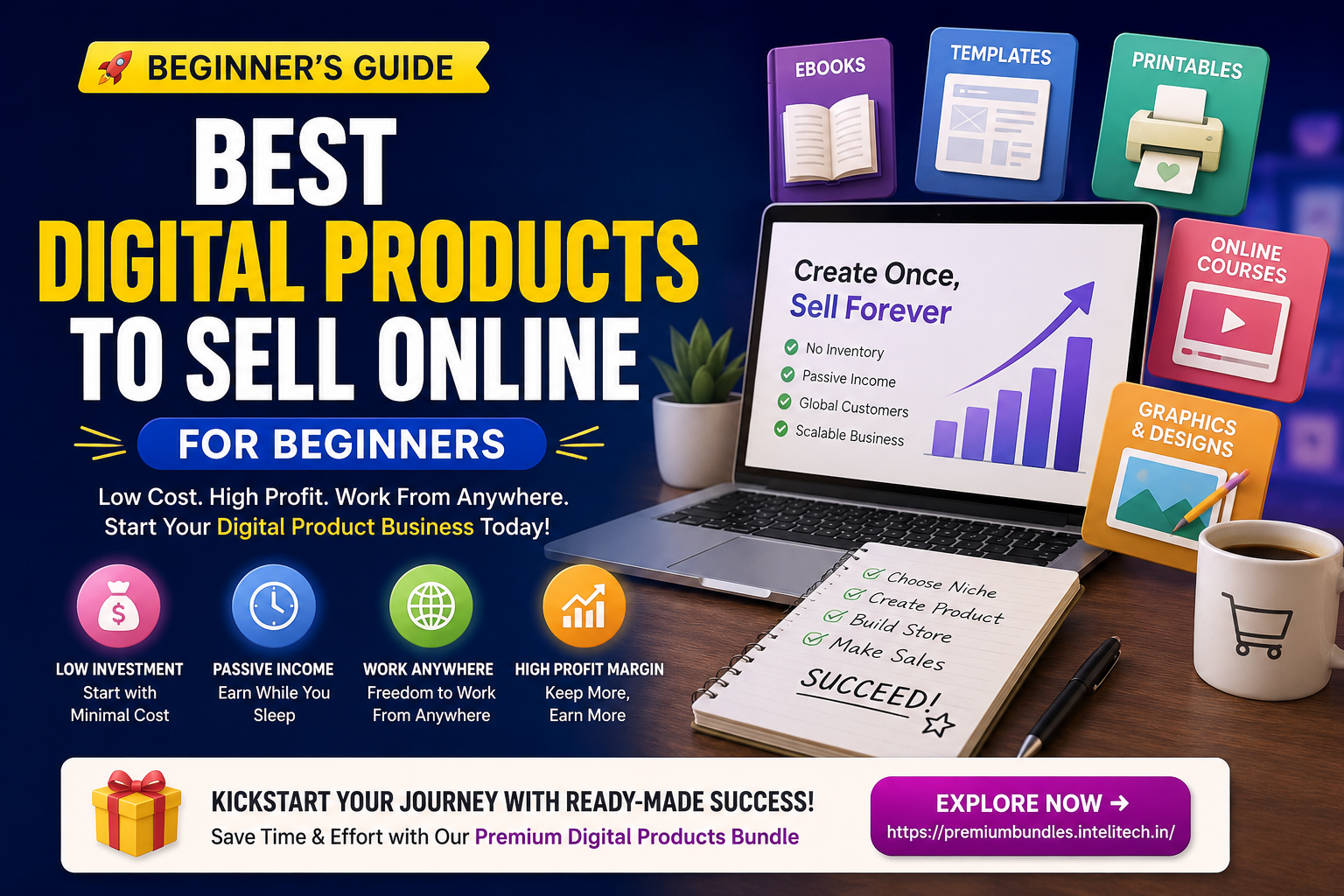
In this guide, you’ll discover the best digital products to sell online for beginners, how to choose the right product idea, which options are easiest to start with, and how to package your first digital offer so it looks valuable and professional.
This post is especially useful for bloggers, designers, Canva users, students, freelancers, developers, teachers, creators, Etsy sellers, and anyone who wants to start a simple digital product business with low upfront cost.
What Are Digital Products?
Digital products are downloadable or online-accessible items that customers can buy and use without receiving a physical package. Examples include ebooks, templates, planners, spreadsheets, stock photos, fonts, graphics, software files, online courses, printable worksheets, digital art, presets, and business toolkits.
The biggest advantage is simple: once your product is created, it can be delivered automatically. A customer pays, receives a download link or access instructions, and starts using the product immediately. This makes digital products attractive for beginners who want to avoid shipping problems, product storage, supplier issues, and high inventory costs.
However, digital products are not “easy money.” You still need to solve a real problem, create useful files, write clear instructions, design attractive preview images, and help buyers understand exactly what they are getting. The best beginner products are not always the most complex. In fact, simple products that save time, reduce stress, or help customers complete a task are often easier to sell.
Useful Resource: Ready-Made Digital Product Bundle
[Explore Our Powerful Digital Products Bundle] Browse these high-value bundles for website creators, developers, designers, startups, content creators, and digital product sellers.
If you want inspiration, ready-to-use assets, or a shortcut for building digital product collections, this bundle page can help you explore profitable product formats faster.
Explore Digital Product Bundles
Affiliate/useful resource note: This recommendation is included as a helpful resource for readers interested in digital product bundles.
Why Digital Products Are Great for Beginners
Digital products are beginner-friendly because they remove many barriers that stop people from starting an online business. You do not need a warehouse, courier partner, manufacturing setup, or large investment. You can start with skills you already have, such as writing, designing, organizing information, teaching, coding, researching, or creating templates.
1. Low Startup Cost
You can create many digital products using affordable or free tools like Canva, Google Docs, Google Sheets, Notion, Figma, PowerPoint, or WordPress. A beginner can start with a simple printable planner, ebook, checklist, spreadsheet, or template pack without hiring a large team.
2. Easy Delivery
Digital products can be delivered as PDF, ZIP, PNG, JPG, DOCX, XLSX, Canva links, Notion templates, Figma files, or video access links. Marketplaces like Etsy also support instant digital downloads, making it easier for sellers to deliver files automatically.
3. Scalable Income Potential
A physical product usually requires repeated manufacturing and shipping for every order. A digital product can be sold many times after the first creation. You may still need customer support and updates, but your delivery cost is usually much lower than physical goods.
4. Perfect for Niche Audiences
You can create digital products for very specific buyers: teachers, students, small business owners, bloggers, moms, fitness coaches, Etsy sellers, freelancers, real estate agents, developers, content creators, or wedding planners. The more specific the buyer, the easier it becomes to write clear product titles, descriptions, and marketing content.
Best Digital Products to Sell Online for Beginners
1. Printable Planners
Printable planners are one of the easiest digital products for beginners because they solve everyday organization problems. You can create daily planners, weekly planners, monthly calendars, budget planners, meal planners, cleaning schedules, study planners, goal trackers, habit trackers, wedding planners, teacher planners, or small business planners.
The best printable planners are simple, clean, and practical. Buyers usually want something they can print quickly and use immediately. Include multiple sizes such as US Letter, A4, and A5 if possible. Add clear instructions, sample preview images, and a short “how to print” guide.
2. Canva Templates
Canva templates are popular because many small business owners, bloggers, influencers, and Etsy sellers need attractive designs but do not want to start from scratch. You can create Instagram post templates, Pinterest pin templates, media kits, brand kits, ebook templates, lead magnet templates, workbook templates, product mockup templates, and presentation templates.
For beginners, Canva templates are a strong choice because Canva is easy to learn, and customers like editable designs. The key is to create templates for a specific use case. For example, “Canva Instagram Templates for Fitness Coaches” is more targeted than “Social Media Templates.”
3. Digital Worksheets and Workbooks
Worksheets and workbooks are excellent for educational, coaching, productivity, and self-improvement niches. Examples include goal-setting workbooks, business planning worksheets, self-care journals, student worksheets, finance trackers, content planning workbooks, and customer research worksheets.
A strong workbook should guide the buyer step by step. Instead of only giving blank pages, include prompts, examples, checklists, and reflection questions. This makes the product feel more valuable and easier to use.
4. Spreadsheet Templates
Spreadsheet templates are great for people who enjoy organizing numbers, systems, or business processes. Beginners can create budget trackers, invoice trackers, debt payoff spreadsheets, content calendars, inventory sheets, habit trackers, client management sheets, income trackers, and Etsy shop dashboards.
Spreadsheet products can sell well because they save time. A buyer may not want to build formulas, formatting, and dashboards from scratch. If your spreadsheet gives them a ready-made system, it becomes a practical business tool.
5. Ebooks and Mini Guides
Ebooks are a classic digital product. They work best when they solve a focused problem. Instead of writing a broad ebook like “How to Start a Business,” create a specific guide such as “How to Create Your First Etsy Printable Listing” or “Beginner’s Guide to Building a 30-Day Content Calendar.”
Mini guides can be easier for beginners than long ebooks. A 20-page practical guide with checklists, templates, and examples can be more useful than a 150-page ebook full of generic advice.
6. Digital Art and Wall Prints
Digital wall art is another beginner-friendly product category. Sellers create printable art files that buyers download and print at home or through a print shop. Popular styles include minimalist quotes, nursery art, abstract prints, motivational posters, farmhouse wall art, office prints, and seasonal decor.
To stand out, offer multiple size ratios, clear printing instructions, and attractive room mockups. Wall art is visual, so your product images are very important.
7. Stock Photos and Background Packs
Stock photo bundles, background textures, mockup images, and aesthetic image packs can be useful for bloggers, social media creators, designers, and small business owners. If you enjoy photography or AI-assisted visual creation, this can be a strong niche.
Beginners should focus on practical themes such as workspace photos, product mockup backgrounds, lifestyle images, flat lays, seasonal backgrounds, or website hero images. Always check licensing rules and clearly explain usage rights.
8. Fonts, Icons, and Graphic Elements
Design assets such as fonts, icon packs, clipart, stickers, SVG files, Procreate brushes, and pattern packs can be profitable if you have design skills. These products are often purchased by creators who need assets for branding, websites, print-on-demand, crafts, or digital products.
The important thing is licensing. Tell buyers whether the product is for personal use, commercial use, or extended commercial use. Clear license terms reduce confusion and support messages.
9. Notion Templates
Notion templates are popular among productivity lovers, students, freelancers, and business owners. You can create templates for project management, habit tracking, content calendars, personal finance, client portals, study dashboards, reading lists, or business planning.
Notion templates are attractive for beginners because they do not require advanced design software. But they do require good organization. A successful Notion template should feel simple, useful, and easy to duplicate.
10. Website Templates and Landing Page Kits
If you have web design skills, website templates can be high-value digital products. You can sell WordPress layouts, Elementor templates, HTML landing pages, Carrd templates, Framer templates, Webflow templates, or startup website sections.
These products usually take more skill than printables, but they can command higher prices. They are best for creators who understand design, layout, conversion, and basic website setup.
11. Online Courses and Video Lessons
Online courses are powerful digital products, but they require more planning than simple downloads. A beginner can start with a small workshop, mini-course, or video tutorial series instead of building a huge course immediately.
Good beginner course ideas include Canva design basics, Etsy listing setup, productivity systems, beginner photography, Excel basics, Notion setup, AI prompt writing, or digital product creation. Keep the first course narrow and outcome-focused.
12. Digital Product Bundles
Bundles combine multiple related digital products into one higher-value offer. For example, instead of selling one planner, you can sell a “Small Business Starter Bundle” with a planner, spreadsheet, checklist, Canva templates, and instruction guide.
Bundles work well because they increase perceived value. Buyers feel they are getting more resources in one purchase. For beginners, bundles can be created after you already have several smaller products.
Useful Resource for Faster Product Creation
[Explore Our Powerful Digital Products Bundle] Browse these high-value bundles for website creators, developers, designers, startups, content creators, and digital product sellers.
Use it to study bundle structure, product packaging, categories, and digital asset ideas before creating your own product line.
Digital Product Comparison Table
| Digital Product | Beginner Difficulty | Best For | Typical File Format | Why It Sells |
|---|---|---|---|---|
| Printable Planners | Easy | Organization, productivity, home, school | PDF, PNG | Helps buyers plan faster and stay organized |
| Canva Templates | Easy to Medium | Creators, bloggers, small businesses | Canva template link, PDF guide | Saves design time and gives editable layouts |
| Spreadsheets | Medium | Budgeting, business, tracking, dashboards | XLSX, Google Sheets link | Automates calculations and systems |
| Ebooks and Guides | Easy to Medium | Education, tutorials, niche knowledge | PDF, EPUB | Solves a specific problem in one resource |
| Wall Art Prints | Easy | Home decor, nursery, office, gifts | JPG, PNG, PDF | Instant decor without shipping |
| Website Templates | Medium to Hard | Businesses, startups, freelancers | HTML, ZIP, WordPress, Elementor | Helps buyers launch websites faster |
| Online Courses | Medium to Hard | Teachers, coaches, experts | Video, PDF, platform access | Teaches a complete skill or process |
How to Choose the Right Digital Product
Choosing the right product matters more than choosing the trendiest product. Beginners often make the mistake of copying what everyone else is selling. A better approach is to match your skills with a clear buyer problem.
Use This Simple Product Selection Formula
| Question | Why It Matters | Example |
|---|---|---|
| Who is the buyer? | A specific audience makes marketing easier. | Busy moms, Etsy sellers, teachers, freelancers |
| What problem does it solve? | Problem-solving products feel more useful. | Plan meals, track expenses, design posts, organize clients |
| Can the buyer use it quickly? | Easy-to-use products reduce refunds and support. | Printable PDF with instructions |
| Can you create more related products? | Product families help you grow faster. | Budget planner, debt tracker, savings challenge |
A great beginner product should be simple to create, easy to explain, useful immediately, and connected to future product ideas. For example, if you create a “Weekly Meal Planner,” you can later create a grocery list, recipe binder, freezer inventory, family meal calendar, and meal prep checklist. This turns one idea into a product collection.
Where to Sell Digital Products Online
There are many platforms where beginners can sell digital products. The best choice depends on your goals, budget, technical skill, and marketing plan.
Etsy
Etsy is popular for printables, templates, digital art, planners, SVG files, and craft-related downloads. It has built-in search traffic, but competition can be high. Your product title, tags, thumbnail images, and description must be clear and buyer-focused.
Shopify
Shopify is useful if you want to build your own branded store. It gives you more control than a marketplace, but you also need to bring your own traffic through SEO, ads, email marketing, social media, or content marketing.
Gumroad, Payhip, and Ko-fi
These platforms are simple ways to sell ebooks, templates, files, memberships, and creator products. They are useful for beginners who want a quick checkout page without building a full website.
WooCommerce or WordPress
If you already have a WordPress site, WooCommerce or digital download plugins can help you sell directly from your own website. This works well when combined with blog SEO, tutorials, comparison posts, and email marketing.
Beginner Launch Plan: Create Your First Digital Product
Here is a simple seven-step plan to launch your first digital product without overcomplicating the process.
Step 1: Pick One Audience
Do not create for everyone. Choose one audience such as students, Etsy sellers, bloggers, teachers, freelancers, parents, designers, or small business owners.
Step 2: Pick One Problem
Choose a problem your audience already understands. Examples include planning content, tracking expenses, creating social posts, organizing lessons, managing clients, or designing product images.
Step 3: Create a Simple Product
Start with a product you can finish. A 10-page printable, 20-page mini workbook, 10-template Canva pack, or one spreadsheet dashboard is better than an unfinished mega bundle.
Step 4: Add Instructions
Clear instructions make your product feel professional. Add a PDF guide explaining what is included, how to download, how to print, how to edit, and what the license allows.
Step 5: Design Strong Preview Images
Digital products need attractive preview images because buyers cannot touch the product. Show what is inside, who it is for, file types, size options, benefits, and usage examples.
Step 6: Write a Buyer-Focused Description
Your description should explain the problem, the solution, what is included, how the buyer will use it, file details, license terms, and FAQs. Avoid vague descriptions like “beautiful template.” Instead, explain the real outcome.
Step 7: Improve Based on Feedback
After launch, improve your product based on buyer questions, reviews, refund reasons, and search terms. Digital products are easy to update, so your first version does not need to be perfect.
Recommended Useful Resource for Creators
[Explore Our Powerful Digital Products Bundle] Browse these high-value bundles for website creators, developers, designers, startups, content creators, and digital product sellers.
This is especially useful if you want to study how digital assets are packaged, named, grouped, and presented as a higher-value bundle.
Common Mistakes Beginners Should Avoid
1. Creating Products Without Research
Do not create a product just because you like the idea. Search marketplaces, read reviews, study buyer questions, and look for repeated problems. Research helps you create products people already want.
2. Making the Product Too Generic
A generic “planner” is harder to sell than a “weekly content planner for Etsy sellers” or a “budget planner for college students.” Specific products are easier to position.
3. Weak Product Images
Your thumbnails and preview images are sales tools. Show the product clearly. Add benefit-driven text, file details, mockups, and examples of how the buyer will use it.
4. No Instructions
Many refund requests happen because buyers do not understand how to download, edit, print, or use the file. Add a simple instruction guide to reduce confusion.
5. Ignoring Licensing
If your product includes templates, graphics, fonts, or commercial-use assets, clearly explain what buyers can and cannot do. License clarity builds trust.
6. Underpricing Without Strategy
Low prices can attract buyers, but they can also make your product look less valuable. Price based on usefulness, quality, time saved, included files, and niche demand.
Key Takeaways
- The best digital products for beginners are simple, useful, and easy to deliver.
- Printable planners, Canva templates, workbooks, ebooks, spreadsheets, and wall art are beginner-friendly options.
- Digital products sell better when they solve a specific problem for a specific audience.
- Clear instructions, strong preview images, and accurate file details can reduce buyer confusion.
- Bundles can increase perceived value once you have multiple related products.
- Start small, launch quickly, improve based on feedback, and build product families over time.
FAQs About Selling Digital Products Online
What is the easiest digital product to sell for beginners?
Printable planners, checklists, Canva templates, and simple ebooks are usually the easiest digital products for beginners because they can be created with basic tools and delivered as PDF files or template links.
Can I sell digital products without a website?
Yes. You can sell digital products on platforms like Etsy, Gumroad, Payhip, Ko-fi, Creative Market, or Shopify. However, having your own website can help you build long-term SEO traffic and brand authority.
Do I need design skills to sell digital products?
You do not need advanced design skills for every product. Spreadsheets, ebooks, checklists, Notion templates, and instructional guides can be created with simple formatting. But attractive design helps improve buyer trust and conversion.
Are digital products passive income?
Digital products can become semi-passive because delivery can be automated. However, you still need to create products, update files, answer customer questions, improve listings, and market your products.
What file formats should I include?
Common formats include PDF, PNG, JPG, ZIP, DOCX, XLSX, Canva template links, Google Sheets links, Notion template links, and HTML files. Choose formats based on what your buyer needs and clearly explain them in your product description.
How much should I charge for my first digital product?
Pricing depends on the niche, product quality, number of files, commercial rights, and buyer value. Simple printables may be priced lower, while bundles, templates, spreadsheets, and website kits can usually be priced higher.
Can I sell Canva templates online?
Yes, you can sell original Canva templates, but you should follow Canva’s terms and provide buyers with proper template links. Avoid reselling templates you did not create or using assets in ways that violate licensing rules.
Internal Links and Further Reading on SenseCentral
To continue learning about digital products, templates, and product planning, explore these related SenseCentral resources:
- Canva Templates for Printable Shop Owners
- Canva Templates for Product Pricing Guides
- Canva Templates for Product Bundle Guides
- Canva Templates for Digital Product Roadmaps
- How to Create a Canva Template Planner
- Printable Etsy Description Planner Ideas
- Printable Etsy Tag Research Sheet Ideas
- What Buyers Expect From Premium Educational Downloads
Useful External Resources
- Etsy Seller Handbook: How to Sell Digital Downloads on Etsy
- Etsy Help: How to Manage Digital Listings
- Shopify: What Are Digital Products?
- Shopify Help: Selling Services or Digital Products
- Canva Templates
- Google Trends for Product Research
Conclusion
The best digital products to sell online for beginners are not always the most complicated or trendy. The best products are the ones that solve a clear problem, help a specific buyer, and are easy to use immediately. If you are just starting, choose a simple product format such as a printable planner, Canva template, mini guide, spreadsheet, workbook, or digital art pack.
Once your first product is live, focus on improving your listing, creating better preview images, answering buyer questions, and building related products. Over time, one small product can become a complete product family, and a product family can become a profitable digital product shop.
Start with one audience, one problem, and one useful product. Keep the first version simple, launch it, learn from buyers, and improve. That is the most practical way to enter the digital product business as a beginner.
References
“`
- Table of Contents
- What Are Digital Products?
- Why Digital Products Are Great for Beginners
- Best Digital Products to Sell Online for Beginners
- 1. Printable Planners
- 2. Canva Templates
- 3. Digital Worksheets and Workbooks
- 4. Spreadsheet Templates
- 5. Ebooks and Mini Guides
- 6. Digital Art and Wall Prints
- 7. Stock Photos and Background Packs
- 8. Fonts, Icons, and Graphic Elements
- 9. Notion Templates
- 10. Website Templates and Landing Page Kits
- 11. Online Courses and Video Lessons
- 12. Digital Product Bundles
- Useful Resource for Faster Product Creation
- Digital Product Comparison Table
- How to Choose the Right Digital Product
- Where to Sell Digital Products Online
- Beginner Launch Plan: Create Your First Digital Product
- Step 1: Pick One Audience
- Step 2: Pick One Problem
- Step 3: Create a Simple Product
- Step 4: Add Instructions
- Step 5: Design Strong Preview Images
- Step 6: Write a Buyer-Focused Description
- Step 7: Improve Based on Feedback
- Recommended Useful Resource for Creators
- Common Mistakes Beginners Should Avoid
- 1. Creating Products Without Research
- 2. Making the Product Too Generic
- 3. Weak Product Images
- 4. No Instructions
- 5. Ignoring Licensing
- 6. Underpricing Without Strategy
- Key Takeaways
- FAQs About Selling Digital Products Online
- What is the easiest digital product to sell for beginners?
- Can I sell digital products without a website?
- Do I need design skills to sell digital products?
- Are digital products passive income?
- What file formats should I include?
- How much should I charge for my first digital product?
- Can I sell Canva templates online?
- Internal Links and Further Reading on SenseCentral
- Useful External Resources
- Conclusion
- References