Skip to content
Sun, Oct 11, 2026 / Ideas for a clearer worldINDEPENDENT INSIGHTS · PRACTICAL TOOLS · EXPLAINERS
Sign in
Computer aided engineering graphics / February 7, 2022

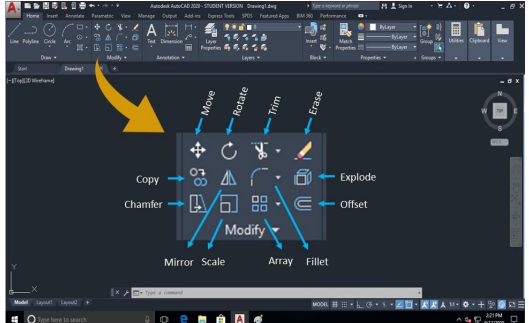
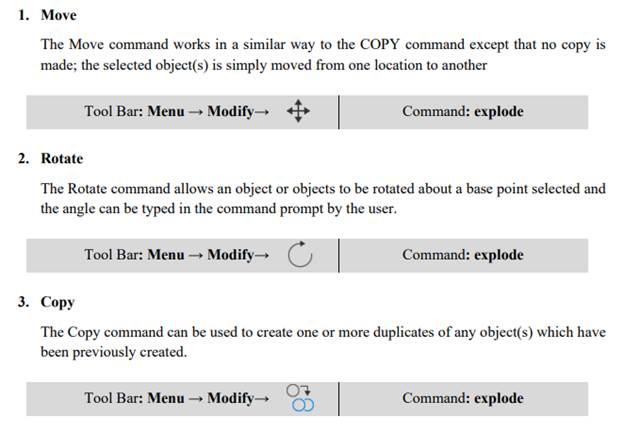
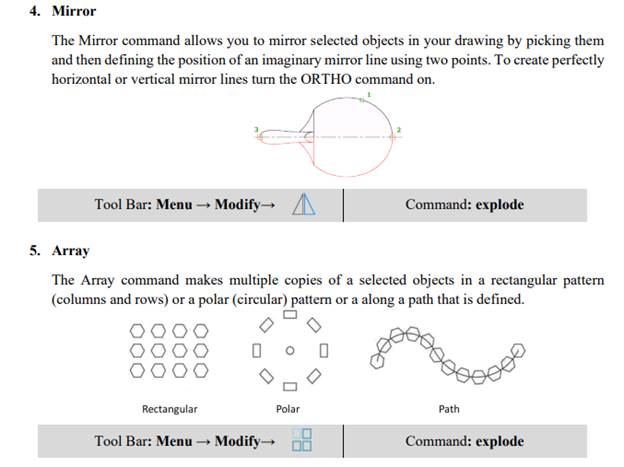
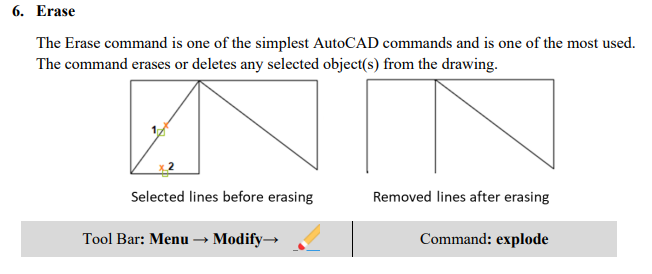
Editing Commands (Modify Commands)

Quick access toolbar The Quick Access toolbar, displayed in the Drafting & Annotation workspace, is located at the very top of the drawing window next to the Application button. The Quick Access toolbar may be customized by adding or removing commands. This is done by right clicking on the toolbar and selecting Customize Quick Access […]

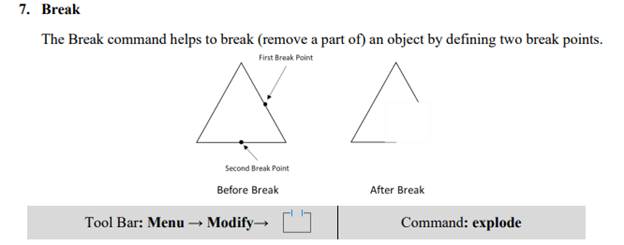
A screenshot of a computer  Description automatically generated with medium confidence
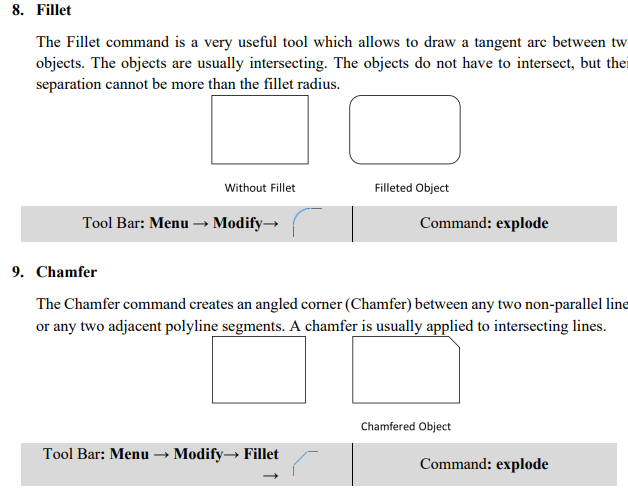
Graphical user interface, text, application  Description automatically generated
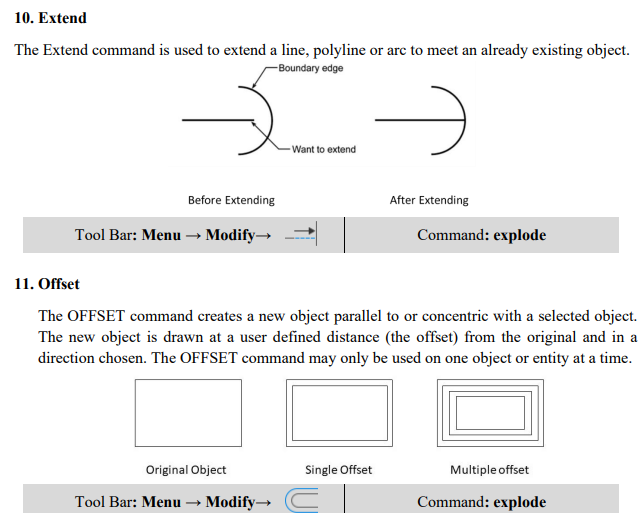
Graphical user interface, text  Description automatically generated
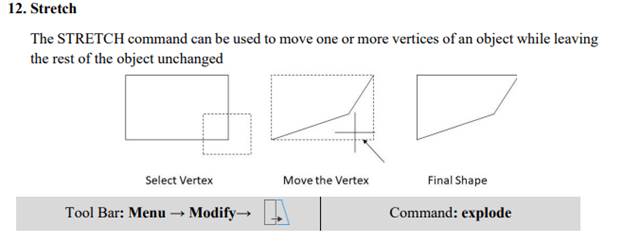
Graphical user interface  Description automatically generated with low confidence
Shape, polygon  Description automatically generated
Graphical user interface, application  Description automatically generated
Graphical user interface, text, application  Description automatically generated
A picture containing chart  Description automatically generated
Text  Description automatically generated with medium confidence

Quick access toolbar

The Quick Access toolbar, displayed in the Drafting & Annotation workspace, is located at the

very top of the drawing window next to the Application button. The Quick Access toolbar may be

customized by adding or removing commands. This is done by right clicking on the toolbar and

selecting Customize Quick Access toolbar or selecting the arrow at the end of the toolbar.

The Quick Access toolbar contains the following commands (reading left to right):

·         QNew: Opens a new drawing.

·         Open…: Opens an existing drawing. (Ctrl+O)

·         Save: Saves the current drawing. (Ctrl+S)

·         Save as: Allows you to save the current drawing under a different name. (Ctrl+Shift+S)

·         Plot…: Plots or prints the current drawing. (Ctrl+P)

·         Undo: Used to undo previous command or actions.

·         Redo: Used to redo commands that have been undone