- Table of Contents
- What you’re really paying for (total cost of ownership)
- Shared vs VPS vs Managed WordPress: quick definitions
- The hosting cost calculator (formula + checklist)
- Interactive calculator (optional)
- Cost comparison table (realistic ranges)
- Examples: 3 websites, 3 hosting decisions
- Example A: Starter blog (low traffic)
- Example B: Small business site (lead generation)
- Example C: Content/review site (SenseCentral-style traffic growth)
- How to choose (decision rules)
- Where managed hosting wins (and why Kinsta is a strong option)
- What Kinsta typically includes (reducing add-on spend)
- Why this matters in the calculator
- If you want the simplest “lower total cost” upgrade
- FAQ
- Is shared hosting always bad?
- Is VPS hosting “cheaper” than managed WordPress?
- What is the fastest way to reduce hosting cost without downgrading performance?
- Do I need a CDN if my audience is international?
- How do I estimate “performance loss” in the calculator?
- Which hosting type is best for WordPress updates without breaking the site?
- Key Takeaways
- References

Hosting “price” is rarely the true hosting cost. The plan you pay for is only one line item.
The real cost includes performance, reliability, security, backups, developer time, and the hidden expenses that show up when something breaks.
This guide gives you a practical hosting cost calculator (plus real examples) so you can compare:
Shared vs VPS vs Managed WordPress hosting—and decide what’s actually cheapest for your website.
Try Kinsta (Managed WordPress) →
If your priority is speed + stability + low maintenance, managed WordPress hosting can reduce hidden costs dramatically.
Table of Contents
What you’re really paying for (total cost of ownership)
When you compare hosting, you’re comparing two things:
- Direct costs: plan price + add-ons (CDN, backups, email, security, staging, etc.).
- Indirect costs: your time (or developer time), downtime risk, performance impact, and recovery from hacks or failed updates.
A “cheap” host can become expensive if you routinely pay for:
- Maintenance time: updating WordPress/core/plugins, troubleshooting conflicts, optimizing performance.
- Emergency fixes: restoring backups, cleaning malware, fixing broken sites after updates.
- Performance losses: slow sites reduce conversions, SEO performance, and ad revenue.
- Downtime: even a few hours during a launch or sale can cost far more than a better plan.
If you run a content site (ads/affiliate), an LMS, membership, or eCommerce store, the opportunity cost from slow speed and instability is often bigger than the hosting invoice.
Internal reading on SenseCentral:
WordPress speed articles |
Hosting guides |
Site security posts
Shared vs VPS vs Managed WordPress: quick definitions
1) Shared hosting
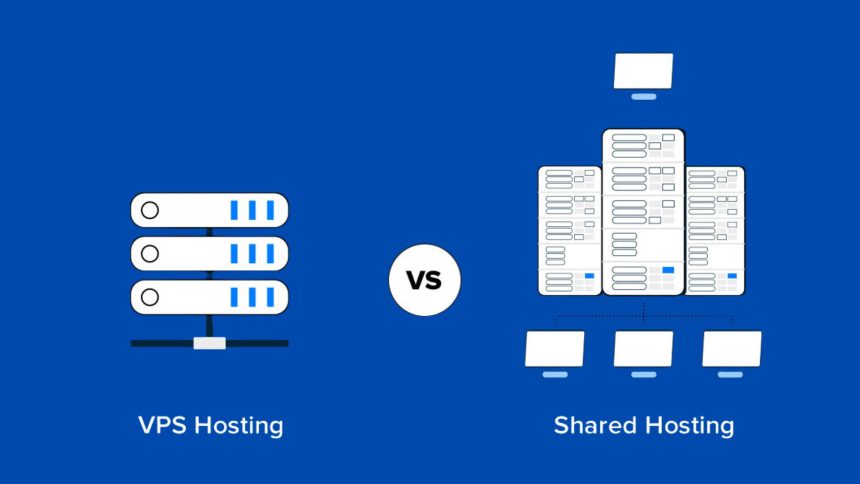
Multiple websites share one server and its resources. It’s often the lowest monthly price, but performance can fluctuate because your site shares CPU/RAM with other customers. Shared plans can be fine for small sites with low traffic, but they are typically the first to struggle under spikes.
2) VPS hosting
A Virtual Private Server gives you a slice of a server with allocated resources. You get more control and more consistent performance than shared hosting. But with that control comes responsibility: updates, security hardening, backups, caching, and monitoring often fall on you (or your developer).
3) Managed WordPress hosting
Managed WordPress hosting is built specifically for WordPress performance and operational simplicity. Many “extras” (caching, staging, backups, security layers, CDN integration, expert support) are included, reducing your operational burden and hidden costs.
The hosting cost calculator (formula + checklist)
Use this calculator to compare apples-to-apples. You can copy this into a note, spreadsheet, or your project documentation.
Total Monthly Hosting Cost (TMC) Formula
TMC =
Plan +
Add-ons +
Maintenance Labor +
Risk Cost +
Performance Cost
- Plan: shared/VPS/managed plan price (monthly).
- Add-ons: paid backups, paid CDN, premium security, email hosting, staging, extra storage, etc.
- Maintenance Labor: (hours/month × hourly rate). Include updates, monitoring, performance tuning, and troubleshooting.
- Risk Cost: estimated downtime + recovery cost spread over 12 months (e.g., one incident/year ÷ 12).
- Performance Cost: the revenue or lead value lost due to slow speed (estimate conservatively).
Checklist: what to include in your calculation
- Domain: usually annual, convert to monthly (annual ÷ 12).
- SSL: often free, but include it if you pay separately.
- Email hosting: many sites use Google Workspace or other paid email.
- Backups: frequency, retention, and restore reliability matter.
- CDN + security: CDN can reduce latency globally; security layers reduce incident risk.
- Staging: essential for safe updates on business-critical sites.
- Support quality: “cheap” hosting support often means longer outages and more DIY time.
If you want a quick internal comparison, start here:
Shared vs managed WordPress posts.
Interactive calculator (optional)
If your WordPress setup allows scripts in posts, you can embed a simple calculator below. If scripts are blocked, skip this section and use the table-based method above.
Hosting Cost Calculator
Includes labor + risk amortized monthly.
var labor = hours * rate; var riskMonthly = incident / 12; var total = plan + addons + labor + riskMonthly + perf;
document.getElementById('tmc').innerText = '$' + total.toFixed(2); }
Cost comparison table (realistic ranges)
The numbers below are typical ranges for one WordPress site. Your exact costs vary by provider, traffic, and how much you DIY.
The point is to compare total monthly cost, not just the plan price.
| Cost Component | Shared Hosting | VPS (Self/Partially Managed) | Managed WordPress |
|---|---|---|---|
| Plan (monthly) | $2–$15 | $6–$60 | $30–$100+ |
| Backups | Often extra / limited | Often DIY or paid tool | Often included (varies) |
| CDN + security layers | Usually DIY / add-on | DIY / add-on | Often included or tightly integrated |
| Maintenance time | 2–6 hrs/mo (typical) | 2–10+ hrs/mo | 0.5–3 hrs/mo |
| Risk: outages / hacks | Higher variability | Depends on your sysadmin skill | Often reduced via platform controls |
| Best for | Low-traffic hobby sites | Tech users who want control | Business sites needing speed + stability |
If you’re comparing managed WordPress options, start with plan transparency and included features:
Kinsta pricing.
Try Kinsta and reduce hidden hosting costs →
Examples: 3 websites, 3 hosting decisions
Example A: Starter blog (low traffic)
Profile: 10–30 posts, light traffic, no revenue yet.
- Shared plan: $5/mo
- Add-ons: $0 (basic setup)
- Maintenance: 2 hrs/mo × $20/hr = $40
- Incident cost: $60/year ÷ 12 = $5/mo
- Performance loss: $0 (no monetization yet)
Total Monthly Cost: $5 + $0 + $40 + $5 + $0 = $50/mo
Decision: Shared hosting can be acceptable if you truly keep the site simple and traffic is low.
But the moment you add monetization, email capture, or multiple plugins, reassess. Your time becomes the biggest cost.
Example B: Small business site (lead generation)
Profile: Local service business, 20–50 leads/month, each lead worth ~$30–$100.
Option 1: VPS
- VPS plan: $18/mo
- Add-ons: $8/mo (backups + monitoring tools)
- Maintenance: 4 hrs/mo × $35/hr = $140
- Incident cost: $300/year ÷ 12 = $25/mo
- Performance loss: conservative $50/mo (slow site = fewer leads)
Total: $18 + $8 + $140 + $25 + $50 = $241/mo
Option 2: Managed WordPress
- Managed plan: $30/mo
- Add-ons: $0–$5/mo (optional extras)
- Maintenance: 1.5 hrs/mo × $35/hr = $52.50
- Incident cost: $120/year ÷ 12 = $10/mo
- Performance loss: $10/mo (reduced due to better stack)
Total: $30 + $5 + $52.50 + $10 + $10 = $107.50/mo
Decision: Even though the managed plan price is higher than a basic VPS, the total is often lower once you price your time and risk.
Example C: Content/review site (SenseCentral-style traffic growth)
Profile: SEO-driven site with affiliate revenue, multiple posts/week, traffic spikes during rankings, launches, and seasonal buying.
Option 1: “Cheap” shared plan
- Plan: $10/mo
- Add-ons: $10/mo (CDN/security plugin/backups)
- Maintenance: 6 hrs/mo × $30/hr = $180
- Incident cost: $600/year ÷ 12 = $50/mo
- Performance loss: $150/mo (slow pages reduce affiliate clicks and RPM)
Total: $10 + $10 + $180 + $50 + $150 = $400/mo
Option 2: Managed WordPress optimized for speed
- Plan: $30–$60/mo (depends on traffic/resources)
- Add-ons: $0–$10/mo
- Maintenance: 2 hrs/mo × $30/hr = $60
- Incident cost: $240/year ÷ 12 = $20/mo
- Performance loss: $30/mo (reduced due to better caching/CDN stack)
Total (typical): ~$45 + $5 + $60 + $20 + $30 = $160/mo
Decision: For review sites, the performance + uptime benefits can directly increase revenue.
When every second matters, managed hosting can be the simplest path to higher RPM and lower operational burden.
How to choose (decision rules)
Choose shared hosting if…
- You have a new site with very low traffic.
- You can tolerate occasional performance fluctuations.
- You are optimizing for minimum cash outlay, not maximum growth.
Choose VPS if…
- You want more control (server-level customization, special stacks).
- You have sysadmin skills (or you pay someone who does).
- You are willing to own security hardening, updates, backups, and performance tuning.
Choose managed WordPress hosting if…
- Your site revenue depends on speed, SEO, reliability, or conversions.
- You want staging, backups, and support built for WordPress workflows.
- You want to reduce your monthly “maintenance tax” and avoid emergency firefighting.
Where managed hosting wins (and why Kinsta is a strong option)
Managed WordPress hosting is about reducing hidden costs:
less time managing infrastructure, fewer performance bottlenecks, and faster recovery when something goes wrong.
Kinsta is one of the strongest managed WordPress options because it is built specifically for WordPress performance and operational efficiency.
What Kinsta typically includes (reducing add-on spend)
- Plans starting around $30/month (check current pricing and plan limits before buying).
- Integrated Cloudflare security + CDN features (helpful for global performance and threat protection).
- Daily automatic backups with flexible backup options depending on workflow needs.
- Staging environments to update safely before pushing changes live.
- Expert WordPress support designed for real site issues, not generic hosting scripts.
Why this matters in the calculator
- Add-ons drop: you may not need to pay separately for CDN/security layers and backup tooling.
- Maintenance hours drop: staging + better platform tools typically cut troubleshooting time.
- Risk cost drops: stronger isolation and platform controls reduce incident frequency and recovery time.
If you want the simplest “lower total cost” upgrade
Start with a managed WordPress plan and measure improvements in:
TTFB, Core Web Vitals, uptime, and time spent on maintenance. If you see fewer issues and faster pages, your calculator will prove the ROI.
External reading:
Kinsta pricing |
Kinsta CDN documentation |
Cloudflare integration details
FAQ
Is shared hosting always bad?
No. Shared hosting can be a reasonable starting point for low-traffic sites. The problem begins when a site grows, monetizes, or becomes business-critical—because performance variability and DIY maintenance costs rise quickly.
Is VPS hosting “cheaper” than managed WordPress?
On the invoice, sometimes yes. In total monthly cost, often no—because VPS requires more maintenance, monitoring, security work, and troubleshooting time (either your time or paid developer hours).
What is the fastest way to reduce hosting cost without downgrading performance?
Reduce the “maintenance tax.” That usually means consolidating tools (CDN, backups, security) and using a platform that minimizes troubleshooting. In many cases, a well-run managed WordPress host reduces add-ons and labor.
Do I need a CDN if my audience is international?
A CDN is strongly recommended for international traffic. It reduces latency and improves perceived speed by serving cached assets closer to visitors. Many managed hosts provide CDN integration to simplify configuration.
How do I estimate “performance loss” in the calculator?
Use a conservative number:
(estimated monthly visitors) × (conversion drop from slow pages) × (value per conversion).
For affiliate sites, you can approximate value using EPC or average revenue per 1,000 sessions.
Even a small performance loss often exceeds the difference between hosting tiers.
Which hosting type is best for WordPress updates without breaking the site?
A workflow with staging is the safest: test updates in staging, then deploy to production. Managed WordPress hosting commonly supports staging environments and backups that make rollback easier.
Key Takeaways
- Hosting cost is not plan price. Your total monthly cost includes add-ons, labor, risk, and performance impact.
- Shared hosting can be fine for tiny sites but often becomes expensive when your time and instability are priced in.
- VPS can be cost-effective only if you have sysadmin skills (or low-cost reliable admin support).
- Managed WordPress often wins on total cost for businesses, affiliate sites, and any site where uptime/speed matters.
- Use the calculator to quantify maintenance hours and incident cost—those two line items usually decide the winner.
References
- Kinsta Pricing (official)
- Kinsta CDN documentation (official)
- Cloudflare integration at Kinsta (official docs)
- What is Web Hosting? (Kinsta blog)
Note: Prices and included features vary by provider and can change over time. Always confirm current plan limits and inclusions before purchasing.
If your site is growing, measure your current “maintenance tax” for 30 days. Then compare again after upgrading. Your calculator will show the difference.