Updated July 2026. This article is educational and does not guarantee sales, rankings, or income.
A successful digital bundle is not simply a folder containing many files. It is a clearly positioned solution that helps a defined buyer complete a meaningful task faster. This guide explains create design asset mega bundles with a practical system for selecting assets, improving perceived value, organizing delivery, presenting the offer, and protecting the buyer experience.
The central idea is simple: bundle size attracts attention, but structure, relevance, licensing clarity, and ease of use create satisfaction. Whether you sell Canva templates, fonts, SVGs, KDP interiors, spreadsheet systems, UI kits, stock media, or mixed creator resources, the same principles apply. Every item should support the promise made in the title, preview, and product description.
For related strategy, see How to Organize Large Digital Bundles Clearly and How to Name Digital Product Bundles for Better Sales.
Table of Contents
- Key Takeaways
- Planning Framework
- Start With One Clear Buyer Outcome
- Audit, Curate, and Standardize the Assets
- Build a Folder System That Mirrors the Buyer Workflow
- Create a Value-Based Offer and Price Architecture
- Design Preview Images That Reduce Purchase Anxiety
- Launch, Measure, and Improve the Bundle
- Useful Resources
- Frequently Asked Questions
- Further Reading
- References
Key Takeaways
- Build around a buyer outcome, not an inflated file count.
- Use consistent names, folders, formats, licensing, and access instructions.
- Make previews representative and transparent.
- Price according to usefulness, quality, rights, and time saved.
- Test delivery and improve the bundle using support data.
Useful Resource
Explore Our Powerful Digital Products Bundle
Browse high-value bundles for website creators, developers, designers, startups, content creators, and digital product sellers. Compare the complete collection before choosing the assets that match your workflow.
Explore the 43-Bundle Collection
Buy Individual Bundles

Affiliate disclosure: SenseCentral may earn a commission when you purchase through qualifying links, at no extra cost to you.
Planning Framework
Use the following framework as a quality-control checkpoint before publishing, packaging, or promoting the offer. Adapt the criteria to the product format and the expectations of your audience.
| Bundle element | Question to ask | Good standard |
|---|---|---|
| Buyer promise | What outcome or resource does the buyer expect? | One sentence that is specific and verifiable |
| Asset relevance | Does every item support the promise? | Remove filler and duplicates |
| Organization | Can a new buyer find files quickly? | Numbered folders, index, and naming rules |
| Licensing | What may the buyer create, sell, or share? | Plain-language license summary |
| Preview | Can buyers understand contents before purchase? | Representative pages, counts, formats, use cases |
| Delivery | Will large files download reliably? | PDF access guide plus stable cloud delivery |
Start With One Clear Buyer Outcome
The strongest approach to create design asset mega bundles begins with an outcome rather than a file count. “10,000 assets” is a quantity claim; “a complete launch library for new wellness coaches” is a buyer promise. Quantity can support the promise, but it should not replace it. Define the buyer, the project they are trying to finish, the software they use, and the level of experience they have.
Write a one-sentence bundle brief before collecting files. A useful formula is: “This bundle helps [buyer] create [result] using [asset types] without [common obstacle].” Use the sentence as a filter. Assets that do not strengthen the result should be removed, placed in a bonus section, or saved for another product. This discipline prevents a mega bundle from feeling random.
It also improves every later decision. Your folder structure follows the workflow, preview images show the expected result, the title highlights the use case, and the price reflects the time or cost saved. Buyers understand value faster when the collection feels intentionally assembled.
Audit, Curate, and Standardize the Assets
Create an inventory before packaging. Record the asset name, format, dimensions, software requirements, editable elements, source, license, version, and intended folder. Check for duplicates, broken links, missing fonts, flattened files that were advertised as editable, and inconsistent dimensions. Open a sample from every subfolder rather than assuming files are usable.
Standardization is especially important in large collections. Decide how filenames will be written, how preview JPGs will be paired with source files, whether fonts are included or linked, and which formats are primary. For example, each design may include an editable source file, a print-ready PDF, and a preview PNG. Consistency makes thousands of files feel manageable.
Do not include assets merely to increase the count. Duplicate color variations, repeated exports, or low-quality filler may inflate numbers but reduce trust. State counts honestly and explain whether they refer to unique designs, pages, files, or format variations.
Useful Resource
Explore Our Powerful Digital Products Bundle
Browse high-value bundles for website creators, developers, designers, startups, content creators, and digital product sellers. Compare the complete collection before choosing the assets that match your workflow.
Explore the 43-Bundle Collection
Buy Individual Bundles
Affiliate disclosure: SenseCentral may earn a commission when you purchase through qualifying links, at no extra cost to you.
Build a Folder System That Mirrors the Buyer Workflow
Organize the bundle from the buyer’s perspective. A practical top level might include “01 Start Here,” “02 Templates,” “03 Graphics,” “04 Fonts and Brand Assets,” “05 Tutorials,” “06 Bonuses,” and “07 License.” Within each folder, group by use case, niche, size, or software—not by the history of how you created the files.
The Start Here folder should contain a concise PDF index, access instructions, required software, font links, license summary, and troubleshooting notes. For cloud-hosted collections, use one master access document with clearly labeled buttons and backup URLs. Avoid sending buyers through a maze of nested links.
Test the delivery as if you were a new customer using a different device. Check ZIP extraction, mobile readability, permissions, Canva template links, Notion duplication, spreadsheet access, and file naming. A large bundle is only valuable when buyers can reach and use its contents.
Create a Value-Based Offer and Price Architecture
Price should reflect relevance, quality, usability, licensing, support, and replacement cost—not only the number of files. Estimate what the buyer would spend or how much time they would use to create the assets independently. Then compare your offer with alternatives serving the same audience. A curated bundle that solves a complete problem can command more than a larger but disorganized library.
Use a simple architecture: an individual product for buyers with a narrow need, a focused bundle for a complete use case, and a mega collection for buyers who want breadth. This creates natural comparison and reduces dependence on permanent discounts. Bonuses should address objections or make implementation easier, rather than acting as unrelated filler.
Clearly state what is included, what is not included, whether future updates are included, and which license applies. Avoid unrealistic “total value” claims unless the calculation is transparent and defensible. Trust supports conversion better than exaggerated scarcity.
Free Productivity Resource: Zee Sharp
Zee Sharp is a growing suite of free online tools for productivity, development, and creativity. There is no sign-up, no watermark, and no unnecessary setup—useful for formatting text, preparing files, checking code, optimizing images, and completing everyday digital-product tasks.
Design Preview Images That Reduce Purchase Anxiety
Preview images should answer the questions buyers cannot answer from a title alone. Show representative assets, formats, folder categories, editable features, use cases, dimensions, software requirements, and the difference between mockups and downloadable files. Use readable typography and a consistent visual hierarchy.
A strong preview sequence usually includes a clear cover, a “what is included” overview, several close-up examples, a category map, a format-and-software slide, a license or use-case slide, and a delivery slide. For very large bundles, do not attempt to display every file at unreadable scale. Show meaningful samples and provide an index or catalog.
Ensure the preview matches the actual download. Mockups should demonstrate possible use, not imply that physical products are included. Honest previews reduce refunds and improve buyer confidence.
Useful Resource
Explore Our Powerful Digital Products Bundle
Browse high-value bundles for website creators, developers, designers, startups, content creators, and digital product sellers. Compare the complete collection before choosing the assets that match your workflow.
Explore the 43-Bundle Collection
Buy Individual Bundles
Affiliate disclosure: SenseCentral may earn a commission when you purchase through qualifying links, at no extra cost to you.
Launch, Measure, and Improve the Bundle
Before launch, recruit a small group of testers who resemble the target customer. Ask them to locate specific files, follow the access guide, understand the license, and complete one real task. Their confusion reveals where organization or instructions need improvement.
After launch, track product-page visits, conversion rate, refund reasons, support questions, download problems, coupon use, bundle-to-individual sales, and average order value. Repeated questions should become FAQ entries, tutorial videos, or clearer preview slides. Assets that are rarely mentioned may need better discovery or may not belong in the bundle.
Version the product carefully. Maintain a change log and preserve stable access links when possible. A well-maintained bundle can become an evergreen flagship offer and a source of smaller spin-off products.
Practical Implementation Checklist
Use this checklist as a final review. It is intentionally operational: each item should produce an action, document, test, or measurable decision.
- Write the exact customer, task, and desired outcome in one sentence.
- List the assumptions the product makes about software, skill level, device, and file format.
- Review competing solutions and document what buyers praise or criticize.
- Create a minimum complete version before expanding the scope.
- Test every link, editable file, formula, font, and download permission.
- Prepare a clear preview that distinguishes examples from included files.
- Write a plain-language license and usage summary.
- Add a Start Here guide with setup, access, and troubleshooting steps.
- Set a price using value, quality, costs, alternatives, and support needs.
- Create one relevant tutorial, buyer guide, or comparison article.
- Add internal links from related posts and a contextual product call to action.
- Track visits, conversion, refunds, support questions, and repeat purchases.
- Schedule a review date for links, compatibility, examples, and positioning.
- Archive source files, licenses, versions, and change logs safely.
- Remove anything that creates clutter without improving the promised outcome.
A simple 30-day execution plan
Week 1: research the buyer, define the product promise, audit existing assets, and choose the smallest useful scope. Week 2: create or curate the core files, standardize naming, and test the main workflow. Week 3: prepare previews, instructions, licensing, delivery, pricing, and the sales page. Week 4: publish supporting content, invite test users, launch to a small audience, record questions, and improve the product before scaling promotion.
Do not judge the entire business from a few days of activity. Establish a baseline, identify the largest constraint, and run focused improvements. A weak product will not be fixed by more traffic, and a strong product cannot grow without discovery. Work on the constraint that is currently limiting results.
Useful Resources
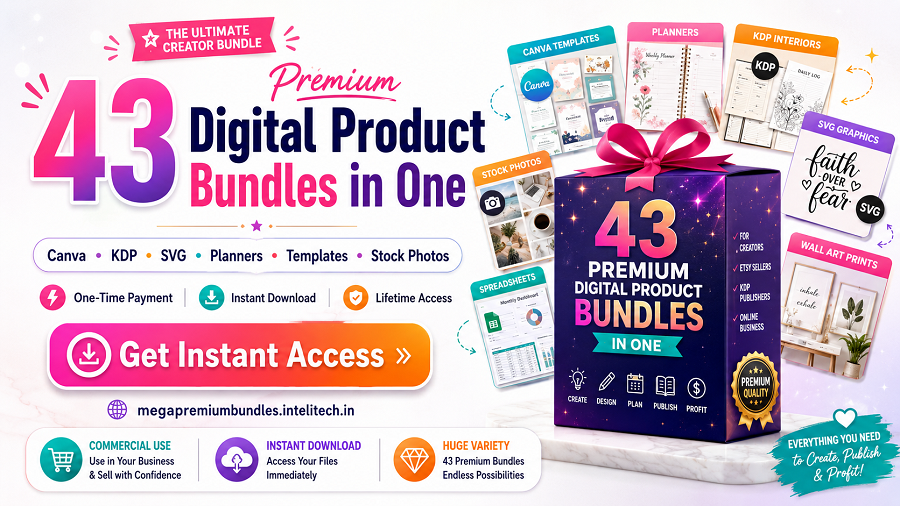
Large collections can speed up production when the assets are relevant, licensed appropriately, and organized clearly. Review the complete 43-bundle collection, browse individual premium bundles, and use Zee Sharp’s free online tools for practical file, text, image, and developer tasks.
Useful Resource
Explore Our Powerful Digital Products Bundle
Browse high-value bundles for website creators, developers, designers, startups, content creators, and digital product sellers. Compare the complete collection before choosing the assets that match your workflow.
Explore the 43-Bundle Collection
Buy Individual Bundles
Affiliate disclosure: SenseCentral may earn a commission when you purchase through qualifying links, at no extra cost to you.
Frequently Asked Questions
How many products should a digital bundle contain?
There is no ideal number. Include enough assets to complete the promised outcome, remove filler, and state whether counts represent unique designs or file variations.
Should every bundle include commercial-use rights?
No. The license should match your strategy and the rights you control. Explain personal, commercial, extended, and redistribution restrictions in plain language.
How should very large files be delivered?
Use a lightweight access PDF that links to stable cloud folders or segmented ZIP files, then test permissions and downloads on multiple devices.
Do bonuses increase conversions?
They can when they reduce an objection or make implementation easier. Unrelated bonuses usually add clutter rather than meaningful value.
How often should a bundle be updated?
Update when links, software compatibility, quality standards, or buyer needs change. Promise lifetime updates only when you can support that commitment.
Further Reading on SenseCentral
- How to Organize Large Digital Bundles Clearly
- How to Name Digital Product Bundles for Better Sales
- How to Create Bundle Preview Images
- How to Use Bonuses in Digital Product Bundles
References
- Etsy Seller Handbook
- Canva licensing explained
- Creative Commons license information
- Google Drive Help
- Dropbox Help Center
Final thought: The most durable digital-product strategy combines a genuinely useful offer with transparent presentation, dependable delivery, and a repeatable way to reach the right buyers. Start with clarity, measure real customer behavior, and improve the system one meaningful step at a time.