How to Promote New Digital Products Without Sounding Pushy
How to Promote New Digital Products Without Sounding Pushy is not simply about publishing a product and announcing that it exists. Effective digital-product content helps the right buyer understand the problem, visualize the outcome, evaluate the fit, and feel confident about taking the next step. Whether you sell printables, Canva templates, business documents, spreadsheets, Notion systems, graphics, or complete bundles, useful education can turn a brief promotion into a durable sales asset.
- Table of Contents
- Key Takeaways
- Why Promote New Digital Products Without Sounding Pushy Matters
- Understand the Buyer Journey Before Creating Content
- 1. Problem awareness
- 2. Solution exploration
- 3. Product evaluation
- 4. Purchase and first use
- 5. Continued use and expansion
- A Practical Content Framework
- Start with one clear promise
- Show the product in context
- Explain the transformation
- Remove practical objections
- Use a gentle, specific call to action
- Free Productivity Resource: Zee Sharp
- Examples and Use Cases
- Example: A beginner-focused product
- Example: A professional bundle
- Example: A product update
- Example: A related-product recommendation
- Useful Resource: Explore Our Powerful Digital Products Bundle
- Content Format Comparison
- Step-by-Step Implementation Plan
- Step 1: Define the audience and outcome
- Step 2: Collect proof and examples
- Step 3: Build a core article or guide
- Step 4: Repurpose without duplicating blindly
- Step 5: Create a post-purchase path
- Step 6: Review for clarity and compliance
- Step 7: Publish, observe, and improve
- Common Mistakes to Avoid
- How to Measure Results
- Frequently Asked Questions
- How much launch content does one digital product need?
- Should every post directly promote the product?
- How often should existing buyers receive emails?
- What makes a product tutorial effective?
- Can affiliate products be included in educational content?
- How can launch content become evergreen?
- Further Reading on SenseCentral
- Useful External Resources
- References
This guide explains a practical, buyer-first approach to promote new digital products without sounding pushy. It combines content planning, examples, trust signals, conversion-friendly structure, post-purchase education, and long-term optimization. The goal is to help SenseCentral readers create marketing that feels helpful rather than aggressive while supporting steady traffic and repeat sales.
Table of Contents
Key Takeaways
- Lead with the buyer’s desired outcome, not a list of files.
- Use demonstrations, examples, screenshots, and realistic scenarios to reduce uncertainty.
- Create one core educational asset and adapt it into email, social, Pinterest, FAQ, and product-page content.
- Place promotional calls to action after useful information so they feel relevant and earned.
- Keep launch and retention content evergreen by updating examples, instructions, compatibility notes, and links.
- Track qualified actions such as product-page visits, email clicks, saves, repeat purchases, and support-question reduction.
Why Promote New Digital Products Without Sounding Pushy Matters
Digital products are intangible, so buyers cannot hold, test, or inspect them in the same way they can inspect a physical item. Content must therefore perform several jobs: clarify what is included, explain who the product is for, show how it works, and demonstrate why it is worth the price. When those jobs are missing, even a strong product can look confusing or generic.
Helpful content reduces perceived risk. A buyer who sees a completed example, a simple workflow, a compatibility note, and an honest list of limitations has fewer unanswered questions. That confidence can improve conversion quality and reduce refunds because the person understands the offer before purchasing.
Content also creates compounding value. A well-written tutorial can support a launch today, rank in search later, answer support questions, and become part of an onboarding sequence. This is especially important for small sellers who cannot create entirely new campaigns every week.
Useful Resource: Explore Our Powerful Digital Products Bundle
Browse high-value bundles for website creators, developers, designers, startups, content creators, and digital product sellers. Use these resources to accelerate production, improve presentation, and build stronger offers.
Explore Our Powerful Digital Products Bundle
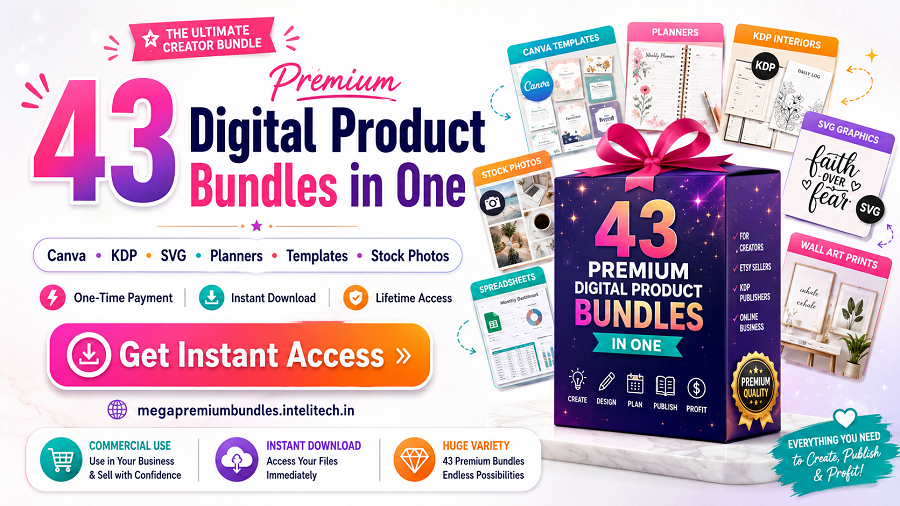
Buy individual premium bundles when you need a focused resource rather than the complete collection.
Understand the Buyer Journey Before Creating Content
1. Problem awareness
At this stage, the buyer recognizes a frustration but may not know the right product category. Content should describe the problem in the buyer’s language. Examples include “how to organize client onboarding,” “how to plan a month of social posts,” or “how to create a printable budget system.” Avoid presenting the product too early. First help the reader name the challenge and understand the cost of leaving it unresolved.
2. Solution exploration
The buyer is comparing approaches. Educational comparison posts, checklists, mini tutorials, and “template versus starting from scratch” explanations work well here. Be balanced. Explain situations where a template is useful and where a custom solution may be better. Honest boundaries strengthen credibility.
3. Product evaluation
Now the buyer needs specifics: file formats, editable elements, dimensions, software requirements, licenses, included pages, installation steps, and examples. Use labeled screenshots, short walkthroughs, preview videos, sample pages, and frequently asked questions. Make the buying decision easy to evaluate without forcing urgency.
4. Purchase and first use
After purchase, the customer needs a successful first result. Delivery instructions, quick-start guides, troubleshooting notes, and “start here” recommendations are essential. The faster a buyer gets value, the more likely they are to remember the shop positively.
5. Continued use and expansion
Retention content helps buyers discover advanced uses, updates, related products, and better workflows. This stage should feel like ongoing support rather than constant selling. Teach first, then recommend the most relevant next step.
A Practical Content Framework
Start with one clear promise
Every content asset should answer one primary question. A launch article might promise to show how the product solves a specific workflow problem. A usage email might promise three ways to customize a template. A retention tutorial might explain how to combine an existing purchase with a new add-on. One promise creates focus and makes the content easier to scan.
Show the product in context
Do not rely on isolated mockups. Show the product being used in a believable situation. For a planner, demonstrate a completed weekly spread. For a Canva kit, show a consistent campaign across several posts. For a spreadsheet, include sample data and the resulting dashboard. For a business template, show the sequence from blank file to completed client document.
Explain the transformation
Features describe what the buyer receives; transformation describes what changes after use. “Includes 50 pages” is factual, but “helps you organize a complete launch in one workspace” explains value. Strong content connects both: what is included, how it is used, and what outcome it supports.
Remove practical objections
List software requirements, skill level, editing limits, print guidance, licensing rules, and support options. Avoid hiding important restrictions. Clear qualification attracts better-fit customers and protects long-term trust.
Use a gentle, specific call to action
A useful call to action tells the reader exactly what happens next. “View all included templates,” “see the bundle breakdown,” or “open the quick-start guide” is clearer than “buy now.” Match the call to action to the reader’s stage and place it after a relevant explanation.
Free Productivity Resource: Zee Sharp
Zee Sharp is a growing suite of free online tools for productivity, development, and creativity. No sign-up, no watermarks—just practical tools you can use while planning, creating, testing, and promoting digital products.
Examples and Use Cases
Example: A beginner-focused product
Create a “first 15 minutes” tutorial that shows how to download, open, duplicate, edit, and save the product. Include screenshots and a small finished example. This content can become a blog post, welcome email, PDF guide, and help-center article.
Example: A professional bundle
Organize the bundle around outcomes rather than file count. Show a three-step workflow: select the right asset, customize it for the project, and export or deliver it. Add a visual index and explain which files are best for beginners, advanced users, or particular business types.
Example: A product update
Send an update note that clearly separates what changed, why it changed, whether existing files remain compatible, and how current buyers can access the new version. Include one practical tutorial that demonstrates the improvement.
Example: A related-product recommendation
Base the recommendation on the original purchase. A customer who bought social templates may benefit from a caption planner or content calendar. Explain the workflow connection and avoid recommending unrelated items merely because they are new.
Useful Resource: Explore Our Powerful Digital Products Bundle
Browse high-value bundles for website creators, developers, designers, startups, content creators, and digital product sellers. Use these resources to accelerate production, improve presentation, and build stronger offers.
Explore Our Powerful Digital Products Bundle
Buy individual premium bundles when you need a focused resource rather than the complete collection.
Content Format Comparison
| Format | Best Purpose | Strength | Watch Out For |
|---|---|---|---|
| Blog tutorial | Search traffic and education | Evergreen and detailed | Needs periodic updates |
| Email sequence | Onboarding and retention | Timely and personal | Too many promotions can cause fatigue |
| Short video | Demonstration | Shows the product quickly | May omit important details |
| FAQ page | Objection handling | Reduces repeated questions | Must reflect real buyer concerns |
| Pinterest pin | Discovery and traffic | Long content lifespan | Needs a useful landing page |
Step-by-Step Implementation Plan
Step 1: Define the audience and outcome
Write one sentence describing the buyer, the problem, and the expected result. For example: “This resource helps first-time Etsy printable sellers create clear launch content that explains the product and reduces buyer confusion.” Use this sentence to decide what belongs in the content and what does not.
Step 2: Collect proof and examples
Prepare screenshots, sample outputs, before-and-after comparisons, common questions, customer language, and a complete list of inclusions. Proof does not need to be dramatic. A realistic demonstration is often more persuasive than exaggerated claims.
Step 3: Build a core article or guide
Create one comprehensive resource with a problem-led introduction, practical steps, examples, FAQ, limitations, and a relevant call to action. This becomes the source material for shorter formats.
Step 4: Repurpose without duplicating blindly
Turn each major section into a separate email, pin, short video, carousel, or product-page FAQ. Adapt the framing to the channel. Email should feel direct and supportive; Pinterest should promise a useful idea; a product page should make evaluation easy.
Step 5: Create a post-purchase path
Plan the first-use message, one advanced tip, one troubleshooting resource, one update message, and one relevant related-product recommendation. Space them according to actual customer needs rather than sending a promotion every day.
Step 6: Review for clarity and compliance
Check links, claims, disclosures, file names, compatibility details, image accuracy, spelling, and mobile readability. Mark affiliate links appropriately and avoid guarantees that cannot be supported.
Step 7: Publish, observe, and improve
Record baseline metrics, then update weak sections based on questions, search queries, click behavior, and refund reasons. Treat content as a product that improves over time.
Common Mistakes to Avoid
- Leading with file quantity: Large numbers can attract attention, but they do not explain usefulness.
- Using vague promises: Replace “save time” with a specific workflow or task the product simplifies.
- Hiding requirements: State the required software, account type, device limitations, and skill level.
- Publishing only promotional content: Balance product announcements with tutorials, examples, and decision support.
- Recommending everything to everyone: Segment recommendations by purchase history, experience, or objective.
- Ignoring existing buyers: New-customer acquisition is important, but current buyers already know the brand and may benefit from deeper education.
- Letting old content become inaccurate: Review screenshots, links, versions, prices, and policies regularly.
- Forgetting disclosures: Clearly disclose affiliate relationships and sponsored links where required.
Useful Resource: Explore Our Powerful Digital Products Bundle
Browse high-value bundles for website creators, developers, designers, startups, content creators, and digital product sellers. Use these resources to accelerate production, improve presentation, and build stronger offers.
Explore Our Powerful Digital Products Bundle
Buy individual premium bundles when you need a focused resource rather than the complete collection.
How to Measure Results
Do not judge content only by immediate sales. Track a small set of indicators tied to the content’s purpose. For launch education, measure product-page clicks, preview engagement, email replies, and conversion quality. For post-purchase content, measure guide usage, support volume, repeat visits, update downloads, and repeat purchases. For evergreen SEO, monitor qualified impressions, rankings for relevant queries, time on page, internal-link clicks, and assisted conversions.
Review qualitative signals as well. Repeated questions reveal missing explanations. Positive comments reveal which outcomes resonate. Refund reasons may show that the product page attracted the wrong buyer or failed to explain a limitation. Use this evidence to improve both the product and the content around it.
Frequently Asked Questions
How much launch content does one digital product need?
A focused product can begin with one detailed article or landing page, three to five short educational pieces, a simple email sequence, and a help resource. Quality and relevance matter more than publishing a large volume at once.
Should every post directly promote the product?
No. Some posts should solve a related problem without a strong sales pitch. Link to the product only when it is a logical next step. This creates a healthier content mix and improves reader trust.
How often should existing buyers receive emails?
Send messages when you have a useful reason: onboarding, a practical tip, an important update, a relevant tutorial, or a closely matched recommendation. Frequency should reflect the product’s usage cycle and the expectations set at signup.
What makes a product tutorial effective?
Use a clear starting point, numbered steps, screenshots or examples, expected results, and troubleshooting notes. A beginner should be able to complete one useful outcome without searching elsewhere.
Can affiliate products be included in educational content?
Yes, when they are relevant and clearly disclosed. Explain why the resource may help, avoid unsupported claims, and use appropriate sponsored or nofollow attributes according to your publishing and legal requirements.
How can launch content become evergreen?
Focus on durable buyer questions, use updateable examples, avoid unnecessary time-sensitive language, and schedule regular reviews. After the launch, revise the introduction and calls to action so the article remains useful year-round.
Further Reading on SenseCentral
- Digital Product Ideas for Beginners
- How to Build a Digital Product Shop
- Digital Product Pricing Guide
- Digital Product Quality Checklist
- How to Create Better Digital Product Offers
Useful External Resources
- Canva Design School for design and visual communication education.
- Mailchimp Resources for email marketing and audience education.
- Pinterest Business Creative Best Practices for discovery-focused visual content.
- Google Search Central: Creating Helpful Content for people-first publishing guidance.
References
- Google Search Central. “Creating helpful, reliable, people-first content.”
- Canva Design School. Tutorials and learning resources for visual communication.
- Mailchimp. Educational resources on email marketing, segmentation, and customer journeys.
- Pinterest Business. Creative and content best-practice resources.
Disclosure: This article contains promotional and affiliate links. SenseCentral may earn a commission when readers purchase through eligible links, at no additional cost to the buyer.