How to Start a Mini Course Business
Summary: How to Start a Mini Course Business is a practical guide for beginners who want to launch a small paid offer before building a full course who want to sell a focused outcome quickly with fewer lessons and less production work. In this article, we will look at strategy, course structure, validation, pricing, sales pages, student experience, and the role Teachable can play in building a professional digital education business.
Affiliate disclosure: This post contains affiliate links. If you click through and purchase, Sensecentral may earn a commission at no extra cost to you. We only recommend tools that may be useful for creators, educators, and digital business owners.
Recommended Platform: Teachable
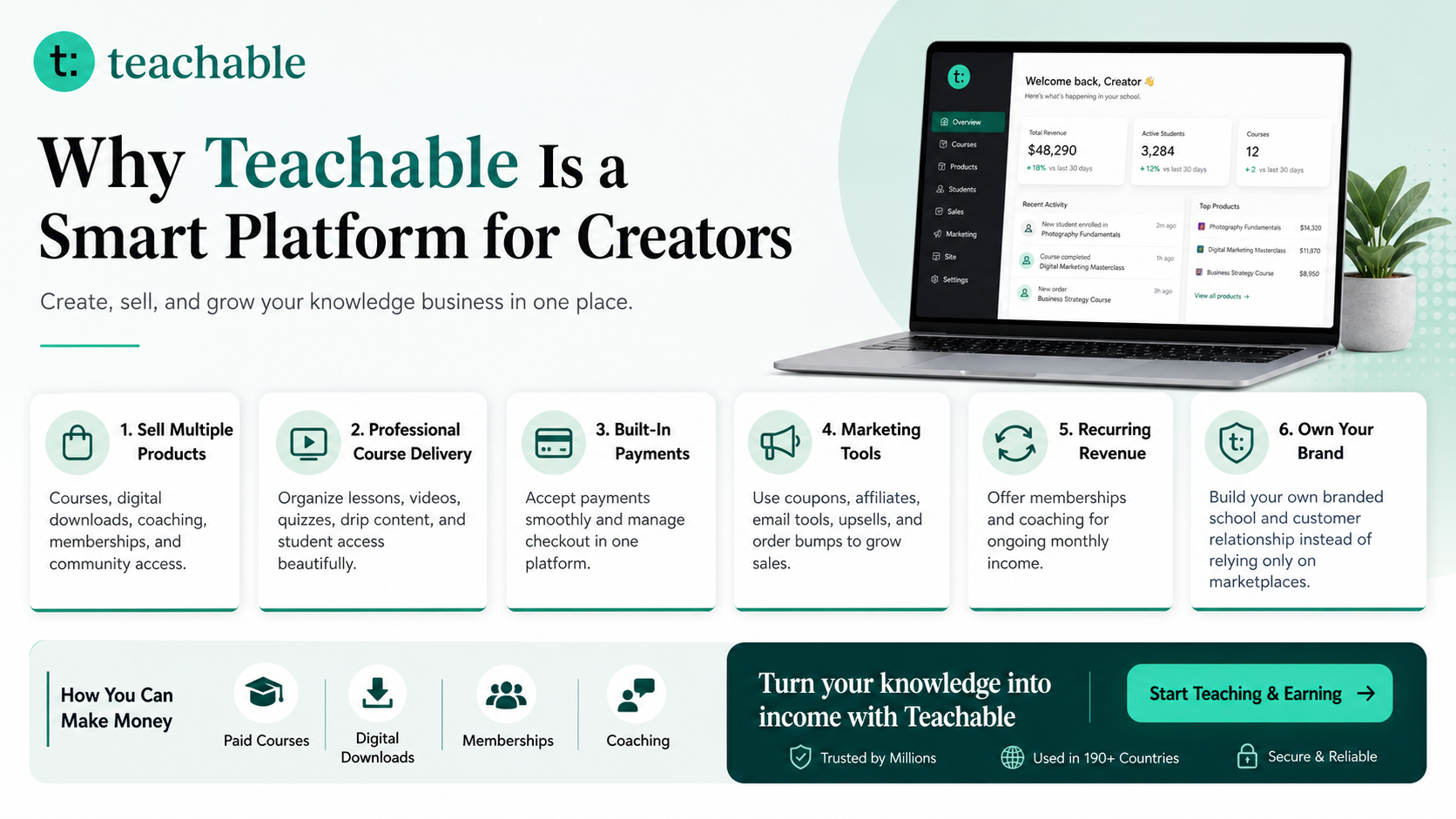
Teachable is an online platform that lets creators build, market, and sell courses, digital downloads, coaching, and memberships. It helps educators and entrepreneurs turn their knowledge into a branded digital business without needing complex coding.
Learn more on Sensecentral: How to Make Money with Teachable: A Complete Creator’s Guide

Why how to start a mini course business matters now
The online education market has become more competitive, but it has also become more accessible. A decade ago, creating a professional course business often required a custom website, a payment gateway, video hosting, a learning management system, email tools, and technical maintenance. Today, a creator can package knowledge into a paid learning product with far less friction. That is exactly why the topic of How to Start a Mini Course Business matters for creators who want to move from free advice to a real business.
The best course businesses are built around transformation. Students do not only buy videos; they buy a path from confusion to clarity, from slow progress to skill, or from scattered knowledge to a repeatable system they can use.
For Sensecentral readers who compare software, products, and business tools before making a decision, the key question is not simply whether Teachable is popular. The better question is whether the platform helps you reach your next business milestone. For a beginner, that milestone may be publishing a first course. For a teacher, it may be earning extra income beyond a local classroom. For a consultant, it may be turning repeated client advice into a scalable training program. For a creator with an audience, it may be building a digital product library that includes courses, templates, memberships, and coaching offers.
A course business also gives your expertise a longer shelf life. A one-to-one service can be profitable, but your time limits how much you can deliver. A free blog or YouTube channel can build trust, but it does not always produce direct revenue. A course sits between those models. It allows you to organize what you know, sell it repeatedly, improve it from feedback, and build a brand around student outcomes.
What Teachable helps you build
Teachable is designed for creators who want to sell learning products under their own brand. Instead of sending students to a marketplace where your course competes beside hundreds of similar offers, you can create a dedicated school experience. You can publish courses, add video lessons, create digital downloads, offer coaching, build memberships, and manage student access from one platform. That matters because a serious education brand needs more than a folder of videos; it needs a clean sales page, a trustworthy checkout, a student dashboard, and a clear path through the material.
The platform is especially useful when your goal is to launch without building custom technology. You can focus on curriculum, positioning, pricing, and promotion while the platform handles much of the course delivery workflow. For many beginners, this is the difference between thinking about a course for years and actually launching one. Technical simplicity does not remove the work of creating value, but it removes many of the technical barriers that stop creators before they start.
Teachable can be used for many creator business models. A coach can sell a self-paced course plus private calls. A designer can sell templates with tutorial videos. A teacher can publish exam preparation lessons. A blogger can turn a popular content series into a structured learning path. A software expert can create screen-recorded tutorials. A business consultant can create a professional training program for teams. The same platform can support a simple mini course today and a larger academy later.
Before choosing any platform, check current pricing, transaction fees, product limits, and features directly on the provider’s website because software plans change over time. In general, your decision should be based on your expected revenue, number of products, branding needs, student volume, and marketing workflow rather than only the lowest monthly price.
Step-by-step course creation framework
1. Choose one clear student outcome
Every strong course begins with a transformation. Do not start with “I want to teach everything I know.” Start with “What specific result will my student achieve?” A course about photography is broad; a course about taking professional product photos with a phone is specific. A course about business is broad; a course about setting up a simple freelance service package is specific. The clearer the outcome, the easier it becomes to write a sales page, record lessons, and attract the right buyers.
2. Define your ideal student
Your course should speak to one type of learner at first. A beginner needs different explanations than an advanced professional. A busy parent needs different lesson lengths than a full-time student. A freelancer needs different examples than a corporate employee. When you define the ideal student, you can remove unnecessary lessons and focus on the exact path that helps them move forward.
3. Validate before building everything
Validation means checking whether people want the outcome enough to pay for it. You can validate with surveys, small audience polls, direct messages, discovery calls, pre-orders, a free workshop, a waitlist, or a low-priced mini course. The goal is not to get compliments. The goal is to find buying intent. If people ask detailed questions, join a waitlist, pay for a pilot, or request a specific outcome, you have stronger signals than likes alone.
4. Build a simple curriculum map
A beginner-friendly curriculum usually has four parts: orientation, core lessons, practice, and next steps. Orientation explains who the course is for and how to use it. Core lessons teach the method. Practice turns knowledge into action. Next steps help students continue after completion. This structure works for many niches because it focuses on progress rather than content volume.
5. Create lesson assets
Lesson assets may include videos, slides, PDFs, worksheets, checklists, templates, quizzes, and assignments. Do not assume every lesson must be a long video. Short focused lessons are often easier to complete. If your topic is practical, include examples and downloadable tools. If your topic is conceptual, include diagrams, summaries, and reflection prompts. If your topic is professional, include case studies and implementation checklists.
6. Publish your offer page
Your course sales page should explain the student problem, the promised outcome, what is included, who it is for, who it is not for, what students will learn, pricing, refund policy, and frequently asked questions. A beautiful page helps, but clarity sells more than decoration. Use testimonials when you have them, but when you are new, use transparent details about your experience, curriculum, and support process.
7. Launch to a focused audience
Your first launch does not need a massive campaign. You can start with a small list, a blog post, a YouTube video, a webinar, a community post, or a direct outreach campaign. The best early launch is a learning launch: you sell, listen, improve, and collect feedback. After that, you can turn the launch into an evergreen funnel.
8. Improve based on student behavior
Course success is not only measured by sales. Watch completion, questions, refund reasons, testimonials, and support requests. If students stop at one lesson, improve that lesson. If buyers ask the same pre-sale question, add it to the sales page. If students complete the course and ask for the next level, you may have your next product idea.
Course ideas and offer examples
The best idea is not always the biggest idea. It is usually the clearest paid outcome. Use the table below to connect real audience problems with possible course offers.
| Course Topic Angle | Buyer Problem | Possible Teachable Offer |
|---|---|---|
| 30-Day Habit Reset | students need a clear beginner path | mini course + workbook |
| One-Hour Canva Workshop | buyers want ready-to-use examples | full course + checklist |
| Starter Budget Setup | learners feel overwhelmed by scattered free content | video lessons + templates |
| Basic Coding Module | professionals need a practical shortcut | coaching add-on + course |
| Interview Preparation | audiences want a guided transformation | self-paced course + community prompts |
| Beginner Seo Audit | customers need templates plus explanation | digital download bundle + tutorial |
Notice that each offer combines knowledge with a format. A video course alone can work, but a stronger offer often includes templates, workbooks, examples, checklists, live support, or a community component. The perceived value increases when students can act immediately instead of only watching lessons.
Teachable compared with common alternatives
Choosing a platform becomes easier when you compare business models instead of comparing only logos. Here is a practical comparison for course sellers.
| Option | Best For | Strength | Limitation to Consider |
|---|---|---|---|
| Teachable | Creators who want branded courses, downloads, coaching, memberships, and sales pages | Course-focused selling tools, student experience, checkout, and creator-friendly product structure | Plan limits, transaction fees, and advanced features vary by plan, so pricing should be checked before purchase |
| Course marketplaces | Creators who want marketplace discovery | Built-in student traffic and lower setup work | Less control over brand, pricing, audience relationship, and customer data |
| WordPress LMS | Website owners who want maximum control | Flexible ownership and plugin ecosystem | Requires hosting, updates, security, payment setup, and technical maintenance |
| Simple payment links + files | Very small digital products or early tests | Fast and inexpensive | Weak student experience, limited progress tracking, and poor scalability |
For many independent educators, Teachable sits in the practical middle: more professional than sending files manually, simpler than maintaining a full custom learning system, and more brand-controlled than relying only on marketplaces. That is why it often appears in conversations about beginner-friendly course platforms.
How to create a course students actually complete
Completion matters because it drives testimonials, repeat purchases, referrals, and long-term trust. A course with too much information can feel impressive on the sales page but exhausting inside the student dashboard. Your goal is not to overwhelm students; it is to guide them. Start with a welcome lesson that explains the outcome, the estimated time required, and the best way to move through the material. Then divide modules into small lessons that each solve one problem.
Use action steps at the end of each module. For example, instead of ending a lesson with “now you understand the basics,” give the student a checklist, worksheet, assignment, or implementation task. Practical output creates momentum. If the course teaches a skill, show examples before and after. If the course teaches a business process, provide templates. If the course teaches a mindset or productivity system, include reflection prompts and progress trackers.
Another important quality factor is support design. You do not need to promise unlimited personal help, but you should decide how students can get answers. Options include FAQ sections, office hours, community threads, email support, or periodic course updates. A clear support policy reduces confusion and protects your time.
Launch and marketing plan
A simple course launch can be built around five assets: a useful free content piece, a lead magnet, an email sequence, a sales page, and a deadline or reason to act now. For example, you might publish a detailed blog post, offer a free checklist, invite readers into a short email series, present the course as the next step, and open enrollment with a launch bonus. This approach works because it builds trust before asking for the sale.
If you already run a website like Sensecentral, product comparison content can support course affiliate promotion as well. Review-style posts, “best platform” guides, step-by-step tutorials, and case studies attract readers who are actively researching solutions. A reader searching for How to Start a Mini Course Business is likely not just browsing; they may be close to choosing a tool or starting a project. That makes clear calls-to-action important.
Do not depend on one traffic source. Combine SEO articles, YouTube videos, email marketing, short-form social content, community answers, and partnerships. Once a post begins ranking, update it regularly with fresh screenshots, pricing notes, feature changes, and better examples. A course business is a long-term asset, and your marketing content should also behave like an asset.
Useful resource for digital product sellers
Explore Our Powerful Digital Products — Browse these high-value bundles for website creators, developers, designers, startups, content creators, and digital product sellers.
If you are building a course business, you may also need templates, business kits, creative assets, spreadsheets, website resources, and launch tools. A resource marketplace can help you move faster, especially when you are packaging your knowledge into paid digital products.
Common mistakes to avoid
Mistake 1: Creating too much content before proving demand
Many creators spend months recording lessons before asking whether people will pay. Build the smallest valuable version first, validate the promise, and expand after feedback.
Mistake 2: Selling information instead of an outcome
Students can find information everywhere. They pay for structure, clarity, confidence, and a faster path to a result. Your sales page should emphasize the outcome more than the number of lessons.
Mistake 3: Ignoring pricing psychology
Low pricing can attract buyers, but it can also reduce perceived value and limit your ability to provide support. Compare your course against the cost of the problem, the value of the result, and the alternatives available to the student.
Mistake 4: Treating launch day as the finish line
Launch day is the beginning of optimization. Improve the sales page, refine lessons, collect testimonials, add FAQs, test bonuses, and create a stronger follow-up sequence over time.
FAQs about Start a Mini Course Business
Is Teachable good for beginners?
Yes, Teachable can be beginner-friendly because it combines course hosting, product pages, checkout, and student access in one place. Beginners still need to create valuable lessons and promote the offer, but they do not need to build a custom learning platform from scratch.
Can I sell more than online courses?
Teachable is commonly used for courses, but it can also support digital downloads, coaching, and membership-style offers depending on the plan and setup. This makes it useful for creators who want more than one monetization path.
Do I need a large audience to start?
No. A large audience helps, but a specific problem and a clear outcome are more important in the early stage. You can start with direct outreach, a small email list, a niche community, or a pre-sale campaign.
What should my first course be about?
Your first course should solve a problem you understand well and can explain clearly. Look for a topic where people already ask questions, spend money, or struggle to get results from free information alone.
How long should an online course be?
Length should match the outcome. A mini course might be one to three hours. A professional training program may be much longer. Students care more about progress than total video time.
Is Teachable worth paying for?
It may be worth paying for if it helps you publish faster, sell professionally, and create a better student experience. Compare the monthly cost and transaction fees with your expected sales, support needs, and branding goals before deciding.
Key takeaways
- Start with one outcome: A focused promise is easier to sell and easier for students to complete.
- Validate early: Test demand before building a large course library.
- Use Teachable strategically: It can simplify course hosting, checkout, student access, and product delivery.
- Think beyond videos: Worksheets, templates, checklists, quizzes, and coaching can increase course value.
- Build a brand: Your long-term advantage is trust, outcomes, student success, and useful content.
SEO keywords for this post
mini course starter course Teachable online course platform sell online courses course creator online course business digital products online teaching course marketing creator economy e learning
References and further reading
Internal Sensecentral links
- How to Make Money with Teachable: A Complete Creator’s Guide
- More online course platform guides on Sensecentral
- Digital product and creator tool resources on Sensecentral
- Product comparison articles on Sensecentral
External useful links
- Teachable official website
- Teachable pricing and plan details
- Teachable online courses feature page
- Teachable help: pricing your products
- Teachable help: affiliate links and resources
- Zapier guide to online course platforms
Ready to build your course business?
Teachable can help you create and sell courses, downloads, coaching, and memberships from a branded platform without complex coding.