- Quick answer: what changes when you leave shared hosting?
- Shared hosting vs managed WordPress hosting (simple definitions)
- Speed: why Kinsta typically feels faster (and more stable)
- Uptime: noisy neighbors, scaling, and what “reliability” really means
- Security: isolation, firewalls, DDoS protection, and malware cleanup
- Cost: the real “price” (including time, risk, and lost revenue)
- Who should upgrade to Kinsta vs stay on shared hosting?
- Migration: how switching typically works (without downtime)
- Decision checklist (copy/paste)
- Key Takeaways
- FAQs
- Is Kinsta “too much” for a small blog?
- Does shared hosting always mean slow?
- What security features matter most for WordPress?
- Will moving hosts hurt my SEO?
- Does Kinsta include a CDN?
- What’s the simplest way to decide?
- References
Updated for 2026. If you’re running WordPress on traditional shared hosting and you’ve hit a ceiling—slow admin, random timeouts, security scares, or traffic spikes that break checkout—this guide will help you decide whether a managed platform like Kinsta is worth it.
- Quick answer: what changes when you leave shared hosting?
- Shared hosting vs managed WordPress hosting (simple definitions)
- Speed: why Kinsta typically feels faster (and more stable)
- Uptime: noisy neighbors, scaling, and what “reliability” really means
- Security: isolation, firewalls, DDoS protection, and malware cleanup
- Cost: the real “price” (including time, risk, and lost revenue)
- Who should upgrade to Kinsta vs stay on shared hosting?
- Migration: how switching typically works (without downtime)
- Decision checklist (copy/paste)
- FAQs
- References
Quick answer: what changes when you leave shared hosting?
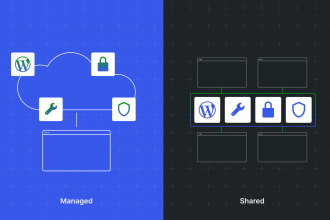
Shared hosting is built for low-cost density: many websites share the same server resources. Managed WordPress hosting (like Kinsta) is built for predictable performance, stronger isolation, and WordPress-specific operations.
Shared hosting vs managed WordPress hosting (simple definitions)
What is shared hosting?
Shared hosting means your WordPress site lives on a server alongside many other customer sites. Everyone draws from the same underlying pool of CPU, RAM, and I/O. That’s how it stays cheap—but it’s also why performance can fluctuate and security risk can rise if the environment isn’t tightly isolated.
What is managed WordPress hosting (Kinsta-style)?
Managed WordPress hosting is optimized specifically for WordPress: server stack tuning, caching layers, performance tooling, proactive monitoring, and specialized support. Kinsta positions its platform around isolated containers per site and an integrated Cloudflare layer (edge, security, and performance features delivered through the platform). :contentReference[oaicite:1]{index=1}
Shared hosting is like a crowded apartment with shared utilities; managed WordPress hosting is like a serviced apartment designed around your needs—with stronger boundaries and better staff.
Speed: why Kinsta typically feels faster (and more stable)
Speed is not just “homepage loads fast on your laptop.” Real-world speed includes:
- Time to first byte (TTFB) under load
- Admin dashboard responsiveness (especially for WooCommerce)
- Stability during spikes (social traffic, ads, viral posts)
- Global delivery (CDN + edge caching)
Why shared hosting slows down unpredictably
Shared hosting often suffers from “resource contention.” If other sites on the same box get busy, your site may inherit that slowdown. Even if your host is well-run, density-based pricing creates performance variability. Third-party comparisons frequently describe shared hosting as more likely to slow during peak usage due to shared resource pools. :contentReference[oaicite:2]{index=2}
Why Kinsta’s approach can improve consistency
Kinsta’s platform highlights isolated container technology per site—designed to keep sites separated and to allocate the resources needed for each environment. :contentReference[oaicite:3]{index=3}
In addition, Kinsta promotes a tight integration with Cloudflare, including edge/performance features (like HTTP/3 support and edge caching) delivered through the hosting platform. :contentReference[oaicite:4]{index=4}
| Speed Factor | Shared Hosting (Typical Reality) | Kinsta (Managed WordPress Approach) |
|---|---|---|
| Performance consistency | Can vary due to “noisy neighbors” and density | Designed for stability with isolated site environments :contentReference[oaicite:5]{index=5} |
| Edge/CDN delivery | Often optional add-on; setup is on you | Cloudflare integration emphasized for performance + security features :contentReference[oaicite:6]{index=6} |
| Modern protocol support | Depends on host; may lag behind | HTTP/3 support is included via Cloudflare integration :contentReference[oaicite:7]{index=7} |
| Support quality (speed troubleshooting) | General hosting support, often script-based | WordPress-focused support positioned as a core offering :contentReference[oaicite:8]{index=8} |
Uptime: noisy neighbors, scaling, and what “reliability” really means
Uptime is the foundation of revenue, SEO stability, and user trust. But “uptime” is not only about a server being online—it’s also about your site being responsive under stress (traffic spikes, cron storms, plugin conflicts, bot traffic).
Shared hosting uptime risks (beyond marketing claims)
- Server-level incidents affect many sites at once
- Resource caps trigger throttling or 503 errors during spikes
- Account-level compromises can cause blacklisting or suspensions
What Kinsta claims on reliability
Kinsta publishes an uptime SLA for certain enterprise contexts (up to 99.99%), and highlights infrastructure designed for resilience across multiple data centers. :contentReference[oaicite:9]{index=9}
Security: isolation, firewalls, DDoS protection, and malware cleanup
Security is where the shared-vs-managed gap becomes most expensive—because recovery costs time, reputation, and sometimes Google rankings.
Why shared hosting can be riskier
- Cross-account risk if isolation is weak (misconfigurations happen)
- One-size security rather than WordPress-specific hardening
- Slow incident response when support is not specialized
Kinsta’s security posture (what they highlight)
Kinsta markets multiple layers: isolated containers, Cloudflare-based protection, WAF filtering, DDoS protection, and malware scanning/removal commitments. :contentReference[oaicite:11]{index=11}
| Security Area | Shared Hosting (Common Pattern) | Kinsta (Stated/Highlighted Capabilities) |
|---|---|---|
| Isolation | Varies widely; depends on host configuration | Per-site isolated containers are central to the platform story :contentReference[oaicite:12]{index=12} |
| WAF + DDoS | Often add-on or third-party setup | Traffic routed through Cloudflare with WAF filtering and DDoS protection highlighted :contentReference[oaicite:13]{index=13} |
| Malware response | May require paid cleanup services | Free malware removal is promoted as part of the security pledge :contentReference[oaicite:14]{index=14} |
| Security monitoring | Basic monitoring; limited transparency | 24/7 monitoring and security-oriented tooling are emphasized :contentReference[oaicite:15]{index=15} |
Cost: the real “price” (including time, risk, and lost revenue)
Shared hosting wins on sticker price. Managed hosting wins on total cost of ownership when your site matters.
What you actually pay for on shared hosting
- Lower monthly fee
- But you often “pay” with time: performance tuning, caching plugins, debugging, backups, security hardening
- And you may pay later: downtime losses, paid malware cleanup, developer intervention
Kinsta pricing baseline (useful anchor for ROI)
Kinsta lists WordPress hosting plans starting around $30/month (plan structures and included resources vary), and advertises free migrations and a 30-day money-back guarantee. :contentReference[oaicite:16]{index=16}
Who should upgrade to Kinsta vs stay on shared hosting?
Kinsta is usually a strong fit if you:
- Run a business site where leads or sales matter
- Operate WooCommerce or membership sites (database + logged-in performance)
- Get traffic spikes from social, SEO growth, or paid ads
- Need better security posture and faster incident resolution
- Want a simpler stack with platform-level performance and security features
Shared hosting can still be fine if you:
- Have a brand-new blog with very low traffic
- Are validating an idea and cost is the top constraint
- Don’t mind occasional slowdowns and doing more DIY maintenance
| Your Situation | Better Choice | Why |
|---|---|---|
| New blog, minimal traffic | Shared hosting (short term) | Keep costs low while validating |
| Growing content site, SEO focus | Kinsta | Performance stability helps UX and reduces risk during spikes :contentReference[oaicite:17]{index=17} |
| WooCommerce store / checkout critical | Kinsta | Reliability + security layers reduce expensive incidents :contentReference[oaicite:18]{index=18} |
| Agency managing multiple WordPress sites | Kinsta | Managed tooling + predictable environments tend to scale better :contentReference[oaicite:19]{index=19} |
Migration: how switching typically works (without downtime)
Most site owners fear migration because of downtime, broken SSL, or missing email. The good news: a well-run managed host migration is usually systematic.
Typical migration flow (high-level)
- Copy site to the new host (files + database)
- Test on a temporary domain or staging URL
- Switch DNS at the right time (usually low-traffic hours)
- Verify SSL, permalinks, checkout, forms, caching
- Monitor logs and analytics for 24–48 hours
Kinsta explicitly promotes a migration team and “free migrations” messaging, which can reduce operational friction compared to DIY moves. :contentReference[oaicite:20]{index=20}
Decision checklist (copy/paste)
If you answer “yes” to 3 or more, it’s usually time to move beyond shared hosting:
- My site slows down unpredictably, especially during traffic spikes.
- I’ve had at least one outage, suspension, or “resource limit” error in the last 6 months.
- I rely on the site for revenue (ads, leads, bookings, products).
- I worry about hacks/malware and don’t have a clean recovery plan.
- I want platform-level security + performance instead of juggling plugins.
- I want WordPress-focused support when something breaks.
Key Takeaways
- Shared hosting is cost-efficient for new sites, but performance and reliability can fluctuate due to shared resources.
- Kinsta-style managed hosting is built for consistent speed and stronger isolation using containers. :contentReference[oaicite:21]{index=21}
- Kinsta emphasizes Cloudflare integration for security (WAF/DDoS) and performance features like HTTP/3 and edge caching. :contentReference[oaicite:22]{index=22}
- If downtime or hacks cost you real money, managed hosting often reduces total cost over time.
- Kinsta promotes free migrations and a pricing baseline around $30/month, making upgrades more approachable. :contentReference[oaicite:23]{index=23}
FAQs
Is Kinsta “too much” for a small blog?
If your blog is truly early-stage (low traffic, minimal revenue), shared hosting can be fine. But if you care about consistent speed, security posture, and less DIY maintenance, managed hosting can still be worth it—especially as you grow.
Does shared hosting always mean slow?
No. Some shared hosts are decent—especially at low load. The bigger issue is consistency. Many comparisons emphasize that shared hosting can slow down when other sites compete for the same server resources. :contentReference[oaicite:24]{index=24}
What security features matter most for WordPress?
At a minimum: strong isolation, WAF protection, DDoS protection, malware scanning, backups, and fast incident response. Kinsta highlights Cloudflare-based WAF filtering and DDoS protection as part of its platform approach. :contentReference[oaicite:25]{index=25}
Will moving hosts hurt my SEO?
If done correctly (testing, proper redirects, no blocked crawling, SSL handled, no downtime), SEO impact is usually neutral or positive. The biggest SEO risk is extended downtime or broken pages. Performance improvements can support better UX metrics over time.
Does Kinsta include a CDN?
Kinsta positions its Cloudflare integration as providing performance and security features, including CDN/edge-related capabilities. Review plan details to confirm what is included for your specific plan and traffic needs. :contentReference[oaicite:26]{index=26}
What’s the simplest way to decide?
If your site earns money or is mission-critical and you’ve experienced slowdowns, limits, or security stress on shared hosting, moving to managed hosting is often the operationally safer choice.
References
- Kinsta – Cloudflare Integration (security + performance features). :contentReference[oaicite:27]{index=27}
- Kinsta – Isolated container technology / infrastructure approach. :contentReference[oaicite:28]{index=28}
- Kinsta – Pricing page (plan baseline, migrations, guarantee messaging). :contentReference[oaicite:29]{index=29}
- Kinsta – Security messaging (WAF/DDoS, malware removal) and security checklist. :contentReference[oaicite:30]{index=30}
- WordPress.com – Managed vs shared hosting stability discussion. :contentReference[oaicite:31]{index=31}
- CloudPanel – Managed WordPress hosting vs shared hosting overview. :contentReference[oaicite:32]{index=32}
Suggested next internal reads on SenseCentral: link this post to your “Best Managed WordPress Hosting,” “Best WooCommerce Hosting,” and “WordPress Security Checklist” articles for stronger topical authority and better session depth.