- Table of Contents
- 1) What is CRM?
- 2) Why CRM Matters in 2026
- 3) CRM vs. ERP vs. Marketing Automation vs. Helpdesk
- 4) Types of CRM (Operational, Analytical, Collaborative + More)
- A) Operational CRM
- B) Analytical CRM
- C) Collaborative CRM
- Other practical “types” you’ll see in 2026
- Types of CRM at a glance
- 5) How a CRM Works (Customer Lifecycle + Data Flow)
- 6) CRM Features Checklist (What Good CRMs Include)
- Core CRM features (non-negotiable)
- Sales acceleration features
- Marketing + growth features
- Customer support features
- Integrations that matter in real life
- AI features (useful when done right)
- 7) How to Choose the Right CRM Software
- Step 1: Define your CRM goals
- Step 2: Map your customer journey
- Step 3: Build a simple scoring matrix
- Step 4: Shortlist CRM tools (common options)
- 8) CRM Implementation: Step-by-Step Plan
- Phase 1: Preparation (Week 1)
- Phase 2: Setup (Week 2)
- Phase 3: Data migration (Week 2–3)
- Phase 4: Training + adoption (Week 3–4)
- Phase 5: Optimize (Ongoing)
- 9) CRM Metrics & KPIs to Track
- 10) Common CRM Mistakes (and How to Avoid Them)
- Mistake 1: Over-customizing from day one
- Mistake 2: Treating CRM as “sales only”
- Mistake 3: Ignoring data hygiene
- Mistake 4: No training, no process
- Mistake 5: Measuring the wrong thing
- Key Takeaways
- FAQs
- What does CRM stand for?
- Is CRM only for big companies?
- What is the difference between CRM and a spreadsheet?
- What are the 3 main types of CRM?
- What is the best CRM software in 2026?
- How long does CRM implementation take?
- Do CRMs help with customer support?
- How do I keep CRM data clean?
- References & Further Reading (External Links)
- Final Thoughts
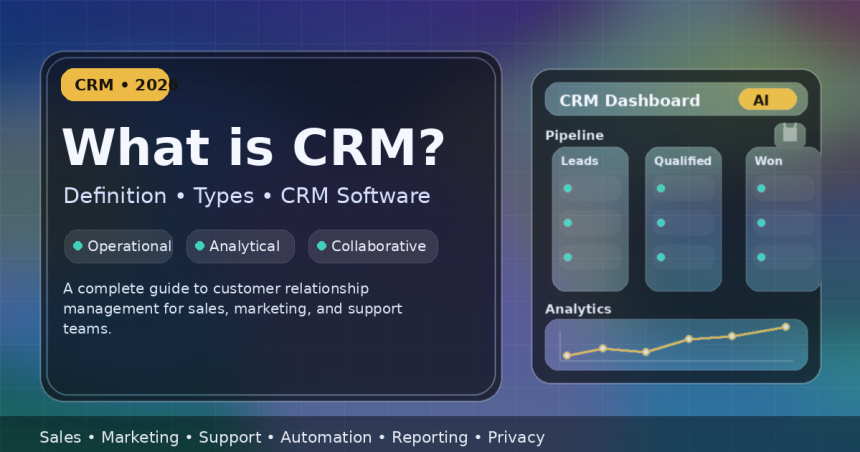
CRM (Customer Relationship Management) is one of those business terms that gets thrown around a lot—yet many teams still use spreadsheets, scattered notes, and disconnected tools to manage customers.
This guide explains what CRM is, the main types of CRM, the features you should expect in modern CRM software, and how to choose and implement a CRM successfully in 2026 (with practical checklists you can copy).
Table of Contents
1) What is CRM?
CRM (Customer Relationship Management) is both:
- A strategy for managing customer relationships across sales, marketing, and support, and
- A software system that stores customer data and helps teams track interactions, automate workflows, and improve retention.
In simple terms, a CRM helps you answer questions like:
- Who are our customers and leads?
- What conversations have we had with them (email, calls, chat, meetings)?
- What’s the next best action to close a deal or keep a customer happy?
- Which campaigns and channels are actually bringing revenue?
- Where are deals getting stuck, and why?
Good CRM systems unify customer information in one place so your team can work faster, follow up consistently, and deliver a better customer experience.
Quick example: A lead fills a form on your website → the CRM creates a new lead → assigns it to a salesperson → schedules follow-up tasks → tracks emails and calls → moves the lead through pipeline stages → generates a quote → and later logs onboarding + support tickets after purchase.
2) Why CRM Matters in 2026
In 2026, customer expectations are higher than ever. People want:
- Faster replies (even outside business hours)
- Personalized communication (not generic copy-paste)
- Consistent experiences across email, phone, WhatsApp, chat, and social
- Trust & privacy—especially with growing regulations and security risks
A CRM supports all of this by bringing structure to chaos:
Top benefits of CRM
- Better lead management: No leads lost in DMs or spreadsheets.
- Higher conversion rates: Follow-ups happen on time with reminders and workflows.
- Pipeline visibility: You can forecast revenue and spot bottlenecks earlier.
- Improved customer retention: Support history and preferences are visible instantly.
- Team alignment: Sales, marketing, and support see the same customer story.
- Automation: Reduce repetitive tasks (data entry, reminders, routing).
- Data-driven decisions: Reports show what’s working and what isn’t.
Modern CRM trend: CRMs are increasingly adding AI features (drafting emails, summarizing calls, next-best actions, forecasting, and “agent-like” automation). The winners won’t be teams with the most data—they’ll be teams with the best data quality + process + adoption.
3) CRM vs. ERP vs. Marketing Automation vs. Helpdesk
Many businesses buy tools that overlap. Here’s the clean way to think about it:
| Tool | Main purpose | Best for |
|---|---|---|
| CRM | Manage customer relationships and interactions | Sales pipeline, customer history, follow-ups, account management |
| Marketing Automation | Run campaigns automatically | Email sequences, segmentation, lead nurturing, attribution |
| Helpdesk / Ticketing | Handle support requests | Tickets, SLAs, knowledge base, multi-channel support |
| ERP | Run internal operations | Finance, inventory, procurement, HR, manufacturing |
Important: In 2026, many platforms bundle these functions (CRM + marketing + service). That can be great—if your team actually uses them. Otherwise, it becomes expensive “shelfware.”
4) Types of CRM (Operational, Analytical, Collaborative + More)
CRMs can be classified in a few ways. The most common (and most useful) classification is:
A) Operational CRM
Focus: Automating day-to-day customer-facing processes.
- Lead capture and assignment
- Sales pipeline stages
- Tasks, reminders, and follow-up automation
- Email sequences and templates
- Customer support and case management (in some CRMs)
Best for: Sales teams and service teams that need speed and consistency.
B) Analytical CRM
Focus: Turning customer data into insights.
- Dashboards, reporting, and forecasting
- Customer segmentation (who buys what, when, and why)
- Lifetime value (LTV) analysis
- Churn prediction, lead scoring, trend analysis
Best for: Leadership teams and growth teams optimizing performance.
C) Collaborative CRM
Focus: Sharing customer information across teams and channels.
- Shared customer profiles across sales/marketing/support
- Internal notes and handoff visibility
- Omnichannel communication history
- Partner/affiliate collaboration in some industries
Best for: Businesses where customer experience depends on multiple teams working together.
Other practical “types” you’ll see in 2026
- Strategic CRM: CRM as a long-term customer loyalty strategy (less about tools, more about customer experience design).
- Industry-specific CRM: Built for real estate, healthcare, education, insurance, automotive, etc.
- Deployment model: Cloud/SaaS CRM (most common), on-premise CRM (rare but needed in some regulated orgs), or open-source/self-hosted CRM.
Types of CRM at a glance
| CRM type | Primary goal | Typical features |
|---|---|---|
| Operational | Automate workflows | Pipeline, tasks, routing, templates, sequences |
| Analytical | Extract insights | Reports, forecasts, segmentation, scoring |
| Collaborative | Align teams | Shared timeline, omnichannel history, handoffs |
5) How a CRM Works (Customer Lifecycle + Data Flow)
A CRM is basically a structured system for managing the customer lifecycle:
- Attract: Ads, content, SEO, referrals, partnerships
- Capture: Forms, chat, calls, WhatsApp, social leads
- Qualify: Is this lead a good fit? (Budget, need, timeline)
- Convert: Proposal → negotiation → closed deal
- Onboard: Welcome, setup, training, first value
- Support: Tickets, help articles, renewals, upsells
- Retain: Loyalty, expansion, referrals, advocacy
Where does CRM data come from?
- Website forms and landing pages
- Email and calendar integrations
- Phone calls, call tracking, VoIP systems
- Live chat and messaging apps
- E-commerce stores and payments
- Customer support systems
- Manual imports (CSV) and API connections
Key concept: A CRM is only as valuable as the accuracy of its data and the consistency of its usage. That’s why adoption and data hygiene matter as much as the software itself.
6) CRM Features Checklist (What Good CRMs Include)
If you’re evaluating CRM software, use this checklist as your “must-have vs nice-to-have” filter.
Core CRM features (non-negotiable)
- Contact & account management: People, companies, tags, custom fields.
- Lead & deal pipeline: Stages, probabilities, close dates, pipeline view (Kanban).
- Activity tracking: Calls, emails, meetings, notes, tasks.
- Search + filters: Find anything quickly.
- Basic automation: Assignments, reminders, stage-based tasks.
- Reporting: Sales performance, pipeline, conversion rates.
- Security: Roles, permissions, audit logs (at least basic).
Sales acceleration features
- Email templates & sequences
- Lead scoring (rules-based or AI-assisted)
- Quotes / proposals (or integrations with quoting tools)
- Deal forecasting and pipeline health
- Call logging and call recordings (where supported)
Marketing + growth features
- Segmentation by behavior and attributes
- Campaign tracking (source/UTM attribution)
- Email marketing (sometimes built-in, often integrated)
- Landing pages/forms (in some CRMs)
Customer support features
- Ticketing or case management
- SLAs, priorities, routing
- Knowledge base and canned replies
- Customer portal (optional but powerful)
Integrations that matter in real life
- Email + calendar: Gmail/Outlook sync
- Messaging: WhatsApp/chat tools (varies)
- Accounting: QuickBooks/Xero (varies)
- E-commerce: Shopify/WooCommerce (varies)
- Automation: Zapier/Make or native workflow tools
- Analytics: BI tools or built-in dashboards
AI features (useful when done right)
- Email drafting and follow-up suggestions
- Meeting notes and conversation summaries
- Next-best action recommendations
- Forecasting and anomaly detection
- Data hygiene suggestions (duplicate detection, missing fields)
Tip: Don’t buy AI hype. Choose AI that improves adoption and reduces busywork—otherwise it becomes another unused feature.
7) How to Choose the Right CRM Software
The “best CRM” depends on your business model, sales process, and team size. Use this decision framework:
Step 1: Define your CRM goals
- Do you mainly need sales pipeline visibility?
- Do you need customer support history and ticketing?
- Do you need marketing automation and nurturing?
- Do you need enterprise governance (roles, audit, compliance)?
Step 2: Map your customer journey
Write down your real workflow from lead → close → onboarding → support. CRMs fail when teams try to force-fit the tool instead of matching the tool to reality.
Step 3: Build a simple scoring matrix
| Criteria | Weight (1–5) | CRM A | CRM B | CRM C |
|---|---|---|---|---|
| Ease of use / adoption | 5 | |||
| Pipeline + automation | 5 | |||
| Reporting + forecasting | 4 | |||
| Integrations | 4 | |||
| Support + onboarding | 3 | |||
| Cost (total, not just per seat) | 4 | |||
| Security + compliance features | 3 |
Step 4: Shortlist CRM tools (common options)
- Salesforce CRM (powerful, scalable, enterprise-friendly)
- HubSpot CRM (excellent usability + marketing alignment)
- Microsoft Dynamics 365 (strong Microsoft ecosystem fit)
- Zoho CRM (value + broad suite of tools)
- Pipedrive (sales pipeline simplicity)
- Freshsales (Freshworks) (sales-focused CRM with automation)
- monday sales CRM (visual workflows + flexible setup)
Reality check: For small teams, the best CRM is the one your team will actually use every day.
8) CRM Implementation: Step-by-Step Plan
CRM implementation is not “install and done.” Treat it like a mini transformation project.
Phase 1: Preparation (Week 1)
- Pick an owner: One person accountable for setup + adoption.
- Define your pipeline: Stages, definitions, exit criteria.
- Decide required fields: What data must be captured to be useful?
- Set naming rules: e.g., Company names, deal names, lead sources.
Phase 2: Setup (Week 2)
- Configure roles & permissions
- Create custom fields (only what you truly need)
- Set automations (assignment rules, reminders, stage tasks)
- Connect integrations (email, calendar, forms, website)
Phase 3: Data migration (Week 2–3)
- Export old spreadsheets
- Remove duplicates
- Standardize formats (phone, country codes, company names)
- Import in small batches, verify, then continue
Phase 4: Training + adoption (Week 3–4)
- Teach workflows (not features): “Here’s how we handle a new lead.”
- Set simple rules: “If it’s not in CRM, it doesn’t exist.”
- Create dashboards for each role (sales reps, managers, support)
Phase 5: Optimize (Ongoing)
- Review pipeline and drop-off points monthly
- Improve automation slowly (avoid overwhelming users)
- Run a “data hygiene day” monthly
- Measure adoption (logins, activities, records created)
Compliance note: If you store customer personal data, build privacy practices into your CRM usage from day one (permissions, retention policies, access logs, and secure handling).
9) CRM Metrics & KPIs to Track
A CRM becomes truly valuable when you track the right metrics. Here are practical ones:
Sales KPIs
- Lead response time
- Lead-to-opportunity conversion rate
- Opportunity-to-win rate
- Average deal size
- Sales cycle length
- Pipeline coverage (pipeline value vs target)
Customer success / support KPIs
- First response time
- Time to resolution
- Repeat tickets (same issue recurring)
- CSAT/NPS (if you collect it)
- Renewal rate and churn rate
Marketing KPIs (when connected to CRM)
- Lead source ROI (which channels create real customers)
- Campaign conversion rates
- Customer acquisition cost (CAC)
- LTV (lifetime value)
10) Common CRM Mistakes (and How to Avoid Them)
Mistake 1: Over-customizing from day one
Too many fields and complex automations reduce adoption. Start simple, then evolve.
Mistake 2: Treating CRM as “sales only”
CRM works best when marketing + support + leadership share the same customer truth.
Mistake 3: Ignoring data hygiene
Duplicate contacts, missing fields, and outdated info kill trust in the system.
Mistake 4: No training, no process
CRM isn’t magic. Process + discipline creates results.
Mistake 5: Measuring the wrong thing
Don’t reward “records created.” Reward outcomes: faster follow-up, higher conversion, better retention.
Key Takeaways
- CRM is both a strategy and software for managing relationships across sales, marketing, and support.
- The 3 main CRM types are Operational, Analytical, and Collaborative.
- A good CRM improves follow-up, pipeline visibility, customer experience, and retention.
- In 2026, look for CRMs with automation + strong reporting + practical AI (not hype).
- CRM success depends heavily on adoption, data hygiene, and clear workflows.
FAQs
What does CRM stand for?
CRM stands for Customer Relationship Management.
Is CRM only for big companies?
No. Small businesses often benefit the most because a CRM prevents leads from slipping through the cracks and keeps follow-ups consistent.
What is the difference between CRM and a spreadsheet?
A spreadsheet stores data. A CRM stores data and connects it to workflows (tasks, reminders, emails, pipeline stages, reporting, automation, and user permissions).
What are the 3 main types of CRM?
Operational CRM (automation), Analytical CRM (insights), and Collaborative CRM (team alignment).
What is the best CRM software in 2026?
There’s no single best CRM. Popular options include Salesforce, HubSpot, Microsoft Dynamics 365, Zoho, Pipedrive, Freshsales, and monday sales CRM—choose based on your workflows and adoption.
How long does CRM implementation take?
For small teams, a basic CRM can go live in 2–4 weeks. Larger organizations may take months due to integrations, governance, and training needs.
Do CRMs help with customer support?
Many CRMs include basic support features or integrate with helpdesk tools. The main advantage is that support teams can see full customer history instantly.
How do I keep CRM data clean?
Use required fields, standard formats, duplicate detection, periodic audits, and simple rules like “log every customer interaction in CRM.”
References & Further Reading (External Links)
- Salesforce: What is CRM?
- Salesforce: Types of CRM
- Oracle: Types of CRM
- TechTarget: CRM Definition
- Wikipedia: Customer relationship management
- Deloitte: CRM 101
- HubSpot CRM
- Microsoft Dynamics 365 Sales
- Zoho CRM
- Pipedrive
- Freshsales CRM
- monday sales CRM
- Gartner: Top Strategic Technology Trends for 2026
- Forrester Predictions (2026)
- European Commission: Data protection explained
- California DOJ: CCPA
- FTC: CAN-SPAM compliance guide
- NIST: Cybersecurity Framework (CSF) 2.0 (PDF)
Final Thoughts
CRM is not just a tool—it’s a system for building trust, delivering consistency, and turning relationships into repeatable growth. If you choose a CRM that matches your real workflow and you keep adoption + data hygiene strong, you’ll see results quickly: faster follow-ups, higher conversions, and happier customers.
Your next step: Pick 2–3 CRM options, use the checklist above, and run a 7–14 day pilot with real customer data before committing long-term.