




- Table of Contents
- Why this bundle is a smart buy for designers, developers, and founders
- Who this bundle is perfect for
- What you get: 145 resources (high-level overview)
- What’s inside (category breakdown)
- 1) Admin Dashboards (SaaS / Management Panels)
- 2) Mobile App UI Kits (General + High-Demand Niches)
- 3) Website Templates & Landing Pages
- 4) iOS App Design Templates
- 5) 3D Icon Packs & Futuristic UI Styles
- 6) Quick Niche Finder (for buyers in a hurry)
- Real-world use cases: how people actually use these UI kits
- Use case A: Build a client-ready prototype in 1–2 days
- Use case B: Launch an MVP without “design paralysis”
- Use case C: Upgrade your portfolio with multi-niche case studies
- Use case D: Redesign an existing product faster
- Use case E: Consistent admin panels for SaaS and operations tools
- How to use this bundle in Figma (fast workflow)
- Step 1: Download and organize your files
- Step 2: Pick a niche-first starting point
- Step 3: Standardize typography and spacing early
- Step 4: Convert screens into reusable components
- Step 5: Build a clickable prototype for quick approvals
- Step 6: Export with handoff in mind
- Best practices to make any kit look unique (not “template-ish”)
- 1) Replace hero visuals and icons strategically
- 2) Use a brand “signature element”
- 3) Adjust layout rhythm
- 4) Customize microcopy and states
- 5) Keep a consistent component library
- Time saved, ROI, and why bundles convert better than single UI kits
- License and usage rules (what you can and can’t do)
- FAQs
- Is this a physical product?
- Do I need Figma?
- Can I use these for client projects and commercial work?
- Is this bundle good for developers?
- Is this bundle only for mobile apps?
- What niches are included?
- How fast can I start using it?
- Final CTA: get the bundle and build faster
If you build apps, dashboards, landing pages, or SaaS products, you already know the real bottleneck: design time. Not the idea. Not the code. It’s the endless cycle of wireframing, choosing patterns, aligning layouts, refining spacing, and trying to make every screen look “premium” without reinventing everything from scratch.
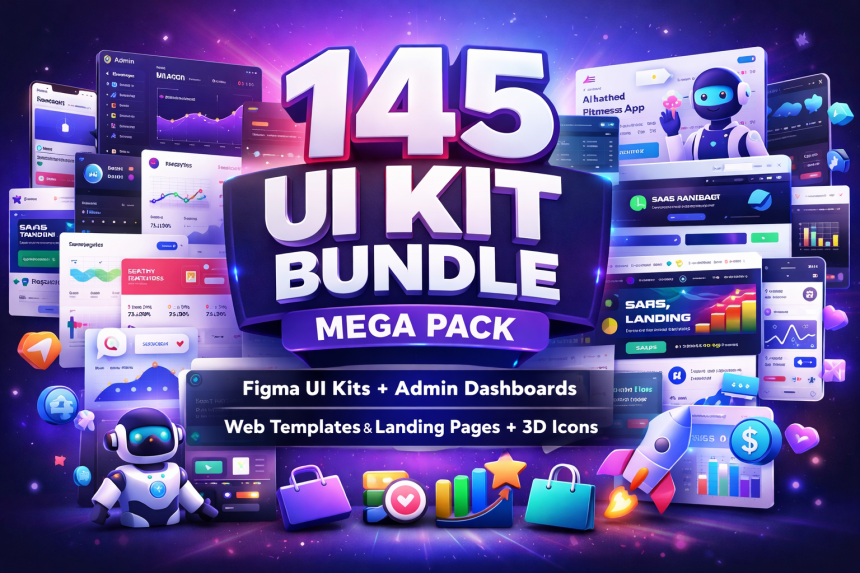
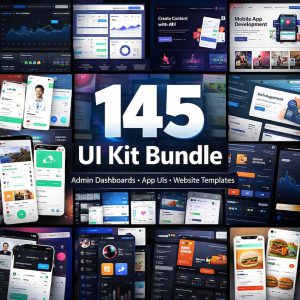
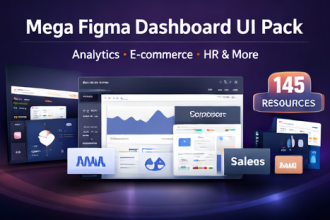
That’s exactly why the 145 UI Kit Bundle Mega Pack exists. It’s a curated collection of 145 design resources that gives you a deep library of modern, ready-to-customize UI kits—covering mobile apps, admin dashboards, landing pages, website templates, and 3D icon packs across high-demand niches like AI, crypto, fintech, health, fitness, e-learning, travel, HR, e-commerce, news, and productivity.
Want the full 145-pack instantly?
Get the bundle on Etsy (digital download) and start designing your next project today.

Buy Now on Etsy
See What’s Inside
Note: This is a digital product. No physical item will be shipped.
Table of Contents
- Why this bundle is a smart buy for designers, developers, and founders
- Who this bundle is perfect for
- What you get: 145 resources (high-level overview)
- What’s inside (category breakdown)
- Real-world use cases: how people actually use these UI kits
- How to use this bundle in Figma (fast workflow)
- Best practices to make any kit look unique (not “template-ish”)
- Time saved, ROI, and why bundles convert better than single UI kits
- License and usage rules (what you can and can’t do)
- FAQs
- Final CTA: get the bundle and build faster
Why this bundle is a smart buy for designers, developers, and founders
Buying a single UI kit can help you ship one project faster. But buying a multi-niche bundle changes the way you work. Instead of searching endlessly for “one more dashboard kit” or “one more landing page layout,” you get a library you can reuse across clients and projects.
This bundle is specifically designed to reduce three expensive problems:
1) Rebuilding common screens over and over
Login, onboarding, profile screens, cards, tables, charts, pricing sections, hero headers, testimonials, feature grids—most digital products reuse these patterns. This pack gives you proven layout structures you can adapt quickly.
2) Losing client confidence due to “average” visuals
When you present a polished design in the first round, clients trust you more. Trust leads to faster approvals, fewer revisions, and higher perceived value.
3) Slow MVP cycles for startups
Founders often need MVP visuals for investors, beta launches, and marketing pages—before engineering is complete. With ready-to-customize templates, you can create credible visuals in days, not weeks.
And because the bundle spans modern styles—clean minimal, futuristic, glassmorphism, and modern dashboard layouts—you can match different brand identities instead of forcing every project into one look.
Design quicker. Pitch better. Ship faster.
If you want a “go-to” UI library you can reuse across niches, this bundle is built for you.
Instant digital download via Etsy after purchase.
Who this bundle is perfect for
This is not “just another UI kit.” It’s a productivity tool for anyone who builds digital products. Here’s who benefits most:
UI/UX Designers (Figma workflows)
App Developers (ready-to-build layouts)
Startup & SaaS Founders (fast MVP visuals)
Agencies (client-ready screens)
Freelancers (higher conversion proposals)
Product Teams (rapid prototyping)
UI/UX designers get immediate value because the pack provides a broad library of modern screens and dashboard patterns. Instead of starting from a blank frame, you start from a proven layout and focus on brand, UX, and differentiation.
Developers benefit because you can translate pre-made screens into your codebase faster. When you already have a coherent UI direction, engineering is less likely to stall due to design uncertainty.
Founders can use these templates to validate an idea quickly. Need an AI tool landing page? A fintech wallet UI? A crypto exchange dashboard? A telehealth booking flow? You can assemble a credible prototype fast and test demand.
Agencies and freelancers win because speed plus polish means better margins. When your first draft looks premium, you’re not paid for “hours”—you’re paid for outcomes.
What you get: 145 resources (high-level overview)
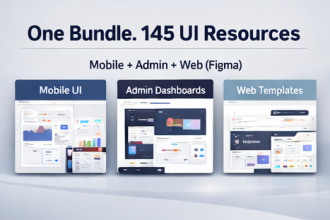
At a high level, the 145 UI Kit Bundle Mega Pack includes:
- Mobile App UI Kits across high-demand niches (AI, health, crypto, fintech, travel, food, education, news, HR, productivity, utilities)
- Admin Dashboard UI Kits for SaaS, analytics, payments, e-commerce, ticketing/helpdesk, real estate, travel, weather, and more
- Landing Page & Website Templates for agencies, SaaS, AI tools, SEO tools, coaching, and digital products
- 3D Icon Packs (future tech and SEO-themed 3D icons) for modern branding and hero sections
- Multiple visual styles: clean minimal, futuristic, glassmorphism, modern dashboard layouts
In short: it’s a one-purchase toolkit for anyone who designs or ships digital products.
| Buying Strategy | What Happens | Result |
|---|---|---|
| Buy 1 UI kit | Helps with one project and one style direction | Good short-term benefit, limited long-term reuse |
| Buy multiple single kits over time | Spend repeatedly, still missing niches and components | Higher cost, inconsistent quality and styles |
| Buy a multi-niche mega pack | Get broad coverage in one purchase; reuse across projects | Best long-term ROI for designers, devs, agencies, founders |
Get the full 145 UI Kit Mega Pack
One purchase. Multi-niche coverage. Faster design cycles.
Recommended if you work across multiple client niches or build many products.
What’s inside (category breakdown)
Below is the practical breakdown of what’s included so you can quickly assess fit.
1) Admin Dashboards (SaaS / Management Panels)
Admin dashboards are where most teams lose time—tables, charts, filters, sidebars, widget layouts, states, and spacing. This bundle includes dashboards suited for:
- Multipurpose Admin Dashboards (multiple variations)
- Blog Admin Dashboard
- Sales dashboards (SalesBoard-style)
- Courses dashboards and education analytics
- Exchange / crypto / trading dashboards
- Fashion & e-commerce dashboards (Urban, Fashn, Muara + variants)
- Web analytics dashboards
- Invoice / mailbox widget dashboards
- Ad manager / campaign dashboards
- Helpdesk / ticket system / call center dashboards
- Product, photo, video, downloads management dashboards
- School / university / admission dashboards
- Hotel / travel agency dashboards
- Real estate dashboards
- Weather dashboard
If you design SaaS products, client portals, admin panels, CRMs, or analytics tools, this category alone can save you significant time.
2) Mobile App UI Kits (General + High-Demand Niches)
Mobile UI kits help you move from concept to prototype fast: onboarding, auth flows, listing pages, details screens, profiles, and checkout patterns—already designed.
- AI apps: image generator UI, content writer UI, character AI, voice AI, AI generator kits, AI chatbot dashboards (multiple versions)
- Health & medical: doctor/telehealth/hospital flows, healthcare UI screens, GoDoc/GoDoctor-style screens
- Fitness & wellness: fitness tracking, workouts, fasting tracker, yoga & meditation, wellness dashboards
- Finance & payments: fintech UI, wallets, payments, invoicing dashboards
- Crypto & NFT: crypto market apps, exchange UIs, NFT marketplace and NFT admin dashboards
- Travel & booking: travel booking, airline tickets, hotel admin templates
- Education: e-learning kits, courses UI, admissions dashboards
- Food & restaurant: coffee shop, restaurant UI, pizza ordering iOS templates, food sharing apps
- News & reading: news app UI, ebook UI, blog/news templates
- Jobs & HR: job finder, job portal iOS templates, HR management UI + dashboards
- Productivity: taskboard/task management, project dashboards
- Utilities: VPN UI, parking UI, calculator UI
3) Website Templates & Landing Pages
Landing pages are where conversion happens: clear hero sections, social proof, feature breakdowns, pricing layouts, and CTAs. This bundle includes templates for:
- Software landing page templates
- SEO software landing page UI
- AI content writer landing UI
- Digital agency/app development agency UI
- Coaching themes (business & life coach)
- Digital products e-commerce website UI
4) iOS App Design Templates
If you want that polished iOS aesthetic (clean spacing, modern layout rhythm, premium feel), this bundle includes multiple iOS-focused templates such as job portal iOS designs, grocery, blog/news, food ordering, and social network UI.
5) 3D Icon Packs & Futuristic UI Styles
Modern SaaS and AI tools often rely on 3D icons and futuristic elements for premium branding. Included packs like Future Technology 3D Icons and SEO 3D Icons help you upgrade hero sections, feature cards, and marketing visuals instantly.
6) Quick Niche Finder (for buyers in a hurry)
If you need a fast match, these are the main niches covered:
- AI tools + AI chatbot UI
- Crypto / NFT / trading UI
- Healthcare / hospital / telehealth UI
- Finance / payments / invoicing UI
- E-learning / courses / school dashboards
- Travel / ticketing / hotel dashboards
- E-commerce dashboards + digital products website
- HR / job portal / recruitment UI
- Productivity (tasks, projects, admin panels)
Real-world use cases: how people actually use these UI kits
Bundles like this are popular because they align with real work. Below are practical scenarios where buyers typically see immediate value.
Use case A: Build a client-ready prototype in 1–2 days
Imagine a client asks for a fintech wallet app, a dashboard for analytics, or a landing page for an AI tool. Normally you’d spend days on layout exploration before you even impress them visually. With this bundle, you can:
- Pick a niche UI kit that matches the industry
- Swap typography and colors to match the brand
- Replace images/icons with client assets
- Export screens for the proposal deck or clickable Figma prototype
The result: faster approvals and better perceived expertise.
Use case B: Launch an MVP without “design paralysis”
Founders commonly lose time debating UI patterns. This bundle reduces that friction. You choose a kit, adapt it, and move to development. Especially useful when:
- You need investor visuals for a pitch
- You need marketing assets before the build is complete
- You want to validate a product in multiple niches quickly
Use case C: Upgrade your portfolio with multi-niche case studies
If you’re a UI/UX designer, having a portfolio that spans multiple industries makes you more hireable. With this bundle, you can create case-study-ready concepts in AI, health, crypto, travel, education, and SaaS—without hunting for assets.
Use case D: Redesign an existing product faster
Redesigns typically require new card layouts, dashboards, and onboarding flows. Instead of rebuilding patterns from scratch, you can borrow proven structures and tailor them to your brand system.
Use case E: Consistent admin panels for SaaS and operations tools
Admin dashboards often require complexity—charts, tables, filters, and data states. The included dashboard kits give you a strong foundation for SaaS products and internal tools.
If you want speed plus polish, this is the bundle.
Design flows, dashboards, and landing pages without starting from zero.
How to use this bundle in Figma (fast workflow)
Here’s a clean, repeatable workflow you can use to get results quickly—without turning your Figma files into a mess.
Step 1: Download and organize your files
- Purchase the bundle on Etsy and download the ZIP file.
- Unzip it into a dedicated folder (e.g., “UI Kit Mega Pack”).
- Create subfolders by type: Mobile UI, Dashboards, Landing Pages, Icons.
Step 2: Pick a niche-first starting point
Instead of choosing by “style,” choose by industry match. For example:
- AI product → AI landing + AI app UI + 3D icons
- Fintech product → wallet UI + payments dashboard
- Crypto product → exchange dashboard + market app UI
- Telehealth product → doctor UI + hospital admin dashboard
Step 3: Standardize typography and spacing early
To avoid a “template” look, quickly standardize these:
- Typography: choose 1–2 fonts and define heading/body scales
- Spacing: set consistent padding rules (e.g., 8/12/16/24)
- Buttons: unify radius, hover states, and primary/secondary styles
Step 4: Convert screens into reusable components
Turn repeating UI patterns into components and variants (navigation, cards, pricing blocks, tables, widgets). That gives you a design system feel even if you started from a kit.
Step 5: Build a clickable prototype for quick approvals
Use Figma prototyping to connect the main flows. This makes stakeholders “feel” the product—and reduces revision rounds.
Step 6: Export with handoff in mind
If you’re working with developers, document key tokens:
- Color palette
- Font sizes/weights
- Spacing scale
- Component behaviors
Better handoff reduces engineering back-and-forth and speeds delivery.
Best practices to make any kit look unique (not “template-ish”)
High-quality kits are a foundation—but your edge comes from customization. Use these tactics to make outputs look bespoke:
1) Replace hero visuals and icons strategically
Swap default icons with the included 3D icon packs (when appropriate), or use brand-specific illustration styles. One visual change can shift the perceived uniqueness dramatically.
2) Use a brand “signature element”
Add one signature element and repeat it consistently: a gradient, a corner treatment, a distinct card shadow, a chip style, or a button animation concept. It becomes a recognizable brand cue.
3) Adjust layout rhythm
Even if you keep the same structure, adjusting whitespace and typographic hierarchy can create an entirely new feel.
4) Customize microcopy and states
Replace generic labels with real product language (and design empty states, loading states, and error states). This instantly moves your design from “template” to “product.”
5) Keep a consistent component library
If you mix assets across kits, make sure button styles, radius, shadow, and typography stay consistent. Consistency is what makes a product feel premium.
Time saved, ROI, and why bundles convert better than single UI kits
Here’s the straightforward math behind why mega bundles sell so well: design time is expensive. Whether you bill clients hourly or you’re losing opportunity cost as a founder, every day saved is valuable.
With a bundle like this, you don’t just save time once—you save time across projects:
- Faster ideation: pick a niche kit and start with structure
- Faster design iterations: less time on “layout exploration”
- Faster approvals: polished first drafts reduce revisions
- Faster handoff: consistent patterns simplify dev work
And because the bundle spans multiple niches, it’s useful even when your work changes. One month you may design an AI tool. Next month, a travel dashboard. Next month, an HR portal. This pack keeps paying off.
License and usage rules (what you can and can’t do)
Allowed: You can use these assets to create your own projects and client work. That includes building apps, websites, dashboards, prototypes, and marketing pages using the included templates as a base.
Not allowed: Reselling, sharing, or redistributing the original source files “as-is” is not permitted. In other words, you can use them to create work—but you cannot repackage the kit files and sell/share them as a competing bundle.
Practical rule of thumb: If you are delivering a project to a client, you’re typically safe. If you are distributing the source files as a product, that’s not allowed.
FAQs
Is this a physical product?
No. This is a digital download. You’ll receive a ZIP bundle containing the UI resources (as provided in the pack).
Do I need Figma?
This bundle is designed for Figma-based workflows (UI/UX design, prototyping, and handoff). If you use a different tool, you may still be able to reference the layouts, but Figma is the intended environment.
Can I use these for client projects and commercial work?
Yes—commercial usage for projects and client work is allowed. The main restriction is that you cannot resell or redistribute the original source files as-is.
Is this bundle good for developers?
Yes. Developers benefit because these UI kits speed up UI planning and reduce design uncertainty. You can translate screens into code more confidently when you have consistent layouts.
Is this bundle only for mobile apps?
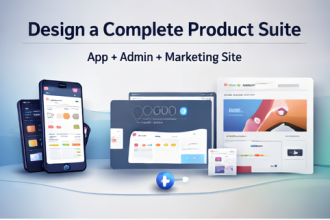
No. It includes mobile app UI kits, admin dashboards, and landing page/website templates—so you can design a full product ecosystem (marketing site + app + admin panel).
What niches are included?
AI, crypto/NFT, fintech/payments, healthcare/telehealth, fitness, e-learning, travel, HR/jobs, e-commerce, news/reading, productivity, utilities, and more.
How fast can I start using it?
Immediately. After purchase, download the ZIP, pick a niche kit, and start customizing. Many buyers can create a presentable prototype the same day.
Final CTA: get the bundle and build faster
If you want to design faster, deliver cleaner screens, and impress clients or stakeholders without starting from scratch every time, the 145 UI Kit Bundle Mega Pack is a practical investment.
You’re not just buying a collection—you’re buying speed, variety, and a reusable library you can apply across multiple niches and product types.
Ready to upgrade your workflow?
Get the full 145-pack today and accelerate your next app, dashboard, or landing page project.
See What’s Inside
Back to Table of Contents
Tip: If you do client work across multiple industries, this bundle typically pays for itself quickly.



AWESOME BUNDLE
Hej, jeg ønskede at kende din pris.